StreamYard vs. Riverside: Stop Comparing Features, Start Comparing Risks
Most reviews will tell you that StreamYard is for live streaming and Riverside is for recording. While true, that advice is useless when you are staring at a “Buy Now” button.
The real difference isn’t about features; it is about friction.
If you are a creator, a marketer, or a business owner, you aren’t just buying software. You are buying a workflow. You are choosing between Live Safety (StreamYard) and Studio Quality (Riverside).
This guide ignores the marketing fluff to put both platforms through the “Reality Test”—focusing on what happens when the internet drops, the guest isn’t tech-savvy, or you’re running late on a deadline.
Click here to try StreamYard for free →
Feature Comparison: StreamYard vs. Riverside
| Feature | StreamYard | Riverside |
|---|---|---|
| Local Recording | No | Yes (up to 4K video, 48kHz WAV audio) |
| Multistreaming | Yes | Yes (select plans) |
| Guest Capacity | Up to 10 guests | Up to 8 guests |
| Branding Tools | Custom overlays, banners, logos | Branding on recordings |
| Ease of Use | Very easy (browser-based) | Easy but more advanced tools |
| Video Quality | Up to 1080p | Up to 4K |
| Audio Quality | Good | Excellent (uncompressed WAV) |
| Editing Tools | None built-in | AI-powered, timeline & text-based |
| Transcription | No | Yes |
| Pricing | Free + paid plans | Paid plans (with free trial) |
-
StreamYard is a Broadcaster. It processes video in the cloud. It prioritizes keeping the stream alive above all else. If your internet dips, the quality lowers, but the show goes on.
-
Riverside is a Recorder. It processes video locally on your computer (and your guest’s computer). It prioritizes resolution (4K) above all else. It uploads massive files in the background while you talk.
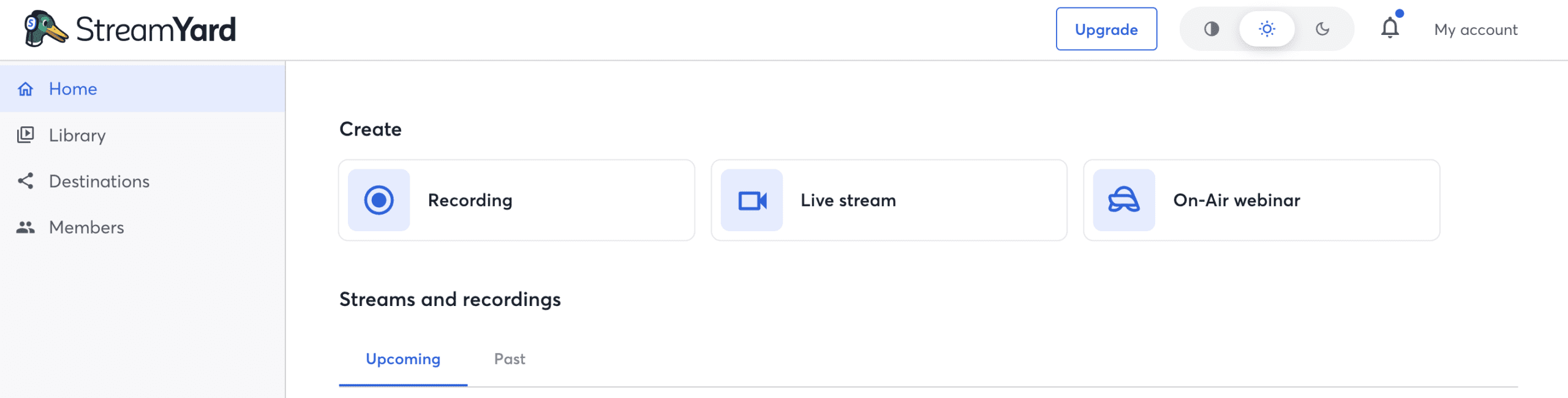
We Recommend Checking Out StreamYard Pricing & Plans (2026)
Risk Factor 1: The “Guest Friction” Test
The Scenario: You are interviewing a VIP guest who is using an older laptop (a “potato”) on weak hotel Wi-Fi.
The Riverside Reality: High Reward, High Risk
Because Riverside records “locally” (on the guest’s actual device), it demands significant processing power (CPU).
-
The Risk: If your guest opens Riverside on an old laptop with 20 Chrome tabs open, their fan will start spinning, and their browser might freeze.
-
The Bottleneck: After the interview ends, the guest must keep their browser open to finish uploading the high-quality file. If they close the tab too early, you lose the high-quality footage. This can be awkward to enforce with VIP guests.
The StreamYard Reality: The “it Just Works” Factor
StreamYard is incredibly lightweight because the heavy lifting is done on StreamYard’s servers, not your laptop.
-
The Benefit: It works on tablets, phones, and old computers without issue.
-
The Trade-off: You are recording the internet feed. If the guest has bad Wi-Fi, their video will look pixelated (blocky) because you are capturing what is coming over the wire, not what is on their camera sensor.
The Verdict: If you control the environment (e.g., internal team meetings), choose Riverside. If you interview strangers with unknown tech skills, choose StreamYard for safety.
Risk Factor 2: The “Sync Panic” (Audio Drift)
The Scenario: You record a 60-minute episode. When you open the files to edit, the guest’s lips are moving 2 seconds after their voice is heard.
The Riverside Reality
Variable frame rates and local recording glitches can sometimes cause “Audio Drift.” While Riverside has improved this massively in 2024/2025, it is a known risk of browser-based local recording.
-
The Workflow Cost: If drift happens, you (or your editor) must manually cut and slide the audio track every few minutes to get it back in sync. It turns a 1-hour edit into a 4-hour nightmare.
The StreamYard Reality
Because StreamYard is processing a live feed, the audio and video are “baked” together in real-time.
-
The Benefit: It is nearly impossible for a StreamYard recording to be out of sync. The file you download is exactly what you saw on screen.
-
The Trade-off: The audio is compressed. It sounds like a good phone call or Zoom call, not a studio WAV file.
The Verdict: Do you have an editor? If yes, they can handle Riverside’s quirks. If you are a “one-man band,” StreamYard offers peace of mind.
Risk Factor 3: Post-Production Speed
The Scenario: The recording finishes at 2:00 PM. You want it on YouTube by 3:00 PM.
StreamYard: The “Zero-Edit” Workflow
StreamYard is designed to be “Live-to-Tape.” You can add your logo, lower-third name tags, and intro videos while you are recording.
-
The Result: When you hit “End Broadcast,” the video is essentially finished. You can download it and upload it to YouTube immediately. No rendering, no syncing, no branding to add in post.
Riverside: The “Pro-Edit” Workflow
Riverside gives you the raw ingredients: a high-quality video track and a high-quality audio track for every guest.
-
The Result: You must edit these. You have to sync them, color correct them (since they are raw), and add your branding in software like Premiere Pro or Descript.
-
Note: Riverside has added AI editing tools (“Magic Clips”), but for full episodes, most users still export to an external editor for fine-tuning.
The Comparison Matrix: Risks & Rewards
Here is the breakdown of what you are actually signing up for:
| Feature | StreamYard (The “Broadcaster”) | Riverside (The “Filmmaker”) |
| Primary Goal | Reliability. “The stream must not fail.” | Fidelity. “The video must look 4K.” |
| Video Quality | Good (1080p). Dependent on internet speed. | Excellent (4K). Independent of internet speed. |
| Guest Requirements | Low. Works on weak Wi-Fi & old devices. | High. Needs strong CPU & Chrome/Edge. |
| The “Silent” Risk | Pixelated video if connection drops. | Audio Drift or guest closing tab too early. |
| Editing Workflow | Fast. “Baked-in” branding means zero editing. | Slow. Requires syncing & mixing tracks. |
| Best For… | Solopreneurs, Live Streamers, Non-Techies. | Podcast Networks, production teams, “Clip” creators. |
Final Recommendation: Which “Anxiety” Can You Handle?
You aren’t choosing a tool; you are choosing which problem you prefer to deal with.
Buy StreamYard If:
-
You are a Solo Creator: You don’t have time to edit multitrack audio. You want to hit “Record,” have your name tag appear automatically, and upload the file instantly.
-
You Value “Live” Engagement: You want to highlight user comments on the screen in real-time to build community.
-
Your Guests are Unpredictable: You interview people who might struggle with technology.
Buy Riverside If:
-
You are Building a Brand Asset: You want your podcast clips to look like Netflix quality on TikTok/Instagram (4K vertical video).
-
You Have an Editor: Or you are a patient editor. You are willing to spend time fixing audio levels or sync issues to get perfect quality.
-
You Hate “Zoom Quality”: You refuse to accept the grainy video look that comes with internet streaming.
The Bottom Line: If you want to be a broadcaster, get StreamYard. If you want to be a filmmaker, get Riverside.
StreamYard Pricing & Plans
- The Ultimate Guide to Choosing Cameras and Lenses for Podcasting
- StreamYard Business Plan Review: Is It Worth $299/Month for Teams?
- Synology DS1525+ for Podcasters: What You Need to Know Before You Buy
- StreamYard Pricing (2026): Full Comparison of Plans, Differences, Features & Discounts
- Podbean Pricing: The Best Podcast Hosting Platform for Getting Started?