
Matt
Dealing with Audience Feedback
In today’s digital age, podcasts have surged in popularity, offering a unique platform for creators to connect with their audience personally. However, the most successful podcasts go beyond mere entertainment; they solve problems for their listeners. Whether these problems are acute, arising suddenly and needing immediate attention, or chronic, persisting over a longer period, understanding and addressing these issues can transform your podcast into a vital resource for your audience.
The Difference Between Acute and Chronic Problems
Acute problems are immediate and often require quick solutions. These can range from needing advice to finding a fix for a common household issue. Chronic problems, on the other hand, are ongoing and might not have a straightforward solution. These could include dealing with long-term career challenges or managing mental health.
Tailoring Your Podcast Content
- For Acute Problems: Offer actionable advice and quick tips. Episodes can be structured around solving your audience’s specific issues, providing immediate value.
- For Chronic Problems: Create content that supports ongoing improvement and offers deep dives into topics. Series or episodes that feature experts, share personal stories, or explore research can be particularly effective.
Competing with Other Sources of Information and Entertainment
Your podcast isn’t just competing with other podcasts but with every digital content your audience consumes. Understanding this reality is crucial. To stand out, your podcast must not only address your audience’s problems but do so in a way that’s more engaging, accessible, and valuable than other sources.
Making Your Podcast an Invaluable Resource
The key to making your podcast indispensable is consistently solving problems for your audience. This means:
- Regularly soliciting feedback to understand their needs
- Staying on top of the latest trends and information in your niche
- Creating a community around your podcast that fosters engagement and loyalty
Conclusion
Being a problem-solver can set your podcast apart in a world flooded with content. By understanding your audience’s acute and chronic problems and tailoring content to meet these challenges head-on, you can create a podcast that entertains and becomes an essential part of your listeners’ lives.
Podcast Royalty Free Music
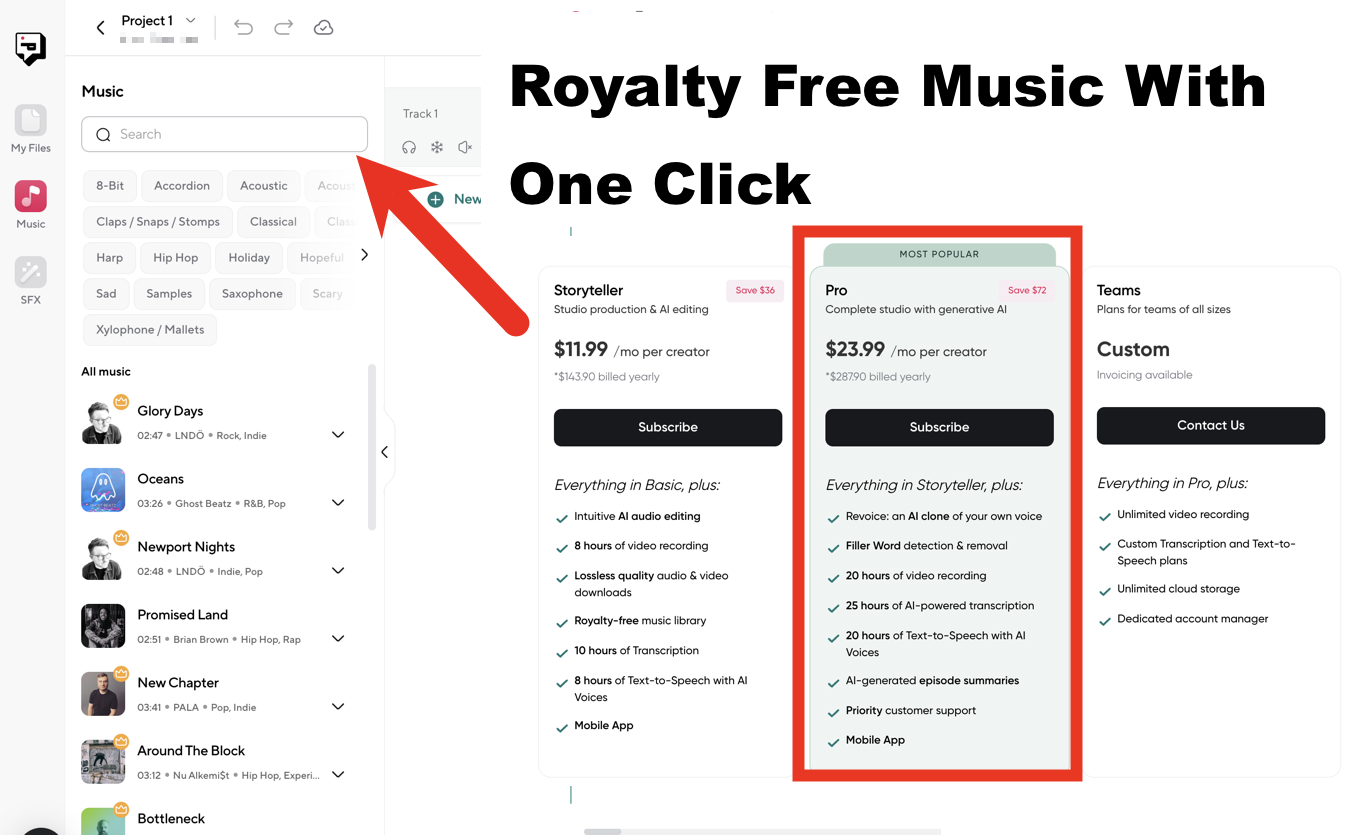
Music is a fantastic way to enhance the listener experience of your podcast. Whether setting the intro mood, creating seamless transitions, or building emotional impact within storytelling, the right music can transform a good podcast into a memorable one. However, choosing the right music isn’t just about aesthetics; it’s also about protecting yourself legally and financially. This is where royalty-free music comes into play.
Click Here To Get Started
What is Royalty-Free Music?
Royalty-free music refers to tracks where you pay a one-time licensing fee to use the music without incurring ongoing costs each time your episode is played. This is in contrast to traditional music licensing, where you might pay the artist or record label royalties every time someone listens to your podcast.
Key Reasons to Use Royalty-Free Music
- Avoid Copyright Infringement: Using popular songs without permission is a recipe for copyright trouble. This could lead to your podcast being taken down or, worse, legal action against you. Royalty-free music protects you from these risks.
- Manage Your Budget: Royalties on popular songs can add up quickly, especially if your podcast grows. Royalty-free music offers a predictable cost structure.
- Wide Variety: Don’t think royalty-free limits your choices! There are vast libraries of high-quality, royalty-free music spanning all genres and moods.
- Simple Licensing: Royalty-free licenses are usually straightforward, so you know how to use the music.

Where to Find Royalty-Free Music
Many excellent websites offer royalty-free music. Some popular options include:
- Epidemic Sound: (https://www.epidemicsound.com/) A massive library focusing on quality and curation.
- Soundstripe: (https://www.soundstripe.com/) Unlimited downloads with a subscription model.
- AudioJungle: (https://audiojungle.net/) A marketplace with a wide range of styles and prices.
- Bensound: (https://www.bensound.com/) Smaller selection but offers some great free tracks with attribution.
- Free Music Archive: (https://freemusicarchive.org/) Source for music under Creative Commons licenses (carefully check the specific license terms).
How to Prevent Burnout in Podcasting
Remember when you first hit that record button? The pure excitement of sharing your ideas with the world buzzed through you. But lately, it’s feeling less like a passion project and more like a grind. The once-joyful editing sessions morph into endless hours, and that creative spark isn’t firing like it used to. If this sounds familiar, you might be treading dangerously close to the realm of podcaster burnout.
Podcasting takes dedication, and getting caught up in the whirl of it all is natural. But neglecting your well-being ultimately hinders your show’s growth. This blog post is your guide to preserving your love of podcasting while preventing the creative crash of burnout. We’ll cover why and give concrete strategies to build a sustainable and fulfilling podcasting experience.
Body
Section 1: Understanding the Roots of Podcast Burnout
Podcaster burnout isn’t simply about being tired. It’s a multi-layered state of being physically, mentally, and creatively drained due to the prolonged demands of creating a show. Some common warning signs include:
- Losing the Spark: Tasks that used to ignite your excitement now feel mundane and draining.
- A Scattered Mind: You struggle to focus and concentrate while working on your podcast.
- Feeling Uninspired: Generating new content feels like pulling teeth; your creative well seems dry.
- Overwhelm and Negativity: The pressure mounts as deadlines loom, and a cynical edge creeps into your thoughts about your podcast.
Burnout doesn’t happen overnight. It’s a gradual slide fueled by unsustainable habits and the pressure to constantly outdo yourself. Left unchecked, it can jeopardize your podcast’s quality, derail your growth, and seriously impact your overall well-being.
Section 2: Key Burnout Prevention Strategies
The good news is that burnout isn’t inevitable. Here are strategies to implement right away:
- Healthy Goal Setting: It’s understandable to have an enthusiastic outlook and want to aim high in life. However, setting unrealistic goals can demoralize and lead to disappointment. It’s better to establish goals that are achievable and match your current capacity. Break down tasks into smaller, more manageable units, and take pleasure in every accomplishment, no matter how big or small.
- Setting Boundaries: Podcasting can be all-consuming if you let it. Define specific “podcast work hours” and stick to them. When outside those hours, shut off notifications and resist the urge to constantly check-in. Your listeners and your own mental space will thank you.
- Outsourcing and Automation: You don’t have to do everything yourself! If tasks like audio editing or social media management take the wind out of your sails, consider outsourcing to a freelancer or a virtual assistant. Tools that schedule episodes and social media updates also save valuable time.
- Building a Support System: Connect with other podcasters through online forums, Facebook groups, or local meetups. Sharing experiences and offering support can boost your morale. An accountability buddy can help you stay on track with your goals and recognize red flags of burnout early.
- Mental and Physical Well-being: Prioritize your health. Sufficient sleep is crucial for creativity and concentration. Include regular exercise, even a simple walk, into your routine. Mindfulness practices like meditation or spending time in nature help ease anxiety. Most importantly, schedule guilt-free breaks from podcasting when your mind and body need a reset.
Section 3: Additional Tips for Podcast Longevity
- Batch record and edit: This provides buffer days for unforeseen issues and lets you capitalize on creative peaks.
- Don’t fall into the comparison trap: Social media has a way of showcasing people’s highlight reels. Focus on the unique qualities of your podcast rather than feeling like you need to constantly compete.
- Handling Feedback Constructively: While valuable, feedback can be a double-edged sword. Remember, you can’t please everyone. Extract useful suggestions without letting negativity derail you.
Conclusion
Don’t let burnout turn your podcasting journey into a chore. Recognize that self-care is a form of productivity. Burnout prevention is an active choice you make every day. By establishing healthy boundaries, building a support network, and nurturing your well-being, you ensure your podcast remains a source of joy for years.
Choose one strategy from this post and commit to implementing it into your podcasting routine this week. Your future self (and your podcast!) will be grateful.
My Number One Podcast Monetization Tip
You’ve poured your heart and soul into crafting a podcast that resonates with your audience. Your retention rate is solid, but maybe your downloads or listener numbers haven’t quite reached the heights you envisioned. Sound familiar?
Many podcasters face this challenge, relying solely on platforms like Apple Podcasts or Spotify to reach new listeners. But a powerful tool can unlock your podcast’s full potential: a website dedicated to your show.
Case Study: Crime Junkie’s Missed Opportunity
Consider the wildly popular true crime podcast “Crime Junkie.” They consistently rank high in podcast charts, but they could be reaching an even wider audience. How? By having a website and by making podcast episode posts for search engines to pick them up. Imagine if they wrote blog posts around low-competition keywords like “unsolved murders” or “missing persons cases”, or if they start using the names involved in the cases. Each post acts as a new doorway for listeners to discover their show, expanding their reach far beyond podcast platforms alone.
Why Your Podcast Needs a Website: The Benefits Unveiled
Having a website for your podcast isn’t just about having a flashy online presence. It’s about taking control of your growth, expanding your reach, and building a sustainable business around your passion.
Here’s how:
Unleash Your Brand Potential
-
- Go Beyond the Platform: Podcast directories limit your branding options. A website gives you complete creative control over design, messaging, and overall aesthetics, allowing you to stand out from the crowd.
- Build Trust and Credibility: A polished website with high-quality content positions you as a professional podcaster, attracting sponsors, advertisers, and loyal listeners.
SEO Superpower for Organic Growth:
-
- Search Engines Love Websites: Websites are inherently designed to be indexed and ranked by search engines like Google. Each page on your site – from episode listings to blog posts – can be optimized to appear in relevant searches.
- Keywords: The Key to Discovery: Thorough keyword research allows you to strategically incorporate terms people actively search for within your website headings, descriptions, and content. This dramatically increases your chances of appearing in search results.
- Beyond Podcast Directories: While listing your podcast in directories is essential, a website lets you target a broader range of search terms, attracting listeners who might never find you otherwise.
- Backlinks Boost Authority: As other websites link to yours, it signals to search engines that you’re a credible source, improving your search rankings and driving more traffic.
- Evergreen Growth: Unlike the fleeting nature of social media trends, an optimized website is a long-term growth strategy. As you create quality content and improve your SEO, your podcast’s visibility and potential audience steadily increase.
The All-Encompassing Content Hub:
-
- Centralized Organization: Consolidate everything related to your podcast in one place—episode listings, show notes, transcripts, and bonus content—for a streamlined listener experience.
- Curate Value Beyond the Episodes: Extend your podcast’s reach by offering additional resources like blog posts, articles, or deeper dives into episode topics, establishing yourself as an authority in your niche.
Diversify Your Income Streams:
-
- Monetization Without Middlemen: Bypass platform limitations and take control of your revenue. Place targeted ads, sell premium content subscriptions, or offer individual downloads for greater flexibility and potentially higher earnings.
- Monetize Your Expertise: Offer exclusive content, extended interviews, or ad-free episodes to your most dedicated listeners for a recurring income stream.
- Affiliate Marketing on Your Terms: Promote relevant products or services with detailed explanations and endorsements, earning commissions on successful referrals.
Build a Loyal Community (and Email List):
-
- Direct Communication Channel: Capture email addresses through strategic opt-in forms, building a dedicated email list for direct communication with your listeners.
- Nurture Relationships, Boost Engagement: Promote new episodes, exclusive offers, and bonus content through targeted email campaigns, keeping your audience engaged and excited.
Audience Insights for Maximum Impact:
-
- Know Your Tribe: Website analytics provide detailed insights into your listeners, including demographics, interests, and how they interact with your site. Use this data to tailor your content and monetization efforts for maximum effectiveness.
Smarter Decisions, Better Results: Analyze which pages receive the most traffic to identify popular topics or premium offerings. Use this data to refine your podcast content and make informed decisions about sponsorships and paid content.
Click Here For Step By Step Instructions
Elevate Your Professional Image:
-
- Attract High-Paying Sponsors: A well-designed website demonstrates your commitment and professionalism, making you more attractive to potential sponsors and advertisers.
- Control Your Brand Narrative: Craft your brand story and present yourself consistently across all platforms, strengthening your reputation and credibility.
Cross-Promotion for Exponential Reach:
-
- Synergistic Strategies: Drive traffic between your podcast and website by including website links in show notes and promoting exclusive web content during episodes.
- Amplify Your Reach: Showcase your podcast prominently on your website’s homepage or sidebar to attract new listeners from your existing website audience.
Repurpose Content for New Revenue Streams:
-
- Expand Your Offerings: Maximize the value of your podcast content by repurposing it into blog posts, ebooks, courses, or templates that you can sell directly on your website.
- Increased SEO Power: Repurposed content creates additional opportunities to rank well in search engines, further boosting your podcast’s discoverability.
Long-term Ownership, Unmatched Stability:
-
- Control Your Destiny: Unlike social media or podcast platforms, a website is a platform you own and control, offering unmatched stability and security.
- Build a Sustainable Business: By owning your platform, you build a valuable asset – the audience, branding, and monetization infrastructure – that contributes to your podcast’s long-term success.

Concrete Steps to Get Started With a Podcast Website
- Choose a Domain Name: Select a domain name that is either your show name or something that is short, memorable, and relevant to your podcast. So the above example of Crime Junkie is CrimeJunkiePodcast.com. So if your show is about Cooking, Racing, or Sports you could name it like “Baking Today” or BakingTodayPodcast.com. Make sure it’s easy to spell, no dashes, keep it simple.
- Select a Web Hosting Provider: Research and compare different hosting providers to find one that fits your budget and needs. Look for features like WordPress compatibility, ample storage, and good customer support. (There are some hosts that offer unlimited hosting where you pay once but can host multiple websites. I always point people to these because you can grow other businesses at the same time).
- Build Your Website: If you’re not tech-savvy, choose a user-friendly website builder like WordPress, Wix, or Squarespace. These platforms offer templates and drag-and-drop features that make it easy to create a professional-looking website without coding knowledge.
- Create Engaging Content: Craft blog posts, show notes, and transcripts that are optimized for relevant keywords. Use eye-catching headlines, high-quality images, and a clear, concise writing style to engage your audience.
- Promote Your Website: Share your site link on your podcast, social media channels, email newsletters, and other relevant platforms. Engage with your audience and encourage them to visit your website for exclusive content and updates.

Your Podcast’s Success Story Starts Now
Building a website for your podcast isn’t just about having a fancy online presence. It’s about taking control of your growth, expanding your reach, and building a sustainable business around your passion.
Additional Tactics to Maximize SEO Success:
- Show Notes & Transcripts: Provide text-based content for each episode, as search engines primarily index text. This means show notes or full transcripts significantly increase your discoverability.
- Internal Linking: Link to relevant articles and pages within your website. This helps the search engines see and understand the structure and hierarchy of your content.
- Technical SEO: Make sure your website is mobile-friendly, loads quickly, and has a clear structure. These technical factors also impact your search rankings.
💌 Want to learn more about making money from podcasting? Check out our Podcast Monetization Guide.
Thank you – How To Monetize a Podcast
Thank you for subscribing… in just a few minutes you will get an email from me with some awesome resources…
Here is your Free Guide on How to Monetize a Podcast…
The email will be from info@podcastpontifications.com – that’s me 🙂
You can even whitelist this email to be sure you get all my messages with cool tips, videos, and downloads so that you can get the latest tips! I look forward to providing killer info for you over the next few weeks. (learn how to whitelist an email here)
Check Out These Killer Podcaster Resources…



Matt
Check out our awesome podcast tools page; any podcaster can use
How To Create a Podcast Pitch Deck, Examples, Templates
Embarking on the podcasting journey opens a world of storytelling, connection, and exploration. Yet, amidst the creative thrill lies the challenge of attracting support, sponsorship, and meaningful collaboration. Enter the podcast pitch deck: a powerful tool akin to a beacon, illuminating your podcast’s unique essence to potential sponsors, networks, and partners. This guide is designed to navigate you through crafting a compelling pitch deck that showcases your podcast’s value and sets the stage for its growth and success. From defining the essentials to providing step-by-step creation tips, we’ll ensure you’re equipped to make a lasting impression in the podcasting landscape. Whether you’re a seasoned podcaster or just starting, mastering the art of the pitch deck is your key to unlocking new opportunities and elevating your podcast’s potential.
What is a Podcast Pitch Deck?
Click here for some easy-to-use podcast pitch deck templates.
At its core, a podcast pitch deck is a strategic presentation tool akin to a lighthouse guiding ships to shore; it serves to illuminate the unique aspects of your podcast to potential sponsors, collaborators, and platforms. It’s comparable to a well-crafted PowerPoint or Keynote presentation but tailored specifically for the podcasting world. The purpose of this deck is multifold, acting not just as a summary of your podcast but as a compelling narrative that captures its essence, goals, and potential.
Purpose and Functionality
The pitch deck goes beyond mere statistics and descriptions. It weaves your podcast’s story into a visual and textual narrative that highlights why it stands out in a sea of content. This narrative encompasses everything from the podcast’s theme, target audience, and content strategy to the hosts’ personalities, episode examples, and plans. It’s designed to answer your podcast’s why, what, and how, providing a clear picture of its identity and the value it brings to listeners and potential sponsors alike.
Visual Storytelling
Visual elements play a crucial role in a pitch deck. They’re not just embellishments but vital components that enhance the storytelling aspect. A well-designed deck uses consistent colors, fonts, and imagery that align with the podcast’s branding and tone. These elements combine to create an immediate visual impression that complements the written content, making the pitch memorable and engaging.
Strategic Content
At its heart, a podcast pitch deck is a strategic document. It’s crafted to highlight the podcast’s strengths and potential for growth, making a case for why it deserves attention, investment, or collaboration. This includes showcasing demographic data to prove audience engagement, detailing the unique angle or niche the podcast fills, and outlining future content plans to demonstrate vision and direction.
A Tool for Engagement
Ultimately, the podcast pitch deck is a tool for engagement. It bridges the creative world of podcasting and the business-oriented goals of sponsors and platforms. By clearly articulating the podcast’s value proposition, the deck facilitates conversations with potential partners, helping to secure the resources needed for growth and sustainability.
In essence, it communicates not just the what and how but, more importantly, the why of your podcast, making it an indispensable tool for anyone looking to elevate their podcasting journey.
The Importance of a Podcast Pitch Deck
The importance of a podcast pitch deck transcends mere presentation; it is a pivotal tool in the journey of a podcast from a concept to a recognized brand. In the ever-expanding universe of podcasting, where new shows surface daily, standing out becomes paramount. A well-crafted pitch deck acts as a compass, guiding creators through the competitive landscape toward meaningful collaborations, sponsorships, and audience growth. Here, we delve into the multifaceted significance of a podcast pitch deck, highlighting its role as a catalyst for transformation and success.
Gateway to Opportunities
A podcast pitch deck is essentially a gateway to numerous opportunities. It effectively communicates your podcast’s unique attributes and value proposition and opens doors to potential sponsorships, partnerships, and platforms. In an industry where differentiation is key, a compelling pitch deck can capture the attention of sponsors and collaborators, showcasing why your podcast deserves their investment and interest over others.
Strategic Communication
At its core, a pitch deck facilitates strategic communication. It distills your podcast’s essence, goals, and merits into a concise, engaging narrative. This narrative goes beyond mere statistics and episode descriptions; it weaves the story of your podcast, its mission, audience engagement, and future potential into a cohesive presentation. Doing so bridges the gap between your vision and the interests of potential stakeholders, making a compelling case for support and collaboration.
Audience Insight and Demographic Presentation
Understanding and presenting your Audience is crucial in the podcasting ecosystem. A pitch deck allows creators to showcase detailed demographic data, listener engagement metrics, and audience growth projections. This information is invaluable to sponsors and partners who seek assurance that their investment will reach and resonate with their target demographic. By highlighting your podcast’s audience insights, the pitch deck underscores the podcast’s appeal and its potential for targeted advertising and sponsorships.
Vision and Direction
A pitch deck reflects your podcast’s vision and direction. It outlines where your podcast stands and aims to go, detailing future content plans, expansion ideas, and long-term goals. This forward-looking perspective is critical for attracting collaborators and sponsors interested in being part of a growing and evolving project. It demonstrates commitment, ambition, and a clear roadmap, making your podcast a more attractive proposition.
Branding and Identity
Finally, the pitch deck is a powerful tool for branding and identity. Its visual and textual elements communicate the podcast’s brand, tone, and personality. Consistent use of colors, fonts, and imagery reinforces your podcast’s identity, making it easily recognizable and memorable to potential sponsors and listeners. A strong, well-defined brand identity is essential for building a loyal audience and attracting commercial interest.
In summary, it is a strategic asset serving multiple functions—from opening doors to opportunities, facilitating strategic communication, presenting audience insights, outlining vision and direction, and reinforcing branding and identity. For podcast creators looking to navigate the crowded and competitive landscape, a meticulously crafted pitch deck is an indispensable tool for success.

Crafting Your Podcast Pitch Deck: A Step-by-Step Guide
Crafting a compelling podcast pitch deck is akin to assembling a mosaic where each piece contributes to the larger picture of your podcast’s story, value, and potential. This step-by-step guide is designed to help podcast creators navigate the process of building an effective pitch deck, ensuring that every slide resonates with potential sponsors, collaborators, and platforms. From the initial outline to the final design touches, this guide covers all the essential steps to create a pitch deck that captures the essence of your podcast and makes a lasting impression on your Audience.
Step 1: Start with an Outline
Before diving into design software or piecing together content, begin with a comprehensive outline. This outline should serve as the skeleton of your pitch deck, mapping out the key points you intend to cover. Include sections such as the podcast introduction, host bio, audience demographics, content overview, production schedule, sponsorship opportunities, and plans. An organized outline ensures that your pitch deck flows logically and covers all the essential information.
Step 2: Select the Right Presentation Software
Choosing the right presentation software is crucial for creating an engaging and professional-looking pitch deck. Options like PowerPoint, Keynote, and Google Slides offer a range of design capabilities and templates to get you started. Consider software you’re comfortable using that allows easy customization to align with your podcast’s branding and aesthetic.
Step 3: Designing Your Slides
With your outline and software ready, it’s time to start designing your slides. Follow these guidelines to ensure your pitch deck is visually appealing and effective in communicating your message:
- Consistent Branding: Use colors, fonts, and logos that reflect your podcast’s branding. Consistency in visual elements reinforces your podcast’s identity throughout the presentation.
- Visual Hierarchy: Structure your content using headings, bullet points, and images to guide the viewer’s attention. Important information should stand out and be easy to read.
- Engaging Visuals: Incorporate relevant images, graphs, and infographics to break up text-heavy slides and make your data more digestible. Visuals should enhance your narrative, not distract from it.
- Simplicity is Key: Avoid cluttering your slides with too much information. Aim for a balance between information and visuals, ensuring each slide is clean and focused on a single message.
Step 4: Crafting Your Content
With the design framework in place, focus on crafting the content for each section of your pitch deck:
- Introduction: Briefly introduce your podcast, highlighting its theme, mission, and what sets it apart.
- Host Bio: Provide information about the host(s), including their background, expertise, and why they’re passionate about the podcast’s topic.
- Audience Demographics: Present data on your Audience, including age, location, interests, and engagement metrics, to demonstrate your podcast’s reach and appeal.
- Content Overview: Offer a glimpse into your podcast’s content, showcasing past episodes and outlining plans for future topics.
- Production Schedule: Detail your podcast’s production schedule, including episode frequency, length, and release dates.
- Sponsorship Opportunities: Highlight potential sponsorship opportunities within your podcast, such as ad slots, product mentions, and branded episodes.
- Future Plans: Share your vision for the podcast’s growth, including expansion ideas, audience-building strategies, and long-term goals.
Step 5: Finalizing and Reviewing
Once your content is in place, review your pitch deck for any errors, inconsistencies, or areas that could be improved. Getting feedback from others is helpful, as fresh eyes may catch things you’ve overlooked. Ensure that your final deck is polished, professional, and truly represents the value and potential of your podcast.
Creating a podcast pitch deck is a thoughtful process that requires attention to detail, creativity, and strategic planning.
Detailed Content Outline for Your Pitch Deck
A well-structured content outline is the backbone of your podcast pitch deck, ensuring that each slide contributes meaningfully to your overall narrative. This section delves into what information should be included in your pitch deck, organized into a cohesive structure that captures the essence of your podcast, its Audience, and its potential for growth and collaboration. Here’s a breakdown of the key elements to include in your detailed content outline:
Current Assets
1. **Podcast Introduction**:
– **Title and Theme**: Present your podcast’s name and overarching theme.
– **Unique Selling Proposition**: Highlight what sets your podcast apart from others in the same niche.
– **Mission Statement**: Summarize the purpose and mission of your podcast, focusing on the value it brings to listeners.
2. **Host Details**:
– **Background and Expertise**: Offer insights into the host’s professional background, expertise, and relevance to the podcast topic.
– **Personal Connection**: Share the host’s connection to the podcast theme, adding authenticity and relatability.
3. **Episode Showcase**:
– **Select Episodes**: Feature a selection of episodes that best represent the variety and depth of your content.
– **Listener Reviews**: Include positive reviews or testimonials to demonstrate audience engagement and appreciation.
#### Future Plans
4. **Content Roadmap**:
– **Upcoming Themes**: Outline planned themes or topics for future episodes, showing the direction and diversity of content.
– **Guest Appearances**: Mention any planned guest appearances or collaborations that can add value and interest to your podcast.
5. **Growth Strategies**:
– **Audience Expansion**: Detail strategies for expanding your listener base, such as marketing initiatives or community engagement.
– **Platform Diversification**: Discuss plans to make your podcast available on additional platforms or mediums.
#### Potential Impact
6. **Audience Demographics and Analytics**:
– **Demographic Breakdown**: Provide a detailed analysis of your current Audience, including age, gender, location, and interests.
– **Engagement Metrics**: Highlight key metrics such as download numbers, listener retention rates, and social media engagement.
7. **Sponsorship Opportunities**:
– **Ad Slots**: Identify potential ad slots within your episodes, including pre-, mid-, and post-roll opportunities.
– **Branding Collaborations**: Explore opportunities for deeper collaborations with brands, such as sponsored content or exclusive episodes.
8. **Vision for the Future**:
– **Long-term Goals**: Share your long-term vision for the podcast, including any aspirations for live events, merchandise, or community-building efforts.
– **Impact Statement**: Conclude with a compelling statement on the potential impact of your podcast on listeners and the broader podcasting landscape.
Each section of this content outline serves a specific purpose, from establishing your podcast’s credibility and appeal to showcasing its potential for growth and collaboration. By following this structured approach, your pitch deck will captivate potential sponsors and partners and provide a clear and compelling narrative of your podcast’s journey and future aspirations.
Maximizing the Impact of Your Pitch Deck
After meticulously crafting your podcast pitch deck and ensuring it effectively conveys your podcast’s value, mission, and potential, the next crucial step is to leverage this tool to its fullest potential. The pitch deck is not just a document; it’s a dynamic asset designed to open doors and foster meaningful connections. Here’s how you can maximize the impact of your podcast pitch deck:
Tailor Your Pitch for the Audience
– **Customize for Stakeholders**: Before presenting your deck, research potential sponsors, partners, or platforms to understand their goals and interests. Tailor your pitch to align with their objectives, emphasizing aspects of your podcast that resonate most with their values and needs.
– **Contextual Adaptation**: The pitch deck should be adaptable depending on the presentation context. Whether you’re presenting at a formal meeting with potential sponsors or a casual conversation at a networking event, ensure your pitch is relevant and engaging.
Effective Presentation Techniques
– **Narrative Storytelling**: Weave the information into a compelling story when presenting your pitch deck. Storytelling can make your pitch memorable, connect emotionally with your audience, and illustrate the journey and vision of your podcast.
– **Confidence and Clarity**: Deliver your pitch confidently and clearly. Practice presenting to ensure you can speak knowledgeably about each slide without simply reading from the screen. This demonstrates passion and professionalism, making a strong impression on your Audience.
Digital and Physical Availability
– **Digital Accessibility**: Make your pitch deck easily accessible by hosting it online. This lets you quickly share a link with potential sponsors or collaborators, ensuring they can view your pitch at their convenience.
– **Printed Copies**: A printed copy of your pitch deck can be a powerful tool in some scenarios. A high-quality printed version for in-person meetings can remind you of your podcast and its potential.
Regular Updates and Revisions
– **Stay Current**: Regularly update your pitch deck to reflect new episodes, audience growth, and any changes in your podcast’s direction or strategy. Keeping your pitch deck current ensures you’re always ready to seize opportunities.
– **Incorporate Feedback**: After presenting your pitch, seek feedback from your Audience. Use their insights to refine and improve your pitch deck, making each iteration more effective and impactful.
Linking and Promotion
– **Embed on Your Podcast’s Website**: Include your pitch deck on your podcast’s official website, making it easy for potential sponsors or partners to learn more about your show.
– **Social Media Promotion**: Use social media to share aspects of your pitch deck, such as infographics or quotes from your presentation. This can intrigue potential sponsors and direct them to your full pitch deck for more information.
Maximizing the impact of your podcast pitch deck is about more than just its creation; it’s about strategic presentation, adaptation, and ongoing refinement.

Final Thoughts
Discussing the “why” behind creating a podcast pitch deck adds a crucial layer of context and depth to its importance. Let’s integrate this perspective into the narrative, providing a broader understanding of the diverse motivations behind crafting a pitch deck and how it can serve various needs and aspirations of podcast creators.
Understanding the ‘Why’ Behind Your Podcast Pitch Deck
In the podcast creation and development journey, the motivations for crafting a pitch deck can be as diverse as the podcasters themselves. Understanding and articulating the ‘why’ behind your pitch deck is essential, as it not only shapes the content and focus of the deck but also aligns your efforts with your podcast’s specific needs and goals.
Funding and Resource Acquisition
One of the primary motivations for creating a pitch deck is the need for funding or resources. Whether you’re looking to upgrade your equipment, cover production costs, or invest in marketing to grow your Audience, a pitch deck can be your key to securing the necessary financial support. Articulating this need clearly within your pitch deck helps potential sponsors, or investors understand exactly what their support will enable and the tangible benefits it will bring to your podcast.
Building Partnerships and Collaborations
Another crucial ‘why’ is the desire to build partnerships and collaborations. This could range from securing guest speakers who align with your podcast’s theme to partnering with other podcasts for cross-promotion or even collaborating with brands for sponsored content. A pitch deck tailored to this goal focuses on the mutual benefits of such partnerships, highlighting the synergies between your podcast and potential collaborators.
Expanding Audience Reach
For many podcasters, the driving force behind creating a pitch deck is the ambition to expand their Audience reach. This involves showcasing current listener demographics and engagement and presenting a strategy for growth. In this case, the pitch deck needs to demonstrate a clear understanding of target audience segments yet to be tapped and how potential sponsors or partners can help reach them.
Establishing Credibility and Professionalism
The ‘why’ sometimes centers on establishing credibility and professionalism in a competitive space. Even if immediate sponsorship or collaboration isn’t the goal, a well-crafted pitch deck is a testament to the seriousness and commitment you bring to your podcast. It can be a powerful tool for networking, securing speaking engagements, or simply elevating your podcast’s profile within the industry.
Vision and Long-term Goals
Lastly, the pitch deck expresses your vision and long-term goals. This is where you articulate not just where your podcast is today but where you see it going. Whether it’s becoming a leading voice in your niche, creating a community around your podcast, or leveraging your content for broader social impact, the pitch deck is your platform to share your aspirations and rally support around your vision.
Incorporating the ‘Why’ into Your Pitch Deck
Incorporating the ‘why’ into your pitch deck involves more than just stating your objectives; it’s about weaving your motivations into the narrative of your podcast’s story. It means providing context for your needs, ambitions, and the potential impact of achieving your goals; by clearly articulating the ‘why,’ you create a more compelling and relatable pitch and open doors to the right kind of opportunities and partnerships that align with your podcast’s essence and trajectory.
Understanding and conveying the ‘why’ behind your podcast pitch deck adds depth and purpose to your presentation, making it a more effective tool in navigating the podcasting landscape. It ensures that your pitch deck showcases the what and the how of your podcast and, more importantly, captures the heart and soul behind your podcasting journey.
What to Expect at Podcast Movement
Podcast fanatics and industry pros, mark your calendars because Podcast Movement is gearing up for a phenomenal 2024! This mecca of all things podcasting offers not just one, but two incredible opportunities to level up your podcasting journey.
Podcast Movement 2024: Washington D.C. Bound
The flagship Podcast Movement conference is making its debut in our nation’s capital, Washington D.C., from August 19th to 22nd. Expect the energy level to be sky-high as thousands of podcasters, creators, and industry leaders converge to learn, network, and be inspired.
Here’s why you shouldn’t miss it:
- Inspiring Keynotes: Learn from the very best as podcasting pioneers and visionaries share their insights and success stories.
- Actionable Sessions: Choose from a vast array of workshops and panels spanning the spectrum of podcasting expertise – storytelling, marketing, tech, monetization…you name it!
- The Expo Hall: Discover game-changing tools, services, and platforms that will streamline your podcasting workflow.
- Legendary Networking: Build invaluable connections with like-minded individuals, potential collaborators, and industry heavyweights.
Evolutions 2024: Amplify Your Podcasting in Los Angeles
Not ready to slow down after D.C.? Then mark your calendars for Podcast Movement Evolutions in Los Angeles! This more intimate event delves deeper into specific tracks catered to your individual podcasting goals:
- The Create Track: Hone your storytelling craft, enhance production quality, and captivate audiences.
- The Grow Track: Discover audience growth strategies, marketing techniques, and build community engagement.
- The Profit Track: Explore sustainable monetization methods, revenue streams, and sponsorship opportunities.
Why Podcast Movement is Essential
Whether you’re a seasoned podcaster or just dipping your toes into the world of audio, Podcast Movement events offer something for everyone. It’s the place to stay current on industry trends, learn from the experts, and supercharge your podcasting journey.
Stay Tuned for Updates!
Keep an eye on the Podcast Movement website (https://podcastmovement.com/) and social media channels for speaker lineups, session announcements, and registration details.
How To Plan a Podcast
The podcasting landscape is exciting but also incredibly competitive. While passion and a great idea are fantastic starting points, launching a podcast that truly connects with listeners requires a thoughtful approach. A solid plan helps you clarify your unique voice, target the right audience, and produce consistently valuable content. This strategic foundation sets successful podcasts apart, allowing them to thrive in an ever-growing field.
Help Planning a Podcast
Free guide to starting a podcast as a business
Understanding Your Podcast Vision
Embarking on the journey of creating a podcast begins with a clear vision. This foundational step involves making pivotal decisions about the format of your show, its overarching purpose, and the audience you aim to reach. These elements collectively form the blueprint of your podcast, influencing everything from content creation to marketing strategies.
- Defining Your Format: The Spectrum from Scripted to Free-Flowing
podcasting sets the tone for your content and how you connect with your audience. It’s essential to understand the range of formats available and choose one that aligns with your vision and capabilities.
- Scripted Shows: Planning for Precision – Scripted podcasts are meticulously planned, with every word and transition predetermined before recording begins. This format suits narrative-driven shows, educational content, or any podcast where precision in delivery and timing is crucial. The scripted approach requires thorough preparation, including detailed scriptwriting and rehearsal, to ensure the final product is polished and cohesive.
- Free-Flowing Conversations: Embracing Spontaneity – At the other end of the spectrum, free-flowing podcasts thrive on spontaneity and the natural dynamics of conversation. Popularized by shows like the Joe Rogan Experience, this format often features unscripted discussions with guests, allowing the conversation to unfold organically. While less structured, it still requires planning regarding guest selection and broad topic outlines to guide the dialogue.
- Clarifying Your Show’s Purpose: Education, Entertainment, Discussion, or a Mix
Understanding the purpose of your podcast is pivotal. Are you aiming to educate your audience on specific topics? Perhaps you’re looking to entertain with stories or comedy? Or maybe your goal is to facilitate discussions on various issues. Your show’s purpose will guide your content creation process and help you communicate your podcast’s value to potential listeners.
Tailoring to Your Audience: Matching Format with Listener Preferences
Consider your intended listeners’ preferences, listening habits, and content consumption behaviors. For instance, busy professionals might prefer concise, informative episodes they can listen to during their commute. At the same time, long-haul drivers may appreciate longer, more conversational content to keep them company.
Format Flexibility and Structure
Once you’ve established your podcast’s vision, the next step is to delve into the specifics of your chosen format and how it will be structured. This involves deciding on the level of flexibility your episodes will have, whether they’ll adhere to a fixed length, and how you’ll organize each episode’s content. Making these decisions early on can help streamline your production process and ensure consistency, which is key to retaining your audience.
Choosing a Format That Suits Your Content: From Solo to Panel Discussions
Your podcast’s format should complement the type of content you’re delivering. Here are some common formats and how they might suit your vision:
- Solo: Best for deep dives into specific topics or sharing personal insights. This format allows for a strong, personal connection with your audience but requires you to carry the show’s energy and content solely.
- Co-hosted: Sharing the hosting duties can add dynamic interactions and varied perspectives to your podcast. It’s excellent for discussion-based content and can alleviate the pressure of content creation.
- Interviews: Bringing guests onto your show can offer fresh insights and draw in the guests’ audience. However, it requires good interviewing skills and preparation to ensure engaging and informative discussions.
- Panel Discussions: Inviting multiple guests to discuss a topic can provide a wealth of perspectives, but it may require more coordination and editing to maintain clarity and focus.
Deciding on Episode Flexibility: Fixed vs. Variable Lengths
Determining the ideal length for your episodes is crucial and can be influenced by your content type and audience preferences:
- Fixed Length: Establishing a consistent episode length can set listener expectations, making it easier for them to fit your podcast into their routine.
- Variable Length: This approach allows each episode’s content to dictate its length, offering flexibility but potentially making listener scheduling more challenging.
Structuring for Your Format: Guides for Scripted and Unscripted Shows
Whether your podcast is scripted or leans towards free-flowing conversation, having a structure in place is vital for creating engaging and coherent episodes. Consider these elements:
- Introduction: A consistent opening can quickly engage listeners, preview the episode’s content, and establish a connection.
- Main Content: For scripted shows, this involves following your script closely, while for unscripted shows, it might mean guiding the conversation around predetermined topics.
- Segments: Incorporating recurring segments can add familiarity and structure, even in more free-flowing formats.
- Outro: Concluding with a consistent outro can provide closure, include calls to action, and tease the next episode.
Technical Considerations for All Formats
The technical setup of your podcast plays a crucial role in its production quality and audience experience. The right equipment and software can make a huge difference, whether you’re producing a tightly scripted show or engaging in free-flowing conversations. This section outlines the key technical needs and considerations for podcasters across all formats.
Equipment Selection: Catering to Different Recording Environments
- Microphones are the cornerstone of your audio quality. A good-quality microphone can capture clear and crisp sound, minimizing post-production work. Consider whether you’ll need a dynamic microphone (better for noisy environments) or a condenser microphone (captures more detail but is sensitive to background noise).
- Headphones: Essential for monitoring audio quality during recording. Closed-back headphones are generally preferred for their ability to prevent sound leakage.
- Pop Filters and Mic Stands: These accessories help in reducing plosive sounds (“p” and “b” sounds) and provide stability for your microphone, respectively, contributing to better sound quality.
Software Choices: Versatility for Editing Scripted and Unscripted Content
- Recording Software: Choices vary from simple, user-friendly applications like Audacity or GarageBand to more complex software offering a range of editing features, such as Adobe Audition or Logic Pro. The choice depends on your level of comfort and the complexity of your editing needs.
- Editing Software: While sometimes integrated with recording software, dedicated editing tools can offer more advanced features for fine-tuning your audio. Look for software that balances ease of use with comprehensive editing capabilities.
- Remote Recording Solutions: For interviews or co-hosted formats involving remote participants, consider platforms like Zencastr or SquadCast, which offer high-quality audio recording over the internet.
Hosting Solutions: Platforms That Support Various Show Formats
A good hosting platform provides:
- Reliable Distribution: It should seamlessly push your episodes to major platforms like Apple Podcasts, Spotify, and Google Podcasts.
- Analytics: Insight into your listeners’ behavior and preferences can help tailor your content and grow your audience.
- Monetization Features: Some platforms offer built-in options for monetization, such as sponsorships or subscription models, which can be beneficial as your podcast grows.
Additional Technical Considerations
- Sound Quality and Acoustics: Consider the acoustics of your recording environment. Simple adjustments, like recording in a carpeted room or using acoustic panels, can improve sound quality.
- File Formats and Compression: Understand the best practices for exporting your audio files, balancing quality with file size for efficient distribution.
- Backup Solutions: Always have a backup plan, whether recording on two devices simultaneously or ensuring all files are backed up to cloud storage. This protects against technical failures.
Content Development and Strategy
With a clear vision and the right technical setup, developing compelling content that resonates with your audience is the next pivotal step. This stage involves brainstorming topics, planning episodes, and creating a content strategy that keeps listeners engaged over time. Whether you’re scripting every detail or engaging in spontaneous discussions, thoughtful content development is key to building a successful podcast.
Content Planning: Balancing Pre-planned Topics with Spontaneous Discussions
- Topic Generation: Utilize tools and methods like mind mapping, audience surveys, and trend analysis to generate a list of potential topics. Consider a mix of evergreen content that remains relevant over time and timely topics tied to current events or trends.
- Content Calendar: Develop a content calendar to schedule your topics, ensuring a consistent publishing rhythm and a balanced variety of subjects. This is crucial for maintaining listener interest and managing production workflows.
Guest Selection and Preparation: Strategies for Scripted and Unscripted Interviews
- Finding Guests: Look for guests who bring value to your audience, whether through expertise, unique perspectives, or entertaining stories. Use your network, social media, and guest booking platforms to identify potential interviewees.
- Preparation: For scripted shows, prepare your guests by sharing questions or topics in advance. For more spontaneous formats, a brief pre-interview to outline the conversation’s direction can help ensure a smooth and engaging episode.
Creating Engaging Content: Tips for Both Structured and Unstructured Shows
- Engagement Techniques: Use storytelling, open-ended questions, and interactive segments to engage your audience. Encourage listener participation through Q&A sessions, social media interaction, or live-streaming episodes.
- Consistency and Quality: Regardless of your format, maintaining consistent audio quality and delivering on your show’s promise are critical for retaining listeners.
- Calls to Action: Encouraging Listener Engagement and Growth
- Building a Community: Encourage listeners to engage with your show through comments, social media, or community platforms. This can build a loyal listener base and foster a sense of community around your podcast.
- Promotion and Sharing: Include clear calls to action encouraging listeners to subscribe, share, or leave reviews for your podcast. These actions can significantly boost your visibility and attract new listeners.
Marketing, Promotion, and Growth
Once your podcast is up and running with great content, the next step is to get it into the ears of as many listeners as possible. Marketing and promotion are critical for growing your audience and establishing your podcast in a crowded market. This section covers branding strategies, utilizing social media, and employing outreach strategies to enhance visibility and listener engagement.
Building Your Brand: Logo, Show Artwork, and Theme Music
- Visual Identity: Your podcast’s logo and show artwork are the first things potential listeners will see, so make them count. Ensure they are professional, visually appealing, and reflective of your podcast’s tone and content. Use consistent branding across all platforms and materials.
- Auditory Branding: Similarly, your theme music or jingle should be memorable and align with your podcast’s mood. Consider custom music or carefully select royalty-free music that sets the right tone for your show.
Leveraging Social Media: Platform Strategies and Content Ideas
- Platform Selection: Choose social media platforms where your target audience is most active. Instagram, Twitter, Facebook, and LinkedIn each have unique strengths and audience demographics.
- Content Variety: Share a mix of content related to your podcast, including episode teasers, behind-the-scenes looks, and relevant news or articles. Engaging and varied content can help attract followers and convert them into listeners.
- Interaction: Maximize engagement on social media by responding to comments, joining relevant conversations, and using hashtags to increase discoverability. Additionally, consider running targeted social media ads to reach your ideal audience.
- Growth Strategies: Guest Appearances, Cross-Promotion, and Community Building
- Networking with Other Podcasters: Appear as a guest on other podcasts and invite other podcasters onto your show. This cross-promotion can expose your podcast to new audiences.
- Community Engagement: Participate in online forums, podcasting groups, and events to build relationships with potential listeners and other content creators. It can lead to more organic growth through word-of-mouth.
- Collaborations and Partnerships: Collaborate with brands, influencers, or other media outlets that share your target audience. These partnerships can introduce your podcast to people interested in your content.
Monetization: Understanding Your Options and When to Start
- Sponsorships and Advertising: As your audience grows, consider reaching out to potential sponsors or signing up with podcast advertising networks. Choose sponsors that align with your audience’s interests for the best engagement.
- Listener Support: Platforms like Patreon allow listeners to support your podcast financially. Offering exclusive content or perks can incentivize subscriptions.
- Merchandise: Selling branded merchandise can be another revenue stream once you have a dedicated listener base.
Navigating the Creative Process
The creative journey of podcasting is both exhilarating and challenging. As you evolve with your podcast, staying inspired, adapting to feedback, and keeping your content fresh and engaging is essential. This section explores strategies for sustaining creativity, leveraging community feedback, and staying abreast of podcasting trends and industry changes.
Finding Inspiration: Keeping Your Content Fresh
- Continuous Learning: Listen to other podcasts, read widely, and explore content outside your niche to spark new ideas and perspectives.
- Creative Breaks: Sometimes, stepping away from your podcast can rejuvenate your creativity. Take time to engage in different creative activities or simply rest. You might find inspiration strikes when you least expect it.
- Idea Bank: Create an “idea bank” to store topics, guest suggestions, and creative concepts. Whenever you need inspiration, dip into your idea bank for ready-to-use content ideas.
The Role of Community: Feedback and Adaptation
- Engage with Your Audience: Your listeners are a goldmine of feedback and ideas. Use social media, listener surveys, and direct communication to gather their insights and suggestions.
- Iterative Improvements: Be open to evolving your podcast based on listener feedback. Small adjustments in content, format, or production can significantly enhance the listener experience.
- Building a Listener Community: Create spaces for your listeners to interact with you and each other, such as social media groups or live Q&A sessions. A strong community fosters loyalty and can provide direct insights into your audience’s preferences.
Staying Updated: Evolving Your Podcast with Industry Trends
- Podcasting Trends: Stay informed about podcasting trends and emerging technologies. Whether it’s new content formats, distribution platforms, or monetization strategies, staying informed can help you adapt and innovate.
- Professional Development: Attend podcasting workshops, webinars, and conferences to learn from industry experts and network with other podcasters. Continuous learning can improve your skills and open up new opportunities for your podcast.
- Experimentation: Don’t be afraid to experiment with new content ideas, formats, or marketing strategies. Testing and learning from these experiments can lead to breakthroughs and help your podcast stand out.
Planning for Success
Launching and growing a podcast is a marathon, not a sprint. It requires careful planning, consistent effort, and the resilience to adapt to challenges along the way. This final section focuses on setting realistic goals, evaluating performance, and building a sustainable podcasting routine that can lead to long-term success.
Setting Realistic Goals and Milestones
- Define Success: It might be reaching a certain number of downloads, building a dedicated community, or achieving a level of income. Define what success looks like for you.
- Set SMART Goals: Goals should be Specific, Measurable, Achievable, Relevant, and Time-bound. Break down your larger vision into achievable milestones that you can work towards systematically.
- Celebrate Achievements: Recognize and celebrate milestones, no matter how small. This can provide motivation and a sense of progress.
Evaluating and Adapting: Incorporating Feedback and Analytics
- Use Analytics: Podcast hosting platforms provide analytics that can offer insights into your audience’s behavior, such as which episodes are most popular, listener demographics, and how people find your podcast. Use this data to inform your content and marketing strategies.
- Gather Listener Feedback: Regularly seek feedback from your listeners through surveys, social media, or direct conversations. This feedback is invaluable for improving your podcast and ensuring it meets your audience’s needs.
- Be Willing to Pivot: Don’t be afraid to make changes based on what you learn from analytics and feedback. Whether it’s tweaking your format, exploring new topics, or adjusting your publishing schedule, flexibility can be key to sustained growth.
Building a Sustainable Podcasting Routine
- Create a Production Schedule: Establish a realistic production schedule that allows you to produce content consistently without burnout. Consider your other commitments and how podcasting fits into your life.
- Batch Production: Consider recording multiple episodes at once or dedicating specific days to different podcasting tasks. This can make your workflow more efficient and reduce last-minute stress.
- Prioritize Self-Care: Podcasting should be challenging and fulfilling, but it shouldn’t come at the expense of your well-being. Ensure you’re taking care of yourself physically and mentally, and don’t hesitate to take breaks if needed.
Why Cancel Culture is Toxic
We’ve become uncomfortably familiar with the rhythm of cancel culture: an off-color joke surfaces, a controversial opinion gets aired, or past behavior comes to light. Within hours, the collective online fury ignites: calls for boycotts, demands for firings, and an onslaught of public shaming follow. Cancel culture markets itself as swift justice, but at what cost?
The Problem with Canceling People
- Stifling Dialogue, Not Just Speech: Witnessing someone’s reputation destroyed over a single questionable statement sends a chilling message. People become terrified to speak on complex issues, offer half-formed opinions for discussion, or risk evolving their viewpoints publicly. This stifles the kind of open dialogue that helps us grow, individually and as a society.
- Where’s the Due Process?: Cancel culture thrives on speed, rarely pausing to consider context or allow the accused a chance to respond. Nuance gets bulldozed, and people are condemned without a fair hearing. This undermines basic principles of fairness that should apply even when addressing controversial topics.
- Consequences Gone Wild: Far too often, the punishment outweighs the original offense. One insensitive remark can lead to lost livelihoods. This isn’t accountability – it’s retribution, and it often leaves both sides hardened instead of focused on resolving real harm.
A Better Path: Principles for Meaningful Change
- Restorative Justice – It’s About Repair: Accountability shouldn’t just be about inflicting pain. A restorative approach prioritizes fixing the damage caused – sincere apologies, efforts to make amends towards the affected party, and demonstrable evidence of learning and change. Where possible, open dialogue between those harmed and those causing harm can pave the way for healing.
- From Shouting to Understanding: Opt for open, albeit challenging, conversations instead of instant ostracization. This takes patience on everyone’s part and a willingness to truly listen even when we strongly disagree. It’s the only way to build bridges and address the root causes of harmful beliefs.
- Consequences That Fit the Actions: We need a spectrum of responses, not a one-size-fits-all demolition. Yes, harmful actions should have repercussions, but these need to align with the severity of the offense for change to be meaningful.
- The Power of Amplifying Marginalized Voices: Those directly targeted by harmful actions or beliefs deserve to have their voices centered. Accountability isn’t about privileged bystanders leading the charge. It’s about respecting the experiences of the affected, being mindful of power dynamics, and actively supporting those working for real change.
Picture This: A Different Scenario
Imagine a podcast host making offensive comments due to ignorance, not malice. Instead of their career imploding, a more constructive path might involve:
- Issuing a specific apology, acknowledging the harm their words caused.
- Engaging in a facilitated dialogue with representatives of the group they offended to gain a deeper understanding.
- Taking action: making donations to relevant charities, using their platform to promote anti-discrimination work, or committing to better educating themselves on the topic.
Why Cancel Culture Is Toxic
Nobody is saying that words and actions shouldn’t have consequences. But the scorched-earth tactics of cancel culture rarely lead to lasting progress. They silence debate, breed resentment, and do little to solve the problems we desperately need to address.
Let’s strive for a different way: one that prioritizes understanding, growth, and solutions that match the scale of the harm caused. Only then will we move beyond outrage and towards building a truly more just society.
Podcasting Your Way Through Your Existential Crisis
Many podcasters wrestle with a profound sense of doubt in the quiet moments between recording and editing. It’s the kind of introspection that asks, “Why am I doing this? Is it making a difference?” This post is dedicated to the throes of an existential crisis, offering a lifeline of strategies and community wisdom to help you rediscover your passion and purpose in podcasting.
Understanding the Existential Crisis in Podcasting
An existential crisis in podcasting emerges when the initial excitement wanes and the relentless content creation cycle begins to feel Sisyphean. It’s characterized by:
- Questioning the impact of your work
- Doubting your ability to innovate or engage
- Feeling disconnected from your audience or purpose
Such crises are not just common; they’re a signal. A signal to evolve, pivot, or double down on your podcast’s aspects that still spark joy.
Comprehensive Strategies to Navigate Through Your Podcasting Crisis
Check-in With Others
- Reach out to fellow podcasters for advice or simply to share experiences. Peer support can provide new perspectives and validation.
- Engage with your support system, be it friends or family, who understand your passion and can offer encouragement.
Go Listen to New and Amazing Content
- Step outside your niche to explore podcasts that differ from your own. This can introduce new content formats, engagement strategies, and creative ideas.
- Seek inspiration, not imitation. Let these new discoveries inspire you to experiment with your content.
Talk About Your Crisis
- Be open with your audience about your feelings. This transparency can foster a deeper connection and might even draw in listeners who appreciate your vulnerability.
- Create a dialogue by inviting listeners to share their own stories of doubt and how they overcame them.
Set New Goals and Milestones
- Break down your ambitions into achievable objectives. Celebrate each small victory to build momentum.
- Redefine success in terms that matter to you, whether it’s impacting one listener deeply or reaching a wider audience.
Take a Creative Break
- Step back to gain clarity. Sometimes, a short hiatus can refresh your perspective and rekindle your enthusiasm.
- Use this time to explore other creative outlets without the pressure of deadlines or audience expectations.
Engage with Your Audience
- Conduct surveys or polls to understand what your listeners love about your podcast and areas for improvement.
- Host Q&A sessions or listener spotlights to make your podcast a two-way conversation.
Experiment with New Formats or Segments
- Introduce guest hosts or interviewees to bring fresh voices and insights to your podcast.
- Try new content formats, like roundtable discussions, to break the monotony of your usual setup.
Practice Mindfulness and Self-Care
- Incorporate mindfulness, such as meditation or yoga, to manage stress and maintain mental clarity.
- Prioritize self-care to ensure you’re in the best physical and mental state to tackle podcasting challenges.
Seek Professional Guidance
- Consider a podcasting mentor who can offer personalized advice and feedback based on personal experiences.
- Look into professional development courses focused on podcasting skills, marketing, or content creation.
Celebrate Small Wins
- Acknowledge every achievement, no matter how minor it may seem. This can include positive feedback, increased listeners, or even just completing another episode.
Reconnect with Your ‘Why’
- Reflect on the passion that drove you to start podcasting. Revisiting your initial motivations can reignite your enthusiasm.
- Document your journey to visualize how far you’ve come and the obstacles you’ve overcome.
Real-Life Success Stories
Sharing success stories of podcasters navigating through crises using these strategies can offer hope and inspiration. Whether it’s someone who found a new niche after exploring different content or a podcaster who reconnected with their ‘why’ and saw their engagement soar, these narratives underscore the transformative power of resilience and adaptability.
Conclusion
Facing an existential crisis as a podcaster is more than a challenge; it’s an opportunity for growth, innovation, and deeper connection with your audience. By embracing these strategies, you’re not just overcoming a hurdle but paving the way for a more fulfilling and impactful podcasting journey. We invite you to share your experiences, strategies that worked for you, or how you’ve helped others navigate their podcasting crises. Let’s build a supportive community that thrives on collaboration, creativity, and shared success together.
- The Ultimate Guide to Choosing Cameras and Lenses for Podcasting
- StreamYard Business Plan Review: Is It Worth $299/Month for Teams?
- Synology DS1525+ for Podcasters: What You Need to Know Before You Buy
- StreamYard Pricing (2026): Full Comparison of Plans, Differences, Features & Discounts
- Podbean Pricing: The Best Podcast Hosting Platform for Getting Started?