Background Audio Remover
Access the background audio removal tool here.
If you need to remove background noise, fix bad audio, anything of the above, then check out ElevenLabs Voice Isolator. It has been CRITICAL for my content making business.
Sample 1
Noisy Sample:
Cleaned Sample:
Sample 2
Noisy Sample:
Cleaned Sample:
Cut Through the Noise: Clean Audio in Minutes
If you’re tired of background hums, low-quality voice recordings, or just want to give your content a professional polish, this walkthrough is for you. Whether you’re making podcasts, YouTube videos, or recording voice clips for ads, clean audio matters more than you think. In this quick tutorial, you’ll learn how to use 11 Labs’ powerful voice isolator to make your clips sound crisp and clear — even with their $5 starter plan.
Why Good Audio = Better Content
When your voice sounds clean and professional, people take you more seriously. It boosts trust, improves watch time, and makes your message clearer. Crummy audio? Instant drop-off. If you’re creating content regularly, this is one of the easiest wins you can score.
Meet the Tool: 11 Labs Voice Isolator
One of the most underrated tools out there, 11 Labs offers an audio cleanup feature called “Voice Isolator.” It’s shockingly simple:
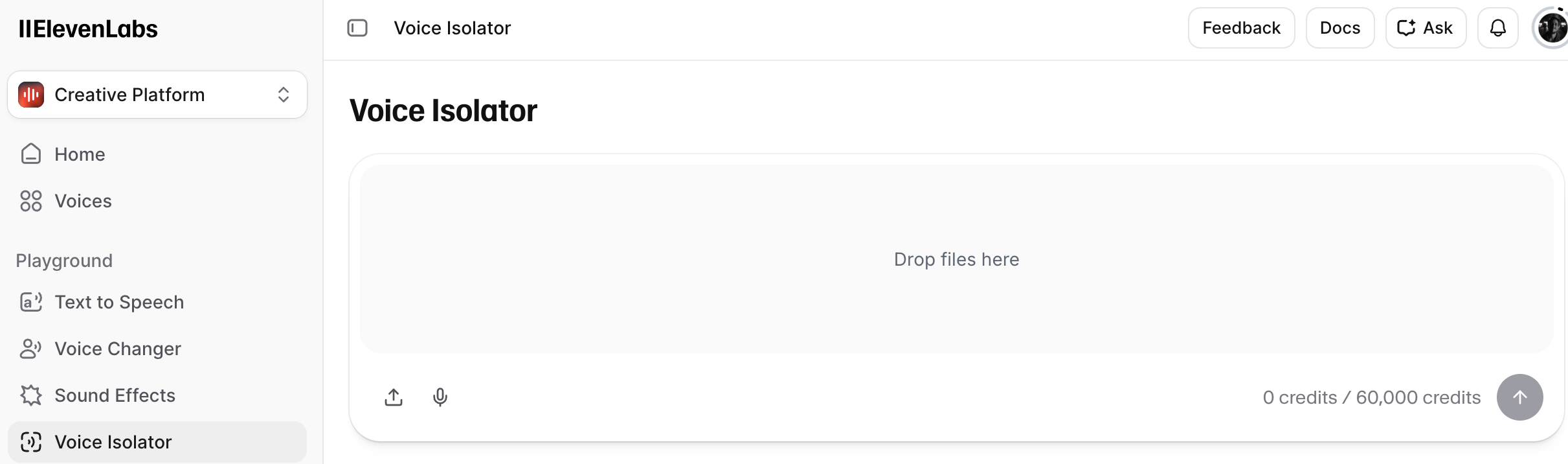
- Drag and drop your audio file
- Wait a few seconds
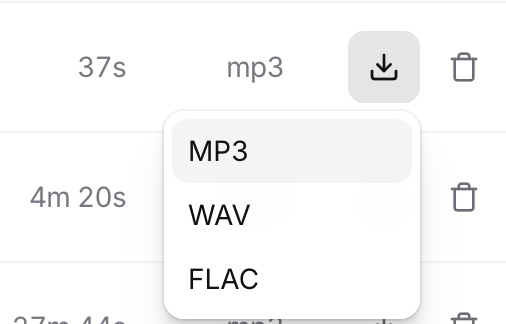
- Download a polished MP3
It removes background noise, levels the volume, and just makes your voice pop. And yes, it really works — check the linked before/after samples for proof.
Step-by-Step: How to Use It
- Go to the 11 Labs dashboard
- Choose the Voice Isolator tool
- Upload your clip (MP3 or WAV)
- Review how many credits it’ll take (a few hundred out of your 60,000)
- Hit “Go” and let it process
- Download your clean version and you’re done
All this is included even in their $5/month plan, making it a no-brainer.
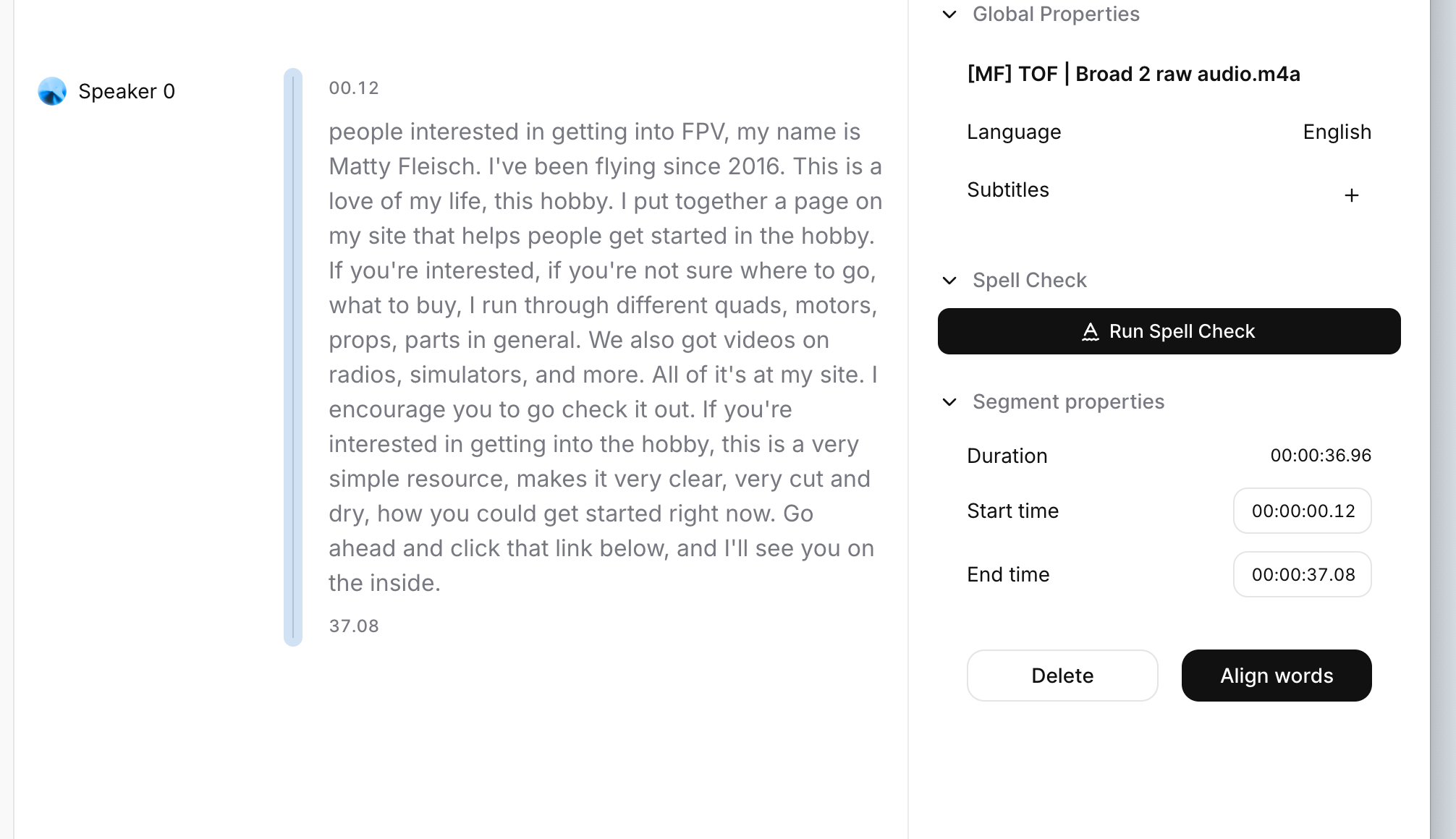
Bonus: Transcription Made Easy Want a transcript to go with your video or podcast? 11 Labs also offers speech-to-text. It’s perfect for:
- Social posts
- AI-generated captions
- Content repurposing
- Quick script review
Upload your file, and in seconds you’ll get:
- Full transcript
- Aligned word-to-audio mapping
- Subtitle-ready text
This makes it easy to post your transcript, create written content from audio, or just improve accessibility.
Try It Yourself Want to hear the difference? Click the link below to grab the original and cleaned-up audio files. You’ll see (and hear) just how effective this tool really is.
Final Thoughts: Simple Tools, Big Impact For just $5, 11 Labs gives you everything you need to clean up your audio and generate transcripts. No learning curve, no bloated software. Just drag, drop, and go.
If you’re a creator, this is a must-have in your toolkit.