StreamYard Review: Is It Worth It? My Hands-On Verdict
Last Updated: July 2026
StreamYard is worth it if you go live, run webinars, or record video podcasts with remote guests, and you want that to be simple. After running my own live shows on the Advanced plan since 2024, my verdict is that StreamYard trades a little raw audio fidelity for the easiest browser-based studio on the market. This hands-on review covers exactly what that trade-off gets you.
I recorded a full walkthrough of StreamYard from signup to final export, and this review is built on that hands-on session plus everyday use of the platform. Below I’ll cover setup, what the studio is actually like to work in, the recording and download workflow, current pricing, and who should (and shouldn’t) use it.
What Is StreamYard?
StreamYard is a browser-based live streaming and recording studio. You run everything from a Chrome tab: record locally, invite remote guests, multistream to platforms like YouTube and Facebook, and edit and repurpose the result without leaving the app. There’s nothing to install, which is the whole point.
If you want the full primer on the platform’s history and positioning, I go deeper in what is StreamYard. This review is about what it’s like to actually use.
How Easy Is StreamYard to Set Up?
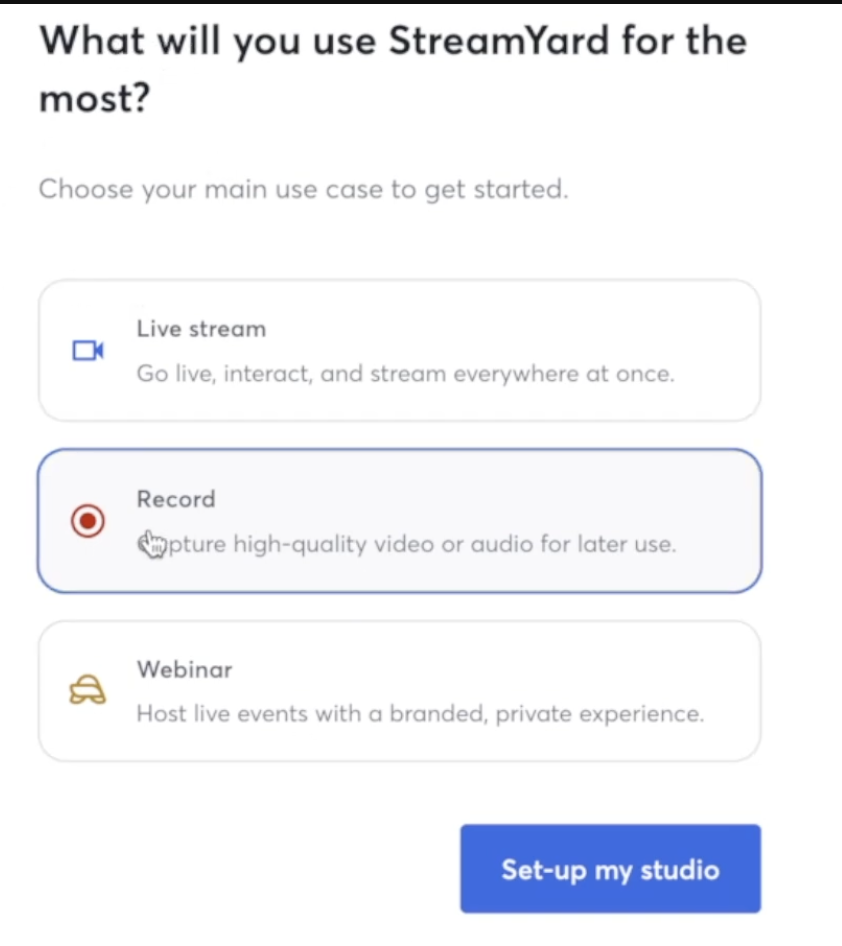
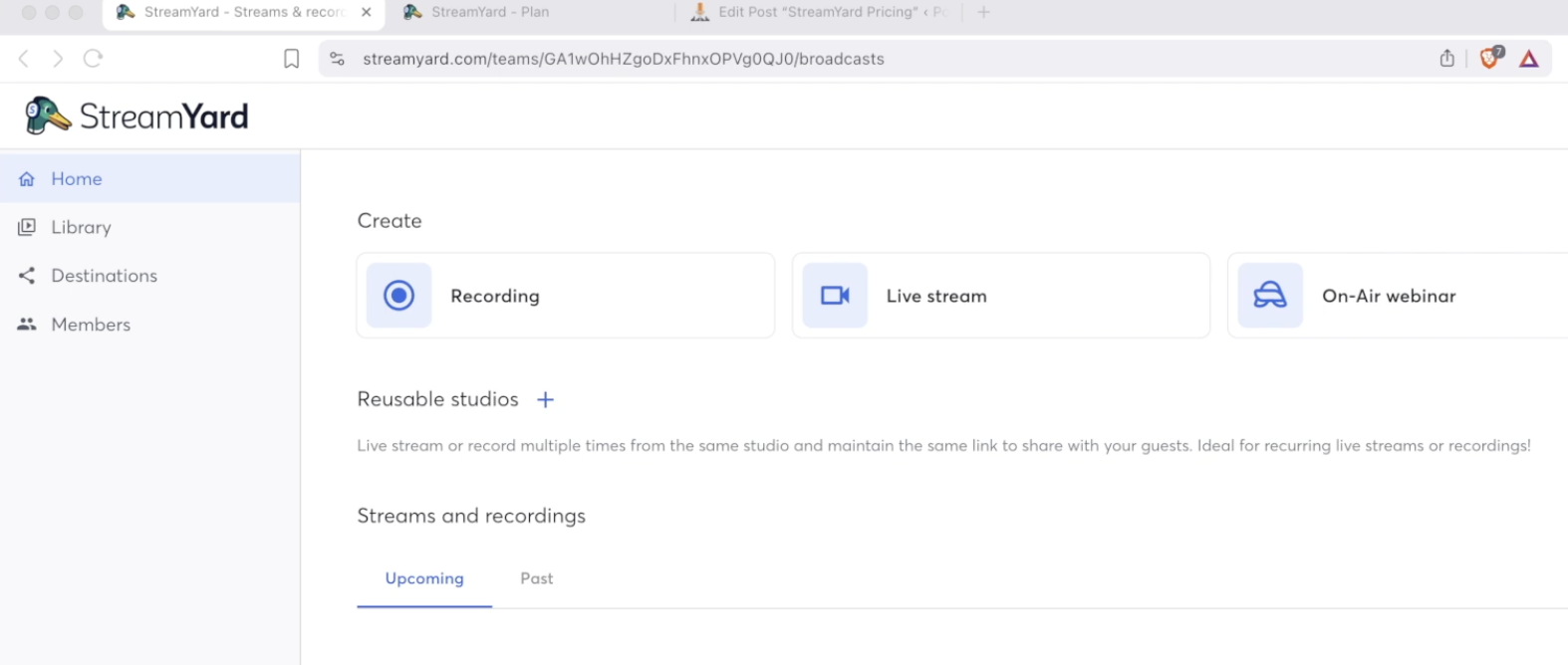
Setup is genuinely fast. You enter your payment details to start the seven-day trial, answer a couple of questions about how you plan to use it, and land straight on the dashboard. From there you pick one of three paths: go live, run an on-air webinar, or start a recording.
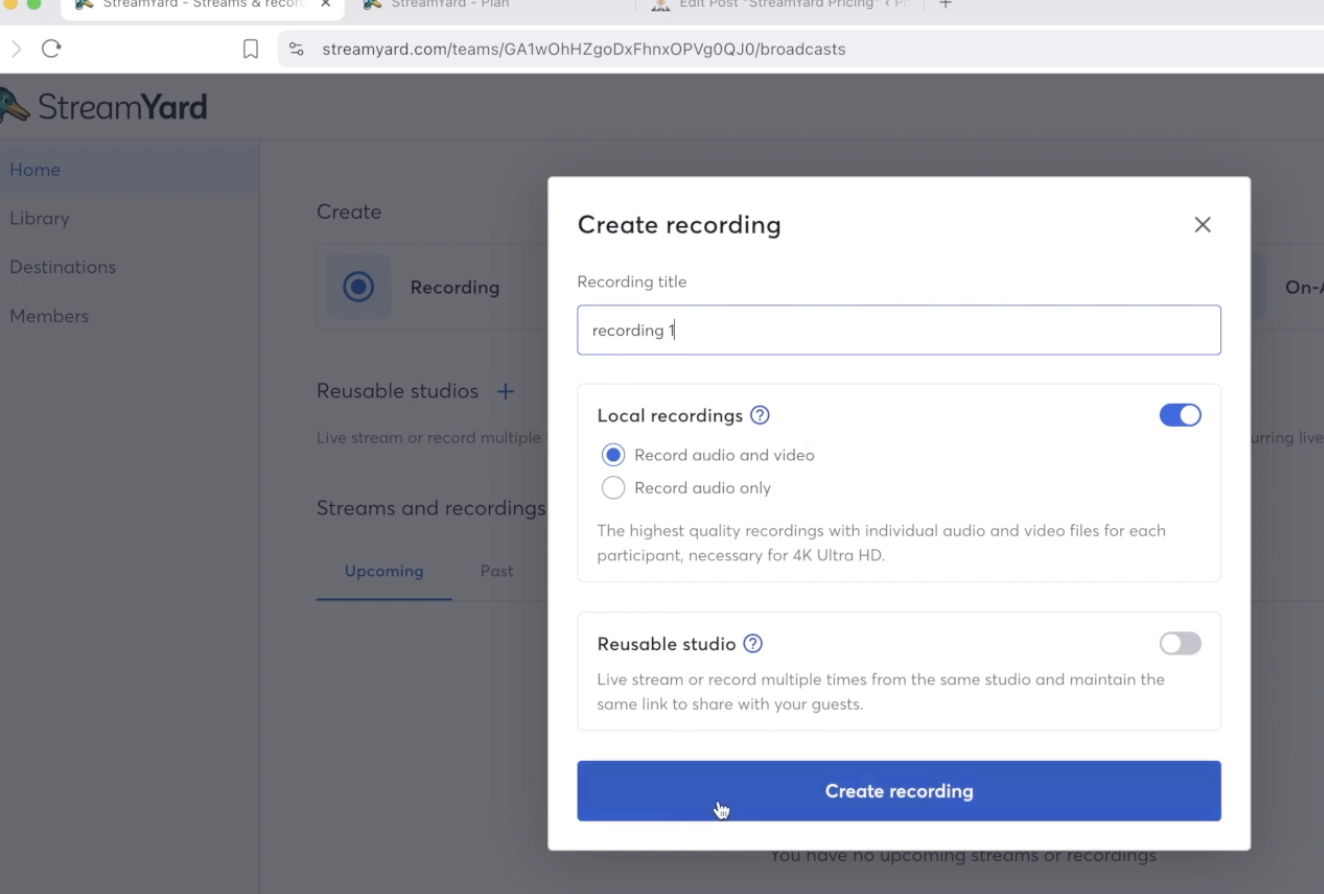
To record, you name the session, choose local recordings, enable audio and video, and hit create. That drops you into the studio in seconds. In my walkthrough, getting from a fresh signup to an actual recording took under a few minutes, which is the fastest onboarding of any platform in this category.
What’s It Like Inside the StreamYard Studio?
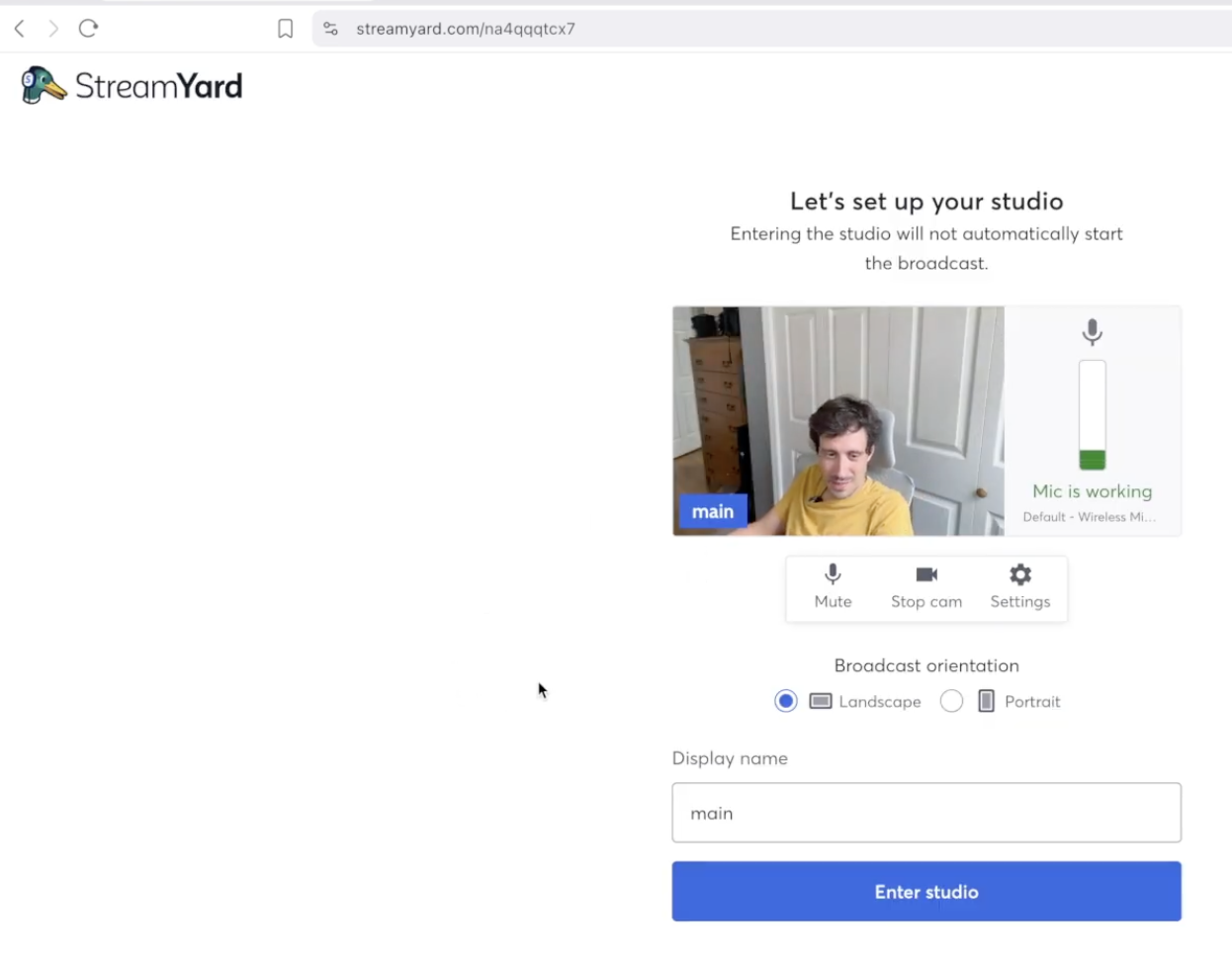
The studio is the strongest part of the product. Before you go live you get a clean mic and camera test, resolution controls, a mirror toggle, virtual backgrounds, and hotkeys. Everything is where you’d expect it, and nothing requires a manual.
One honest quirk I caught on camera: when I bumped up the resolution, my local recording resized. That happens because StreamYard shares your camera feed rather than pulling a separate high-resolution capture. It’s a small thing, but it’s the reason StreamYard isn’t a true double-ender like a dedicated recording tool. If pristine isolated video is your top priority, weigh that against the convenience.
What Can You Actually Do in a StreamYard Recording?
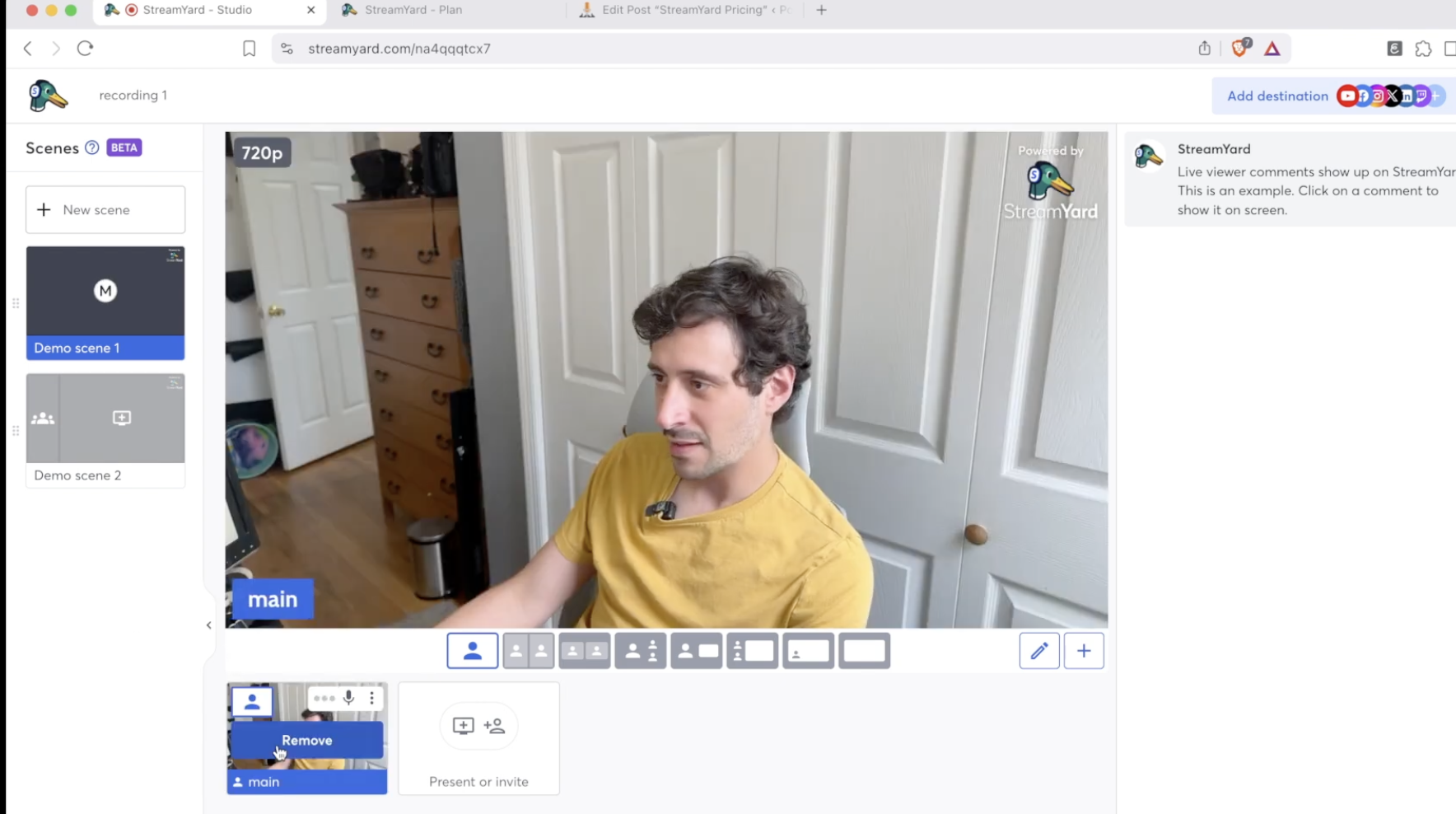
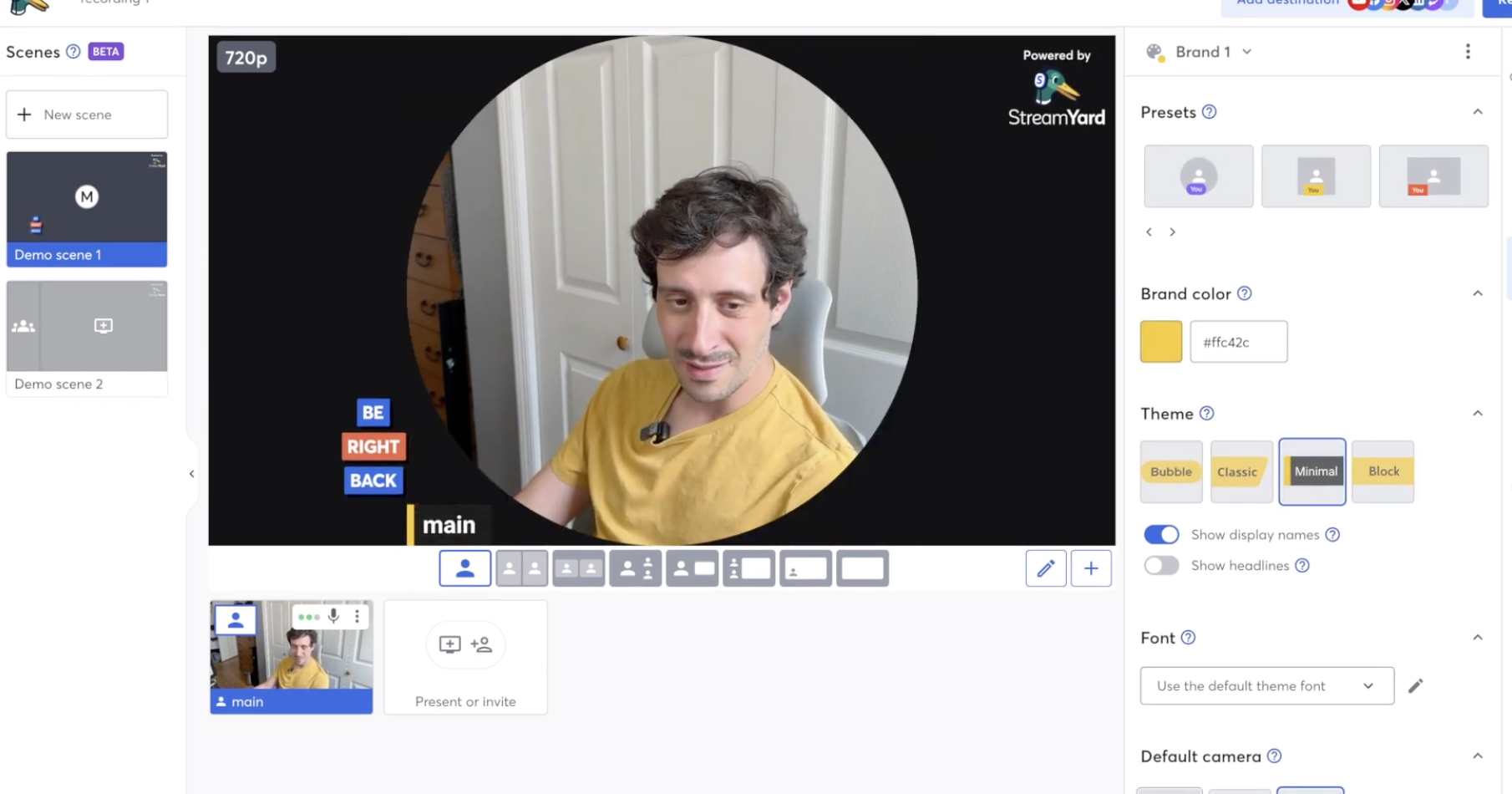
Once you add yourself to the stage, you’re live in the scene, and this is where StreamYard earns its reputation. You can build multiple scenes to plan out a whole show, so a “puzzle segment” or interview block is one click away mid-recording.
You can share your screen, play a video, drop in an image, or run a presentation without breaking stride.
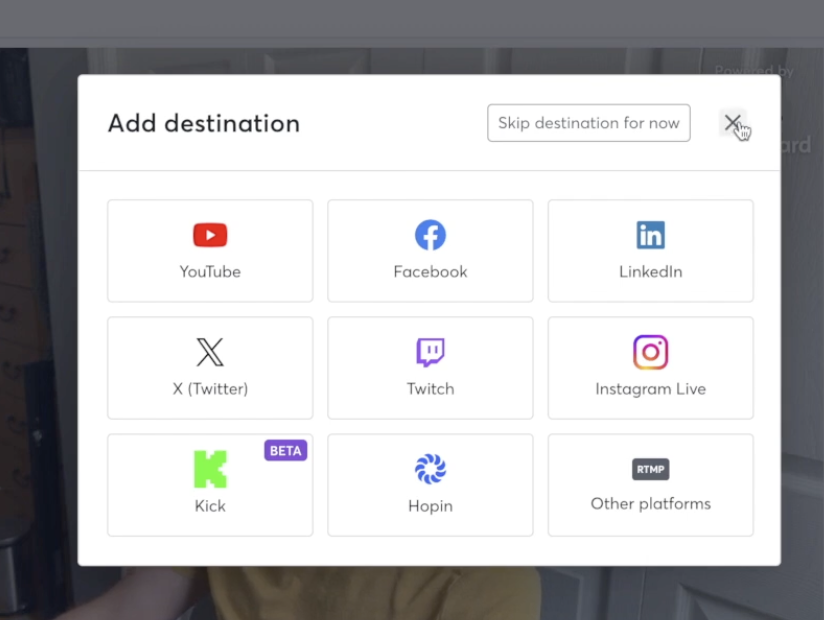
Guests join by clicking a link in their browser, then you arrange them in side-by-side layouts however you like. On the right you add destinations to push the stream straight to YouTube and other platforms, and a live comments panel lets you chat with viewers in real time.
Branding, Banners, and Media Assets
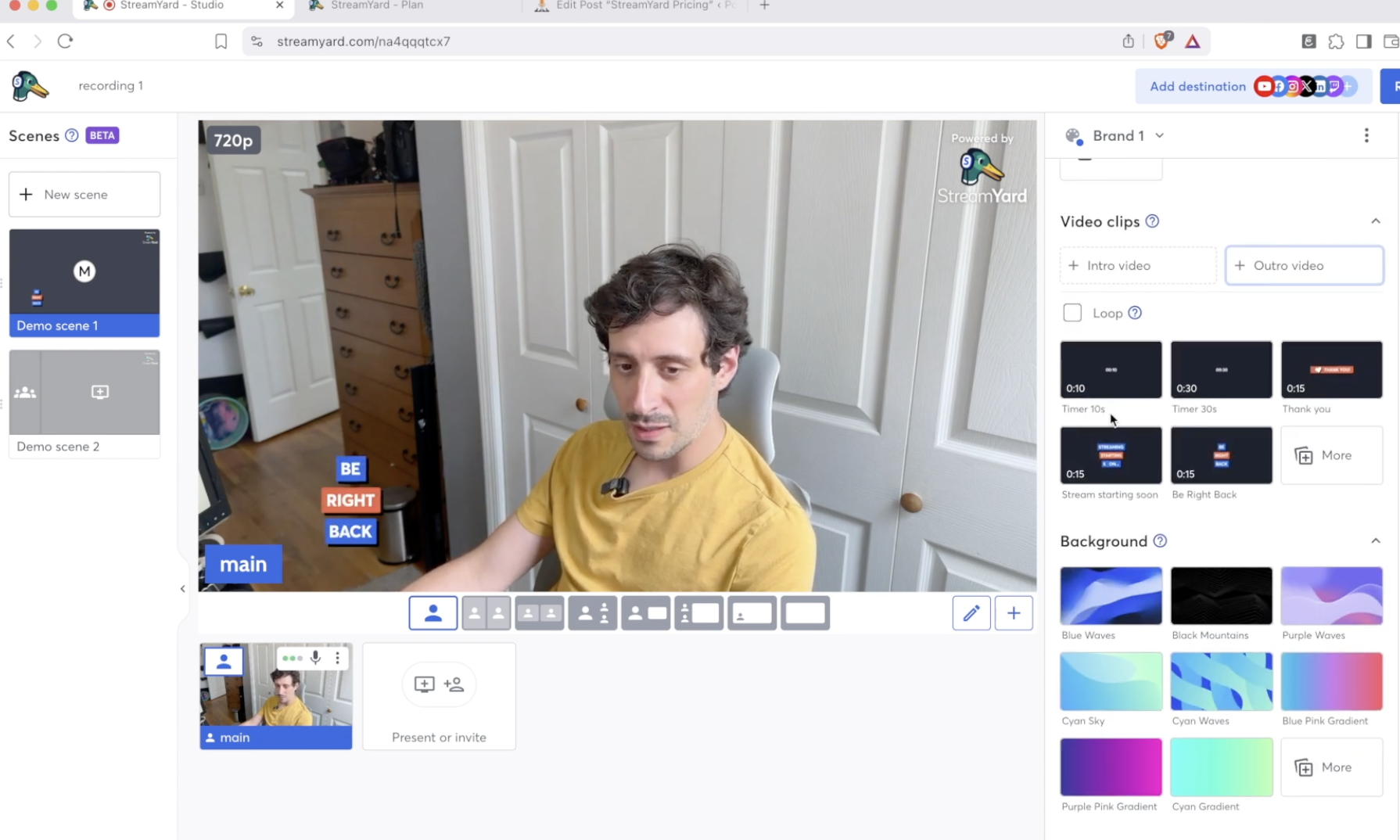
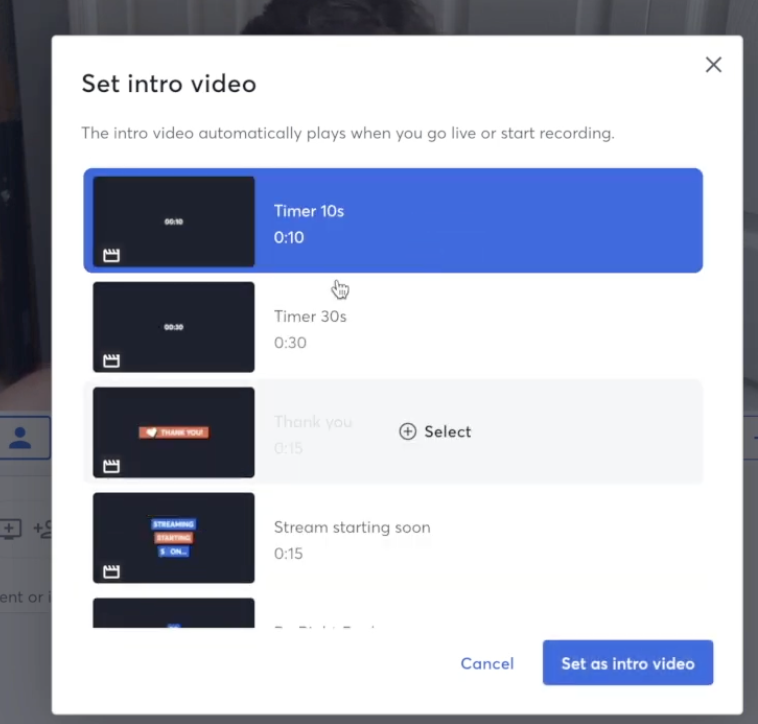
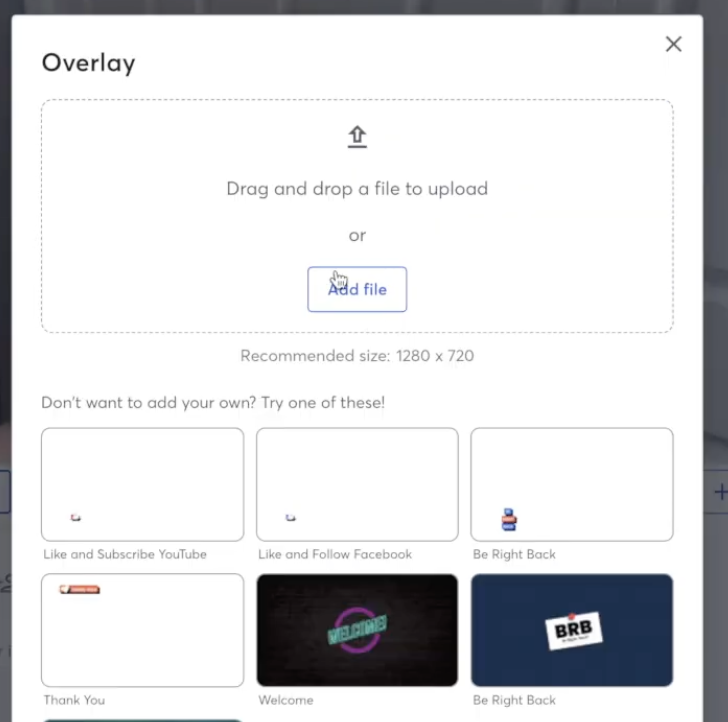
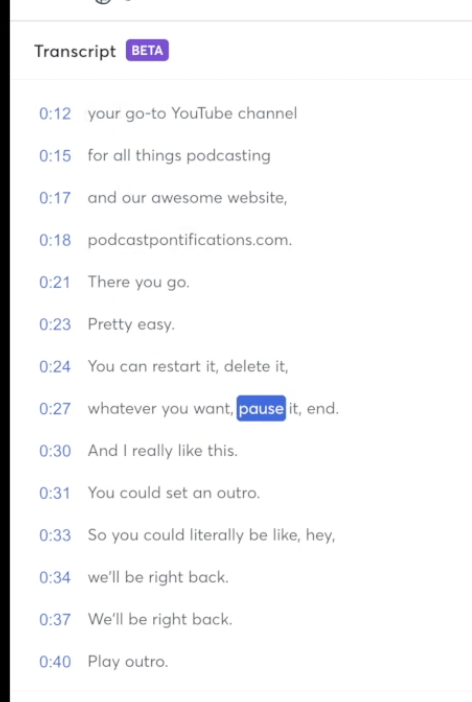
Banners let you drop call-to-action text on screen (“go to my website”), and media assets cover the cutesy stuff like animated “like and subscribe” prompts and welcome graphics, with room to upload your own custom overlays. You can set intro clips with a countdown timer so a “stream starting soon” screen plays the moment you hit record, plus a matching outro like “we’ll be right back.”
Music and the Copyright Trap
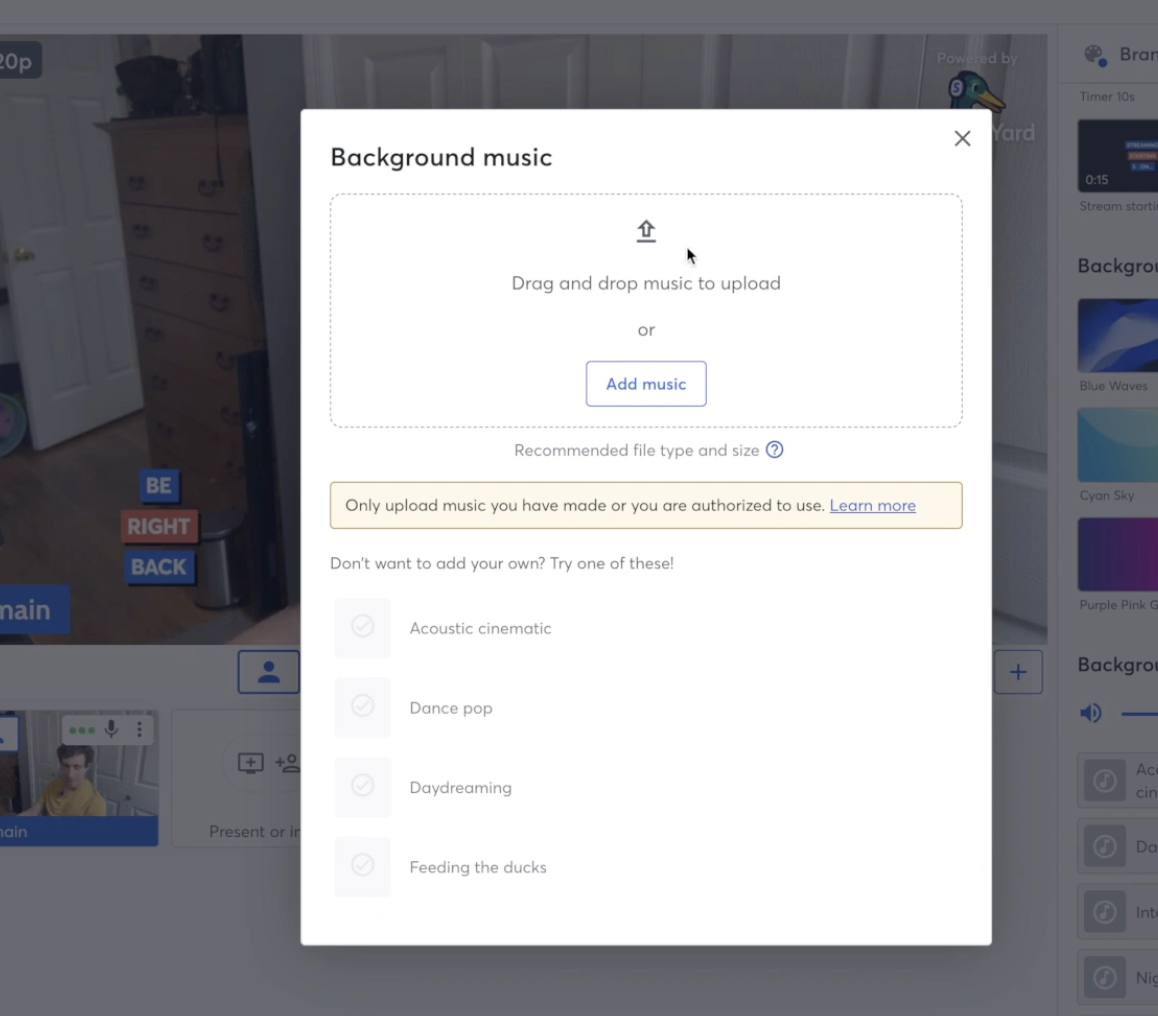
StreamYard has a built-in music option for intro and wait music, and you can upload your own tracks or use its lo-fi presets. This is handy because so many podcasters agonize over whether they can play music. The catch: StreamYard warns you to make sure you hold rights to anything you upload. Drop in a commercial track and you’ll get flagged, so keep it to licensed or original music.
Managing People
The people panel shows everyone in the call, and you can adjust an individual guest’s microphone or send a private side-chat message without interrupting the broadcast. It’s a small touch that makes directing a multi-guest show far less chaotic.
How Does StreamYard Handle Recording and Downloads?
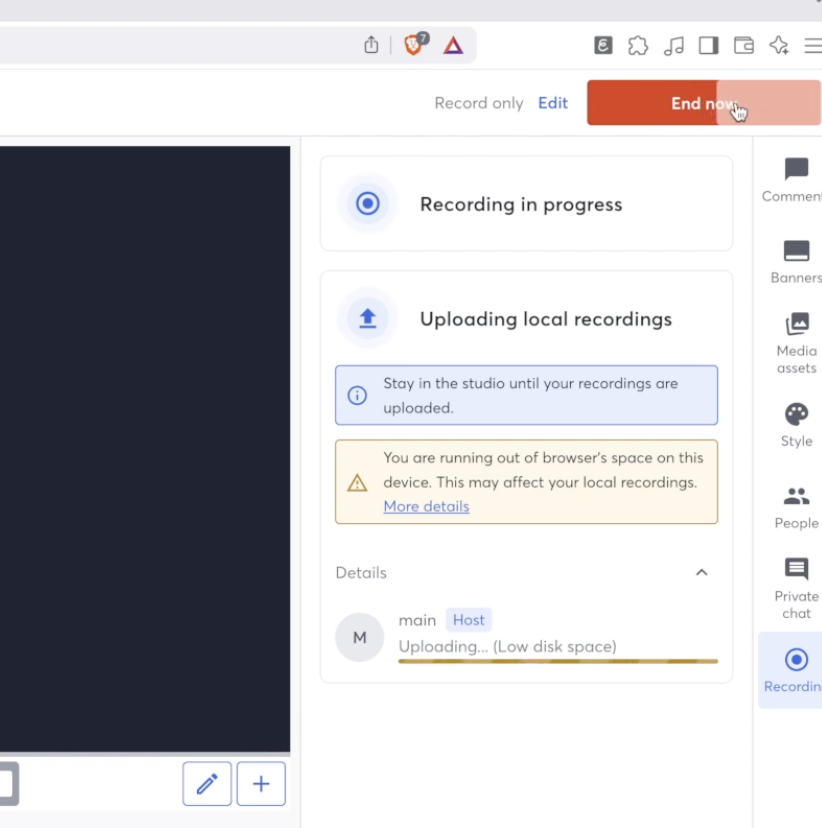
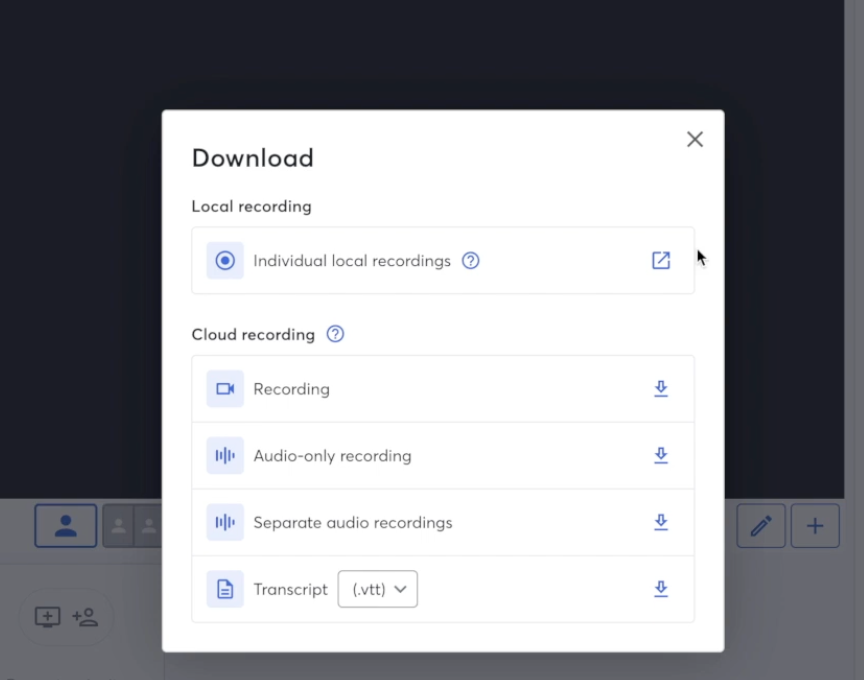
When you hit record you can trigger your intro video and countdown, run the show, and play your outro on the way out. When you end the session, StreamYard processes the recording in the cloud and hands you the files.
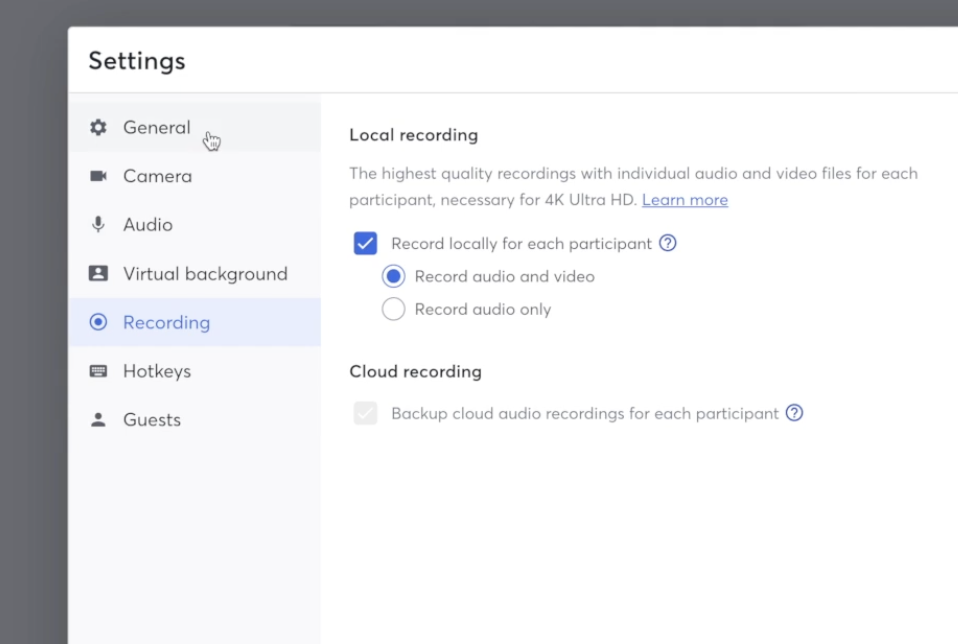
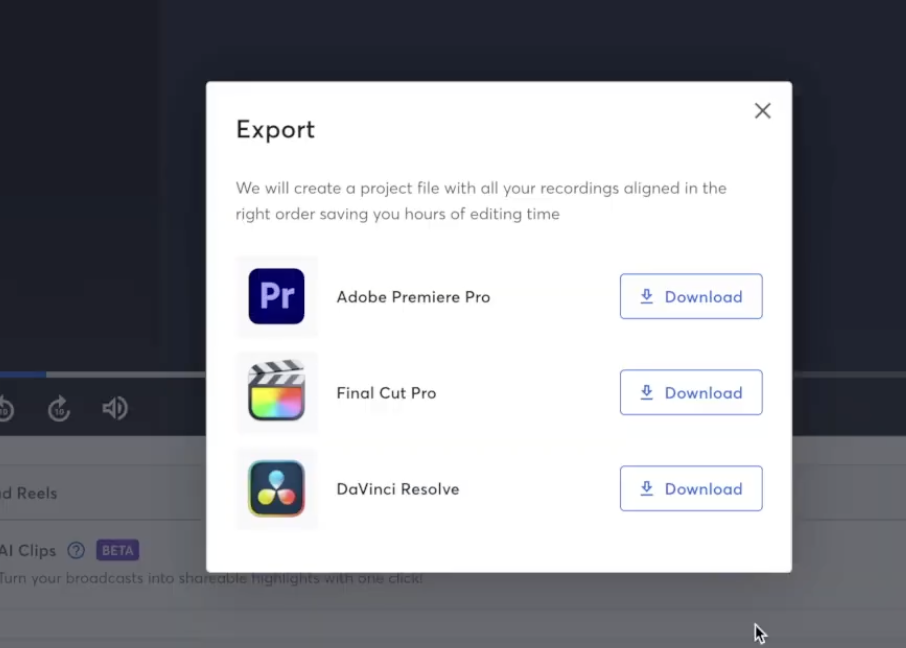
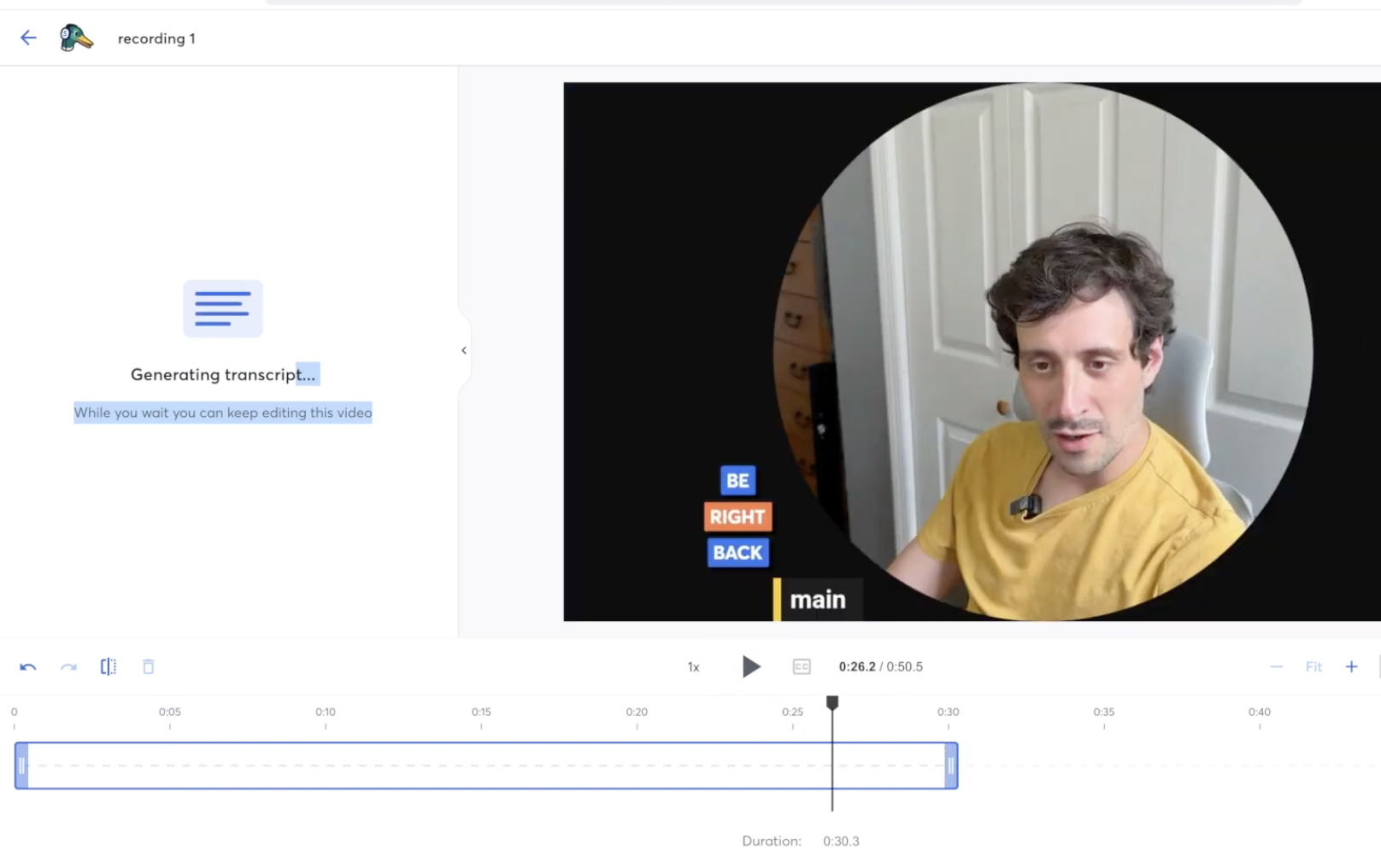
This is where the paid tiers pay off. If you had ten people on the call, you can download each participant’s local recording separately, export everything at once, or send it straight into StreamYard’s own editor. From there you cut the piece down, and it generates a full transcript you can turn into a blog post and clip into reels in the correct vertical aspect ratio for social. Recording, editing, and repurposing live in one place, which is a real time-saver. For more on that side, see how to repurpose your podcast content and turn podcast audio into social content.
How Much Does StreamYard Cost?
StreamYard runs on a freemium model with a free plan and four paid tiers. Following the April 2024 Bending Spoons acquisition, pricing was restructured and raised significantly, so the current lineup is: Free, Core ($44.99/mo or $35.99 annual), Advanced ($88.99/mo or $68.99 annual), Business ($299/mo or $249 annual), and custom-priced Enterprise. Annual billing saves roughly 22 percent.
The free plan includes a StreamYard watermark, a two-hour monthly local recording cap, standard-definition quality, and a single destination. One thing worth flagging: the 4K on Advanced is for local recording only, not streaming. Every paid plan comes with a seven-day trial and a seven-day money-back guarantee. For the full plan-by-plan breakdown, see the StreamYard pricing guide.
Start your free StreamYard trial and test it yourself →
What Are the Pros and Cons of StreamYard?
Here’s the balanced view after real use.
What StreamYard does well:
- Fastest, friendliest browser-based studio, with zero-download guest joins.
- Genuine multistreaming to YouTube, Facebook, LinkedIn, and more at once.
- Scenes, banners, intros, outros, and overlays make a show look produced without extra tools.
- Per-participant local recordings, built-in editing, transcripts, and vertical clip export for social.
Where it falls short:
- Not a true double-ender: sharing the camera feed means audio and video fidelity sit below dedicated recording tools.
- Pricing jumped 80 to 369 percent after the Bending Spoons acquisition, with no grandfathering for existing users.
- Most useful features (multistreaming, separate tracks, webinars) sit behind paid tiers.
Who Should Use StreamYard?
StreamYard is the right pick if your show is live, video-first, or multistreamed, and you value speed and simplicity over squeezing out the last few percent of audio quality. It’s ideal for creators running panels, webinars, or interview shows who want guests on set in one click.
It’s the wrong pick if you record audio-only or need studio-grade isolated tracks, in which case a dedicated recording platform fits better. Compare the trade-offs in StreamYard vs. Riverside, StreamYard vs. OBS, and StreamYard vs. Zoom, or see where it lands among the best remote podcast recording platforms.
Is StreamYard Worth It?
For live and video-first creators, yes. StreamYard is the easiest way to run a professional-looking multistreamed show, capture usable recordings, and turn them into clips and posts, all from a browser tab. The post-acquisition price hikes sting, and it isn’t the tool for audio purists, but nothing else makes going live this painless. If that’s the show you’re building, it’s worth the money, and the free trial lets you confirm that before you commit.
Try StreamYard free for 7 days →
Frequently Asked Questions
Is StreamYard worth it in 2026?
For creators who go live, run webinars, or record video podcasts with remote guests, StreamYard is worth it thanks to its speed and one-click guest joins. It’s less compelling for audio-only shows or anyone needing studio-grade isolated tracks, where a dedicated recording platform delivers better fidelity for the money.
Is StreamYard free?
StreamYard has a free plan, but it adds a watermark, caps local recording at two hours per month, limits you to standard definition, and allows a single streaming destination. Paid plans start at $44.99 per month ($35.99 annual). Every paid tier includes a seven-day trial and a seven-day money-back guarantee.
Does StreamYard record locally?
Yes. StreamYard records locally and, on paid plans, lets you download each participant’s track separately. Note that it shares your camera feed rather than pulling a separate high-resolution capture, so it isn’t a true double-ender. That keeps setup simple but places its raw quality below dedicated recording tools like Riverside.
How many people can be on a StreamYard recording?
StreamYard supports multiple on-screen guests, with limits that scale by plan. Guests join through a browser link with no downloads or accounts, and you can arrange them in side-by-side layouts, adjust individual microphones, and send private side-chat messages without interrupting the broadcast. Check current per-tier caps before a large session.
Can you use music on StreamYard?
StreamYard includes built-in intro and wait music, plus lo-fi presets, and you can upload your own tracks. The important caveat: you must hold the rights to anything you upload. Using a commercial song will get your stream flagged, so stick to licensed or original music to stay safe on YouTube and other platforms.
Can you edit and make clips inside StreamYard?
Yes. After a recording processes, StreamYard’s built-in editor lets you trim the episode, generate a full transcript, and cut vertical clips in the correct aspect ratio for social platforms. You can also repurpose the transcript into a blog post, keeping recording, editing, and content creation in one browser-based workflow.
Does StreamYard multistream to YouTube and Facebook?
Yes. On paid plans you can add multiple destinations and broadcast simultaneously to YouTube, Facebook, LinkedIn, and other platforms from one session. You can also drop on-screen banners with calls to action and read live comments from your audience in a single panel while you stream.
Why did StreamYard raise its prices?
StreamYard was acquired by Bending Spoons in April 2024 and restructured its plans that August, raising prices roughly 80 to 369 percent with no grandfathering for existing users. The legacy tiers were replaced by Free, Core, Advanced, Business, and Enterprise. It’s the main reason some users now compare alternatives.
Is StreamYard good for podcasts?
StreamYard is excellent for live and video podcasts, especially interview and panel shows that benefit from easy guest joins and multistreaming. For audio-only podcasts prioritizing the cleanest possible sound, a dedicated recording tool captures higher-fidelity isolated tracks. Many podcasters use StreamYard for live production and edit elsewhere when quality is critical.
What’s the difference between StreamYard and OBS?
StreamYard is a browser-based studio that handles encoding and guest management for you, while OBS is free, open-source software that offers more control but demands technical setup. OBS suits creators comfortable configuring their own rig; StreamYard suits those who want to go live without the learning curve. See the full comparison for details.