uncategorized
Best Video Podcast Platforms: Finding The Right One For Your Show
Video podcasts are the rising stars of the content world, captivating audiences with their engaging blend of audio and visual storytelling.
But with so many options available, how do you find the perfect fit? That’s where we come in. In this comprehensive guide, we’ll delve into the top video podcast hosting platforms of 2024, exploring their features, pricing, and the pros and cons of each to help you make an informed decision.
Best Video Podcast Platforms
Unlike audio-only files, video demands higher storage and bandwidth to ensure smooth playback.
Here’s what to look for in a video podcast hosting platform:
- Ample Storage and Bandwidth: Videos are larger files, so your platform should provide enough space and smooth playback.
- Cross-Platform Distribution: To grow your audience, a platform that supports distribution to YouTube, social media, and audio directories is essential.
- Monetization Options: From ads and subscriptions to premium content, look for platforms with monetization features.
- Customization and Analytics: Platforms with customizable players and analytics provide valuable insights to optimize viewer engagement.
What is Video Podcast Hosting?
If you’re familiar with traditional podcast hosting, you might wonder, “What’s the big deal about video?” Well, video podcast hosting is not just about storing your files but optimizing them for a seamless viewing experience. Unlike audio files, videos demand higher storage and bandwidth due to their larger size.
A good video podcast hosting platform should offer ample storage, smooth playback, and easy distribution to popular platforms like YouTube and social media. Additionally, look for features like customizable video players, analytics to track viewer behavior, and editing tools to polish your content.
Top Video Podcast Hosting Platforms
Click here to get started on my favorite podcasting platform with video support
Let’s take a closer look at the leading contenders in the video podcast hosting arena:
| Podcast Platform | Pricing | Pros | Cons | Best For |
|---|---|---|---|---|
 |
Varies by plan, video hosting available on higher tiers | Reliable hosting, excellent customer support, comprehensive analytics, customizable players, monetization options | Video hosting not available on basic plan, interface may feel dated | Experienced podcasters, those seeking comprehensive features |
 |
Varies by plan, video hosting as an add-on | Easy to use, affordable video hosting, Magic Mastering, wide distribution | Limited storage on lower plans, fewer advanced features | Beginners, those seeking simplicity and affordability |
 |
Varies by plan, unlimited video hosting on top tier | Unlimited video hosting on Unlimited Plus plan, live streaming, easy social media integration, affordable pricing | Free plan very limited, interface can be overwhelming | Creators with extensive video content, budget-conscious podcasters |
| Castos | Varies by plan, video hosting included in all paid plans | Video hosting on all plans, Seriously Simple Podcasting platform, private podcasting, WordPress integration | Fewer third-party integrations, limited video player customization | Podcasters seeking an all-in-one solution, WordPress users |
 |
Free | Unlimited video hosting, easy to use, seamless Spotify integration, built-in tools | Videos only available on Spotify, limited customization, no advanced video analytics | Beginners, those focused on Spotify’s audience |
 Key Video Podcast Platforms
Click here to get started on my favorite video podcasting platform
1. YouTube
- Overview: The most recognized platform for video content, YouTube is a top choice for video podcasts.
- Features:
- Over 2 billion logged-in users monthly.
- Robust monetization options, including ads, memberships, and super chats.
- Advanced analytics tools for audience insights.
- Highly searchable, as YouTube functions as the world’s second-largest search engine.
- Considerations: While excellent for visibility, YouTube doesn’t create RSS feeds for audio distribution, meaning it functions primarily as a standalone platform unless integrated with other hosting services.
2. Spotify & Spotify for Podcasters
- Overview: Spotify has embraced video content, allowing creators to upload video podcasts directly.
- Features:
- Integration of audio and video enhances user engagement.
- Free hosting with audio-only RSS feeds for broader distribution.
- Easy to upload video content, even if hosted elsewhere.
- Considerations: Although highly accessible, the video experience may not be as prominent as on dedicated video platforms like YouTube.
3. Podbean
- Overview: A long-standing favorite, Podbean now supports video hosting alongside audio content.
- Features:
- Unified hosting for both audio and video.
- Live streaming capabilities and monetization options.
- Plans starting at $29/month offer various subscription models.
- Considerations: Podbean’s user-friendly setup is ideal for new podcasters, though advanced features may require a paid plan.
4. Libsyn
- Overview: One of the oldest podcast hosting platforms, Libsyn has adapted to include video podcasting.
- Features:
- Allows uploading of both audio and video content for distribution across multiple channels.
- Pricing starts at $7/month, with an additional fee for video hosting.
- Considerations: While reliable, Libsyn’s interface can feel less modern than newer platforms.
5. Castos
- Overview: A versatile platform, Castos offers both hosting and production services for podcasts.
- Features:
- Supports video file hosting starting at $99/month.
- Includes YouTube republishing and advanced analytics.
- Considerations: Its higher pricing is aimed at podcasters who want comprehensive features, making it ideal for professional creators.
6. Vimeo
- Overview: Known primarily as a video hosting service, Vimeo also supports video podcasts but lacks RSS capabilities.
- Features:
- High-quality video hosting with customizable player options.
- Monetization through subscriptions or pay-per-view models.
- Considerations: Vimeo is best suited for creators focused on high-quality visuals rather than broad podcast distribution.
7. Blubrry
- Overview: Blubrry offers reliable infrastructure tailored for podcasters, including video hosting.
- Features:
- Integrates seamlessly with WordPress via the PowerPress plugin.
- Provides analytics and monetization options.
- Considerations: Ideal for WordPress users seeking an all-in-one solution.
8. Wistia
- Overview: Originally a marketing tool for businesses, Wistia has expanded into video podcast hosting.
- Features:
- Focuses on branding and customer engagement through videos.
- Paid plans start at $19/month and include more comprehensive features.
- Considerations: Best suited for businesses looking to integrate video podcasts into their marketing strategy.
Choosing the Right Video Podcast Hosting Service
Selecting the best video podcast hosting platform depends on your needs and priorities. Consider the following factors:
- Budget: Figure out how much you will spend on hosting, as prices vary significantly among platforms.
- Storage and bandwidth: If you plan on producing a lot of video content, opt for a platform with ample storage and bandwidth.
- Distribution: Decide where to distribute your video podcast (YouTube, social media, your website, etc.) and choose a platform that supports those channels.
- Features: Consider the features that are most important to you, such as if they have a monetization platform, video analytics, customizable players, and editing tools.
- Technical expertise: Some platforms are more user-friendly than others, so choose one that aligns with your technical skills.
Remember, there’s no one-size-fits-all solution. Take advantage of free trials to see what you like and to test different platforms and see which is right for you.
With the right platform by your side, you’ll be well on your way to creating captivating video podcasts that engage and entertain your audience.
Conclusion
There’s no one-size-fits-all solution for video podcast hosting, so exploring free trials and testing different platforms is a good way to find the perfect match. Whether you’re aiming for YouTube’s massive audience, Spotify’s integrated audio-video experience, or Podbean’s monetization tools, each platform has something unique to offer.
How to Start a Podcast With No Audience
You can start a podcast with no audience and no budget — today. Pick a specific niche, record on free software, host on a free platform, and publish. Your first 100 listeners will come from search, social, and guest swaps, not from an existing following. Here’s the exact 9-step process.
Jump to: Step 1: Pick a Niche | Step 2: Build Your Brand | Step 3: Plan Episodes | Step 4: Hook Into Search | Step 5: Gear Up Cheap | Step 6: Record & Edit | Step 7: Host & Distribute | Step 8: Promote | Step 9: Monetize
Step 1: Define Your Podcast Niche and Target Audience
The biggest mistake new podcasters make is picking a topic that’s too broad. “Entrepreneurship” is not a niche. “Bootstrapping SaaS businesses under $10K” is. A specific niche helps you rank in search, attract the right listeners, and give potential sponsors a reason to care.
Ask yourself two questions before recording a single word:
- What topic can I talk about for 100 episodes without running dry?
- Who specifically is my ideal listener — and where do they already hang out online?
Build a one-sentence listener persona. “My podcast is for first-time homebuyers in their 30s who are overwhelmed by the mortgage process.” That clarity shapes every content, marketing, and monetization decision you’ll make. For more on dialing in your topic, see our guide to podcast ideas by niche and our list of 100 podcast name ideas by niche.
Step 2: Create a Strong Podcast Brand
In a directory full of thumbnails, your cover art is your first impression. Listeners judge audio shows visually before they ever hit play. Before launch, lock down:
- Cover art that reads clearly at 100x100px (how it appears on most phones)
- A memorable name that signals the topic without being clever to the point of confusing — see our guide to professional podcast names and use our podcast name generator
- A consistent look across your cover art, social profiles, and website
Check that your name isn’t already taken before committing. Here’s how to check if a podcast name is taken, and here are 10 naming mistakes to avoid. For deeper brand strategy, read our podcast branding guide.
Step 3: Plan and Structure Your Episodes
Don’t improvise your first episodes. A 5-bullet outline is enough to keep you on track and prevent the rambling that kills new shows in their first three minutes. Before you launch:
- Record 3 episodes before going live — this gives you a buffer and lets you find your rhythm before anyone’s listening
- Decide on a consistent format: solo commentary, interviews, or co-hosted
- Set a realistic publishing cadence you can sustain for 12 months — weekly is ideal, biweekly is fine, anything less makes audience growth very slow
If you’re doing interviews, read our guide on crafting the perfect ask for podcast guests. For podcast script examples, we have templates that work for both structured and conversational formats.
Step 4: Hook Your Episodes Into Search Traffic
This is the step most podcasters skip — and it’s why most podcasts stay stuck under 100 downloads per episode forever. Search is the single fastest way to build an audience with no existing following. Here’s how it works.
Every episode should target a real question people type into Google. Use Google’s autocomplete, Google Trends, or a free keyword tool to find phrases with actual search volume. A dating podcast episode titled “How to Tell If a Girl Likes You” gets 10,000+ searches per month. That’s 120,000 potential listeners per year finding that episode — without you spending a cent on promotion.
The same principle applies to YouTube. Google surfaces YouTube videos at the top of search results constantly. A podcast episode with a companion YouTube video targeting the same keyword doubles your surface area.
The most powerful SEO move for a podcast is building a dedicated podcast website. A site lets your episode pages rank in Google search — which a Spotify profile page cannot do for you. Read why Google made podcast websites more important, and check our guide to creating a podcast website. For a fast start, the 7-step podcast website starter kit walks you through the whole setup.
Once you’re up and running, read our deep dive on SEO for podcasters to understand how to compound this traffic over time.
Step 5: Use Budget-Friendly Equipment and Software
You do not need a $500 microphone to start a podcast. Bad audio will lose listeners instantly; good-enough audio recorded in a treated room will keep them. Here’s what to buy when you’re starting from zero:
- Microphone: A USB mic like the Audio-Technica ATR2100x-USB delivers clean audio under $100. See our full roundup of best cheap podcast microphones and affordable podcast mics — several perform well under $60.
- Headphones: Any closed-back over-ear headphone works for monitoring. You don’t need studio cans to start. See our best podcast headphones guide for options at every price.
- Recording software: Audacity (free, all platforms) or GarageBand (free, Mac) handle everything you need as a beginner. When you’re ready to upgrade, see our best podcast editing software guide.
For a complete shopping list with specific picks at every budget level, see our podcast equipment guide and our equipment guide for solo podcasters. If you’re doing a co-hosted show, the co-host equipment guide covers multi-person setups. You can also find curated podcast equipment bundles that take the guesswork out of buying.
Don’t overlook your recording environment. A quiet room with soft furnishings — rugs, curtains, a couch — will do more for your audio quality than an expensive mic in a reflective space. Read our guide on where to record a podcast for room treatment tips that cost nothing.
Step 6: Record and Edit Your Podcast
Recording is straightforward once your room and mic are set up. Editing is where new podcasters lose the most time. A few principles that save hours:
- Do one pass to remove obvious flubs, long silences, and crosstalk — don’t try to make it perfect
- Use Audacity’s noise reduction filter if you’re picking up HVAC or ambient hum
- Normalize your audio to -16 LUFS for Spotify and Apple Podcasts — both platforms will reject audio that’s too hot or too quiet
If editing feels overwhelming, tools like Descript let you edit audio like a text document. You read the transcript and delete sentences — the audio removes itself. See our guide on how to edit a podcast for a step-by-step walkthrough.
For remote interviews, you’ll need dedicated recording software — your Zoom recording will sound noticeably worse than a proper dual-track remote setup. See our roundup of best remote podcast recording platforms and our deep comparison of Squadcast vs. Riverside.
Step 7: Host and Distribute Your Podcast
You need a podcast host — a service that stores your audio files and generates the RSS feed that pushes your show to Apple, Spotify, and every other directory. The good news: there are solid free options.
Our full guide to free podcast hosting covers every legitimate no-cost option with honest trade-offs. The short version:
- Spotify for Podcasters (formerly Anchor): Completely free, auto-distributes to major directories, built-in analytics. The catch: Spotify owns your distribution. Read our take on what happened to Anchor before committing.
- Buzzsprout: Has a free tier (limited hours/month), strong analytics, and excellent distribution. One of the easiest platforms for beginners. See Buzzsprout pricing before you upgrade.
- Podbean: Another solid option with a free tier and monetization tools built in. Compare Podbean vs. Buzzsprout to see which fits your workflow.
Once hosted, submit your RSS feed to Apple Podcasts, Spotify, Amazon Music, and Google Podcasts. This is free and takes less than an hour. Our guide on how to distribute a podcast walks through every directory submission. For a broader look at hosting options, see our podcast hosting platforms comparison.
Step 8: Promote Your Podcast and Grow Your Audience
Growth without an existing audience comes from three sources: search (covered in Step 4), social, and cross-promotion. Here’s how to activate all three for free.
Social Media Promotion
Don’t spread yourself across every platform. Pick one where your target listener actually spends time and go deep. Repurpose each episode into short clips for that platform — a 90-second highlight pulled from a 45-minute episode is your best promotional asset. Our guide on how to repurpose podcast content shows exactly how to do this efficiently. For platform-specific tactics, see how to promote a podcast on social media and our Instagram promotion guide.
Guest Swaps and Cross-Promotion
The fastest audience growth tactic for a new podcast is appearing on other podcasts in your niche. Find shows with a similar audience size — not the giants — and pitch a guest swap. You appear on their show, they appear on yours. Each episode introduces your show to an audience that’s already interested in your topic. Read the full playbook in our guide on how to promote a podcast.
Community Engagement
Reply to every comment, review, and DM in your first six months. This sounds trivial — it’s not. Early listeners who feel heard become your loudest promoters. They leave reviews, share episodes, and show up for your guests. See our tips on how to grow your podcast audience organically over time.
Step 9: Monetize Your Podcast Without a Massive Audience
→ My favorite podcast host with built-in monetization tools
You don’t need 10,000 downloads per episode to make money. A highly targeted audience of 500 loyal listeners in a profitable niche can generate real income. Here’s where to start:
- Affiliate marketing: The easiest first income stream. Recommend products you actually use and earn a commission on sales. If your podcast is about home recording, you recommend the gear in your studio. No minimum audience required. See our breakdown of how podcasters make money for the full range of options.
- Listener support: Platforms like Patreon let listeners support you directly in exchange for bonus episodes, ad-free feeds, or community access. Use our Patreon fees calculator to understand what you’ll actually take home, and browse Patreon tier ideas that work for small audiences.
- Sponsorships: Small podcasts can attract sponsors if the audience is hyper-targeted. Local businesses, niche software companies, and direct-to-consumer brands regularly sponsor podcasts with under 1,000 downloads per episode. Read how to make your niche podcast more attractive to advertisers before your first outreach.
- Premium content: Gate bonus episodes, early access, or exclusive Q&As. Read our guide on podcast premium content for pricing and delivery strategies.
For a deeper look at every monetization path, see our guides on monetizing your podcast, whether you can make money from a podcast, and the best podcast platforms for monetization.
Common Mistakes to Avoid When Starting a Podcast
Most podcasts quit before episode 20. The causes are almost always the same:
- Bad audio quality: Listeners will forgive an awkward guest or a slow episode — they will not forgive audio that hurts to listen to. Spend 20 minutes treating your recording space before you spend $200 on gear. Read our home podcast setup guide for room treatment basics.
- No website: Publishing only to Spotify means you have zero searchability on Google. A basic WordPress site with episode pages is the highest-ROI move for long-term audience growth. Start with our podcast website checklist.
- Inconsistent publishing: Missing weeks early on destroys listener habits before they form. Batch-record when you have energy and publish on a fixed schedule.
- Obsessing over download numbers: Downloads in month one are meaningless. Focus on the quality and consistency of the first 20 episodes. The compounding effect of search traffic and word-of-mouth doesn’t kick in until you have a library worth finding.
- Copying bigger shows: Your unique perspective is your only sustainable advantage. See our 5 podcast launch mistakes for more on what kills new shows.
How Much Does It Cost to Start a Podcast?
You can start a podcast for free — literally $0 — using Audacity, a free host, and whatever quiet space you have. Most serious podcasters spend between $100 and $500 in their first year. See our full breakdown of what it costs to start a podcast at every budget level.
Frequently Asked Questions
Can I start a podcast with no experience?
Yes. Podcasting has no credential requirements. Most successful podcasters started with zero radio or broadcasting experience. What matters is genuine interest in your topic, consistency, and a willingness to improve episode by episode. The learning curve flattens fast — most podcasters feel comfortable on mic within 10 episodes.
How long does it take to grow a podcast audience from scratch?
Most podcasts built around search-optimized content see their first organic traffic within 90 days. Meaningful audience growth — 200 to 500 regular listeners — typically takes 6 to 12 months of consistent publishing. Shows that skip SEO and rely only on social media usually take longer and plateau earlier.
Do I need a podcast website to start?
No, but you should build one as soon as possible. A podcast website lets your episode pages rank in Google search. Without it, you’re invisible to anyone who doesn’t already know your show exists. A basic WordPress site with your episode pages and show notes is enough to start.
What’s the best free podcast hosting platform for beginners?
Spotify for Podcasters (formerly Anchor) is the most popular free option — it’s completely free, auto-distributes to major directories, and requires no technical setup. Buzzsprout’s free tier is another strong choice with better analytics. Both have paid upgrades if you outgrow the free limits.
How many episodes should I record before launching?
Record 3 episodes before your launch date. This gives listeners immediate binge content, gives you a buffer for busy weeks, and lets you find your format before a large audience is paying attention. Launching with a single episode is fine but launching with three makes a much stronger first impression.
Can a podcast with a small audience make money?
Yes. A podcast with 500 highly targeted listeners in a profitable niche can generate income through affiliate marketing, Patreon, and direct sponsorships. Niche audiences convert better than general audiences — sponsors pay for relevance, not just reach. Many podcasters earn their first affiliate income within the first few months.
What microphone should I buy to start a podcast?
The Audio-Technica ATR2100x-USB is the standard beginner recommendation — under $100, USB plug-and-play, and sounds genuinely good. If you’re on a tighter budget, the Samson Q2U and Fifine K678 both perform well under $60. See our full guide to best cheap podcast microphones for tested picks at every price point.
How do I get my podcast on Apple Podcasts and Spotify?
Sign up for a podcast hosting platform, upload your first episode, and copy your RSS feed URL. Then go to Apple Podcasts Connect and Spotify for Podcasters and submit your feed. Approval on Apple takes 24 to 72 hours. Spotify is typically live within a few hours. Most other directories (Amazon Music, iHeart, Pocket Casts) also accept RSS submissions for free.
Should I start a video podcast or audio-only?
Start audio-only unless you already have video production experience. Video adds significant production complexity — lighting, camera, editing software, storage — that will slow your publishing cadence and distract from the content quality. Add video in season 2 once your audio show is running smoothly. See our podcast vs. YouTube comparison to think through the trade-offs.
How do I get my first 100 podcast listeners?
Your first 100 listeners typically come from four places: personal network (tell everyone you know), guest swap appearances on other podcasts in your niche, social media clips targeting your ideal listener, and Google search if your episode pages are on a website. Don’t try all four at once — pick one and go deep for the first 90 days.
Final Verdict: Starting a Podcast With No Audience Is Entirely Doable
Starting a podcast with zero listeners and zero budget is not just possible — it’s how most successful podcasters started. The shows that grow do three things consistently: they pick a specific niche and stay in it, they publish on a regular schedule without waiting to feel “ready,” and they give search traffic a way to find them through a website and keyword-targeted episode titles.
You don’t need expensive gear, a media company behind you, or an existing audience. You need a topic worth talking about, a working microphone, and the discipline to publish the first 20 episodes before expecting much in return.
→ Start your podcast today with my recommended host
For your next steps, check out our complete podcast equipment guide, learn how to start a successful podcast, and read our full cost breakdown so you know exactly what you’re signing up for.
Stop Paying to Edit Podcasts! These 25 Free Tools Do It All
Podcast editing doesn’t have to be expensive. Whether you’re just starting your podcast or trying to keep production costs low, there are dozens of high-quality, free (or freemium) tools out there that can help you record, edit, clean, and publish your episodes. In this guide, we’re breaking down the 25 best free podcast editing tools available today — complete with features, pros, cons, and real user reviews.
What to Look For in Free Podcast Editing Software
Before diving into the list, here’s what you should consider:
- Multi-Track Editing: Helps you separate and control different voices, music, and effects.
- Noise Reduction & Audio Cleanup: Tools that remove hums, hisses, and background noise.
- Transcription: AI-powered tools that transcribe your episodes can double as editing interfaces.
- Export Options & Formats: Make sure your finished file can be published anywhere.
- Learning Curve: Some tools are beginner-friendly; others take more time to master.
Free tools often come with limitations (like watermarks, time caps, or fewer export options), but many are surprisingly robust for zero cost.
Click here for my favorite free podcast editor
The 25 Best Free Podcast Editing Tools (2025)
Below is a curated list of top tools based on real user reviews and feature depth:
1. Podcastle
- Pros: Web-based, beginner-friendly, supports audio/video, has transcription.
- Cons: Advanced editors may find limitations.
- Review: “A HUGE help in creating podcasts… customized backgrounds, transcripts, and clean exports!”
2. Riverside.fm
- Pros: Excellent for remote interviews, local recording quality.
- Cons: Free plan is capped on hours.
3. Descript
- Pros: Edit audio by editing text; includes transcription and screen recording.
- Cons: Limited hours on free tier.
4. Murf.ai
- Pros: Great for voiceovers, AI narration.
- Cons: Limited exports on free plan.
5. Audacity
- Pros: Open-source, multi-track, powerful.
- Cons: Old-school interface, takes time to learn.
6. Power Sound Editor
- Pros: Free, simple interface.
- Cons: Not as advanced as full DAWs.
7. WavePad
- Pros: Great for quick edits, beginner-friendly.
- Cons: Many features behind paywall.
8. Studio One (Prime)
- Pros: Pro-level editing, drag-and-drop interface.
- Cons: Some tools require upgrade.
9. GarageBand
- Pros: Built-in for Mac/iOS, user-friendly.
- Cons: Mac-only, lacks pro-level flexibility.
10. Auphonic
- Pros: Automatic leveling, audio cleanup, batch processing.
- Cons: 2-hour monthly limit on free plan.
11. Alitu
- Pros: Easy for beginners, podcast-focused.
- Cons: Trial-only, then paid.
12. Hindenburg Journalist (Trial)
- Pros: Built for spoken-word editing, intuitive.
- Cons: Free version is limited to trial.
13. Reaper (Trial)
- Pros: Full-featured DAW, great value.
- Cons: Steep learning curve.
14. Ocenaudio
- Pros: Real-time preview, clean UI.
- Cons: Fewer features than Audacity.
15. Soundtrap by Spotify
- Pros: Cloud-based, collaboration features.
- Cons: Free plan limits projects.
16. Anchor (Spotify for Podcasters)
- Pros: Built-in hosting, editing, distribution.
- Cons: Editing tools are basic.
17. Zencastr (Free Plan)
- Pros: Remote recording, browser-based.
- Cons: Limited recording hours.
18. Cleanvoice.ai
- Pros: Removes filler words and noise automatically.
- Cons: Usage limits on free plan.
19. Krisp
- Pros: AI background noise removal.
- Cons: Minutes are limited on free plan.
20. TwistedWave (Web)
- Pros: Simple browser-based editing.
- Cons: Limited session time for free users.
21. Audiotool
- Pros: Full-featured browser DAW.
- Cons: Can be overwhelming for beginners.
22. Soundation
- Pros: Online DAW with effects and loops.
- Cons: Paid plan required for exports.
23. Ardour (Linux Only Free)
- Pros: Pro-level, open-source.
- Cons: Paid on Mac/Windows.
24. Podbean (Free Plan)
- Pros: Hosting plus basic editing.
- Cons: Editing tools are limited.
25. Spreaker Studio
- Pros: Live broadcasting, easy to use.
- Cons: Lacks robust editing features.
Quick Comparison Table
| Software | Free Plan? | Key Features | Best For | Limitations |
|---|---|---|---|---|
| Podcastle | Yes | Multi-track, AI, video | All levels | Advanced features gated |
| Audacity | Yes | Editing, noise cleanup | All levels | Dated UI |
| GarageBand | Mac-only | Audio plugins, loops | Beginners | Only for Mac users |
| Descript | Yes (limited) | Text-based editing | All levels | Limits on free usage |
| Alitu | Free trial | Auto-editing | Beginners | Paid after trial |
Which Free Tool is Right for You?
- For Beginners: Podcastle, Audacity, GarageBand
- For Remote Interviews: Riverside.fm, Zencastr, Anchor
- For Advanced Editing: Reaper (trial), Ardour, Descript
- For Automated Editing: Auphonic, Alitu, Cleanvoice.ai
What Real Podcasters Are Saying
- “Descript lets me edit like I’m working in Google Docs — but for audio!”
- “Audacity still gets the job done in 2025. Reliable and free.”
- “Podcastle’s browser-based tools are a lifesaver.”
Maximize Free Tools Like a Pro
- Combine tools: Use Cleanvoice.ai for cleanup, then edit in Audacity.
- Save export settings: Keep your final audio in multiple formats.
- Plan your upgrade: Know when you’re outgrowing a free tier.
Frequently Asked Questions (FAQ)
What is the best free podcast editor for beginners?
Podcastle, Audacity, and GarageBand are top picks due to their ease of use and robust features without cost.
Can I edit a podcast for free on my phone?
Yes — tools like Anchor, WavePad, and TwistedWave have mobile or web versions that work well on smartphones.
Which free podcast editing tool works offline?
Audacity, GarageBand, and Reaper (during the trial) all work offline and are great for local editing.
Are there any truly free tools with no watermark or export limits?
Audacity, Podcastle, and GarageBand offer watermark-free editing and unlimited exports on their free versions.
Where can I learn about podcast microphones and gear?
Check out our Podcast Equipment Guide for trusted recommendations.
Final Thoughts
You don’t need to pay for great podcast editing software. These 25 tools — many of them 100% free — are packed with the features you need to sound professional. Start simple, test a few, and build a workflow that works for you.
👉 Want a printable comparison chart of all 25 tools? [Download our Free Toolkit PDF]
👉 Looking for podcast monetization tools? [Check out our full guide here]
Podcast Downloads: How Many Is Good and Why You Should Never Buy Downloads
Are you setting the right goals for your podcast? It’s easy to get caught up in the allure of high download numbers, but they don’t always equate to true podcasting success. The truth is, your podcast’s purpose should dictate what metrics truly matter. Are you hoping to build a loyal listener community around a shared passion? Do you dream of turning your podcast into a profitable business venture through advertising or sponsorships? Maybe your podcast is a strategic tool meant to drive traffic to a website or establish yourself as an expert in your field. Understanding your unique goals from the outset will empower you to focus on the metrics that provide the most valuable insights for your podcast’s journey. It will also save you a lot of time and energy.
Define Your Podcast’s Purpose First
Before you worry about tracking anything, ask yourself these key questions:
- Monetization: Do you dream of securing ads or sponsorships? Here, audience size is important, but your niche and listener engagement are just as crucial.
- Brand/Business Building: Your podcast may drive traffic to a website, sell products or services, or establish you as an expert. It can also work as the inverse and pull in traffic on its own, and then send website viewers to the podcast to become listeners. Downloads are less vital than using your show and site as a powerful lead-generation tool.
- Personal Passion: If your podcast is a joyful hobby, a dedicated community of like-minded listeners might be far more fulfilling than massive download numbers.
This matters because it can drastically change how you promote your podcast.

Podcast Downloads: A Key Metric, But Not the Only One
Let’s be clear: Downloads are still important! They indicate your potential reach. However, understanding your goals helps you target a download number that makes sense for your podcast’s success.
NOTE: Buying podcast downloads will not result in an engaged audience and will not help you accomplish your goals. Do THIS Instead…
- Downloads Defined: A download happens when someone saves your episode file. It doesn’t guarantee they’ve listened to the whole thing, but it’s a sign of interest. However, engagement metrics like average listen time are even more important. If listeners are only tuning in for a short period, it might be a sign that your content isn’t resonating or that your episode lengths are too long. It’s important to track how long listeners are sticking around for each episode and to analyze where any drop-offs are happening. This will allow you to analyze the episodes for areas for improvement and ensure your content is engaging throughout. It will also tell the algorithm that people like your show, and that will help it slide up in the charts.
- The Growth Mindset: Comments, reviews, and social media buzz indicate a loyal audience, which is attractive to sponsors, builds your brand and enhances the joy of podcasting.
What’s a ‘Good’ Number of Podcast Downloads?
There’s no one-size-fits-all answer. It depends heavily on your goals and your niche. Some statistics from recent Podcast MarketingTrends reports can offer context, but focus on your growth above all else.
The Growth Mindset
Regardless of your goal, growth matters. Tracking download trends over time is more revealing than single-episode stats. But remember, audience interaction matters equally, if not more. Comments, reviews, and social media buzz indicate a loyal audience, which is attractive to sponsors, builds your brand and enhances the joy of podcasting.
Conclusion
Downloads are one piece of the puzzle. Understanding your goals helps you choose the metrics that matter most to YOUR podcast. Focus on creating valuable, helpful, content, and the right audience (and the right numbers) will follow.
The Shocking Truth About Podcast Branding (And Why Your Growth Is Stuck)
Most podcasters don’t realize that poor branding—not content—is what’s holding them back. You could have the most insightful interviews or hilarious commentary, but if your podcast looks amateur, people scroll right past it.
Here’s the truth: branding isn’t a luxury—it’s the first impression. This post breaks down the most overlooked podcast branding mistakes and shows you exactly how to fix them.
🧢 You’re Treating Your Podcast Like a Hobby, Not a Brand When your podcast looks like a weekend project instead of a polished production, it doesn’t inspire confidence. Listeners associate branding with quality, even if the content is solid. Think about it—would you click on a blurry logo with Comic Sans text?
Positioning your podcast as a brand means treating it like a business. That includes putting thought into every visual, verbal, and structural element that represents your show. You’re building trust with every piece of your brand, and people notice when it’s cohesive.
🎨 Your Cover Art Isn’t Doing You Any Favors Cover art is your thumbnail billboard in a sea of endless scrolling. Whether someone finds you on Apple Podcasts, Spotify, or Google, your artwork is the first thing they see. And unfortunately, many podcasters rush it.
Common Cover Art Mistakes:
- Cramped designs with way too much going on
- Fonts that disappear on mobile screens
- Poor color contrast and overused stock images
Quick Fixes:
- Use bold, readable fonts and limit the text
- Keep it clean with only one or two visual elements
- Test it on your phone before you publish it
📦 Tools to use: Canva for templates, Snappa for fast editing, or hire a professional designer on Fiverr for a custom, affordable option.
❓ Nobody Understands What Your Podcast Is About If someone hears your podcast title and still doesn’t know what the show’s about… that’s a missed opportunity. Clarity beats cleverness 100% of the time.
A good podcast brand immediately communicates:
- What topics you cover
- Who it’s for
- What listeners will get out of it
Example Comparison Table:
| Podcast Name | Tagline | Is It Clear? |
|---|---|---|
| The Deep Dive | “Exploring the unknown.” | ❌ Vague |
| Mindful Minutes | “Quick mental health tips daily” | ✅ Crystal |
| Click & Convert | “Real-world marketing tactics” | ✅ Targeted |
| Talk It Out | “Let’s talk about everything” | ❌ Generic |
💡 Pro tip: You don’t need to be overly clever. You need to be instantly understandable.
🎯 Inconsistent Branding Is Killing Your Credibility Every time someone interacts with your brand—whether on Instagram, in a podcast player, or your email footer—they should recognize your vibe.
Inconsistent visuals or tone make you look unprofessional. Even worse, they confuse your audience. And when people are confused, they bounce.
Make your podcast feel like a unified experience:
- Use the same 2–3 colors in all graphics
- Choose 1–2 fonts and stick with them
- Match your podcast tone across descriptions, intros, and social captions
🧰 Set up a simple style guide so you can duplicate your vibe easily across content. This makes it way easier to scale when you bring on help.
🔊 Your Audio Branding Is Forgettable Audio branding is more than just a catchy intro jingle. It sets the emotional tone of your show.
Is your intro too long, too generic, or too quiet? Listeners are deciding within seconds whether to keep listening.
To create audio branding that sticks:
- Keep your intro short (15–30 seconds max)
- Match the energy to your show style (fun, calm, serious, edgy)
- Add a quick branded outro with a CTA
🎵 Great royalty-free music sources: Pixabay, Zapsplat, and AudioJungle. Or pay a voiceover artist on Fiverr for a professional read.
🌐 You Don’t Look Legit Without a Website Social media pages and podcast apps are great, but they’re not yours. A website gives you full control and builds trust.
A branded podcast website:
- Improves discoverability via SEO
- Gives you a place to collect email subscribers
- Makes you look like a serious creator
Your site doesn’t need to be complex. Include:
- A short, punchy About section
- Episode archive (with summaries and players)
- A clear CTA for subscribers or downloads
🏗️ Use Podpage for an auto-built site, WordPress for flexibility, or Squarespace if you want visual polish fast.
✅ No Branding Checklist = No Growth Strategy Every successful podcast brand relies on repeatable systems. Without a checklist, every episode release becomes chaos.
Here’s a sample checklist you can swipe:
- 🎧 Episode title format (e.g. “Ep 10: How to…”)
- ✍️ Episode descriptions that follow a consistent structure
- 📢 Call-to-action at the beginning or end
- 📸 Custom image or thumbnail for the episode
- 🔄 Matching tone in all promotional copy
Systems = scalability. The more consistent you are, the easier it is to grow.
🚀 Conclusion + CTA: Branding is not just about looking good. It’s about getting clicked, remembered, and shared. If your podcast feels invisible, it’s likely not your content—it’s how you’re presenting it.
Give your show the edge it deserves. 🎧 Download our free podcast branding and monetization guide at PodcastPontifications.com and learn how to stand out, even in a crowded feed.
Why You Should Make Transcriptions of Your Podcast Episodes
Have you ever considered turning your fantastic podcast episodes into readable text? That’s called a transcript, and it’s like unlocking a treasure chest of benefits for your show! How so? It’s one of the best podcast SEO secrets out there! If you’re looking to grow your podcast audience, this is going to be a GAME CHANGER! Let’s explore why transcribing is a smart move for any podcaster.
Accessibility is Everything (and It’s Great For SEO!)
Transcripts are magic keys that unlock your podcast for a new audience. Imagine your show’s impact on people who are Deaf or hard of hearing. Transcripts allow them to follow along and fully engage with your content like anyone else.
Transcripts offer a clear and permanent record of your show, allowing them to consume the information at their own pace and revisit critical points as needed.
SEO Power-Up: Get Your Podcast Discovered
Click here for my favorite free podcast transcript generator which makes transcriptions very simple…
Search engines can’t listen to your podcast but can crawl and index text! Transcripts let Google and others understand your show, making your content highly discoverable when people search for relevant topics. This is a fantastic opportunity to reach new listeners who are actively seeking the information you provide.
You’re giving your SEO a significant boost by including transcripts with relevant keywords woven naturally throughout. This increases the chance of your podcast appearing in search, attracting a wider audience organically. The more people discover your show through search, the more your podcast grows and thrives.
Not only are you giving existing listeners a reason to visit your website, but you’re also making it easier for new listeners to find your podcast through these show notes via Google, Bing, Yahoo, etc. If you are careful with how you build your posts, you can use that traffic to gain new listeners, offer premium content upgrades, build a mailing list, and link to relevant affiliate offers to earn extra money. If you want to learn more about monetizing a podcast, click here.
- Search engines love text!
- Transcripts let Google and others understand your content, making your show more findable when people search for topics you cover.
- Use relevant keywords naturally throughout your transcript to give your SEO an extra boost.
- Content Repurposing Made Easy
- Transcripts are a goldmine! Use them to create:
- Detailed show notes to accompany each episode.
- Compelling blog posts that expand on your podcast topics.
- Bite-sized social media snippets and quotable gems.
- Transcripts are a goldmine! Use them to create:
- Level Up Your Listener Experience
- People love options. Transcripts let listeners:
- Quickly scan for specific information or key points.
- Search for keywords within the episode.
- Better absorb and remember all your great insights.
- People love options. Transcripts let listeners:
- The Time Factor: Be Realistic, Be Strategic
- Transcribing takes effort:
- AI tools are fast but need editing for accuracy.
- Doing it yourself is time-intensive.
- If your budget allows, consider a professional transcription service.
- Transcribing takes effort:
- AI Transcription: The Tech is Getting Good
- AI transcription software is improving and saves time. Remember, it’s not perfect yet, so continually review the results carefully.
Conclusion
Click here for our FREE podcast toolset.
Ready to try it? Transcribing even one episode will show you the fantastic benefits we covered: accessibility, SEO, repurposing power, and an even better experience for your listeners. You’ve got this!
How To Design Podcast Cover Art
How To Design Podcast Cover Art
Click here for my favorite way to make cover art
Design Tips for Effective Covers
- Keep it Simple: Don’t overcomplicate your design. A clear concept and uncluttered layout are best.
- Readable Fonts: Choose bold, easy-to-read fonts, especially for your podcast title. They need to be legible even at tiny sizes.
- Color is Key: Your color scheme should reflect your show’s mood (serious, lighthearted, etc.) and help you stand out in your genre.
- Use Relevant Imagery: A single graphic or photo can communicate a lot about your podcast’s theme.
- Consider AI Art Generators: Explore AI-powered tools like Bing Co-pilot for unique, customized visuals. These can generate images based on your descriptions, allowing further refinement to perfectly match your concept.
- Avoid Copyright Trouble: Use original graphics, commission them, or use royalty-free stock imagery.
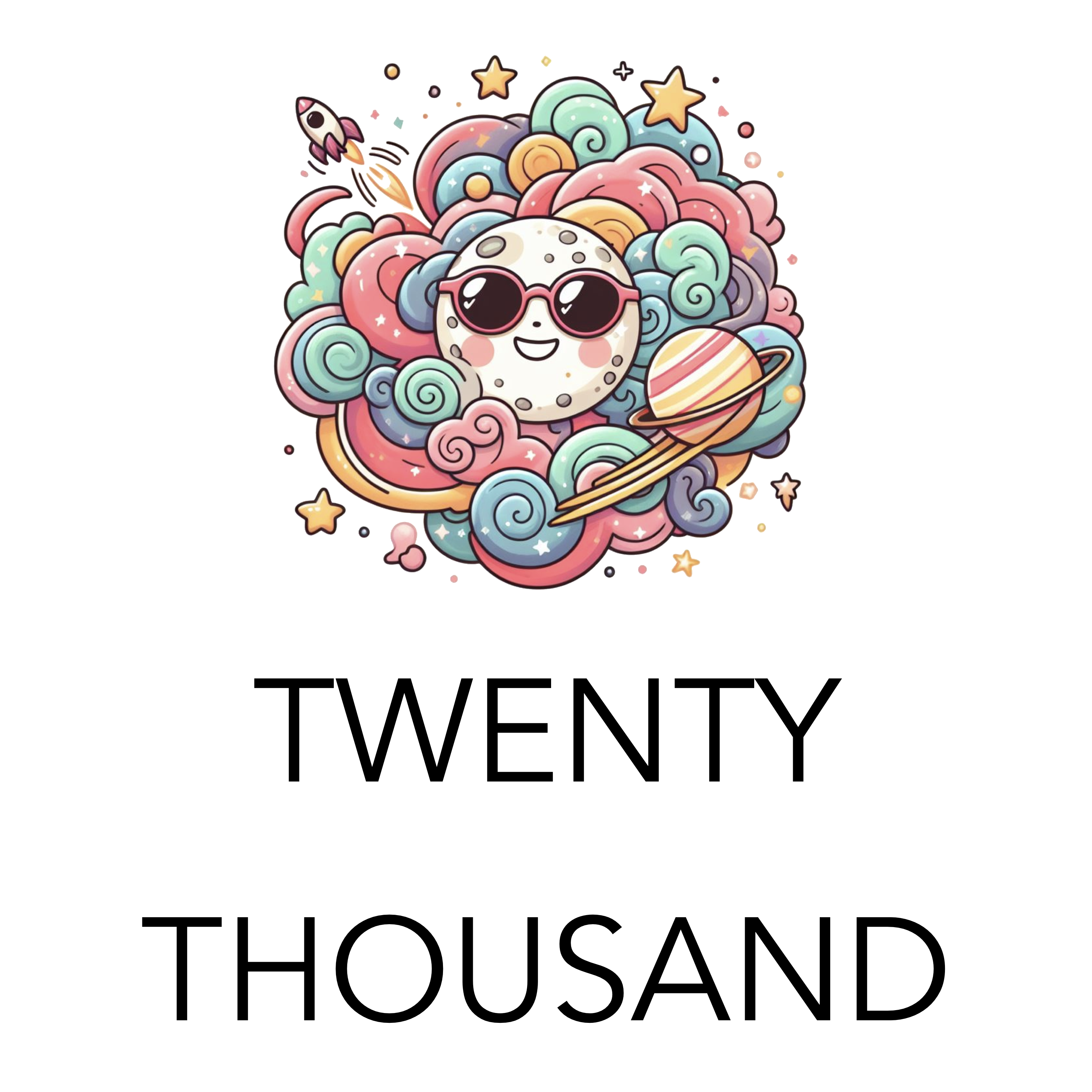
Watch the video above to learn how to make simple podcast cover art using AI and my favorite image tool…
Podcast Cover Art Ideas
Click here for a podcast host that has a built-in cover art creator
- Visual Metaphors: Think of visual representations of your show’s themes.
- Example: A true crime podcast might use a magnifying glass over a fingerprint.
- Bold Typography: Your podcast title itself can be the artwork, with a carefully chosen font, stylized treatment, and a striking color against a simple background.
- Abstract Art: Consider colors, shapes, or patterns that evoke the mood of your podcast, even if they’re not directly representational.
- AI Assistance: Use tools like Bing Co-pilot to generate image ideas based on your descriptions. You can refine them to fit your vision.
3. Example Brainstorm
Let’s pretend your podcast is called “Mindful Moments” and it focuses on mindfulness practices and short guided meditations. Here are some ideas using different techniques:
- Visual Metaphor:
- A lotus flower in simple line art
- A tranquil landscape with soft colors
- A single candle flame against a dark background
- Bold Typography:
- “Mindful Moments” in a flowing, handwritten style
- The words stacked vertically with interesting spacing
- Abstract:
- A gradient of calming colors (blues, greens)
- A watercolor-like swirl with soft edges
Resources for DIY and Hiring Help
Click here for an amazing and easy to use image creation tool
- Design Tools:
- User-friendly tools like Canva, Adobe Express, or GIMP make it easy to create your own cover art, even with limited design experience.
- Snagit, on the other hand, is a screen capture and image editing software specifically designed to capture and annotate images on your computer screen. While it might have a bit steeper learning curve compared to the other tools mentioned, Snagit offers some unique advantages for creating podcast cover art:
- Precise Screen Captures: Snagit lets you capture that exact section with pixel-perfect precision if you want to incorporate a specific element from your computer screen into your cover art (like a unique chart or graph).
- Powerful Editing Tools: Snagit boasts a robust editing suite that allows you to add text, shapes, arrows, callouts, and other design elements to your captured image or imported background. You can also adjust colors, crop the image, and apply various effects to enhance your cover art.
- Workflow Integration: Snagit integrates seamlessly with other creative tools you might be using, like image editors like Photoshop or GIMP. This allows for a smooth workflow where you can capture your screen element in Snagit, edit it further in your preferred software, and bring it back into Snagit to finalize your cover art.
- Free Stock Images: Websites like Unsplash, Pexels, and Pixabay provide a massive selection of high-quality free images.
- Hiring Designers: If you want a custom design, sites like Fiverr, Upwork, or 99designs connect you with skilled freelance designers.
The Nitty-Gritty: Technical Requirements
- Dimensions:
- Apple Podcasts: Minimum 1400 x 1400 pixels, maximum 3000 x 3000 pixels
- Spotify: Recommended 3000 x 3000 pixels
- File Format: Save as JPEG or PNG.
- Color Space: Use RGB for the widest color compatibility.
Why Does Podcast Cover Art Matter?
- Discovery: When people browse podcast directories, they’re flooded with options. Compelling cover art makes your show stand out in a sea of thumbnails.
- Branding: A memorable cover helps people recognize your podcast instantly, building familiarity and creating a stronger brand identity.
- First Impressions: Your cover art’s visuals and style subtly hint at the tone and content of your podcast, influencing whether someone thinks it’s worth their time.
How to advertise on a podcast
Podcasts have surged in popularity, offering advertisers a unique way to connect with highly engaged audiences. If you’re ready to tap into this powerful marketing channel, this guide will walk you through the ins and outs of podcast advertising so you can start driving results.
How to advertise on a podcast
Understanding Podcast Advertising Basics
- Types of Ads:
- Host-Read Ads: Integrated seamlessly into the podcast, these ads are delivered by the podcast host, lending authenticity and trust.
- Pre-roll, Mid-roll, and Post-roll Ads: Shorter ads strategically placed at the podcast episode’s beginning, middle, or end.
- Sponsorship Packages: These give you a broader association with a podcast, potentially including mentions, dedicated segments, or custom integrations.
- Pricing Models:
- CPM (Cost Per Mille): You pay a set rate for every thousand impressions (listens) your ad receives.
- Sponsorships: These are often negotiated directly with a podcaster and involve a flat fee for sponsoring an episode or series.
- Hybrid Models: Some networks and podcasters may offer a combination of CPM and sponsorship structures.
Finding the Right Podcasts
- Audience Alignment: It’s critical to find podcasts with listeners who match your ideal customer profile. Consider their interests, demographics, and the overall tone of the show.
- Tools and Resources:
- Podcast Directories: Browse Apple Podcasts, Spotify, and other platforms to explore categories and discover shows.
- Podcast Advertising Networks: Platforms like Midroll or AdvertiseCast connect you with a range of podcasts.
- Podcast Analytics Tools: Services can provide deeper audience insights for some podcasts.
- Direct Outreach: If you have specific shows in mind, find the host’s contact information and reach out directly.
Purchasing Ad Space
Click here for my favorite podcast advertising platform
- Working with Networks: Networks simplify the buying process, often offering targeting options and managing ad placements.
- Direct Negotiation: Contact podcasters independently to negotiate rates and terms for sponsorships. Be prepared with your budget and campaign goals.
Creating Effective Podcast Ads
- The Power of Storytelling: Skip traditional ad scripts. Craft ads that blend naturally with the podcast’s style.
- Strong Call to Action: Clear what you want listeners to do (visit a website, use a discount code, etc.).
- Offer Codes and Tracking: Use unique promo codes or URLs to track your podcast ad’s performance.
Optimizing Your Podcast Advertising Campaigns
- Tracking and Measurement: Monitor metrics like impressions, clicks, and conversions (if applicable). Tools within ad networks or website analytics can help.
- Testing and Iteration: Experiment with different targeting, ad formats, placement, and creative approaches. Analyze results to improve over time.
Wrapping Up Podcast Advertising
When done thoughtfully, podcast advertising can be a powerful tool for engagingly reaching your target audience. Remember to prioritize audience fit, craft compelling ads, and continuously measure and optimize your campaigns.
Want more? Check out Podbean; they’ve got an awesome platform to get started!
How to Download Your Podcast Episodes On Spotify To Expand Your Reach
As a podcaster, Spotify offers a fantastic platform to share your podcast with a vast audience. However, to maximize your reach and engagement, consider making your episodes available in additional formats like MP3. This broadens your distribution channels and caters to listeners who prefer offline access or specific platforms.
There’s even more value to be gained by creating a dedicated webpage for each episode on your website. Here’s why:
- Improved Search Engine Optimization (SEO): Search engines can’t crawl audio content effectively. However, by transcribing your episodes and incorporating the text into a blog post, you create SEO-friendly content. This increases the chances of your website and podcast appearing in Google search results for relevant keywords, attracting new listeners who may not have found you on Spotify.
- Enhanced Organization and Accessibility: Dedicated episode pages provide a central location for all your podcast content. Listeners can easily browse past episodes, find specific information through transcripts, and access downloadable MP3 files.
- Increased Engagement Opportunities: Episode pages allow you to embed calls to action (CTAs), encouraging listeners to subscribe to your podcast, visit your website, or follow you on social media. You can also include relevant links and resources mentioned in the episode, creating a valuable resource for your audience.
Exporting Your Spotify Podcast Episodes
This section tackles the technical side of exporting your episodes directly from Spotify. Here’s a step-by-step guide:
- Access Your Podcast Settings: Log in to your Spotify for Podcasters dashboard (https://podcasters.spotify.com/).
- Locate “Your Shows”: Navigate to the “Shows” tab and select the specific podcast from which you want to export episodes.
- Exporting Episodes: Click on the show title, then find the “Episodes” section. Look for an “Export” option or similar functionality (refer to Spotify’s support for the latest interface).
- Download the Episode Files: Spotify will likely provide your episodes in high-quality audio formats like WAV or AIFF. Download these files to your computer.
Converting to MP3 for Wider Reach
Click here for my favorite free audio converter tool…
MP3 is the most universally compatible audio format, playable on almost any device. Here’s why converting your exported Spotify episodes to MP3 is beneficial:
- Increased Accessibility: Listeners can download and play your podcast on any device that supports MP3, expanding your reach beyond Spotify’s platform.
- Offline Listening: Enable listeners to enjoy your podcast without an internet connection, perfect for commutes or areas with limited connectivity.
- Smaller File Sizes: MP3 files are generally smaller than WAV or AIFF, making them easier to distribute and store.
Choosing the Right Audio Converter Tool:
Several reliable audio converter tools cater to podcasters’ needs. Here are some factors to consider when choosing:
- Ease of Use: Select a tool with a user-friendly interface, especially if you’re not tech-savvy.
- Output Quality: Look for options to control the bitrate (a measure of audio quality) to balance file size and sound fidelity.
- Batch Conversion: Save time by converting multiple episodes simultaneously.
- Metadata Preservation: Ensure the tool preserves essential information, such as episode titles, descriptions, and artwork, within the MP3 files.
Popular Audio Converter Options (consider researching these for specific features):
- Freesound Audio Converter: https://freesound.org/ (Free, open-source)
- XMedia Recode: https://www.xmedia-recode.de/en/download.php (Free, open-source)
- Audacity: https://www.audacityteam.org/download/ (Free, open-source)
- Inkscape Vector Graphics Editor: https://www.audacityteam.org/download/ (Paid, various plans)
Leveraging Your Converted MP3 Files
Click here to quickly turn your podcast episodes into transcribed text for better SEO…
Now that you have your episodes in MP3 format, here are some strategic ways to utilize them:
- Expand Distribution Channels: Upload your MP3 files to other podcast directories or platforms, such as Apple Podcasts or Google Podcasts. This increases discoverability for new listeners.
- Website Integration: Host the MP3 files on your website, allowing visitors to listen directly or download episodes for offline enjoyment.
- Transcription and Blog Posts: Consider transcribing your episodes and creating blog posts based on the content. This improves your website’s SEO (search engine optimization) and expands your content reach.
- Engagement Opportunities: Provide clear CTAs (calls to action) within your episodes, directing listeners to your website, social media channels, or email list for further engagement.
Conclusion
By exporting, converting, and strategically leveraging your Spotify episodes, you unlock a wider audience and enhance your podcast’s reach. This guide equips you with the technical know-how and strategic insights to maximize your podcast’s impact. Remember, consistently delivering valuable content and creating a seamless listening experience is key to building a loyal audience.
Home Podcast Setups: What You Need To Know…
Where do you start when it comes to setting up your podcast studio at home? Don’t worry; we’ve got you covered.
Start with the Essentials
Building a podcast studio doesn’t have to break the bank. Begin with some basic pieces of equipment, and you’ll be well on your way to producing high-quality audio:
- Computer or Laptop: Your computer is the heart of your operation. Make sure it has at least 16GB of RAM, an SSD for fast storage, and a multi-core processor to handle recording and editing software.
- Microphone: The cornerstone of any podcast setup, a USB microphone like the Blue Yeti or Audio-Technica ATR2100 is a great choice for beginners. For professional-grade audio, consider an XLR microphone like the Shure SM7B or Heil PR-40 paired with an audio interface.
- Headphones: Closed-back headphones are great for monitoring your audio and preventing feedback during recording. Affordable options like the Audio-Technica ATH-M20X or Shure SRH440 will do the trick.
- Recording and Editing Software: Free software like Audacity or GarageBand (Mac only) is perfect for starting. As you progress, consider investing in paid software like Adobe Audition, Pro Tools, or Descript for more advanced features.
- Pop Filter: A must-have to reduce plosive sounds (like “p” and “b”) that can distort your audio.
- Microphone Stand or a Boom Arm: A sturdy stand or boom arm can help you position your microphone correctly and reduce handling noise.
Elevate Your Setup with Next-Level Gear
Once you’ve mastered the basics, consider adding these items to enhance your audio quality and workflow:
- Audio Interface or Mixer: An audio interface allows you to connect XLR microphones and other audio sources to your computer, while a mixer provides additional control over audio levels and inputs. The Behringer Xenyx 302USB is budget-friendly, while the RodeCaster Pro or Mackie ProFXv3 Series offers more advanced features.
- Acoustic Treatment: Soundproofing panels, rugs, and curtains can significantly improve audio quality by reducing noise and noise.
- Shock Mount: Isolate your microphone from vibrations and bumps with a shock mount.
Lights, Camera, Action!
If you’re planning to create a video podcast, you’ll need a few additional pieces of equipment:
- Camera: A webcam like the Logitech c920 is a great starting point. Consider a DSLR or mirrorless camera like the Sony a6400 for professional-quality video.
- Lighting Equipment: Good lighting is essential for video. A key light like the Elgato Key Light or Lume Cube Broadcast Lighting will illuminate your face, while a ring light or softbox lighting can provide additional fill light.
Advanced and Optional Equipment
As your podcast grows, you might consider these advanced options:
- Multiple Microphones: If you plan to have in-person guests, you’ll need additional microphones.
- Green Screen: Replace your background with any image or video, adding a touch of creativity to your video podcast.
- Elgato Stream Deck: Streamline your workflow with customizable buttons and shortcuts to control your recording software, add sound effects, and more.
- Digital Recorder: A portable recorder like the TASCAM DR-05X is perfect for recording interviews and on-location audio.
- Live Streaming Software: If you want to broadcast your podcast live, software like Ecamm Live (Mac only) or StreamYard can help you reach a wider audience.
Setting the Stage: Your Ideal Home Podcast Room
Choosing the perfect room is the first step. Look for these features:
- Small & Quiet: Smaller rooms are ideal for podcasting because they have less echo. Sound waves bounce around in larger spaces, creating an unpleasant echo effect. Your recording space should ideally be around 5′ x 8′ or smaller. If you’re limited on space, don’t worry! Even a closet can work in a pinch. Here are some tips for recording in a small space:
- Close the door to shut out any background noise from outside the closet.
- Hang some blankets or clothes on the walls to absorb sound waves.
- Experiment with microphone placement to find the sweet spot where your voice sounds clear and free of echo.
- Minimal Background Noise: This might seem obvious, but finding a quiet space to record your podcast is important. Avoid rooms with noisy appliances like dryers, refrigerators, or air conditioners. If possible, choose a time of day when there’s minimal street noise or activity in your home.
- Sound Absorption: Hard surfaces like tile, hardwood floors, and bare walls reflect sound waves, making your recording sound harsh and echoey. To create a more acoustically friendly recording environment, try to incorporate soft surfaces into your room. Here are some ideas:
- Hang rugs or tapestries on the walls.
- Place throw pillows or blankets on furniture.
- If you have hardwood floors, consider laying down an area rug.
Pro Tip: If you can, invest in a few acoustic panels. They’re surprisingly affordable and significantly improve your sound quality.
Troubleshooting Common Audio Issues
- Echo: Add more soft surfaces to your room or invest in acoustic panels.
- Background Hum: Unplug appliances and check your connections. Noise reduction software can help in a pinch.
- Pops and Clicks: A pop filter is vital, and you learn to speak slightly across the microphone, not directly into it.
Leveling Up (Optional)
- Lighting: Simple ring lights improve video podcast quality.
- Camera: Adding a video component opens your podcast to a new audience.
- Advanced Techniques: Learn about EQ, multi-track editing, and creating a unique sonic signature for your show.
Additional Considerations
- Podcast Hosting Platform: Choose a reliable platform to host and distribute your podcast to popular directories like Apple Podcasts and Spotify.
- Backup Storage Solution: Protect your valuable recordings with an external hard drive or cloud storage.
Take the Next Step
Building your home podcast studio is investing in your passion and audience. Start with the essentials, upgrade as you grow.
Remember:
- You don’t need to buy everything at once. Start small and gradually add equipment as your needs evolve.
- Focus on creating high-quality content. The best equipment in the world won’t matter if your content isn’t engaging.
- Experiment and have fun! Podcasting is a creative journey, so don’t be afraid to try new things and find your unique voice.