The Ultimate Guide to Choosing Cameras and Lenses for Podcasting
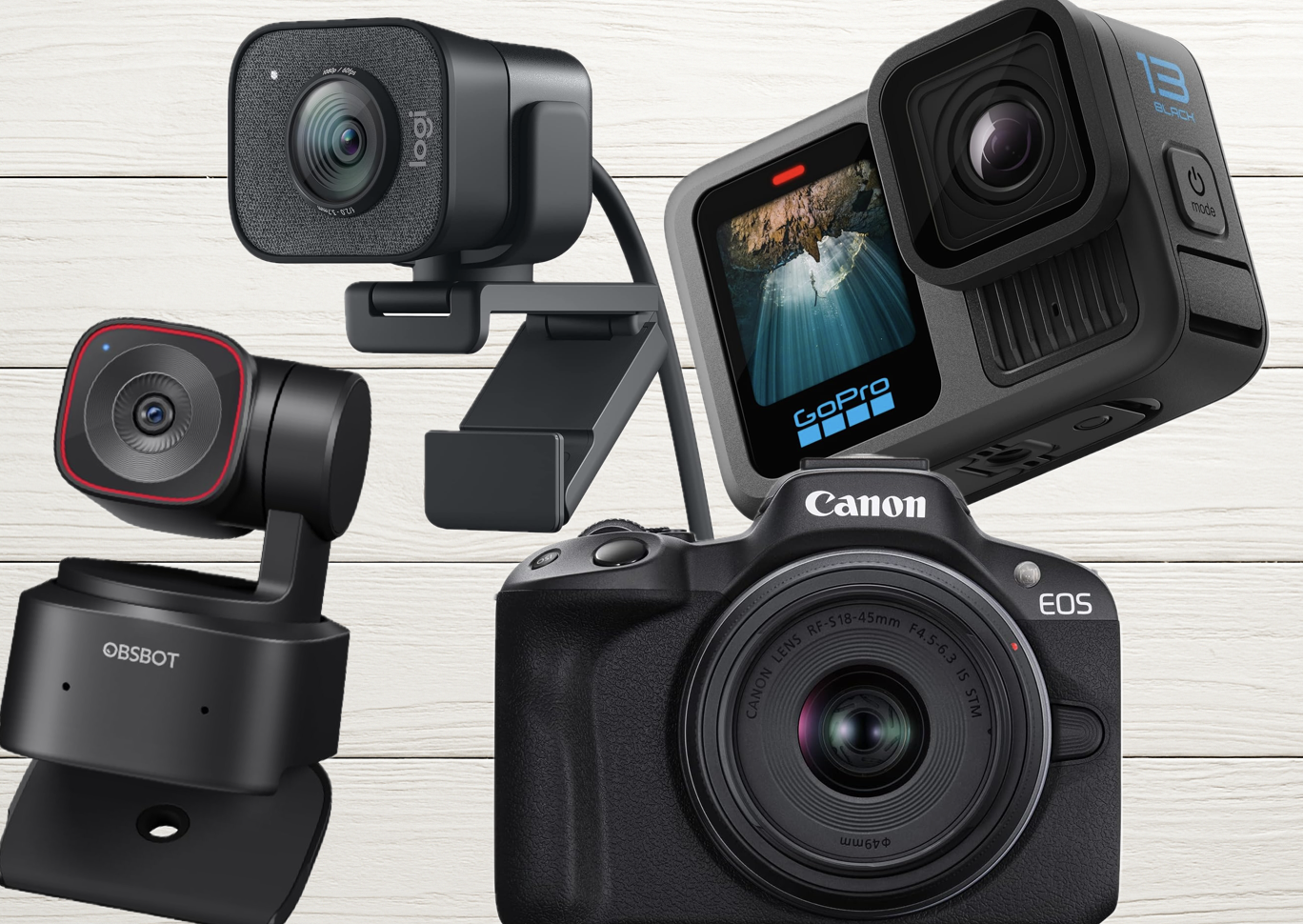
Click to see our top camera pick
Why Your Camera Choice Matters in Podcasting
Video podcasts aren’t optional anymore — they’re the standard. Over half of U.S. podcast listeners now actively watch video versions of their favorite shows, and platforms like YouTube, Spotify Video, and TikTok are rewarding creators who show up on camera. A high-quality video setup enhances audience engagement, boosts your brand’s professionalism, and opens doors to monetization. Choosing the right camera and lens will help create a polished, professional look that captures attention.
In this guide, we’ll explore everything you need to know about cameras, lenses, and setups for podcasting success in 2026 — including the new wave of AI-powered webcams that are changing the game for solo creators.
Podcasting Camera Types
Click here for my favorite all-around podcast camera
When selecting a camera for your podcast, it’s important to understand the pros and cons of each type. Your ideal choice depends on your podcasting style, content goals, and budget.
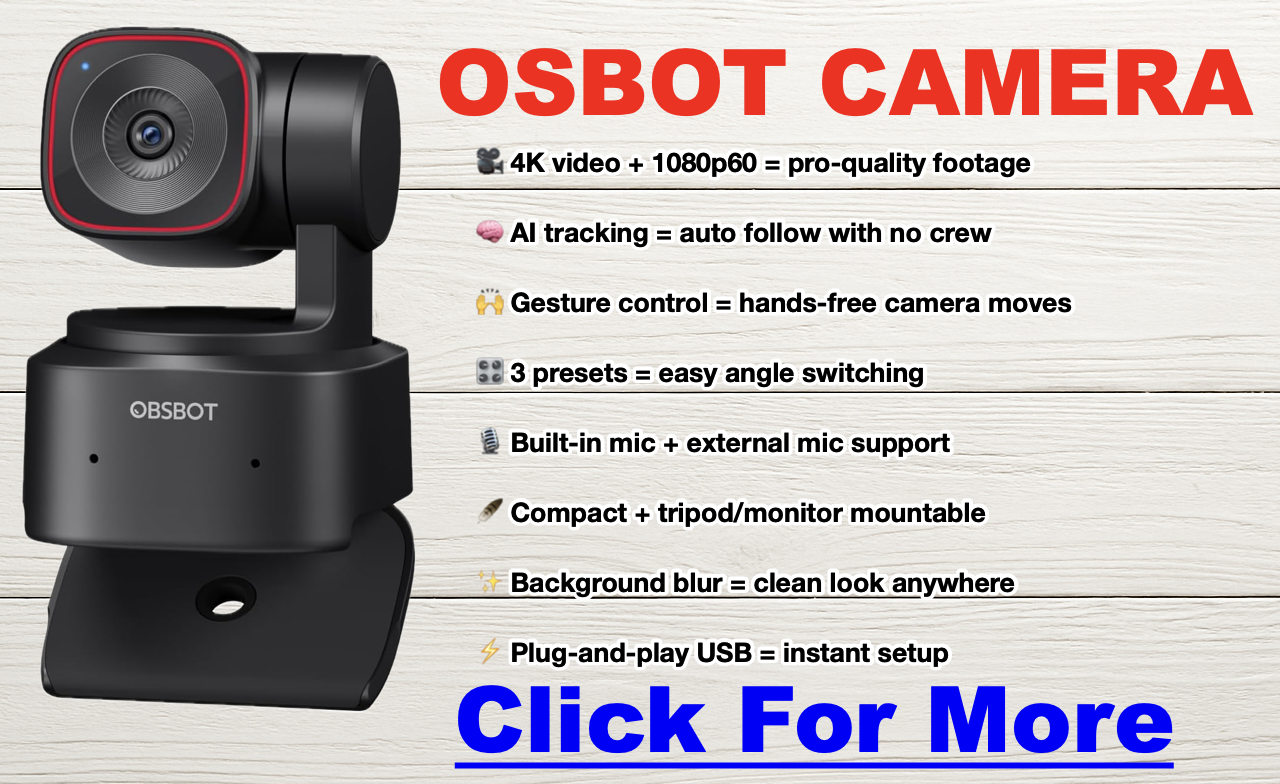
Webcams (Including AI-Powered PTZ Models): Webcams are a go-to choice for beginners and anyone looking for a straightforward, reliable way to capture video. But in 2026, the webcam category has split into two tiers: traditional fixed webcams and AI-powered PTZ (pan-tilt-zoom) models that use face tracking, voice locating, and auto-framing to follow you around the room.
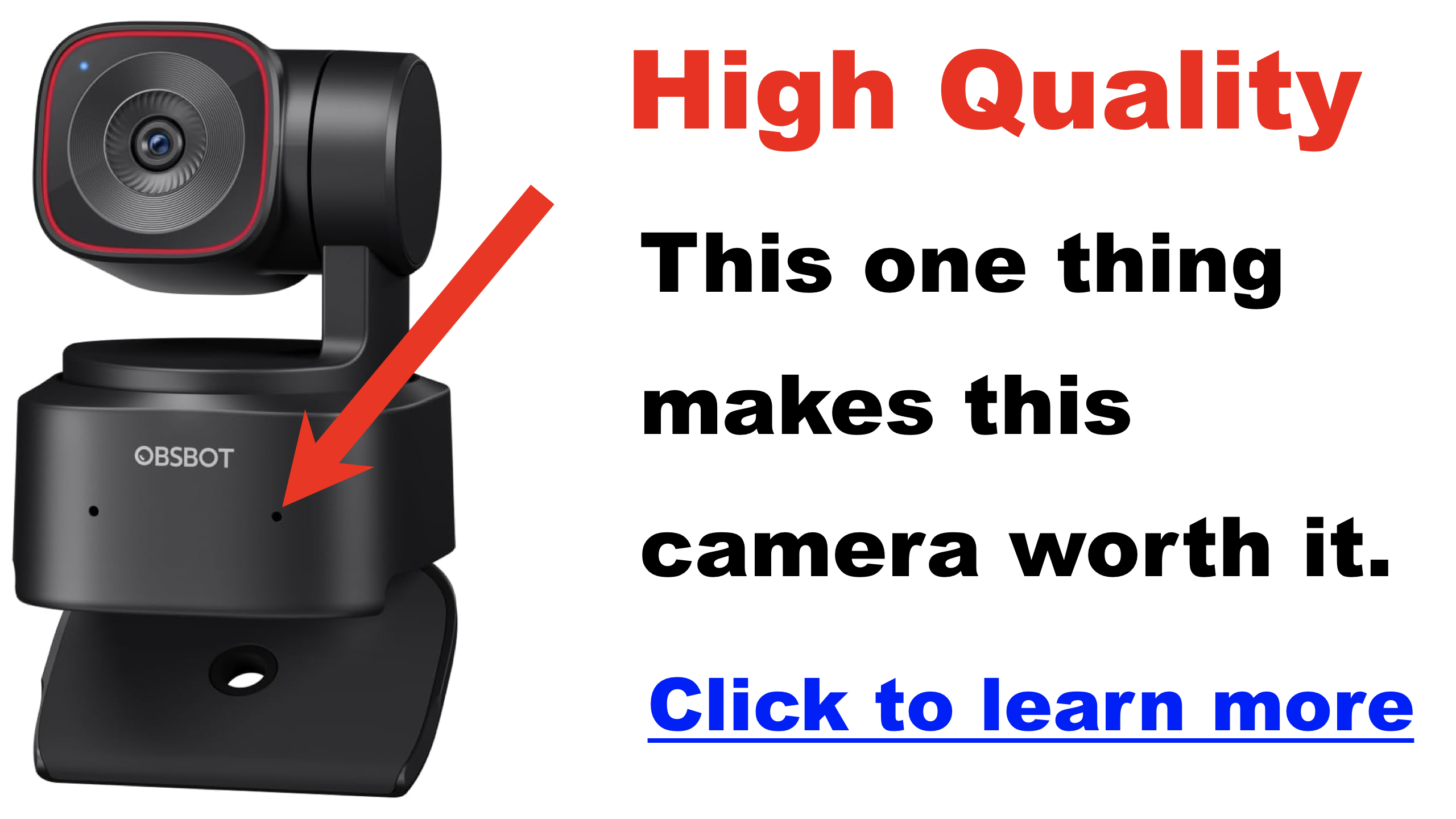
We have several to look at in the table below. The standout for 2026 is the OBSBOT Tiny 3, which features a massive 1/1.28″ CMOS sensor for outstanding low-light performance, AI Tracking 2.0 with voice locator technology, a triple-mic spatial audio system, and 4K/30fps or 1080p/120fps recording — all in a body that weighs just 63 grams. It’s a significant upgrade over its predecessor, with twice the maximum ISO sensitivity and a 37% larger sensor. The Logitech Brio remains a solid traditional 4K option, and the new Elgato Facecam 4K delivers uncompressed 4K/60fps at a competitive $199 price point.
If you go the route of using a webcam to record your podcast, I highly recommend you look into a capture card for your computer. Capture card devices offload the work from the computer and drastically increase the quality of the recording, allowing you to capture crystal clear video. I highly recommend checking the Elgato brand out — they make some of the best hardware in the game. The HD60X is a great start.
- Pros: Affordable, easy to use, plug-and-play, minimal setup. AI models add auto-tracking and dynamic framing without a camera operator.
- Cons: Traditional models have limited image quality and fixed lenses. AI PTZ models like the OBSBOT Tiny 3 run $349, which approaches entry-level mirrorless territory.
- Ideal for: Beginners, casual podcasters, streamers, solo creators who want dynamic framing without a crew.

DSLR Cameras DSLRs provide flexibility and professional image quality, suitable for podcasters aiming for a polished look.
DSLRs crush webcams for podcasting because they offer larger sensors, superior low-light performance, and interchangeable lenses, giving you that crisp, cinematic look webcams simply can’t match. With pro-level autofocus, depth-of-field control, and external mic support, DSLRs provide the flexibility and quality needed to make your podcast stand out — whether you’re streaming live or recording in a studio setup.
The Canon 5D Mark IV is one of the best cameras on the market with 4K video — however DSLRs are known to have recording limits of about 30 minutes.
- Pros: Superior image quality, interchangeable lenses, depth-of-field control, versatility.
- Cons: Larger size, more expensive, additional equipment (like capture cards) needed for streaming, limited onboard recording.
- Ideal for: Professional-quality podcasts, interviews, detailed video.
Mirrorless Cameras Mirrorless cameras combine DSLR image quality with a smaller form factor, providing versatility and ease of use. In 2026, mirrorless cameras have become the dominant choice for serious video podcasters.
Mirrorless cameras deliver cinematic 4K video, razor-sharp autofocus, and pro-level low-light performance without the bulk of DSLRs. With silent operation, advanced eye-tracking, and direct USB streaming, they offer the perfect blend of portability and power, making them the go-to choice for podcasters who want a professional, high-quality look without the hassle. Many 2026 models have solved the overheating problem that plagued earlier generations — when paired with a dummy battery and external power, they can run indefinitely for studio use.
The Canon EOS R5 Mark II delivers cinematic 4K and 8K video, razor-sharp autofocus, and pro-level image quality that make podcast recordings look like a high-budget production. For a detailed spec comparison, check out our Canon EOS R5 Mark II vs R5 breakdown.
The Sony ZV-E10 II ($999 body-only) is the top creator-focused mirrorless camera for 2026. It uses the same proven 26MP sensor as the a6700 and FX30, records 10-bit 4K/60p video with S-Cinetone color, features a 759-point autofocus system with real-time eye tracking, and its upgraded NP-FZ100 battery delivers up to 195 minutes of recording. It’s a massive step up from the original ZV-E10 in every way that matters for podcasters.
- Pros: Excellent image quality, compact size, interchangeable lenses, good autofocus, most 2026 models run cool in studio settings with external power.
- Cons: Higher initial cost, may require additional accessories for extended recording and streaming.
- Ideal for: Intermediate to advanced podcasters, content creators seeking high-quality visuals.
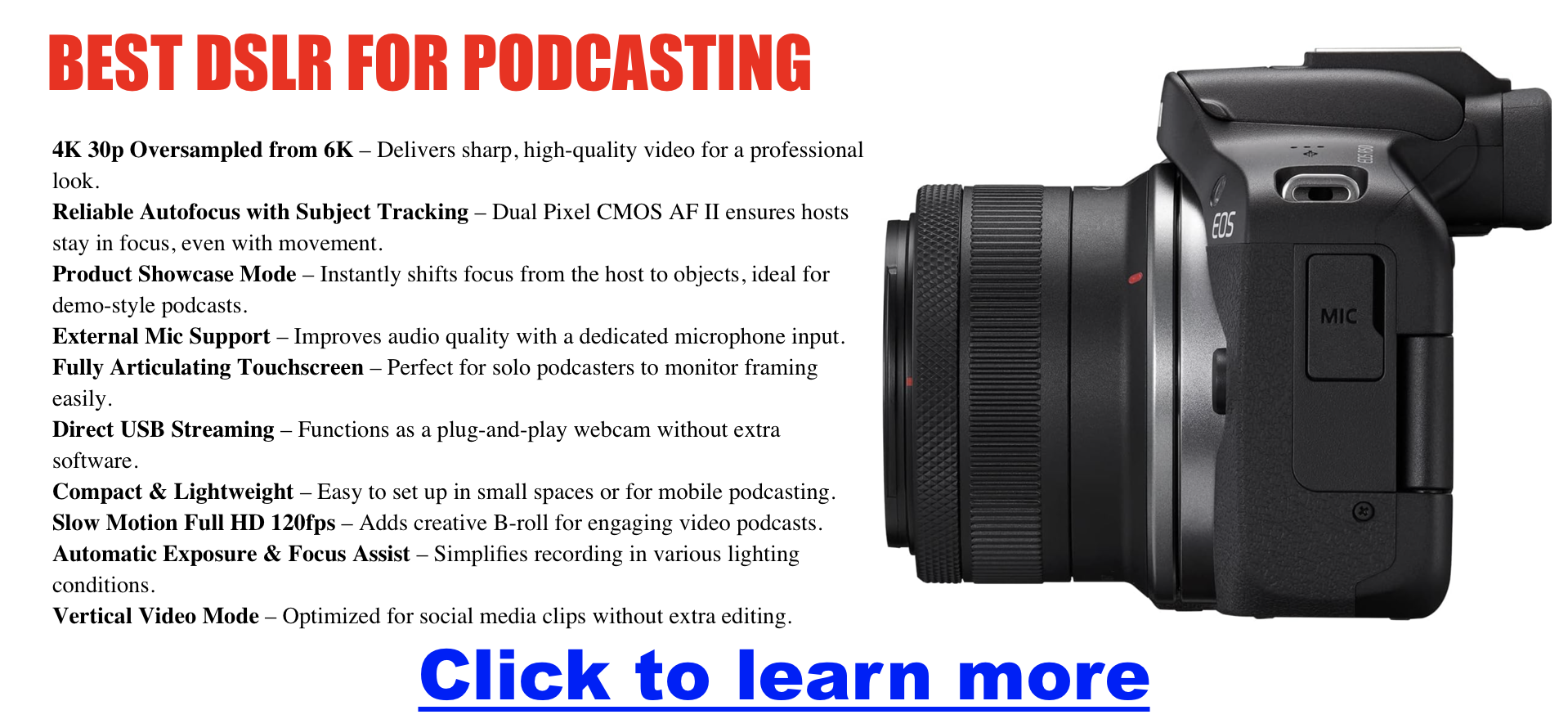
Action Cameras Action cameras are designed for durability and capturing dynamic or unconventional shots.
I would look into the latest GoPro offerings, the DJI Osmo series, and the Insta360 — however please know that the quality of the video in a studio setting is generally not as good as a decent webcam, and many struggle in low-light conditions.
- Pros: Compact, durable, versatile, great for dynamic and wide-angle shots.
- Cons: Limited zoom capability, generally not ideal for standard podcast formats, weaker in low light.
- Ideal for: Outdoor podcasts, adventure-based or action-driven content.
Camcorders For podcasts that run long or record continuously, camcorders still have a major advantage. They are built for extended recording sessions without overheating or time limits — making them a favorite for studio podcasts, panel discussions, and live event recordings.
- Pros: Unlimited recording time, no overheating, built-in zoom, reliable for long sessions.
- Cons: Lacks cinematic depth of field, less flexibility than interchangeable-lens cameras.
- Ideal for: Long-form recording, panel shows, live podcast events.
Smartphone Cameras Smartphones today offer high-quality cameras suitable for beginners or budget-conscious podcasters. Almost 70% of the world owns a smartphone — the average person doesn’t have to spend a penny to record quality podcast videos.
Personal Story: I use an iPhone 15 Pro for almost everything I shoot because it is incredibly versatile, inexpensive when compared to DSLR options, and overall packs a huge punch with ability to record locally to a computer using OBS. While this setup isn’t for everyone, it is definitely a good option for most.
I highly suggest you watch the video below which talks about why they may be more than what you need to record or stream your podcast. Limitations are generally a flatter look, lighting requirements, and the battery draining faster than it can charge. While that is true when compared to much more expensive options, the iPhone has good depth of field, and overall has great color and clarity.
- Pros: Readily available, high-quality video recording (up to 4K/60fps on modern iPhones), versatile and mobile.
- Cons: Limited manual control, fixed lenses, may require additional equipment for stability and quality.
- Ideal for: Budget-conscious podcasters and beginners testing video podcasts.
Find the Best Camera for Your Podcast
Click here for my favorite all-around podcast camera
| Camera Type | Model | Resolution | Best For | Notes |
|---|---|---|---|---|
| AI Webcam | OBSBOT Tiny 3 | 4K at 30fps / 1080p at 120fps | Solo creators, dynamic recordings | 1/1.28″ sensor, AI Tracking 2.0, triple-mic spatial audio, voice control. The 2026 webcam to beat. |
| OBSBOT Tiny 2 | 4K at 30fps | Budget AI tracking | Still excellent and often discounted now that the Tiny 3 is out. Great value pick. | |
| Webcam | Elgato Facecam 4K | 4K at 60fps | Streamers, studio setups | Uncompressed 4K/60fps, HDR, onboard storage, no mic (pair with external). ~$199. |
| Logitech Brio 4K | 4K at 30fps | Plug-and-play 4K | Adjustable FOV (65/78/90°), auto light correction, built-in mic. Reliable workhorse. | |
| Elgato Facecam MK.2 | 1080p at 60fps | Budget streamers | Uncompressed 1080p, HDR, great in studio lighting. ~$150. | |
| Logitech C920x HD Pro | 1080p | Beginners, live-streaming | Affordable, plug-and-play simplicity. Best entry-level option. | |
| DSLR | Canon 5D Mark IV | 4K at 30fps | Pro-level quality | Legendary Canon color, massive lens ecosystem. Recording limit ~30 min. |
| Canon EOS M50 Mark II | 4K (cropped) | Entry-level DSLR podcasting | Great autofocus and flip-out screen. Beginner-friendly. | |
| Sony Alpha a6100 | 4K | Compact, high-quality videos | Amazing autofocus performance in a compact body. | |
| Mirrorless | Sony ZV-E10 II | 4K at 60fps (10-bit) | Creator-focused, best all-rounder | 26MP sensor (same as a6700), 759-point AF, S-Cinetone, 195 min battery. ~$999 body. |
| Canon EOS R50 | 4K at 30fps | Entry mirrorless, clean HDMI | Affordable RF-mount entry point with Dual Pixel CMOS AF II. Great for webcam-to-mirrorless upgraders. | |
| Canon EOS R5 Mark II | 4K/8K | High-end studio production | Cinematic quality, full-frame, pro autofocus. The luxury pick. | |
| Sony ZV-E10 (original) | 4K (cropped at 30fps) | Budget creator mirrorless | Still a best-seller, now at lower prices. Great if the ZV-E10 II is out of budget. | |
| Panasonic Lumix GH5 | 4K at 60fps | Advanced users, cinematic production | Exceptional video quality. A workhorse for multi-cam setups. | |
| Sony Alpha a6400 | 4K | Portable and versatile | Reliable, sharp results. Proven track record. | |
| Fujifilm X-T4 | 4K at 60fps | Color-rich, smooth footage | In-body stabilization, legendary Fuji color science. | |
| Action Camera | GoPro Hero 13 Black | 5.3K at 60fps | Dynamic, wide-angle shots | Durable and versatile. Best for on-location recording. |
| DJI Osmo Action 3 | 4K at 60fps | Compact and affordable | Great stabilization for on-the-go content. | |
| Camcorder | Canon Vixia HF G70 | 4K | Long sessions, studio reliability | No recording limit, no overheating. The podcaster’s camcorder of choice. |
| Sony FDR-AX53 | 4K | Long recording sessions | Ideal for extended podcasts and events. | |
| Canon Vixia HF G50 | 4K | Budget camcorder | Easy to use for beginners. Reliable. | |
| Smartphone | iPhone 16 Pro Max | 4K at 60fps | Budget-friendly setups | Cinematic mode, ProRes recording, excellent stabilization. |
| Samsung Galaxy S24 Ultra | 8K at 30fps | High-end detail and versatility | Outstanding video quality, 200MP sensor for stills. |
Best Lenses That Make Your Podcast Shine
When setting up your podcasting studio for video recordings, the lens you select can dramatically affect your visual quality, aesthetics, and viewer engagement. Here’s a clear breakdown of the types of lenses to consider, their advantages and disadvantages, and practical recommendations tailored specifically for podcasting studios.
Types of Lenses to Consider:
1. Prime Lenses
Prime lenses have a fixed focal length (e.g., 35mm, 50mm, 85mm) and typically offer superior image quality and wider apertures (f/1.8, f/1.4, or f/1.2).
Pros:
- Excellent image sharpness and clarity.
- Great in low-light conditions due to wide apertures.
- Beautiful background blur (bokeh) helps focus viewers on the subject.
Cons:
- Limited flexibility; requires physical repositioning of the camera to change framing.
Recommended Primes for Podcast Studios:
- Sony FE 50mm f/1.8: Versatile, affordable, and great for portrait-style framing.
- Canon RF 85mm f/2 Macro: Ideal for tighter headshots with stunning clarity.
2. Zoom Lenses
Zoom lenses allow varying focal lengths within one lens (e.g., 24-70mm, 70-200mm), providing versatility in framing without moving the camera.
Pros:
- Highly versatile; quickly switch framing between wide, medium, and close-up shots.
- Ideal for multi-camera setups or dynamic podcast formats.
Cons:
- Slightly less sharp than prime lenses.
- Usually heavier and more expensive.
Recommended Zooms for Podcast Studios:
- Sigma 24-70mm f/2.8 DG DN: Excellent image quality, highly versatile for various studio setups.
- Tamron 28-75mm f/2.8: Cost-effective, sharp optics, and great value for money.
3. Wide-Angle Lenses
Wide-angle lenses (e.g., 16mm, 24mm) capture broader scenes and are excellent for showing off a podcast studio space or accommodating multiple hosts.
Pros:
- Great for group podcasts or studio tours.
- Provides engaging perspectives and dynamic visuals.
Cons:
- Potential distortion if subjects are too close to the camera.
- Less effective for close-up, intimate visuals.
Recommended Wide-Angles for Podcast Studios:
- Sony FE 20mm f/1.8 G: Outstanding optical quality with minimal distortion.
- Canon RF 16mm f/2.8: Compact and affordable; great for small spaces.
Choosing the Right Lens for Your Needs:
- Portrait-Focused Podcasts: Prime lenses like the 50mm or 85mm give superior sharpness and beautiful backgrounds, ideal for single-host or interview formats.
- Dynamic, Multi-Angle Podcasts: Zoom lenses such as 24-70mm offer framing flexibility, essential for quickly adjusting compositions.
- Group or Panel Podcasts: Wide-angle lenses effectively capture everyone clearly and give viewers a sense of your studio environment.
Tips for Podcast Studio Lens Setup:
- Consider the space available: smaller rooms might benefit from wider lenses (20-35mm).
- Prioritize aperture: lenses with f/2.8 or wider ensure excellent low-light performance and professional background blur.
- Balance cost and quality: Invest in a high-quality prime or zoom lens for your primary camera, supplementing with affordable lenses for secondary angles.
| Lens Type | Focal Length (Aperture) | Best For | Notes |
|---|---|---|---|
| Prime | 35mm (f/1.8 or f/1.4) | Medium-wide shots, small spaces | Natural perspective, versatile. |
| 50mm (f/1.8 or f/1.4) | Head-and-shoulder shots | Classic framing, beautiful depth of field. | |
| 85mm (f/1.8) | Close-ups with blurred backgrounds | Ideal for interviews and isolation shots. | |
| Wide-Angle | 24mm (f/2.8) | Group shots, tight spaces | Wider framing without distortion. |
| 18mm (f/2.8) | Multi-host setups in small rooms | Ultra-wide view, perfect for tight spaces. | |
| Zoom | 24-70mm (f/2.8) | Versatile for varied setups | Covers wide, mid, and close framing. |
| 18-55mm (f/3.5-5.6) | Budget-friendly multi-use lens | Affordable and flexible. | |
| 70-200mm (f/2.8) | High-quality close-ups in larger spaces | Stunning compression and sharpness. | |
| Macro/Specialty | 100mm Macro (f/2.8) | Close-ups of products or details | Extremely sharp for close-up shots. |
| 11-16mm (f/2.8) | Ultra-wide, creative shots | Captures the entire setup. |
Click for Lens Options at a Glance
How to Set Up Multiple Cameras for Your Podcast
Adding multiple camera angles can elevate your podcast by making it more dynamic and engaging. Here’s how to create a multi-camera setup:
Why Go Multi-Camera?
Switching between angles keeps your audience engaged and provides flexibility in post-production. You can highlight individual hosts, showcase reactions, or capture wide shots of the entire setup. If you’re looking to get started with multi-camera production, check out our guides on solo podcast equipment and equipment for co-hosts and groups.
Essential Tools for Multi-Camera Setups
| Equipment | Purpose |
|---|---|
| Cameras | Matching models ensure consistent quality and color matching. |
| Capture Cards | Connect cameras to your computer (e.g., Elgato Cam Link 4K, HD60X). |
| Video Switchers | For live switching between feeds (e.g., ATEM Mini, Rodecaster Video). |
| Lighting | Ensures consistent exposure for all angles. Lighting matters more than camera specs. |
| Tripods/Mounts | Keeps cameras stable at the right angles. |
| Audio Recorder | High-quality audio recording (e.g., Zoom H6, Rodecaster Pro II). |
| Monitors | For color grading and monitoring feeds during recording. |
Best Podcast Camera by Use Case
| Use Case | Recommended Cameras |
|---|---|
| Budget under $200 | Logitech Brio 4K, Elgato Facecam MK.2, Logitech C920x |
| Best AI webcam | OBSBOT Tiny 3 ($349), OBSBOT Tiny 2 (often discounted) |
| Studio with pro quality | Sony ZV-E10 II, Canon EOS R5 Mark II |
| Remote interviews | OBSBOT Tiny 3, Elgato Facecam 4K |
| Multi-cam podcast setup | Panasonic Lumix GH5, Sony ZV-E10 II, Fujifilm X-T4 |
| Long/live recording | Canon Vixia HF G70, Sony FDR-AX53 |
| Clip-based/social content | iPhone 16 Pro Max, Samsung Galaxy S24 Ultra |
Frequently Asked Questions
What is the best camera for a video podcast in 2026?
For most podcasters, the Sony ZV-E10 II offers the best combination of image quality, ease of use, and price. If you want a plug-and-play webcam with AI tracking, the OBSBOT Tiny 3 is the top choice. Budget creators should consider the Logitech Brio 4K or the Elgato Facecam MK.2.
Do I need a capture card for podcasting?
Only if your camera doesn’t support USB streaming or clean HDMI output. Webcams like the OBSBOT Tiny 3 and Logitech Brio connect directly via USB. DSLRs and mirrorless cameras typically need a capture card like the Elgato Cam Link 4K or HD60X.
Is 1080p enough for a podcast?
Yes. Most viewers won’t notice the difference unless you’re cropping or creating cinematic edits. 1080p is the standard for Spotify Video and YouTube Podcasts. However, 4K gives you room to crop and reframe in post — which is essential if you’re creating Reels, Shorts, and TikTok clips from full episodes.
What’s more important for video podcasting: camera or lighting?
Lighting. Even a $100 webcam can look great under soft, balanced lighting. Consider investing in lights before upgrading your camera. Proper lighting will do more for your video quality than spending an extra $500 on a camera body.
What is an AI-powered PTZ webcam?
PTZ stands for pan-tilt-zoom. AI-powered PTZ webcams like the OBSBOT Tiny 3 use artificial intelligence to physically move and track your face, automatically zoom and reframe, and keep you centered in the shot without a camera operator. They also support voice commands and gesture control.
How do I stop my camera from shutting off during recording?
Disable sleep/auto-off settings in your camera’s menu and use a dummy battery or AC adapter for continuous power. Most mirrorless and DSLR cameras have workarounds that let them run indefinitely in a studio setting.
How do I sync audio and video for my podcast?
Use a visual/audio sync point (like a hand clap) and sync in post using software like Final Cut, Premiere Pro, or Descript. Or record audio externally into a Rodecaster Pro II or Zoom H6 while capturing video separately.
Can I use my phone as a podcast camera?
Absolutely. Modern iPhones and Samsung Galaxy flagships record 4K video at 60fps and work well for both recording and streaming. For stability, pair your phone with a tripod and use OBS or a similar app to capture the feed on your computer.
What camera does Joe Rogan use?
The Joe Rogan Experience uses a professional multi-camera studio setup with high-end cinema cameras. You don’t need that level of gear to produce quality video — many successful podcasters start with a single mirrorless camera or even a quality webcam paired with good lighting.
How much does a podcast camera setup cost?
You can start a video podcast for under $100 with a webcam like the Logitech C920x. Mid-range setups with a mirrorless camera, lens, and basic lighting run $1,000–$2,000. High-end studio builds can exceed $5,000+. For a full breakdown, see our podcast startup cost guide.
Wrapping It All Up
The right camera and lens can transform your podcast into a visual experience that captivates your audience. But without great podcast lighting, you’ll be shooting in the dark! Be sure to have a good studio set up with great audio gear too. Whether you’re working with a single camera or a multi-camera setup, the key is to choose tools that match your goals and budget. With the tips and recommendations in this guide, you’re well on your way to creating a standout video podcast.
For more on building your full setup, check out our complete podcast equipment guide, our equipment bundles roundup, or browse our best budget microphones guide to pair your new camera with the right mic.
🚀 Want to Turn Your Podcast Into a Money-Making Machine?
Most podcasters never figure out how to make real money from their show. Don’t be one of them. Click here to learn why your podcast needs a website immediately.
📈 Steal the exact playbook top podcasters use to turn listeners into cash.
🎥 FREE video training reveals the monetization secrets nobody is telling you.
📩 Stop guessing. Start making. Drop your email & get the guide for free.
- The Ultimate Guide to Choosing Cameras and Lenses for Podcasting
- StreamYard Business Plan Review: Is It Worth $299/Month for Teams?
- Synology DS1525+ for Podcasters: What You Need to Know Before You Buy
- StreamYard Pricing (2026): Full Comparison of Plans, Differences, Features & Discounts
- Podbean Pricing: The Best Podcast Hosting Platform for Getting Started?