Live Podcast Streaming
Last Updated: June 7, 2026
Live podcast streaming is broadcasting your episode in real time over the internet so listeners can interact through chat, Q&A, and polls as it happens. The easiest way to do it in 2026 is a browser-based studio like StreamYard, which lets you broadcast to YouTube, Facebook, LinkedIn, and more simultaneously, with no software to install. Pair that with a decent mic, a stable wired connection, and a consistent schedule, and you have a live show.
Below is the full picture: what you need, the difference between streaming software and streaming destinations (a distinction most guides skip), the best tools for each, and how to monetize and troubleshoot a live stream.
Try StreamYard free for 7 days →
What Is Live Podcast Streaming?
Live podcast streaming broadcasts your show as it’s recorded, instead of publishing a pre-edited file later. The core difference is interaction: listeners are present while you record and can shape the episode in real time. That changes the experience in three ways.
- Interactivity: Real-time chat, Q&A, and polls let the audience participate, not just listen.
- Spontaneity: The unedited, in-the-moment feel reads as authentic, which live audiences reward.
- Immediate feedback: Comments and reactions tell you what’s landing while you can still adjust.
You can stream audio-only, but in 2026 most live podcasting is video-first, which shapes nearly every tool decision below.
Why Live Stream Your Podcast?
Live streaming grows engagement and reach because it meets audiences where they increasingly want to be: watching, in real time. As of late 2025, 53% of new US weekly podcast listeners said they prefer watching a podcast, and more than half of shows now post full video to YouTube (Source: Backlinko / Cumulus-Edison, 2026).
Beyond reach, live streaming builds a tighter community. When listeners get shout-outs and answers in the moment, passive followers become active participants, which feeds directly into retention and lower churn. It also opens live-only revenue like super chats and donations, covered further down.
What Do You Need to Live Stream a Podcast?
You need five things: a good microphone, an audio interface (for XLR mics), a camera if you’re going video, streaming software, and a stable, ideally wired internet connection. You don’t need all of it on day one, but audio quality and connection stability are non-negotiable.
- Microphone: A quality mic such as the Shure SM7B (XLR) or a solid USB option is the single biggest driver of perceived quality.
- Audio interface: For XLR mics, a reliable interface like the Focusrite Scarlett series gets clean sound into your computer.
- Camera: For video, a good webcam or a mirrorless/DSLR camera with a capture card works well.
- Streaming software: A studio like StreamYard, OBS, or Restream (see below).
- Internet: A wired Ethernet connection beats Wi-Fi for stability; have a mobile hotspot as backup.
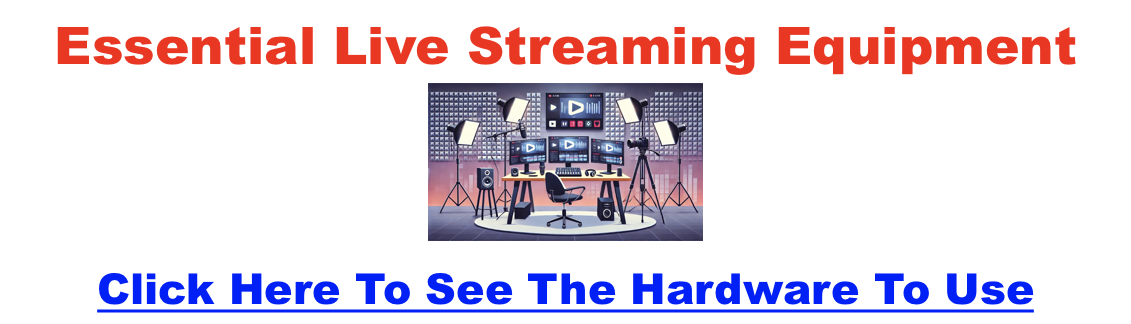
Good lighting matters more than camera price for video, and our full live streaming equipment guide covers the complete kit.
Streaming Software vs. Streaming Destinations: What’s the Difference?
This is the distinction that confuses most beginners. Streaming software (also called a studio) is what you broadcast with, while a streaming destination is where viewers watch. StreamYard, OBS, and Restream are software; YouTube Live, Facebook Live, and Twitch are destinations.
The reason it matters: the best browser-based studios can broadcast to several destinations at once, a feature called multistreaming. So you don’t choose YouTube or Facebook, you choose a studio that pushes your stream to both simultaneously. Get the software right and the destinations take care of themselves.
What’s the Best Software to Live Stream a Podcast?
For most podcasters, StreamYard is the best starting point because it runs in your browser, multistreams to every major destination at once, and requires zero technical setup. Here’s how the main options compare.
StreamYard (Best for Most Podcasters)
StreamYard is a browser-based live studio that handles multistreaming, guest management, on-screen banners, scene switching, and recording in one place, with nothing to install. It’s the easiest way to run a professional-looking live show, which is why it’s our default recommendation. See the full StreamYard pricing breakdown and our full StreamYard walkthrough to see it in action.
OBS Studio (Best Free, Most Technical)
OBS is free, open-source, and infinitely customizable, but it has a steep learning curve and runs on your own machine, so you’ll manage encoding settings and CPU load yourself. If you hit snags, our fixes for OBS high CPU usage and OBS encoding overload help. We break down the trade-offs in StreamYard vs OBS.
Restream, Riverside, and Streamlabs
Restream is a multistreaming specialist that pushes to many destinations at once; see Restream vs StreamYard. Riverside pairs live streaming with studio-quality local recording, compared in StreamYard vs Riverside. Streamlabs leans gaming and Twitch; see StreamYard vs Streamlabs. If you already live in Zoom, weigh StreamYard vs Zoom.
Podbean Live (Best for Audio-First Live)
If your show is audio-only and you want live streaming built into a podcast host, Podbean Live offers live audio, audience interaction, and automatic recording for later publishing.
Where Can You Stream Your Live Podcast?
Once you’ve picked a studio, it broadcasts to one or more destinations. The big ones for podcasters in 2026 are YouTube Live, Facebook Live, LinkedIn Live, Twitch, and the mobile-native options. Here’s how they compare.
| Destination | Best For | Monetization | Watch Out For |
|---|---|---|---|
| YouTube Live | Widest reach; the home of video podcasts | Super Chats, memberships, ads | Some features need a subscriber threshold |
| Facebook Live | Sharing to existing groups and pages | Limited vs. YouTube/Twitch | Organic reach has declined |
| LinkedIn Live | B2B, professional, and business shows | Indirect (leads, authority) | Access requires an approved tool |
| Twitch | Highly interactive, community-driven shows | Subscriptions and Bits | Skews gaming; discovery for talk content is harder |
| Instagram / X | Casual, mobile-friendly, quick reach | Minimal | Lower production ceiling; ephemeral |
You don’t have to pick one. A multistreaming studio like StreamYard sends your broadcast to several of these at once. For a deeper platform-by-platform comparison, see our roundup of livestreaming platforms for podcasters and the best video podcast platforms.
How Do You Start Live Streaming Your Podcast?
Start by planning the episode, setting up and testing your gear, then going live with a clear opening. The single most important step is a full technical rehearsal before any audience is watching.
- Plan your content: Pick a topic and format, and schedule streams at consistent times to build anticipation.
- Set up your space: Arrange a clean, well-lit recording area and connect your mic, camera, and software.
- Test everything: Run a private test stream first. In StreamYard you can create a recording-only session to rehearse without broadcasting.
- Go live: Open with a quick welcome, acknowledge early viewers by name, and weave chat and Q&A in as you go.
For the broader launch playbook, see the best remote recording and streaming software if you’re bringing on remote guests.
How Do You Monetize Live Podcast Streams?
Live streams open four main revenue paths, and most successful shows combine several rather than relying on one.
- Sponsorships: Sell live-read or on-screen sponsor placements once you can show real reach and engagement numbers.
- Super Chats and donations: On YouTube Live and Twitch, viewers can pay to highlight a message; acknowledging them live encourages more.
- Merchandise: Promote branded items through print-on-demand services so you carry no inventory.
- Subscriptions and memberships: Offer exclusive perks via Patreon, Twitch subs, or YouTube memberships for recurring income.
How Do You Fix Common Live Streaming Problems?
Most live-streaming failures come down to connection, audio/video quality, or unfamiliarity with the platform, and all three are preventable with a little prep.
- Connectivity: Use wired Ethernet over Wi-Fi and keep a mobile hotspot as a backup so a dropout doesn’t end the show.
- Audio and video quality: A good mic fixes most audio issues; in your software, match bitrate and resolution to your upload speed so the stream doesn’t buffer.
- Platform quirks: Learn the go-live flow before you have an audience. A private test channel lets you find the snags in advance.
Try StreamYard free for 7 days →
Frequently Asked Questions About Live Podcast Streaming
What is live podcast streaming?
Live podcast streaming is broadcasting your episode in real time over the internet so listeners can interact as it happens through chat, Q&A, and polls. Unlike a pre-recorded, edited episode published later, a live stream is unedited and interactive, which makes it feel more authentic and builds a stronger sense of community.
What’s the best software for live streaming a podcast?
For most podcasters, StreamYard is the best choice because it runs in your browser, multistreams to YouTube, Facebook, LinkedIn, and more at once, and needs no installation. OBS is the top free option but is far more technical. Restream specializes in multistreaming, and Riverside pairs streaming with studio-quality recording.
What’s the difference between streaming software and a streaming platform?
Streaming software, or a studio, is what you broadcast with; a streaming platform, or destination, is where viewers watch. StreamYard, OBS, and Restream are software, while YouTube Live, Facebook Live, and Twitch are destinations. The best studios multistream, sending one broadcast to several destinations simultaneously.
Can you live stream a podcast for free?
Yes. OBS Studio is free and open-source, and StreamYard offers a free plan, though it adds a watermark and caps recording. Destinations like YouTube Live, Facebook Live, and Twitch are free to broadcast on. You can start live streaming at no cost and upgrade only when you need more features.
Do you need a camera to live stream a podcast?
No, you can stream audio-only, but video is increasingly the norm. As of late 2025, 53% of new US weekly listeners said they prefer watching a podcast, and over half of shows post full video to YouTube. If you go video, a good webcam or a camera with a capture card works well.
Where should I stream my live podcast?
YouTube Live offers the widest reach and is the home of video podcasts, making it the best default. Facebook Live suits existing communities, LinkedIn Live fits B2B shows, and Twitch works for highly interactive audiences. With a multistreaming studio, you can broadcast to several of these at once rather than choosing just one.
Is StreamYard good for live podcasting?
Yes. StreamYard is one of the most popular live-streaming studios precisely because it’s built for this: browser-based with no install, multistreaming to all major destinations, plus guest invites, on-screen banners, scene switching, and recording. It’s the easiest way to run a professional live show without learning complex software like OBS.
How do I make money from live streaming my podcast?
The main paths are sponsorships, viewer payments like YouTube Super Chats and Twitch Bits, merchandise through print-on-demand, and recurring memberships via Patreon, Twitch, or YouTube. Most shows combine several. Live formats are especially good for direct viewer support because the audience is present and engaged in the moment.
What internet speed do I need to live stream?
A stable wired connection matters more than raw speed. For 1080p video, aim for a reliable upload of at least 5 to 6 Mbps, with headroom above that. Use Ethernet rather than Wi-Fi when possible, match your software’s bitrate to your upload speed, and keep a mobile hotspot as a backup.
Can I record my live stream to publish later?
Yes, and you should. Most studios, including StreamYard, Riverside, and Podbean Live, record your stream locally or in the cloud so you can edit it into a standard podcast episode afterward. This lets one live session serve both your real-time audience and your regular on-demand feed.
The Bottom Line on Live Podcast Streaming
Live streaming turns a podcast from a broadcast into a conversation, and it’s never been easier to start. Pick a browser-based studio like StreamYard, point it at YouTube Live (and anywhere else your audience is), get your audio and connection solid, and rehearse once before going live. The interaction, reach, and community it builds are hard to match with pre-recorded episodes alone.