
Matt
Your Podcast’s Blowing Up — Now What? How to Milk the Momentum Without Burning Out
So, your latest episode just exploded. Maybe it got picked up by an influencer, maybe your guest brought the heat, or maybe the algorithm finally decided to show you some love. Whatever the reason, you’re seeing a spike in downloads, new followers, and social engagement.
Now’s the time to do more than just celebrate. This is your window to turn momentum into money, audience into assets, and hype into long-term growth.
✨ Want to turn your downloads into dollars? Grab the Free Podcast Monetization Guide »
Maximize Monetization Before the Hype Fades
When attention is high, your listeners are primed to take action. Here’s how to make the most of it:
- Sponsor readiness: Start pitching sponsors if you haven’t already. Use your spike in downloads as leverage.
- Sell something: A digital product, PDF guide, merch, or even a donation link (Buy Me a Coffee or Patreon).
- Promote affiliate links: Tie products to the topics of your episode.
Pro tip: Focus on monetization methods that scale. Merch and digital products don’t require you to work more hours as your audience grows.
Turn Listeners Into Subscribers You Actually Own
You can’t build a business on someone else’s platform. Get people off Spotify and Apple Podcasts and onto your email list.
- Use a freebie (like our monetization guide) to capture emails.
- Offer early episode access, a bonus newsletter, or behind-the-scenes content.
- Include the opt-in link in show notes, bios, and during your outro.
Repurpose Viral Episodes Into Evergreen Content
One great episode can feed your content machine for weeks:
- Clip it into Reels, Shorts, or audiograms
- Transcribe it into a blog post or article
- Quote it into tweets, graphics, and carousels
- Turn it into an email series or newsletter story
If it went viral once, it has legs.
🎯 Want to turn one episode into 10+ pieces of content? Read up on Content Repurposing »
Pitch Yourself While You’re Hot
This is the best time to get booked on other podcasts, apply to speak at events, or reach out to the press.
- Share your numbers: Screenshots of downloads, growth spikes, and testimonials.
- Email template: “Hi, I just had a viral episode on [topic] and would love to bring that energy to your audience.”
- Update your press/media kit: Highlight what’s working now.
Don’t Let the Buzz Die in Your Downloads
Popularity fades fast. The trick is to use your spike in attention to create durable assets:
- Email list
- Monetized content
- Repurposed media
- Real relationships
Pick one and take action this week.
📊 Your podcast’s popularity is a window of opportunity. Get the Free Monetization Guide Now »
Stay consistent. Stay smart. And milk that momentum for all it’s worth.
Think Your Podcast Isn’t Good Enough? Read This Before You Quit
If you’ve ever wondered if your podcast is good enough, you’re not alone.
Almost every podcaster—no matter how experienced—runs into self-doubt. Maybe you’re worried about downloads, or wondering if anyone cares. Maybe you’re just feeling stuck or unsure of what comes next. If so, that’s normal. And it’s not the end of your story.
Let’s talk about how to deal with those doubts in a healthy way, so you can keep building your show—and start making money from your podcast, too.
Doubts Are Part of the Journey
It’s easy to think you’re the only one who questions themselves, but doubt is actually a sign that you care about your podcast. It means you want to do a good job and reach people. Everyone who creates something—especially something personal—feels this way sometimes. The trick isn’t to get rid of doubt, but to move forward anyway.
Mindset Shifts That Actually Help
Forget about perfection. Most podcasters cringe when they listen to their first episodes. Growth happens when you show up consistently, try new things, and let your own personality come through. You don’t have to sound like anyone else—your voice and perspective are your biggest strengths. And remember: the real wins often happen slowly, not overnight.
Practical Ways to Move Past Self-Doubt
-
Reconnect with Your Why: Remind yourself why you started. Was it to help, to teach, to connect, or just to have fun? Keep that front and center.
-
Set Realistic, Achievable Goals: Don’t just chase downloads. Celebrate each small win—publishing a new episode, getting a listener message, or learning a new skill.
-
Get Support: Find other podcasters online, join groups, or reach out for a chat. Knowing others face the same struggles can be a huge relief.
-
Seek Feedback Carefully: Ask for honest input from people you trust, not just strangers online. And don’t let negative comments take up more space than they deserve.
Why Comparison Is a Trap
Scrolling through social media or podcast charts can make it feel like everyone else is winning. The truth? Most people only share their highlight reels. Focus on your own journey and your own progress. The only show you need to compete with is the one you did last week.
Turning Confidence Into Growth (and Income)
Once you start believing in your process, you’ll be open to trying new things—whether that’s new episode formats, different guests, or fresh ways to engage your audience. Confidence also makes it easier to talk about your podcast, reach out for collaborations, and explore new monetization opportunities.
Ready to Take Your Podcast to the Next Level?
If you’re ready to turn your passion into profit, I’ve put together a free Podcast Monetization Guide designed for podcasters at any stage. Inside, you’ll find real strategies to start earning from your show, actionable tips for growing your audience, and ideas you can put to use right away—even if you’re just starting out.
[Get the Free Guide Now] (link or opt-in form here)
You’re Closer Than You Think
No matter what your doubts tell you, your voice matters. Every podcaster you look up to has been exactly where you are. The difference? They kept going.
You can too.
Download your free Podcast Monetization Guide and start building your dream podcast today!
Rode PodMic vs. Shure MV7+ (And What’s New vs the Original MV7)
Choosing the right microphone can define the quality of your podcast or voice content. If you’re comparing the Rode PodMic with the newer Shure MV7+, you’re likely weighing affordability versus flexibility, simplicity versus built-in features. In this post, we’ll break down the key differences, explore what’s new in the MV7+, and help you decide which mic fits your needs.
 Click Here for Detailed Specs on Shure MV7+
Quick Comparison: Rode PodMic vs Shure MV7+
| Feature | Rode PodMic | Shure MV7+ |
|---|---|---|
| Connection | XLR only | USB-C & XLR |
| Onboard DSP | No | Yes: Reverb, Denoiser, Pop Filter, Auto Level |
| Software Support | None | Shure MOTIV Mix (multi-track, mixer, EQ, FX) |
| Build & Design | All-metal, rugged | Premium metal body, RGB mute panel, longer grille |
| Use Case | Studio setups with interface | All-in-one creator setups, live streaming, travel |
| Price Range | ~$100–$120 | ~$280–$300 |
Rode PodMic: Simple, Solid, and Built to Last
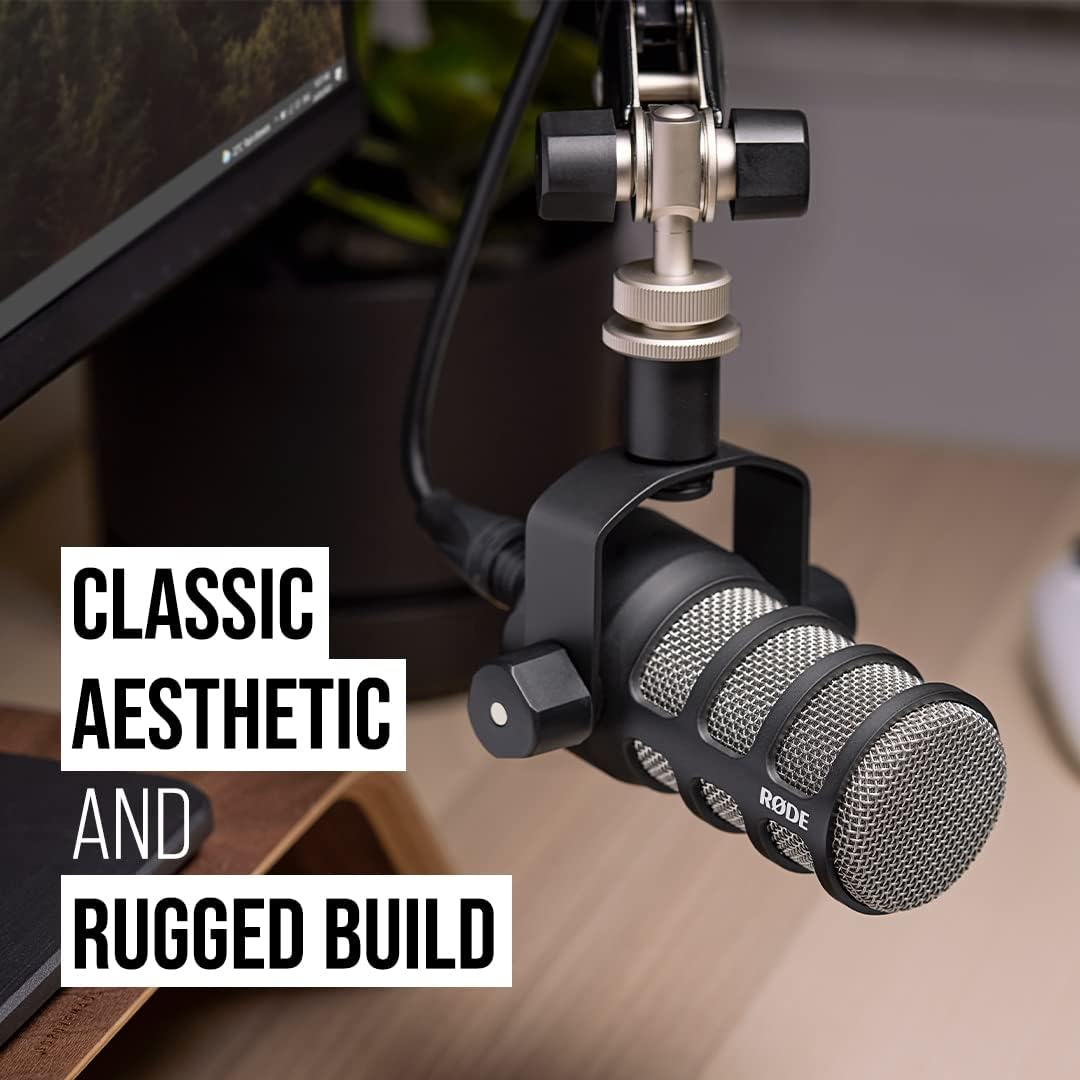
The Rode PodMic is an XLR-only dynamic microphone purpose-built for podcasting and broadcasting. With its robust metal construction, internal pop filter, and excellent background noise rejection, it remains one of the best values for creators who already have an audio interface.
Pros:
- Affordable and durable
- Excellent vocal clarity for voiceovers
- No software or drivers needed
Cons:
- Requires an audio interface
- No onboard DSP or customization
Ideal for: Podcasters on a budget, fixed home studios, voiceover artists using XLR setups.
Shure MV7+: Next-Gen Flexibility for Modern Creators
Shure’s new MV7+ builds on the popularity of the original MV7 with upgraded internals, better connectivity, and powerful real-time DSP features.
What’s New in the MV7+:
- USB-C replaces Micro-USB for better compatibility and durability
- Real-Time DSP: Built-in Denoiser, Digital Pop Filter, Reverb FX
- Touch Panel Enhancements: Tap-to-mute with customizable RGB lighting
- MOTIV Mix Software: Multi-track recording, virtual mixing, sound customization
Pros:
- Hybrid connectivity (USB-C + XLR)
- Great for live streamers, solo creators, and podcasting
- Out-of-the-box sound polish, no interface required
Cons:
- Higher price point
- Not suited for instrument or multi-voice group recordings
Ideal for: Content creators needing plug-and-play ease with pro-level sound control.
MV7+ vs Original MV7: Key Differences
| Feature | MV7 (Original) | MV7+ |
|---|---|---|
| USB Port | Micro-USB | USB-C |
| DSP Capabilities | Basic (via app) | Advanced: Reverb, Pop Filter, Denoiser |
| Pop Protection | Standard windscreen | Longer grille, Digital Pop Filter built-in |
| Touch Controls | Physical sliders | Tap-to-mute + RGB lighting |
| Software | ShurePlus MOTIV | Shure MOTIV Mix |
MV7+ is more creator-focused, offering polished sound and convenience — especially for those who don’t want to tinker with external processing or plugins.
Click Here for Detailed Specs on PodMic
Which Should You Choose?
Choose the PodMic if:
- You already have an audio interface
- You prefer analog gear and plan to EQ or mix in post
- You want maximum value under $150
Choose the MV7+ if:
- You want USB and XLR options
- You need built-in DSP and easier setup
- You plan to stream, travel, or record in less-than-ideal spaces
Already have an MV7? If you felt limited by Micro-USB, missed advanced EQ or noise control, or found the interface too basic — the MV7+ solves all of that.
Final Thoughts
Both the Rode PodMic and the Shure MV7+ are exceptional microphones aimed at voice-first creators. The PodMic continues to punch above its price point with analog reliability, while the MV7+ brings high-end digital control and a seamless user experience. Choose the one that fits your workflow, gear, and growth plans.
The Ultimate Podbean Hack: How to Create a Podcast RSS Feed in 5 Easy Steps!
Want your podcast to reach the masses without lifting a finger? The secret sauce is a powerful RSS feed – and with Podbean, setting it up is as easy as hitting ‘Publish.’ Podbean, a popular podcast hosting platform, makes it simple to generate and manage RSS feeds without technical expertise. This guide provides a comprehensive, step-by-step tutorial for creating and optimizing your podcast RSS feed using Podbean.
What’s an RSS Feed and Why Should You Care?
Think of an RSS feed as your podcast’s VIP pass to every listener’s playlist. If you’re not using one, you’re basically throwing your episodes into a black hole. It’s the magic link between your content and platforms like Spotify and Apple Podcasts. Without one, your podcast is basically invisible.
Why Podbean? Why Not Something Else?
- Automated episode delivery to podcast directories
- Boost your discoverability and SEO
- Reach a bigger audience without lifting a finger
- Manage everything from one simple dashboard
Getting Your Podbean Account Up and Running
Jump on over to Podbean.com and create your account. The free plan is great for beginners, but if you want the good stuff – like advanced analytics and unlimited hosting – it’s worth upgrading.
Setting Up Your Podcast
- Head to ‘Create a Podcast’ and fill in the basics: title, description, cover art.
- Choose a category that fits your content.
- Click ‘Save’ to lock it in.
Uploading Your First Episode (Yes, It’s Time)
- Go to ‘Episodes’ and click ‘Publish.’
- Upload your audio file, enter episode details, and hit ‘Publish.’
Unlocking the Magic Link – Your RSS Feed URL
- Navigate to ‘Settings’ > ‘Feed.’
- This link is the golden ticket that gets your episodes delivered to Spotify, Apple Podcasts, and beyond. Don’t just copy it – own it.
Getting Your Podcast Seen Everywhere
Time to share that RSS feed with every directory you can think of:
- Apple Podcasts: Submit via Apple Podcasts Connect.
- Spotify: Drop it into Spotify for Podcasters.
- Google Podcasts: Submit through Google Podcasts Manager.
- Stitcher, Pandora, iHeartRadio – don’t forget these!
Troubleshooting Podbean RSS Feed Issues – Don’t Panic, Fix It
- Missing episodes? Check your upload settings. Confirm that each episode has a unique title, description, and upload date. Also, verify that the episode isn’t marked as ‘Draft’ or ‘Private,’ as these won’t appear in the RSS feed.
- Wrong artwork? Re-upload and resync. Ensure the artwork meets Podbean’s size and format requirements (usually 1400×1400 pixels in JPEG or PNG). Double-check that the artwork is correctly assigned to each episode.
- Feed not updating? Validate it through Podbean’s tools. Check for common issues like incorrect episode order, missing episode titles, or mismatched episode artwork. If all else fails, try re-uploading the episode or manually updating the feed.
Level Up Your RSS Feed Settings
- Custom Episode Links: Direct listeners to landing pages or specific URLs.
- Email Verification: Add a contact email to prove you own the feed.
- SEO Settings: Make sure episode titles and descriptions are optimized.
Burning Questions About Podbean RSS Feeds
- Can I set up an RSS feed without episodes?
- How do I move my existing feed to Podbean?
- Can I run multiple podcasts under one account?
The Big Takeaway: Why Podbean is Your Podcast’s Best Friend
Your podcast deserves to be heard, and a well-optimized RSS feed is how you make that happen. Follow the steps, submit your feed, and watch your listener count grow. Ready to go live? Sign up for Podbean here.
How Podbean’s AI Tools Can Skyrocket Your Podcast Growth Overnight — Here’s the Secret!
Imagine being able to produce studio-quality audio, craft compelling show notes, and even generate engaging episode titles — all without spending hours editing. That’s exactly what Podbean’s AI tools are designed to do. In this post, we’re diving into how Podbean’s AI-powered features can revolutionize your podcasting workflow and help you grow your audience faster than ever.
Why AI is the Future of Podcasting
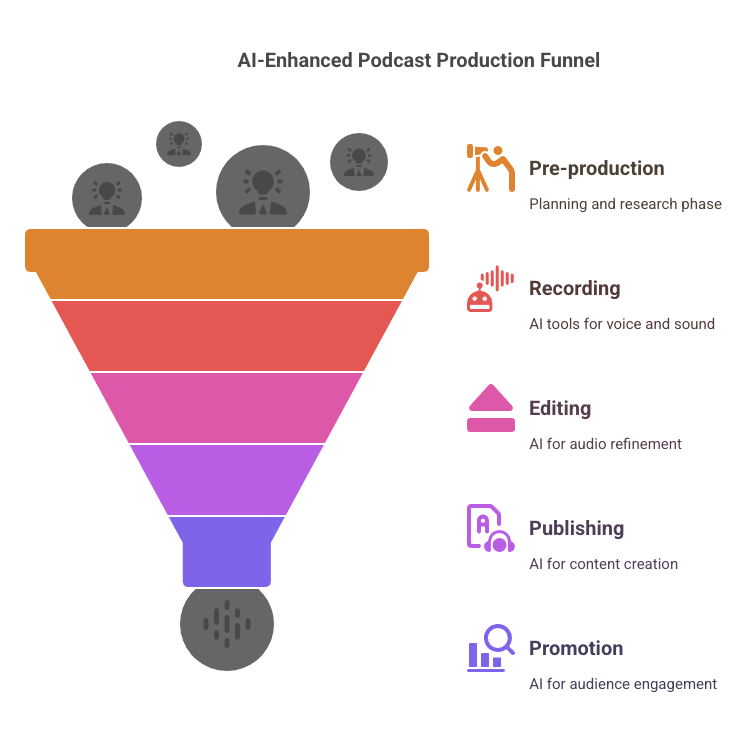
As podcasting evolves, data-driven content is becoming essential for creators who want to stay competitive. The AI at Scale podcast frequently discusses how AI is reshaping industries by providing actionable insights and automation that were once impossible. Podbean is bringing this AI revolution to podcasting with tools that enhance audio, streamline content creation, and improve listener engagement.
Podbean’s AI-Powered Features
🎙️ AI Podcast Audio Optimization
First impressions matter. If your audio quality isn’t top-notch, listeners may not stick around. Podbean’s AI Audio Optimization feature handles all the heavy lifting:
- Noise Reduction: Eliminates background noise, making your episodes sound clearer and more professional.
- Intelligent Leveling: Balances the volume across speakers, music, and effects to ensure consistent audio quality.
- Silence and Filler Word Removal: Removes unnecessary pauses and filler words like “uh,” “um,” and “you know,” creating a smoother listening experience.
- AutoEQ and De-essing: Adjusts frequencies and reduces harsh “s” sounds, producing a warm, polished audio experience.
Try Podbean AI for free and see the difference for yourself!
📝 AI-Generated Content
Spend less time writing and more time creating. Podbean’s AI-generated content tools streamline the production process:
- Episode Titles and Descriptions: Craft catchy, SEO-friendly titles and descriptions that draw in listeners.
- Chapter Markers: Automatically segment episodes into key topics, making it easy for listeners to jump to the parts they care about.
- Transcripts: Improve accessibility and boost your podcast’s SEO with full-text episode transcripts.
🗣️ AI Voice Generator
Turn written content into audio — perfect for creating episode previews or bonus content:
- Text-to-Speech Conversion: Convert blog posts, scripts, or show notes into spoken word using AI-generated voices.
- Multilingual Support: Reach a global audience with voice options in multiple languages and accents.
- Credit System: 1 credit covers up to 5,000 characters, making it easy to budget for voice content.
👥 Transcript Speaker Diarization
Keep track of who’s saying what with automatic speaker labeling:
- Automatic Speaker Labeling: Distinguishes between speakers, making transcripts easier to follow.
- Editable Labels: Adjust speaker names for clarity and consistency.
⚙️ Customizable AI Settings
Podbean understands that no two podcasts are the same. Customize AI settings to suit your brand:
- Content Options: Adjust how titles, descriptions, and transcripts are generated.
- Audio Options: Modify audio settings like noise reduction and leveling to achieve the perfect sound.
📱 Mobile Integration
- Record and Edit: Capture episodes and make basic edits on-the-go.
- AI Optimization: Apply audio enhancements right from the app.

Podbean AI vs. Traditional Podcasting Tools: A Quick Comparison
| Feature | Podbean AI | Traditional Tools |
|---|---|---|
| Audio Optimization | Automated noise reduction, leveling, and de-essing | Manual editing or hiring a professional |
| Content Generation | AI-generated titles, descriptions, and transcripts | Writing manually or outsourcing content |
| Voice Conversion | Text-to-speech with multilingual support | Manual recording or hiring voice actors |
| Speaker Diarization | Automatic speaker labeling in transcripts | Manual tracking and labeling |
| Mobile Integration | AI-powered editing and optimization on mobile | Basic recording and editing features |
| Customization Options | Adjustable AI settings for audio and content | Limited or no customization options |
Try Podbean AI for free and see the difference for yourself!
Real-World Examples: Podbean Users Leveraging AI for Growth
Imagine a podcast that struggled with inconsistent audio quality. After implementing Podbean’s AI Audio Optimization, the host saw a 30% increase in listener retention. Or consider a podcaster who previously spent hours writing show notes — now, they use Podbean’s AI-generated descriptions to publish faster and more consistently.
How to Implement Podbean AI Tools
- Step 1: Sign up or log in to your Podbean account.
- Step 2: Upload your audio file and activate AI Audio Optimization.
- Step 3: Customize settings for title generation, transcripts, and chapter markers.
- Step 4: Publish and share your episode with AI-enhanced content.
Common Things to Avoid When Using AI Tools
- Over-relying on AI: AI is a powerful tool, but it’s not a replacement for the human touch. Always review AI-generated content for accuracy and tone.
- Ignoring Data Insights: Use the analytics provided by Podbean to refine your content strategy.
- Not Soliciting Listener Feedback: AI can optimize content, but listener feedback is invaluable for ongoing improvement.
Wrapping Up
Podbean’s AI tools aren’t just about saving time but delivering a more polished, engaging, and impactful podcast experience. Whether it’s enhancing audio, generating show notes, or expanding your reach with multilingual voice content, Podbean has everything you need to elevate your podcast.
Ready to take your podcast to the next level? Start your 14-day free trial of Podbean AI today.
You’re About to Make a Big Mistake Choosing Buzzsprout — Here’s Why
Buzzsprout is a well-known podcast hosting platform, but is it really the best option for podcasters who want to grow, monetize, and avoid unexpected costs? If you’re leaning toward Buzzsprout, you might want to pause. There are hidden limitations and creeping costs that many podcasters don’t realize until it’s too late — and by then, switching can be a hassle. Before you lock in your plan, let’s look at why Buzzsprout could be a costly mistake — and why Podbean may actually be the smarter move.
Podbean Users Save Big on Hosting Costs.
Find Out How Switching Could Keep More Money in Your Pocket — Start Here →
The Buzzsprout ‘Free Plan’ Trap
Buzzsprout’s free plan might seem like a good starting point, but it’s more limiting than most new podcasters realize.
- Buzzsprout offers 2 hours of uploads per month, but episodes expire after 90 days. That means your content disappears unless you upgrade.
- No access to advanced tools like Magic Mastering or Cohost AI unless you pay extra.
- Additional storage costs $4 per extra hour, so over time, the ‘free’ plan can get expensive.
What Podbean Offers Instead:
- 5 hours of storage and 100GB of monthly bandwidth — a far more generous starter plan.
- Customizable podcast website included in the free plan.
- Basic podcast statistics to track your show’s growth without paying extra.
Monetization — Who Really Helps You Make Money??
Buzzsprout’s approach to monetization is limited and requires you to meet certain criteria before you can earn.
- Buzzsprout Ads: Only available on paid plans and requires a specific number of downloads.
- Subscription model: Buzzsprout takes a 15% cut of your earnings.
How Podbean Wins Here:
- Monetization available even on the lowest-tier plans.
- Access to the PodAds Marketplace, Patron Program, and Premium Sales.
- You keep 100% of your subscription revenue, with no revenue sharing.

Storage Limits — The Hidden Costs of Buzzsprout
Buzzsprout’s storage limits can quickly become a financial burden, especially for podcasters who publish frequently.
- Paid plans range from 3 to 12 hours of uploads per month.
- Every additional hour costs $2 to $4, and there’s no true unlimited option.
Podbean’s Approach:
- Unlimited Audio plan for $9/month with unlimited storage and unmetered bandwidth.
- No extra fees for uploading more episodes or extending the length of episodes.
Advanced Features and Customization
Buzzsprout charges extra for features that come standard with Podbean plans.
- Magic Mastering: Available for an extra fee, offering audio enhancement.
- Cohost AI: Only on higher-tier plans, providing limited episode scripting assistance.
Podbean Includes:
- Podbean AI for audio enhancement and episode scripting.
- Video podcasting support on higher-tier plans.
- Fully customizable podcast websites included in every plan.
Monetize Your Podcast from Day One with Podbean.
No Revenue Sharing, No Upload Caps — Start Earning Now →
Pricing Comparison — The Bottom Line
Hidden Costs Add Up Quickly
Buzzsprout’s a la carte approach may seem flexible, but it often results in a bloated monthly bill. Here’s what you’re really paying for:
- $12/month for only 3 hours of uploads
- $6/month extra for Magic Mastering
- $4/hour if you go over your upload limit
- Additional costs if you want access to AI tools like Cohost
Meanwhile, Podbean includes most of these features in their base plan — for less.
📊 Quick Comparison: Buzzsprout vs. Podbean
| Feature | Buzzsprout | Podbean |
|---|---|---|
| Free Plan | 2 hrs/month, expires in 90 days | 5 hrs total, 100GB bandwidth |
| Storage on Paid Plans | 3–12 hrs/month, then $2–$4/hr | Unlimited storage & bandwidth |
| Monetization Access | Limited, 15% fee on subscriptions | Built-in ads, patron support, 0% cut |
| AI Tools | Cohost AI (add-on) | Podbean AI (included) |
| Audio Mastering | Magic Mastering ($6/mo extra) | Included with Podbean AI |
| Video Podcast Support | ❌ Not supported | ✅ On higher-tier plans |
| Custom Podcast Website | Basic customization | Fully customizable on all plans |
| Price for Unlimited Hosting | ❌ Not available | ✅ $9/mo (billed annually) |
| Buzzsprout’s pricing structure can be misleading. While the entry-level plan seems affordable, extra fees for storage, Magic Mastering, and Cohost AI can add up quickly. | ||
- Entry-level plan starts at $12/month for 3 hours of content.
- Magic Mastering costs an additional $6/month.
- Cohost AI is another added expense.
Podbean’s Pricing:
- Unlimited Audio plan for $9/month (billed annually), including unlimited storage and bandwidth.
- Unlimited Plus plan for $29/month (billed annually), adding video support and more advanced features.
What You’re Missing Out On If You Stick with Buzzsprout
Before we wrap this up, let’s talk about what you won’t get if you stick with Buzzsprout:
- Unlimited uploads (you’ll keep hitting caps)
- Built-in monetization tools from day one
- Support for video podcasting
- Full access to advanced features without stacking add-on fees
Why settle when another option gives you more for less?
Conclusion: Why Podbean Is the Smarter Podcast Host
If you’re planning to take your podcast seriously — or even just want to avoid getting nickel-and-dimed as you grow — it’s time to think twice about Buzzsprout. Yes, they offer a friendly interface and decent onboarding, but that comes with capped storage, premium-priced add-ons, and limited monetization control.
Podbean, on the other hand, includes more out of the box:
- Unlimited audio hosting with no hidden fees
- Real monetization tools from day one
- Advanced features like AI and video support
You’re building a brand. Don’t start on a platform that holds you back.
Act Now — Before You Lock Yourself Into a Limited Platform
Podbean’s $9/month unlimited plan includes what Buzzsprout charges extra for — but pricing like this doesn’t always last.
👉 See why Podbean is the smarter choice →
“Ready to Start Monetizing Your Podcast?”
Don’t just settle for limited options. Learn the 10 Proven Ways to Monetize Your Podcast — from ads and sponsorships to premium content and listener support.
👉 Grab the Complete Monetization Guide Here →
Why Most Spotify Podcasts Don’t Make Money (And What To Do Instead)
You’ve heard the success stories: podcasters making six figures, landing exclusive Spotify deals, and quitting their day jobs. So you launch your own show, get it on Spotify, and wait for the money to roll in.
But then… nothing happens.
That’s because most podcasters fall for a dangerous assumption: that simply being on Spotify is enough to start earning.
Do Podcasts On Spotify Make Money?
The Harsh Reality: Spotify Doesn’t Pay Per Stream
Unlike YouTube, Spotify doesn’t pay podcasters based on how many people listen to their episodes. Unless you’re part of Spotify’s exclusive Audience Network or use their subscription tools, there is no built-in revenue share.
If you’re just hosting your show elsewhere and distributing it to Spotify, you’re not making money from Spotify itself.
So How Do Podcasters Make Money on Spotify?
There are ways to monetize via Spotify—but they require strategy and setup. Here are the main ones:
1. Spotify Audience Network (SPAN)
If you host your podcast on Spotify for Podcasters and meet certain criteria, you can apply to join SPAN. It allows Spotify to insert dynamic ads into your show and pays you a CPM (cost per 1,000 impressions).
Example: If your podcast gets 10,000 plays per episode and the CPM is $20, that’s $200 per episode. But most new podcasters don’t hit that level.
2. Paid Subscriptions
Spotify allows you to lock certain episodes behind a paywall. Listeners pay a monthly fee (you set the price), and Spotify takes a small cut. It’s a great option for exclusive content—but again, you need an audience willing to pay.
3. External Integrations
You can also use platforms like Patreon, Supercast, or Glow.fm to offer exclusive content, and many of them sync with Spotify through private feeds. These tools let you control the subscriber experience and pricing more fully.
Why Most Podcasts Still Don’t Earn Much
Even with these tools available, many podcasts still struggle to earn. Why?
Because of what we call the myth of podcast exceptionalism:
The belief that if your content is good enough, people (and platforms) will reward you financially—without you having to do the work of marketing, monetizing, and nurturing an audience.
Great content isn’t enough. Monetization requires:
- Building an email list
- Offering value beyond the episode
- Creating products, partnerships, or services
- Using your podcast as a funnel, not a finish line
What To Do Instead (If You Actually Want to Make Money)
Don’t just rely on Spotify. Think bigger:
- Use your podcast to build trust, then guide listeners to something that helps them more deeply (and makes you money): courses, coaching, affiliate products, etc.
- Capture emails so you can follow up and pitch offers
- Get strategic with sponsorships, especially niche or direct deals
- Leverage your content on platforms like YouTube, TikTok, or a blog for added reach and monetization
Want Help Monetizing the Right Way?
Most podcasters try to figure it all out on their own. But you don’t have to.
🎧 Download our free guide to podcast monetization and learn the 7 most effective ways to turn your podcast into income—even if you’re just starting out.
👉 Grab it now at PodcastPontifications.com
Final Thoughts
Yes, podcasts can make money on Spotify. But it doesn’t happen by accident. It happens when you stop waiting to be discovered and start building a monetization engine that runs on more than just hope.
Spotify is a platform. You are the business.
The Fastest Way to Make Money From Your Podcast (Even If You’re Low on Time)
Everyone wants to make money podcasting… but do you actually have the time to do it right? While monetization sounds exciting, it’s not just about flipping a switch — it requires effort, consistency, and the right strategy for your schedule. In this post, we’ll break down the true time cost of monetizing a podcast, walk through both well-known and underused monetization methods, and help you decide what makes the most sense for your situation.
What Monetization Really Takes
Monetizing a podcast isn’t passive in the beginning. Many podcasters jump in expecting quick wins, only to find that real income takes real time.
Between building an audience, creating bonus content, managing tools, and negotiating deals, even simple strategies can eat up hours. Some monetization paths are more time-efficient than others — but the key is not trying to do everything at once. Pick what fits your current schedule.
Popular Monetization Methods (and the Time They Require)
Here’s a breakdown of the most common ways people monetize their shows, along with how much time each typically demands:
| Method | What It Is | Time Required | Pros | Cons |
|---|---|---|---|---|
| Sponsorships | Ads read during episodes | Medium to high | Scalable, high ROI | Requires sizable audience |
| Listener Donations | Patreon, Buy Me a Coffee | Medium | Builds community | Requires regular bonus content |
| Affiliate Marketing | Promote products for commission | Low to medium | Low barrier, easy to set up | Requires trust, right offers |
| Merch | Sell branded swag | Medium | Fan engagement | Setup and fulfillment logistics |
| Premium Content | Paid subscriber-only episodes | Medium to high | Predictable income | Requires consistent new content |
Underrated Monetization Methods
There’s more to podcast income than ads and merch. These overlooked strategies can be powerful — and some take less time than you think:
- Coaching & Consulting: Convert your expertise into one-on-one sessions.
- Courses & Digital Products: Build once, sell forever.
- Services: Offer done-for-you options like editing, marketing, or copywriting.
- SEO Blog Content: Turn episodes into blog posts that earn via ads or affiliate links.
- Private Podcasts for Companies: Create internal shows for training or updates.
- Syndication or Licensing: Let others use your content — for a fee.
- Speaking Gigs: Your podcast builds your public profile.
- Grants & Non-Profit Funding: Especially for education, health, or investigative content.
- Podcast Network Revenue Share: Join a monetized network and get a cut.
- Exit Strategy: Build to eventually sell your brand or archive.
Match Your Monetization to Your Time Budget
It’s not about doing everything. It’s about doing what’s manageable. Here’s how to think about time:
- < 2 hours/week: Use affiliate links in show notes. Promote one digital product. Mention a resource in every episode.
- 5–10 hours/week: Launch a Patreon with simple bonus content. Sell a course or service. Repurpose your content across platforms.
- Full-time or flexible: Go deeper into sponsorships, premium content, and layered strategies that build a business around your podcast.
Leverage a Simple Call to Action — It Takes No Time
If you do nothing else, start adding a strong call to action (CTA) in every episode.
Tell your listeners to visit your website. That’s it. You don’t need a complex system to start driving revenue — just a good landing page with:
- A free download (lead magnet)
- A simple product (meal plan, ebook, etc.)
- A coaching application or service offer
- Your best affiliate links (ideally niche-specific)
This is one of the fastest, lowest-effort ways to start making money — and it works even with a small audience.
Monetize Smarter, Not Harder
Time is your most valuable resource. Use it wisely:
- Automate where possible — email delivery, episode workflows, dynamic ads
- Delegate repetitive tasks — editing, publishing, graphics
- Focus on one monetization method at a time until it works
Stacking multiple strategies sounds good, but it often leads to burnout. Start lean, then expand.
Conclusion
Yes, you can monetize your podcast — even if your schedule is tight. The trick is to start with one method that fits your time budget and audience size. And never underestimate the power of a simple CTA that points people back to your site. It could be the fastest path to real income.
Want help figuring out the best monetization method for your podcast? Download our free ebook + video training to discover what fits your goals and availability.
From Basic to Broadcast-Quality: How the Mevo Core Instantly Levels Up Your Podcast Studio
The difference between a hobby podcast and a professional show often comes down to one thing: production quality. If your podcast looks polished, you build instant credibility with your audience. That’s where the Mevo Core comes in — a compact, wireless 4K camera designed to take your podcast from basic to broadcast-level without the complexity.

Click here to learn more about the Mevo Core
Why video quality matters more than ever
Audio-only podcasts aren’t enough anymore. Video podcasts on YouTube, Spotify, and TikTok are exploding. Great visuals boost trust, grow your audience, and open doors for sponsorships. A professional look isn’t a bonus — it’s the baseline.
Why Video Matters:
- Builds audience trust
- Boosts retention and watch time
- Increases monetization opportunities
- Expands reach through social media clips
How the Mevo Core Live Event Camera upgrades your podcast
Cinematic 4K video for a polished, pro look
The Mevo Core’s 4K Micro Four Thirds sensor delivers stunning video that instantly elevates your production. Thanks to interchangeable lenses, you can create:
- Blurred backgrounds for a cinematic look
- Tight close-ups for interviews
- Wide-angle group shots
Multi-camera setups made simple
Wirelessly connect multiple Mevo Cores and control them using the Mevo Multicam app.
Multi-Cam Benefits:
- No expensive hardware switchers needed
- Live switch between angles on your phone
- Easily scale from one camera to a full studio setup
Wireless freedom keeps your studio clean
The Mevo Core connects over Wi-Fi 6E, giving you a strong, stable link without cable clutter.
Wireless Advantages:
- Set up cameras anywhere in the room
- Move and adjust angles easily
- Maintain a clean, professional-looking studio
Broadcast-level streaming and recording
Whether you’re going live or recording for later, the Mevo Core delivers pro-grade results.
| Feature | Details |
|---|---|
| Streaming Protocols | NDI, SRT, RTMP |
| Video Recording | Crisp 4K files for editing and archiving |
| Livestream Platforms | YouTube, Facebook, Twitch |
Better audio built right in
The Mevo Core includes a 3-microphone array with noise-canceling technology and a 3.5mm input for external mics.
Audio Options:
- Built-in backup audio with noise cancellation
- External mic support for podcast-quality sound
- Seamless video and audio sync
Real-world wins for podcasters
The Mevo Core isn’t just built for controlled studio settings. It’s versatile enough for:
- Recording at conferences or events
- Capturing outdoor interviews
- Shooting behind-the-scenes episodes
- Creating vertical clips for TikTok, Instagram, and YouTube Shorts
What you should know before diving in
Before upgrading your podcast studio, here’s what to keep in mind:
| Consideration | Details |
| Camera Body Only | You’ll need to purchase a compatible Micro Four Thirds (MFT) lens separately. |
| Lighting | Good lighting will significantly improve video quality; consider softboxes or LED panels. |
| Audio Recording | While external mics plug in easily, high-end podcasters might prefer recording audio separately for full control. |
| App Ecosystem | The free Mevo Multicam app is excellent; cloud recording features are available via optional paid plans. |
| Price Range | Premium-priced, geared toward creators serious about production quality. |
| Mounting Options | 1/4-20 mounts on multiple sides for flexible setup with stands, booms, or mounts. |
Is the Mevo Core worth it for podcasters?
If you’re serious about growing your podcast and standing out with pro-quality content, the Mevo Core is a smart investment. It blends cinematic quality, wireless flexibility, multicam simplicity, and professional-grade features into one creator-friendly package. It’s not just an upgrade — it’s the bridge to a whole new level of podcasting.
Ready to level up your podcast?
Creating broadcast-quality content doesn’t have to mean building an entire studio from scratch. The Mevo Core sets you apart with a professional look, a smooth workflow, and tools that grow with your success. Capture your podcast the way it deserves to be seen.
Easy Synology NAS Setup for Photo & Video Creators (With Time Machine Instructions)
Thinking about upgrading your podcast or creative studio setup? This guide walks you through setting up a Synology NAS the easy way—especially if you’ve ever lost files or outgrown your old external drives. If you’ve already read the article titled “The Shocking Storage Mistake That’s Sabotaging Your Podcast—And How to Fix It,” this is your next step to fix it for good.
What You Need
- Synology NAS (example: DS1522+)
- At least 1 hard drive (HDD or SSD)
- A computer (Mac or PC)
- Ethernet cable
- Internet router (home or office)
Easy NAS Setup (Plain English, Step-by-Step)
1. Plug Everything In
- Connect the NAS to power.
- Use the Ethernet cable to connect the NAS to your internet router.
2. Install the Drives
- Slide the hard drives into the front of the NAS until they click into place.
3. Turn It On
- Press the power button. Wait 1–2 minutes for it to start up.
4. Open Your Computer’s Web Browser
- Type this address into your browser:
find.synology.com - Click your NAS name when it shows up and follow the setup steps.
5. Choose Your Storage Type
- Pick “SHR” for a safe and flexible setup if you’re unsure.
6. Make Your Folders
- Create folders like “Photos,” “Videos,” and “Client Work.”
7. Turn On Synology Drive
- This tool helps you share and sync files easily.
8. Install Synology Drive on Your Computer
- Download the app from Synology’s website.
- Connect it to your NAS.
- Now you can sync files just like Dropbox or Google Drive.
Optional: Set Up Access on Your Phone
- Download Synology Drive or DS File from your app store.
- Sign in and you’ll be able to view or upload files from your phone.
Time Machine Backups (Mac Instructions)
Want your Mac to back up automatically to your Synology NAS? Here’s how to do it.
Step 1: Prepare the NAS
- Open DSM in your web browser.
- Go to Control Panel > File Services and turn on SMB.
- Create a new user just for backups (example: “timemachine”).
- Create a new shared folder and name it “TimeMachineBackup”.
- Edit the folder and turn on the setting: “Enable as Time Machine backup target.”
- Make sure the backup user has permission to write to that folder.
Step 2: Connect Time Machine on Your Mac
- On your Mac, go to System Settings > General > Time Machine.
- Click “Add Backup Disk.”
- If your folder doesn’t appear, click “Connect to Server.”
- Type this address:
smb://your-nas-name.local/TimeMachineBackup
- Type this address:
- Use the username and password you created earlier.
- Choose the folder and start your backup.
Your Mac will now back up to the NAS automatically in the background.
Bonus Tips
- Want an extra backup in the cloud? Use Hyper Backup to connect to Dropbox or Google Drive.
- You can access your NAS files anywhere using Synology’s QuickConnect feature.
- Add SSDs to your NAS for a speed boost—this is especially helpful for editing.
Don’t wait until you lose your work. If you’ve ever had a drive fail or hit a wall with your current setup, this is your chance to fix it for good. Be sure to read the article, “The Shocking Storage Mistake That’s Sabotaging Your Podcast—And How to Fix It,” to learn how a simple upgrade changed everything for my workflow.