
Matt
Best Podcast Marketing Strategies
The podcasting landscape is thriving, offering a dynamic platform for creators to share their voices and connect with audiences worldwide. Yet, with this surge in popularity comes heightened competition. Distinguishing your podcast and cultivating a dedicated listenership demands more than just compelling content; it requires strategic marketing.
Understanding Your Audience and Niche
Identifying Your Ideal Listener
- Demographics: Consider age, gender, location, interests, and any other relevant demographic factors that define your ideal listener.
- Psychographics: Dig deeper into their values, motivations, challenges, and aspirations to create content that truly resonates.
- Listening Habits: Understand their preferred platforms (Spotify, Apple Podcasts, etc.), listening times, and devices to tailor your marketing efforts.
Researching Your Niche
- Analyze Competitor Podcasts: Identify successful podcasts in your niche and study their marketing strategies, content formats, and audience engagement tactics.
- Identify Popular Topics and Trends: Stay up-to-date with the latest trends by using tools like Google Trends for hot topics in your niche to create timely and relevant content.
- Find Gaps in the Market: Look for underserved areas or unique angles within your niche to differentiate your podcast and attract a specific audience segment.
Creating High-Quality Content
While marketing is crucial, it’s important to remember that the foundation of a successful podcast lies in high-quality content that keeps listeners engaged and coming back for more.
Compelling Podcast Format and Structure
- Choosing the Right Format: Select a format that best suits your content and audience, such as interviews, solo episodes, narrative storytelling, or panel discussions.
- Structuring Episodes for Engagement: Craft a clear introduction, outline the main points, and include a call to action at the end of each episode to encourage listener interaction.
- Ensuring High Audio Quality: Invest in good recording equipment, editing software, and soundproofing to deliver a professional listening experience.
Developing Engaging Episode Topics
- Brainstorming Ideas: Generate a list of potential episode topics that resonate with your target audience and address their pain points or interests.
- Inviting Interesting Guests or Experts: Feature knowledgeable and engaging guests to provide unique perspectives and insights.
- Creating a Content Calendar: Plan your episodes in advance to maintain consistency and give your audience something to look forward to.
Promoting Your Podcast
Once you have compelling content, it’s time to use effective marketing strategies to attract and retain listeners.
Social Media Marketing
- Create Engaging Social Media Profiles: Establish a strong presence on relevant social media platforms and tailor your content to each platform’s specific audience.
- Share Audiograms, Quotes, and Behind-the-Scenes Content: Repurpose your podcast content into visually appealing and shareable formats to pique interest.
- Run Contests and Giveaways: Encourage engagement and attract new followers by offering prizes or exclusive content.
- Utilize Paid Social Media Advertising: Target specific demographics and interest groups to reach a wider audience and drive traffic to your podcast.
- Join Forums: Help people in the niche while indirectly promoting the podcast via forum signatures.
SEO Optimization
- Optimize Your Podcast Website and Episode Pages: Research relevant keywords and keyword phrases in your titles, descriptions, and show notes to improve search engine visibility.
- Submit Your Podcast to Directories and Aggregators: List your podcast on popular platforms like Apple Podcasts, Spotify, and Stitcher to expand your reach.
- Encourage Backlinks and Positive Reviews: Reach out to other podcasters or websites in your niche to request backlinks and encourage listeners to leave positive reviews.
Email Marketing
- Build an Email List: Offer valuable lead magnets, exclusive content, or digital downloads and resources in exchange for email addresses on your website and social media platforms.
- Send Regular Newsletters: Keep your audience engaged by sending regular updates with new episode releases, behind-the-scenes content, and special offers.
- Segment Your List for Targeted Communication: Divide your email list based on listener interests or demographics to send personalized and relevant content.
Building Relationships and Community
Fostering a sense of community and connection with your listeners is key to long-term podcast success.
Collaborating with Other Podcasters
- Cross-Promoting Each Other’s Podcasts: Appear as a guest on other podcasts in your niche and host other podcasters on your show.
- Participating in Joint Ventures or Events: Team up with other podcasters to create joint episodes, host live events, or collaborate on special projects.
Engaging with Your Audience
- Respond to Comments and Messages: Engage with listeners on social media and podcast platforms to build relationships and show appreciation for their support.
- Hosting Live Q&A Sessions or AMA Episodes: Invite audience questions and feedback in real-time to foster a sense of community and connection.
- Creating a Facebook Group or Online Community: Provide a dedicated space for listeners to connect with each other, discuss episodes, and share their thoughts and ideas.
Measuring and Analyzing Your Results
Regularly track and analyze your podcast marketing efforts to identify what’s working and what’s not, and make data-driven decisions to improve your strategy.
Tracking Key Metrics
- Downloads and Listens per Episode: Monitor your download and listen numbers to gauge the popularity of your content and identify trends over time.
- Subscriber Growth and Churn Rate: Track how many new subscribers you’re gaining and how many are unsubscribing to understand audience retention.
- Website Traffic and Social Media Engagement: Analyze website traffic and social media analytics to measure the effectiveness of your promotional efforts.
- Conversion Rates from Marketing Campaigns: Track the success of specific marketing campaigns, such as email promotions or paid advertising.
Utilizing Analytics Tools
- Podcast Hosting Platform Analytics: Most podcast hosting platforms offer built-in analytics to track downloads, listener demographics, and other key metrics.
- Google Analytics and Social Media Insights: Use these tools to gain deeper insights into website traffic, audience behavior, and social media engagement.
- Third-Party Podcast Analytics Tools: Consider specialized podcast analytics tools for more advanced tracking and reporting capabilities.
Monetizing Your Podcast
Sponsorships and Advertising
- Finding Sponsors that Align with Your Brand and Audience: Seek out sponsors whose products or services resonate with your listeners and complement your podcast’s content.
- Negotiating Fair Rates and Deliverables: Clearly define the terms of the sponsorship agreement, including ad placement, frequency, and compensation.
- Integrating Ads Seamlessly into Your Episodes: Ensure that ads are relevant and non-disruptive to the listening experience.
Premium Content and Memberships
- Offering Exclusive Content or Early Access to Paying Subscribers: Provide additional value to your most loyal listeners through bonus episodes, behind-the-scenes content, or early access to new releases.
- Creating Tiered Membership Levels with Different Benefits: Offer various membership tiers with different perks and pricing options to cater to different audience segments.
Affiliate Marketing
- Promote Helpful Products and Services Relevant to Your Audience: Recommend products or services that you genuinely believe in and that would be valuable to your listeners.
- Earning a Commission on Sales: Find offers that generate some form of commission for beinging a customer. Use tools like OfferVault to find offers, and look for the best and most helpful products.
How Much to Charge for Podcast Editing
Podcast editing is the unsung hero behind every great show. It polishes raw audio into a captivating listening experience free from stumbles, distractions, and inconsistencies. But how much should you charge for this valuable service?
Podcast editing costs can vary significantly depending on several factors, including the editor’s experience, the complexity of the podcast, whether it’s audio-only or video, and whether you opt for a freelancer or a production company. Let’s break down these factors and provide guidance on setting competitive rates.
Factors Affecting Podcast Editing Rates
- Experience and Expertise: An experienced editor with specialized skills will likely command higher rates than someone just starting. Consider certifications, specific editing styles, and any unique skills you bring.
- Complexity of the Edit: A simple edit involving basic cleanup and trimming will be less expensive than one requiring advanced mixing, sound design, or extensive audio restoration. The length and format of the podcast also influence the workload and pricing.
- Turnaround Time: Faster turnarounds often come with a premium. You can factor that into your rates if you can deliver high-quality edits on tight deadlines.
- Market Rates and Location: Research the average rates in your area and niche. Podcast editing rates can vary based on location and market demand.
- Additional Services: Offering extra services like show notes creation, audiogram production, or transcription can add value and justify higher rates.
- Format: Video vs. Audio-Only: Video podcasts require more time and skills due to the added complexity of syncing audio and video, incorporating visuals, and potential color correction or effects.
Cost Breakdown
- Freelance Editors
- New Editors: $15 – $20 per hour of audio
- Mid-Level Editors: $30 – $50 per hour
- Experienced Editors: $50 – $200 per hour
- Production Companies
- Basic editing: $69+ per episode
- Comprehensive packages (mixing, mastering, etc.): $750+ per episode
- Monthly packages: $300 – $499 per month
- Self-Editing
- $0 – $100 per episode (depending on the software used)
Pricing Structures
- Hourly Rate: Suitable for projects with variable scopes or with unpredictable editing time.
- Per-episode rate: This option offers clarity for both parties, especially for podcasts with consistent episode lengths and editing needs.
- Package Deals: Can attract recurring clients and provide predictable income for editors.
Setting Your Rates
- Calculate Your Costs: Factor in your time, software subscriptions, equipment, and other business expenses.
- Consider Your Value: Evaluate your skills, experience, and the quality you deliver.
- Research the Market: Understand the going rates in your area and your level of expertise.
- Be Flexible: Offer different pricing options or be open to negotiation based on the project’s specific needs.
Best Podcast Editing Software
Free Options:
- Audacity: A popular open-source option with editing features, suitable for both beginners and experienced editors.
- GarageBand: A user-friendly option for Mac and iOS users, ideal for simple edits and music production.
Paid Options:
- Camtasia: Video editing software with both basic and advanced video/audio editing and mixing, especially for video podcasts or tutorials that include screen recordings.
- Snagit: While not a direct editing tool, Snagit is made by the same company as Camtasia and has a simple editor – but is a powerful & simple graphics tool. Great for show graphics, infographics, photo editing, etc.
- Adobe Audition: A powerful and versatile software with advanced features for audio editing, mixing, and restoration.
- Hindenburg Journalist: Designed specifically for spoken-word audio, with features for easy editing and organization of interviews.
- Descript: Offers unique AI-powered transcription and editing capabilities, making it easy to edit audio by editing text.
- Reaper: A highly customizable and affordable DAW (Digital Audio Workstation) suitable for both audio and video editing.
- Logic Pro X: A professional-level DAW for Mac users, offering advanced features for music production and audio editing.
- Pro Tools: An industry-standard DAW used in music and film production, suitable for complex audio projects.
- Studio One: A user-friendly DAW with a drag-and-drop interface and features for both audio and video editing.
- Final Cut Pro X: A popular video editing software for Mac users, also capable of handling audio editing and mixing.
- DaVinci Resolve: A free professional-grade video editing software with robust audio editing capabilities.
Specialized Options:
- Alitu: A web-based platform designed to simplify podcast editing for beginners, offering automated tools for cleanup and enhancement.
- Podbean: A podcast hosting platform with built-in editing tools for basic trimming and enhancement.
Additional Considerations
Podcast editing software is a critical tool in the editor’s arsenal. Popular options include free tools like Audacity and GarageBand and professional-grade software like Adobe Audition and Hindenburg Journalist. When selecting, consider factors such as the software’s learning curve, feature set, and system requirements.
Mixing is another essential skill for podcast editors. It balances different audio elements like voices, music, and sound effects to create a cohesive and engaging listening experience. A well-mixed podcast can significantly improve its overall quality and professionalism. If you offer mixing services, be prepared to explain the process and its value to potential clients.
Additional challenges arise when editing video podcasts. Synchronizing audio and video tracks requires precision, and incorporating visual elements like graphics and transitions adds complexity. Editors specializing in video editing may charge higher rates due to the increased skillset and time investment required.
Communicating Your Rates
- Be Transparent: Clearly outline your pricing structure and any additional fees upfront.
- Offer a Contract: A contract protects you and your client by specifying the scope of work, payment terms, and deadlines.
Conclusion
Setting the right rates for podcast editing involves careful consideration of your skills, experience, the market, and each project’s specific needs. You’ll build a successful podcast editing business by being transparent and professional and delivering high-quality work while helping creators produce captivating shows.
Podcast Website Builder
Creating a dedicated podcast website for your show is crucial for growing your audience and enhancing their listening experience. With the latest Google search updates emphasizing high-quality, user-centric content, selecting the right podcast website builder can significantly impact your online presence.
Let Me Save You Time…
To get down to the basics of my very personal opinion of the podcast-friendly website builders that are also frequently included in podcast hosting platforms, I am truly not impressed. I highly recommend you click here to watch a video where I show you how to make a podcast website in under 10 minutes. It is going to give you so much flexibility to make money with your podcast it’s insane.
Understanding Podcast Website Builders
What is a Podcast Website Builder? A podcast website builder is a specialized tool designed to help podcasters create a professional-looking website without needing extensive technical skills. These builders offer templates and features specifically tailored for podcasting, making it easy to showcase episodes, engage with listeners, and optimize for search engines.
Why You Need OneHaving a dedicated website for your podcast offers numerous benefits:
- Enhanced Listener Experience: Provides a centralized platform for your audience to access episodes, show notes, and additional content.
- Improved SEO: Helps your podcast get discovered through search engines by leveraging SEO best practices.
- Monetization Opportunities: Allows for various monetization strategies such as donations, subscriptions, and merchandise sales.

Key Features to Look for in a Podcast Website Builder
User-Friendly Interface A good podcast website builder should be easy to use, even for those with little to no technical background. Look for drag-and-drop functionality and intuitive navigation.
SEO Optimization SEO tools are essential for improving your site’s visibility on search engines. Ensure the builder supports meta tags, alt text for images, and other SEO best practices.
Customization Options Customizable templates allow you to create a unique look that aligns with your brand. Check for options to change colors, fonts, and layouts.
Integration Capabilities The ability to integrate with podcast hosting platforms, social media, and email marketing tools is crucial for seamless operation and promotion.
Monetization Tools Features like donation buttons, subscription models, and ad integration can help you monetize your podcast effectively.
Analytics and Reporting Built-in analytics tools help you track website performance and understand listener behavior, enabling you to make data-driven decisions.
Top Podcast Website Builders
Here are some of the best podcast website builders available today:
- DreamHost
- Features: Built-in podcast themes, integration with various podcasting tools.
- Pros: Reliable hosting, strong customer support.
- Cons: Limited customization compared to other builders.
- Bluehost
- Features: One-click WordPress installation, podcasting plugins.
- Pros: Easy setup, good customer support.
- Cons: Can be expensive with add-ons.
- A2 Hosting
- Features: Optimized for speed, podcasting themes available.
- Pros: Fast loading times, great performance.
- Cons: May require some technical knowledge.
- SiteGround
- Features: Managed WordPress hosting, podcast plugins.
- Pros: Excellent uptime, great customer service.
- Cons: Higher cost for premium features.
- Podpage
- Features: Automated episode pages, listener reviews, SEO tools.
- Pros: Easy to use, specifically designed for podcasters.
- Cons: Limited customization options.
- Podcastpage
- Features: Customizable templates, integration with major podcast hosts, SEO tools.
- Pros: User-friendly, excellent customer support.
- Cons: Can be pricey for advanced features.
- Wix with Podcast Plugins
- Features: Extensive customization, numerous plugins.
- Pros: Highly flexible, robust design options.
- Cons: Can be complex for beginners.
- WordPress with Podcast Themes
- Features: Highly customizable, vast array of plugins.
- Pros: Ultimate flexibility, large community support.
- Cons: Steeper learning curve, may require technical knowledge.
Comparison Table
| Feature | Podpage | Podcastpage | Wix | WordPress | DreamHost | Bluehost | A2 Hosting | SiteGround |
|---|---|---|---|---|---|---|---|---|
| Ease of Use | ★★★★★ | ★★★★☆ | ★★★☆☆ | ★★★☆☆ | ★★★★☆ | ★★★★☆ | ★★★★☆ | ★★★★☆ |
| Customization | ★★★☆☆ | ★★★★☆ | ★★★★★ | ★★★★★ | ★★★☆☆ | ★★★☆☆ | ★★★★☆ | ★★★★☆ |
| SEO Tools | ★★★★☆ | ★★★★☆ | ★★★★☆ | ★★★★☆ | ★★★☆☆ | ★★★☆☆ | ★★★★☆ | ★★★★☆ |
| Integration | ★★★★☆ | ★★★★★ | ★★★★★ | ★★★★★ | ★★★☆☆ | ★★★☆☆ | ★★★★☆ | ★★★★☆ |
| Monetization | ★★★☆☆ | ★★★★☆ | ★★★★☆ | ★★★★★ | ★★★☆☆ | ★★★☆☆ | ★★★★☆ | ★★★★☆ |
| Pricing | $$ | $$$ | $$-$$$ | Free-$ | $$ | $$-$$$ | $$ | $$$ |

How to Choose the Right Podcast Website Builder
- Assessing Your Needs Consider your podcast’s size and scope. A smaller podcast may need fewer features, while a growing podcast might require more robust tools.
- Budget Considerations Determine how much you’re willing to spend. Weigh the cost against the features offered to find the best value for your needs.
- Future Growth Choose a builder that can scale with your podcast as it grows. Look for features that support long-term development and audience engagement.
- User Reviews and Testimonials Research what other podcasters are saying about their experiences with different builders. User reviews can provide valuable insights into the pros and cons of each option.
Step-by-Step Guide to Setting Up Your Podcast Website
- Choosing a Domain Name Select a memorable and SEO-friendly domain name that reflects your podcast’s brand.
- Setting Up the Site Follow the builder’s instructions for initial setup. This typically involves selecting a template, configuring basic settings, and linking your podcast feed.
- Customizing Your Design Personalize your website by adjusting colors, fonts, and layouts to match your brand identity.
- Publishing Episodes Create individual posts for each episode. Include an engaging title, detailed show notes, an embedded audio player, and relevant links.
- Optimizing for SEO Use SEO best practices for each episode post. Include keywords, meta descriptions, alt text for images, and internal links to boost search engine rankings.
- Promoting Your Site Share your website on social media, include it in your podcast’s outro, and encourage listeners to visit for additional content and updates.
Common Mistakes to Avoid
- Ignoring SEO Best Practices Avoid neglecting SEO. Ensure every post is optimized to increase visibility and drive organic traffic.
- Overlooking Mobile Optimization Ensure your site is mobile-friendly. There’s a good chance a significant portion of users will access the website via mobile devices. Keep an eye on the site’s analytics to confirm that.
- Neglecting User Experience Focus on creating a smooth user experience. Prioritize site speed, easy navigation, and accessibility to keep visitors engaged.
Live Podcast Streaming
Last Updated: June 7, 2026
Live podcast streaming is broadcasting your episode in real time over the internet so listeners can interact through chat, Q&A, and polls as it happens. The easiest way to do it in 2026 is a browser-based studio like StreamYard, which lets you broadcast to YouTube, Facebook, LinkedIn, and more simultaneously, with no software to install. Pair that with a decent mic, a stable wired connection, and a consistent schedule, and you have a live show.
Below is the full picture: what you need, the difference between streaming software and streaming destinations (a distinction most guides skip), the best tools for each, and how to monetize and troubleshoot a live stream.
Try StreamYard free for 7 days →
What Is Live Podcast Streaming?
Live podcast streaming broadcasts your show as it’s recorded, instead of publishing a pre-edited file later. The core difference is interaction: listeners are present while you record and can shape the episode in real time. That changes the experience in three ways.
- Interactivity: Real-time chat, Q&A, and polls let the audience participate, not just listen.
- Spontaneity: The unedited, in-the-moment feel reads as authentic, which live audiences reward.
- Immediate feedback: Comments and reactions tell you what’s landing while you can still adjust.
You can stream audio-only, but in 2026 most live podcasting is video-first, which shapes nearly every tool decision below.
Why Live Stream Your Podcast?
Live streaming grows engagement and reach because it meets audiences where they increasingly want to be: watching, in real time. As of late 2025, 53% of new US weekly podcast listeners said they prefer watching a podcast, and more than half of shows now post full video to YouTube (Source: Backlinko / Cumulus-Edison, 2026).
Beyond reach, live streaming builds a tighter community. When listeners get shout-outs and answers in the moment, passive followers become active participants, which feeds directly into retention and lower churn. It also opens live-only revenue like super chats and donations, covered further down.
What Do You Need to Live Stream a Podcast?
You need five things: a good microphone, an audio interface (for XLR mics), a camera if you’re going video, streaming software, and a stable, ideally wired internet connection. You don’t need all of it on day one, but audio quality and connection stability are non-negotiable.
- Microphone: A quality mic such as the Shure SM7B (XLR) or a solid USB option is the single biggest driver of perceived quality.
- Audio interface: For XLR mics, a reliable interface like the Focusrite Scarlett series gets clean sound into your computer.
- Camera: For video, a good webcam or a mirrorless/DSLR camera with a capture card works well.
- Streaming software: A studio like StreamYard, OBS, or Restream (see below).
- Internet: A wired Ethernet connection beats Wi-Fi for stability; have a mobile hotspot as backup.
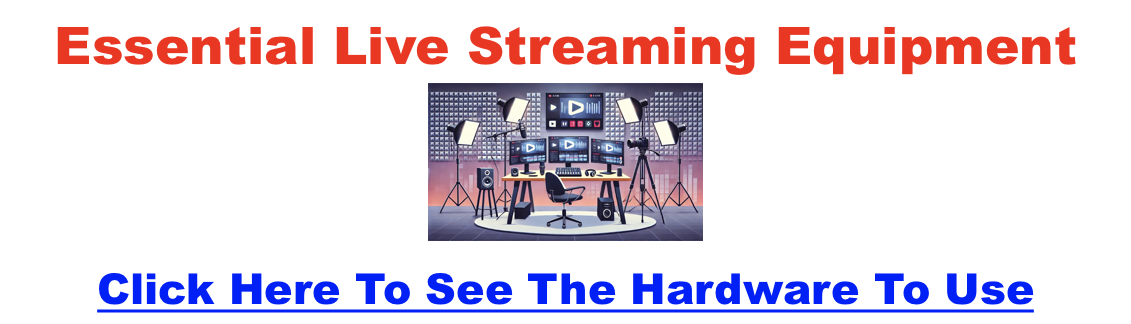
Good lighting matters more than camera price for video, and our full live streaming equipment guide covers the complete kit.
Streaming Software vs. Streaming Destinations: What’s the Difference?
This is the distinction that confuses most beginners. Streaming software (also called a studio) is what you broadcast with, while a streaming destination is where viewers watch. StreamYard, OBS, and Restream are software; YouTube Live, Facebook Live, and Twitch are destinations.
The reason it matters: the best browser-based studios can broadcast to several destinations at once, a feature called multistreaming. So you don’t choose YouTube or Facebook, you choose a studio that pushes your stream to both simultaneously. Get the software right and the destinations take care of themselves.
What’s the Best Software to Live Stream a Podcast?
For most podcasters, StreamYard is the best starting point because it runs in your browser, multistreams to every major destination at once, and requires zero technical setup. Here’s how the main options compare.
StreamYard (Best for Most Podcasters)
StreamYard is a browser-based live studio that handles multistreaming, guest management, on-screen banners, scene switching, and recording in one place, with nothing to install. It’s the easiest way to run a professional-looking live show, which is why it’s our default recommendation. See the full StreamYard pricing breakdown and our full StreamYard walkthrough to see it in action.
OBS Studio (Best Free, Most Technical)
OBS is free, open-source, and infinitely customizable, but it has a steep learning curve and runs on your own machine, so you’ll manage encoding settings and CPU load yourself. If you hit snags, our fixes for OBS high CPU usage and OBS encoding overload help. We break down the trade-offs in StreamYard vs OBS.
Restream, Riverside, and Streamlabs
Restream is a multistreaming specialist that pushes to many destinations at once; see Restream vs StreamYard. Riverside pairs live streaming with studio-quality local recording, compared in StreamYard vs Riverside. Streamlabs leans gaming and Twitch; see StreamYard vs Streamlabs. If you already live in Zoom, weigh StreamYard vs Zoom.
Podbean Live (Best for Audio-First Live)
If your show is audio-only and you want live streaming built into a podcast host, Podbean Live offers live audio, audience interaction, and automatic recording for later publishing.
Where Can You Stream Your Live Podcast?
Once you’ve picked a studio, it broadcasts to one or more destinations. The big ones for podcasters in 2026 are YouTube Live, Facebook Live, LinkedIn Live, Twitch, and the mobile-native options. Here’s how they compare.
| Destination | Best For | Monetization | Watch Out For |
|---|---|---|---|
| YouTube Live | Widest reach; the home of video podcasts | Super Chats, memberships, ads | Some features need a subscriber threshold |
| Facebook Live | Sharing to existing groups and pages | Limited vs. YouTube/Twitch | Organic reach has declined |
| LinkedIn Live | B2B, professional, and business shows | Indirect (leads, authority) | Access requires an approved tool |
| Twitch | Highly interactive, community-driven shows | Subscriptions and Bits | Skews gaming; discovery for talk content is harder |
| Instagram / X | Casual, mobile-friendly, quick reach | Minimal | Lower production ceiling; ephemeral |
You don’t have to pick one. A multistreaming studio like StreamYard sends your broadcast to several of these at once. For a deeper platform-by-platform comparison, see our roundup of livestreaming platforms for podcasters and the best video podcast platforms.
How Do You Start Live Streaming Your Podcast?
Start by planning the episode, setting up and testing your gear, then going live with a clear opening. The single most important step is a full technical rehearsal before any audience is watching.
- Plan your content: Pick a topic and format, and schedule streams at consistent times to build anticipation.
- Set up your space: Arrange a clean, well-lit recording area and connect your mic, camera, and software.
- Test everything: Run a private test stream first. In StreamYard you can create a recording-only session to rehearse without broadcasting.
- Go live: Open with a quick welcome, acknowledge early viewers by name, and weave chat and Q&A in as you go.
For the broader launch playbook, see the best remote recording and streaming software if you’re bringing on remote guests.
How Do You Monetize Live Podcast Streams?
Live streams open four main revenue paths, and most successful shows combine several rather than relying on one.
- Sponsorships: Sell live-read or on-screen sponsor placements once you can show real reach and engagement numbers.
- Super Chats and donations: On YouTube Live and Twitch, viewers can pay to highlight a message; acknowledging them live encourages more.
- Merchandise: Promote branded items through print-on-demand services so you carry no inventory.
- Subscriptions and memberships: Offer exclusive perks via Patreon, Twitch subs, or YouTube memberships for recurring income.
How Do You Fix Common Live Streaming Problems?
Most live-streaming failures come down to connection, audio/video quality, or unfamiliarity with the platform, and all three are preventable with a little prep.
- Connectivity: Use wired Ethernet over Wi-Fi and keep a mobile hotspot as a backup so a dropout doesn’t end the show.
- Audio and video quality: A good mic fixes most audio issues; in your software, match bitrate and resolution to your upload speed so the stream doesn’t buffer.
- Platform quirks: Learn the go-live flow before you have an audience. A private test channel lets you find the snags in advance.
Try StreamYard free for 7 days →
Frequently Asked Questions About Live Podcast Streaming
What is live podcast streaming?
Live podcast streaming is broadcasting your episode in real time over the internet so listeners can interact as it happens through chat, Q&A, and polls. Unlike a pre-recorded, edited episode published later, a live stream is unedited and interactive, which makes it feel more authentic and builds a stronger sense of community.
What’s the best software for live streaming a podcast?
For most podcasters, StreamYard is the best choice because it runs in your browser, multistreams to YouTube, Facebook, LinkedIn, and more at once, and needs no installation. OBS is the top free option but is far more technical. Restream specializes in multistreaming, and Riverside pairs streaming with studio-quality recording.
What’s the difference between streaming software and a streaming platform?
Streaming software, or a studio, is what you broadcast with; a streaming platform, or destination, is where viewers watch. StreamYard, OBS, and Restream are software, while YouTube Live, Facebook Live, and Twitch are destinations. The best studios multistream, sending one broadcast to several destinations simultaneously.
Can you live stream a podcast for free?
Yes. OBS Studio is free and open-source, and StreamYard offers a free plan, though it adds a watermark and caps recording. Destinations like YouTube Live, Facebook Live, and Twitch are free to broadcast on. You can start live streaming at no cost and upgrade only when you need more features.
Do you need a camera to live stream a podcast?
No, you can stream audio-only, but video is increasingly the norm. As of late 2025, 53% of new US weekly listeners said they prefer watching a podcast, and over half of shows post full video to YouTube. If you go video, a good webcam or a camera with a capture card works well.
Where should I stream my live podcast?
YouTube Live offers the widest reach and is the home of video podcasts, making it the best default. Facebook Live suits existing communities, LinkedIn Live fits B2B shows, and Twitch works for highly interactive audiences. With a multistreaming studio, you can broadcast to several of these at once rather than choosing just one.
Is StreamYard good for live podcasting?
Yes. StreamYard is one of the most popular live-streaming studios precisely because it’s built for this: browser-based with no install, multistreaming to all major destinations, plus guest invites, on-screen banners, scene switching, and recording. It’s the easiest way to run a professional live show without learning complex software like OBS.
How do I make money from live streaming my podcast?
The main paths are sponsorships, viewer payments like YouTube Super Chats and Twitch Bits, merchandise through print-on-demand, and recurring memberships via Patreon, Twitch, or YouTube. Most shows combine several. Live formats are especially good for direct viewer support because the audience is present and engaged in the moment.
What internet speed do I need to live stream?
A stable wired connection matters more than raw speed. For 1080p video, aim for a reliable upload of at least 5 to 6 Mbps, with headroom above that. Use Ethernet rather than Wi-Fi when possible, match your software’s bitrate to your upload speed, and keep a mobile hotspot as a backup.
Can I record my live stream to publish later?
Yes, and you should. Most studios, including StreamYard, Riverside, and Podbean Live, record your stream locally or in the cloud so you can edit it into a standard podcast episode afterward. This lets one live session serve both your real-time audience and your regular on-demand feed.
The Bottom Line on Live Podcast Streaming
Live streaming turns a podcast from a broadcast into a conversation, and it’s never been easier to start. Pick a browser-based studio like StreamYard, point it at YouTube Live (and anywhere else your audience is), get your audio and connection solid, and rehearse once before going live. The interaction, reach, and community it builds are hard to match with pre-recorded episodes alone.

Podcast Live Streaming Equipment
Podcast live streaming has become a powerful way to build deeper connections with your audience in real time. But if you want to look and sound professional, the right equipment makes all the difference. Whether you’re setting up your first stream or upgrading your current rig, this guide breaks down the top gear you need—sorted by category and budget level.
Essential Podcast Live Streaming Setup (Quick Checklist)
Here’s a fast overview of what you’ll need to go live with confidence:
- Camera (HD webcam or mirrorless)
- Microphone (USB or XLR)
- Audio Interface or Mixer
- Lighting (LED ring or softbox)
- Streaming Software (OBS, StreamYard, etc.)
- Monitoring Headphones
- Stable Internet Connection
Best Podcast Cameras for Live Streaming
Choosing the right camera depends on your budget and setup needs. Here are solid picks across the board:
Budget Picks:
- Logitech C920S HD Pro Webcam – Reliable HD webcam with autofocus and stereo audio.
- Logitech StreamCam – Offers 1080p at 60fps, perfect for smoother live streaming.
Mid-Range Options:
- Sony ZV-E10 – A compact mirrorless camera with 4K video and interchangeable lenses.
- OBSBOT Tail Air – Features AI tracking, gesture control, and 4K capability.
High-End Choices:
- BZBGEAR BG-ADAMO-4KND12X-W – PTZ camera with 12x zoom and NDI support.
- Canon XF605 – Professional camcorder with advanced autofocus and internal 4K recording.
Tip: Aim for 1080p or 4K resolution and 30–60 fps for the best results.
Best Microphones for Podcast Streaming
Audio quality is critical for keeping your listeners engaged. Here are top picks by price range:
Budget-Friendly:
- Razer Seiren Mini – Compact and affordable with clear sound.
- Audio-Technica AT2020USB-XP – USB mic with clean audio and simple setup.
Mid-Tier Options:
- Shure MV7+ – Hybrid USB/XLR mic with great isolation and voice quality.
- Elgato Wave:3 – Designed for streamers with integrated mixing software.
Professional Picks:
- SteelSeries Alias Pro – Studio-level quality with built-in interface and processing.
- Sennheiser Profile Streaming Set – USB mic and boom arm built for streamers.
Recommended Accessories:
- Pop filter – Cuts down on harsh “P” and “T” sounds.
- Boom arm – Lets you position your mic exactly where you need it.
- Shock mount – Reduces vibrations and handling noise.
Mixers vs. Audio Interfaces: Which Should You Choose?
Top Audio Interfaces:
- Focusrite Scarlett 2i2 (4th Gen) – Clean preamps, low latency, easy setup.
- PreSonus AudioBox USB 96 – Entry-level USB interface with dual mic inputs.
Top Audio Mixers:
- TC-Helicon GoXLR – Popular with streamers for vocal effects and live control.
- Yamaha MG10XU – 10-channel analog mixer with USB and built-in effects.
- RODECaster Pro II – All-in-one podcast production studio.
When to Use Each:
- Choose a mixer if you need multiple inputs and live effects.
- Choose an interface for a simpler plug-and-play audio solution.
Lighting and Video Enhancers
Don’t overlook lighting—it can make a huge difference in your video quality.
- LED Ring Lights – Affordable and easy to set up.
- Softbox Kits – Provide soft, diffused light for a natural look.
- Simorr ST30 Tripod – Versatile and stable support for cameras.
- SmallRig Overhead Mounts – Great for top-down or fixed camera angles.
Monitoring Headphones and In-Ear Monitors
To avoid audio surprises, monitor your sound in real time:
- SteelSeries Arctis Nova Pro – Wireless with low-latency monitoring.
- HyperX Cloud II – Durable, comfortable, and clear.
- Beyerdynamic DT 770 PRO – Studio-grade accuracy and comfort.
- Sony WH-1000XM5 – Excellent noise cancellation and audio clarity.
Streaming Software and Encoders
Top Software Encoders:
- OBS Studio – Free and feature-rich for pros and beginners.
- Streamlabs OBS – Built on OBS, simplified for streamers.
Popular Hardware Encoders:
- Elgato HD60 S+ – Plug-and-play external capture card.
- AVerMedia Live Gamer Portable 2 Plus – Works without a PC for portable setups.
Tips:
- Match bitrate and frame rate to your streaming platform’s specs.
- Test your stream settings before going live.
Control & Automation Tools
Stream Decks:
- Elgato Stream Deck Mini – Budget-friendly with programmable buttons.
- Stream Deck MK.2 – Advanced controls for multiple apps.
- LoupeDeck Live – Combines tactile control with full customization.
Automation Tools:
- Use for switching scenes, triggering sound effects, launching apps, and managing chats.
Mobile Podcast Live Streaming Gear
If you’re streaming on location or while traveling, portability matters.
Mobile Cameras:
- DJI Osmo Pocket – Built-in stabilizer and 4K video.
- GoPro HERO9 Black – Wide-angle capture and rugged build.
Compact Audio Gear:
- Rode VideoMic Me – Plugs directly into smartphones.
- Zoom H1n Recorder – Standalone audio recorder for high-quality capture.
Connectivity Options:
- Use mobile hotspots, 5G modems, or bonded networks for reliable upload speeds.
Sample Podcast Streaming Setups (By Budget)
Starter Kit (< $500):
- Logitech C920S
- Razer Seiren Mini
- LED Ring Light
- OBS Studio (free)
Mid-Tier Setup ($500–$1,000):
- Sony ZV-E10
- Shure MV7+
- Focusrite Scarlett 2i2
- Softbox Lighting
Pro Setup ($2,000+):
- Canon XF605
- SteelSeries Alias Pro
- RODECaster Pro II
- Stream Deck MK.2
Podcast Live Streaming Equipment FAQ
Q: Do I need a DSLR to live stream my podcast?
A: No. Webcams or mirrorless cameras with HDMI output work great for most needs.
Q: Can I use my smartphone to livestream a podcast?
A: Yes. Paired with good lighting and a quality mic, phones are very capable.
Q: Do I need a mixer or just an interface?
A: If you’re running a solo podcast, an interface is fine. For multi-host shows or live mixing, get a mixer.
Final Thoughts
Getting into live podcast streaming doesn’t have to be complicated or expensive. Start with the basics, prioritize audio, and build out your gear over time. With the right setup, your podcast can look and sound just as professional as your favorite livestreams.
Podcast Analytics Tools
Podcasting has become a powerful platform, with creators connecting deeply with global audiences. But podcast analytics are essential to grow your podcast and strengthen your connection with listeners truly. By offering a data-driven look into listener preferences, engagement, and behaviors, analytics help you optimize your show in ways that resonate with your audience.
Why You Should Track Podcast Analytics
Analytics are more than just numbers—they guide understanding what works and what doesn’t. Here’s why tracking your podcast’s analytics is so important:
- Understand Your Listeners: Analytics reveal what your audience likes and what keeps them coming back. You can better tailor your content by knowing which topics, formats, or episode lengths perform best.
- Measure Growth: Tracking data over time lets you see trends in your podcast’s performance, allowing you to determine which strategies help attract and retain listeners.
- Support Monetization Goals: Analytics are invaluable for podcasters looking to monetize. Metrics like download counts, completion rates, and demographic data help you showcase your reach to sponsors.
Metrics That Matter for Every Podcaster
When you start exploring podcast analytics, certain metrics are key indicators of your podcast’s success:
- Downloads and Listens: Downloads tell you how many people have saved your episode, but listens reveal actual plays, which is a better measure of engagement.
- Completion Rates: This metric shows what percentage of your audience listens to an episode from start to finish. High retention and completion rates suggest that your content is engaging, while lower rates signal areas for improvement.
- Audience Demographics: Data about listeners’ age, gender, and location provides insights into who’s tuning in. Demographics help you create relevant content and refine marketing efforts.
- Listening Behavior: Information on when your audience listens (peak times) and which devices (smartphones, computers, or smart speakers) can help you optimize episode release times and marketing efforts.
| Tool | Pricing Tiers | Key Features |
|---|---|---|
| Blubrry | Standard: $12/month | Advanced: $20/month | PRO: $100/month | Retention data, geolocation data, apps and devices insights, episode comparison, dynamic ad insertion (PRO), unlimited storage (PRO), custom embed player |
| Transistor | Starter: $19/month | Professional: $49/month | Business: $99/month | Download analytics, listener trends, audience engagement metrics, demographic insights, user-friendly interface |
| Apple Podcast Analytics | Free | Listener behavior insights, episode performance tracking, listener demographics, engagement metrics |
| Podtrac | Free with premium features available | Comprehensive listener data, user-friendly analytics, regular updates |
| Chartable | Free basic tier | Paid plans (contact for pricing) | SmartLinks for tracking marketing channels, SmartPromos for podcast and ad performance, audience insights, marketing attribution measurement |
| Podbean | Basic: Free | Unlimited Audio: $9/month | Unlimited Plus: $29/month | Business: $99/month | Top 10 episodes, listener geographies, downloads by time of day, user retention insights, monetization options |
| Simplecast | Basic: $15/month | Essential: $35/month | Growth: $85/month | Comprehensive hosting, industry-standard analytics, listener behavior insights, episode performance tracking |
| Megaphone | Contact for pricing | Audience insights, marketing attribution measurement, advanced targeting, publisher and show level data |
| Acast | Contact for pricing | Hosting and monetization, audience insights, advanced analytics, marketing tools |
| Spotify for Podcasters | Free | Demographic information, listener behavior insights, episode performance tracking |
| Castos | Starter: $19/month | Growth: $49/month | Pro: $99/month | Hosting for traditional and private podcasts, listener insights, episode performance tracking, audience engagement metrics |
| CLIPr | Contact for pricing | Video podcast analytics, AI-powered indexing, engagement tracking |
| Sounder | Basic: Free | Plus: $12.99/month | Growth: Contact for pricing | Audience growth tracking, demographic insights, third-party integrations |
| Hello Audio | Starter: $12.99/month | Pro: $39/month | Enterprise: Contact for pricing | Private podcast analytics, listener insights, engagement metrics |
| Pinecast | Starter: $10/month | Pro: $50/month | Hosting and analytics, listener behavior insights, episode performance tracking |
| Google Podcasts Manager | Free | Episode downloads tracking, listener demographics, engagement metrics |
| Captivate | Personal: $19/month | Professional: $49/month | Business: $99/month | Hosting and analytics, listener insights, marketing tools |
| Backtracks | $39/month with a 14-day free trial | Advanced tracking technology, detailed audio data, comprehensive demographic analysis |
| Fireside | Starter: $19/month | Pro: $49/month | Real-time analytics, listener behavior insights, episode performance tracking |
| Buzzsprout | Free plan with limited features | Paid plans start at $12/month | Easy-to-understand analytics, listener insights, episode performance tracking, monetization options |
How to Pick the Right Analytics Tool for Your Podcast Goals
Every podcast is unique, and so are the analytics tools designed to support them. Here’s how to match the right tool to your needs:
- Just Getting Started? If you’re new to podcasting, start with tools that have easy-to-use dashboards and cover the essential metrics. Podbean and Anchor are solid options for beginners.
- Ready to Grow? As your podcast expands, consider tools with more advanced insights into engagement and demographics. Transistor and Blubrry are great choices for podcasters looking to deepen their audience understanding.
- Focused on Monetization? For podcasters pursuing sponsorships, analytics tools with IAB-certified metrics can provide the reliable data advertisers look for. Megaphone and Backtracks offer robust monetization and advertising insights.
Getting the Most Out of Your Podcast Analytics
Using analytics effectively isn’t just about checking numbers—it’s about interpreting them to make meaningful changes. Here are some tips:
- Define Your Goals: Whether it’s growing your listener base, increasing engagement, or securing sponsors, having clear goals can help you focus on the metrics that matter most.
- Spot Trends Over Time: Don’t rely too heavily on data from a single episode. Look at trends over several episodes to get a clearer picture of your podcast’s performance.
- Test, Measure, and Adjust: Analytics offer insights into areas to experiment with. Try adjusting episode length, topics, or release times based on what you learn. For example, if you see a trend where shorter episodes have higher completion rates, consider testing more concise formats. Or, if certain topics consistently draw higher engagement, you might want to focus more on those themes.
Frequently Asked Questions About Podcast Analytics Tools
- What metrics are most important for podcast growth?
- Key metrics include downloads, listens, completion rates, and demographics, which all provide insight into listener engagement and reach.
- Are there free podcast analytics tools I can use?
- Yes! Apple Podcasts Connect, Spotify for Podcasters, and Anchor all offer free analytics options with basic insights, making them ideal for beginner podcasters.
- How often should I check my analytics?
- Regularly reviewing analytics—ideally after each episode release—helps you stay on top of what’s working and what’s not.
- How can I use demographic data to improve my podcast?
- Demographic data, like age and location, can help tailor content and marketing efforts to better connect with your core audience.
- What does IAB certification mean, and why is it important?
- IAB (Interactive Advertising Bureau) certification ensures that analytics data is measured using industry standards. This gives advertisers confidence in the data’s accuracy, which is crucial for podcasters seeking sponsorships.
Conclusion
Podcast analytics provide a powerful way to understand your audience, improve your content, and even attract sponsors. By choosing the right tools and using your data effectively, you can set your podcast up for lasting growth and success. Take a look at the recommended tools here, and start exploring insights that can help you make data-driven decisions, enhance listener engagement, and bring your podcast to the next level.
How to Distribute a Podcast
Think of distribution as the bridge that connects your podcast with potential listeners. It’s the process of listing your episodes on popular platforms like Apple Podcasts, Spotify, Wondery, and Google Podcasts, making it easier for people to discover, subscribe, and enjoy your show. While there is another method of getting your show discovered that we’ll also cover towards the end, this post will walk through the podcast distribution process, ensuring your podcast reaches the widest possible audience with a little hack that helps your future biggest fans find you.
Choosing Your Podcast Hosting Platform to Distribute With
Before distributing your podcast, you’ll need a reliable home for your audio files. This is where podcast hosting platforms come in. They store your episodes, generate your RSS feed (more on that later), and provide valuable analytics to track your show’s performance.
When choosing a podcast hosting platform, consider:
- Pricing: Hosting plans vary in cost, so choose one that fits your budget.
- Storage: Make sure the platform offers enough storage space for your episodes.
- Analytics: Choose a platform with robust analytics to track your audience and growth.
- Ease of use: The platform should be user-friendly and easy to navigate.
Some popular podcast hosting platforms include Buzzsprout, Podbean, and Anchor. Explore their features and find the one that best suits your needs.

Creating and Optimizing Your Podcast RSS Feed
Your podcast RSS feed is essentially a text file that contains all the information about your show, including episode titles, descriptions, artwork, and audio files. It’s the backbone of your podcast distribution.
Most hosting platforms will automatically generate your RSS feed for you. However, it’s essential to optimize it to make your podcast more discoverable:
- Compelling title and description: Use keywords that accurately reflect your podcast’s content.
- Eye-catching artwork: Make sure your podcast cover art is high-quality and visually appealing.
- Choose the correct categories: Select relevant categories to help listeners find your podcast.
Submitting Your Podcast to Directories
Now that you have your optimized RSS feed, it’s time to submit your podcast to significant directories like Apple Podcasts, Spotify, and Google Podcasts.
Here’s a list of some popular podcast directories to consider:
- Apple Podcasts
- Spotify
- Google Podcasts
- Amazon Music
- Stitcher
- iHeartRadio
- TuneIn
- Podbean
- Castbox
- RadioPublic
- Overcast
- Pocket Casts
- Castro
- Breaker
- Player FM
- Deezer
- Audible
- Pandora
- Podcast Addict
- Podchaser
- Luminary
- Stitcher
- Podbay
- Podtail
- Castro
- Himalaya
- Radio.com
Each directory has its submission process, but it typically involves providing your RSS feed URL and some basic information about your podcast.
Promoting Your Podcast
Distribution is just the beginning! To ensure your podcast reaches a broader audience, you must actively promote it. Here are a few effective promotion strategies:
- Social media: Share your episodes on platforms like YouTube, Instagram, TikTok, LinkedIn, and engage with your audience.
- Website or blog: Embed your podcast episodes on your website or blog. More on this down below.
- Email newsletter: Regularly update your email list with links to your latest episodes.
- Cross-promotion: Partner with other podcasters or professionals in your niche for cross-promotion.
Tracking Your Podcast’s Performance
Tracking your podcast’s performance to see what’s working and what’s not is essential. Most hosting platforms offer analytics tools that provide insights into your downloads, listener demographics, and popular episodes.
The Ultimate Distribution Hack
Create a basic website for your podcast. A well-optimized website can help your podcast get found organically by people looking for you without knowing about your show yet. One of the simplest explinations is that each podcast episode gets a post on your site. Put a transcript of the episode on the page, and soon enough Google should start to pick up your episodes in results.
So if you have a show about finance, and an episode that talks about the Japanese stock market crash, you have a fantastic chance for Google to show your show to someone looking up the “Japanese stock market crash”. Is it as simple as that? Yes and no, but the gist is you can make a huge impact very quicky as opposed to just distributing your podcast to the various platforms.
A website also serves as a central hub for all things related to your podcast, offering a place for listeners to find show notes, transcripts, and additional content. You can build an email list, sell merchandise, and connect with your audience on a deeper level.
A podcast website also provides opportunities for monetization beyond advertising and sponsorships. You can sell digital products, offer paid subscriptions, or run affiliate marketing campaigns. By owning your own platform, you have greater control over your revenue streams and can diversify your income sources.
Ultimately, having a website for your podcast allows you to build a direct relationship with your audience. You can collect email addresses, gather valuable feedback, and create a community around your show. By owning your audience, you can reduce your reliance on third-party platforms and maintain control over your content and distribution.
How to Make a Private Podcast for Free (No Paid Hosting Needed)
You don’t need a fancy podcast host or a big budget to share exclusive audio with a select group of people. Whether you’re a coach, teacher, business owner, or hobbyist, there are several free ways to run a private podcast that only your intended audience can hear.
In this guide—created by a long-time podcast advisor and content strategist—you’ll learn how to record, host, and share private audio content without spending a dime.
TL;DR: You don’t need Apple or Spotify to run a podcast. You just need free tools and a bit of creativity.
What Is a Private Podcast?
A private podcast is audio content that isn’t publicly accessible in podcast directories like Spotify or Apple Podcasts. It’s designed for a limited group—like paid members, employees, students, or a close-knit community.
Private vs Public Podcasts
| Feature | Public Podcast | Private Podcast |
|---|---|---|
| Who Can Listen? | Anyone | Only those with access |
| Distribution | Apple, Spotify, etc. | Private links, password-protected pages |
| Monetization | Ads, sponsorships | Memberships, training, gated content |
Step 1: Plan Your Private Podcast
Before recording anything, define your goals:
- Who is it for? (Employees, clients, students, subscribers)
- What format? (Solo, interviews, lessons)
- How often? (Weekly, monthly, evergreen?)
- How will they access it? (Links, email, Facebook group?)
Pro Tip: Private audiences appreciate clarity and consistency more than length.
Step 2: Record & Edit for Free
You don’t need a professional studio. Try:
- Audacity (Free desktop recording for Mac/Windows/Linux)
- GarageBand (Free on Mac)
- Dolby On (Free mobile app for iOS/Android)
Keep it simple: record, trim silence, reduce noise, and export as MP3.
Step 3: Host It Without Paying
Here are free ways to host and share your episodes privately:
A. Google Drive or Dropbox
- Upload MP3 files
- Set sharing to “Anyone with the link can view”
- Share links via email, newsletter, or webpage
B. YouTube (Unlisted Videos)
- Convert your audio into a video (with a static image)
- Upload as “Unlisted” on YouTube
- Share the link privately—it won’t show up in search
C. Password-Protected Website
- Use Carrd, WordPress.com, or Notion to create a simple site
- Embed Dropbox or Google Drive links
- Protect the page with a password
D. Private Facebook Group
- Create a “Private” or “Hidden” group
- Post your MP3s or YouTube unlisted links
- Members can comment and engage
E. Private Discord or Slack Channel
- Invite listeners to a free community space
- Upload audio directly or link to Google Drive
- Great for live chats and real-time updates
Step 4: Share With the Right People
Once your content is uploaded:
- Email the private link directly
- Post inside a gated Facebook group or Slack
- Embed on a password-protected page
- Offer early access or extras via a Notion hub or Google Doc
Tip: Remind your audience not to share links. You’re trusting them—and they’ll usually respect that.
Step 5: Make It Feel Premium (Even for Free)
- ✅ Use AI tools like Krisp to clean up audio
- ✅ Add episode titles like “Lesson 1: The Setup” or “Week 3 Check-In”
- ✅ Stick to a schedule, even monthly
- ✅ Create a sense of community with comments or discussion threads
When You Might Want to Upgrade
If you want to:
- Let people subscribe via Apple/Spotify
- Charge money for access
- Add analytics and listener tracking
- Control exactly who hears what
… then platforms like Castos, Transistor, Hello Audio, or Libsyn are worth the investment.
FAQs
Can I use Spotify or Apple Podcasts for private content?
No—those are public directories. You need to use private links or feeds.
Is Google Drive secure?
Yes, as long as you don’t share the link publicly.
Can I do this with video too?
Yes—YouTube unlisted videos or Loom recordings are great for video podcast-style updates.
Can I monetize this setup?
Yes—pair it with a free Gumroad account, email list, or PayPal donation link.
Is this method scalable?
For small groups or internal communication—absolutely. If you’re growing fast or want advanced control, a private podcast host is a better long-term fit.
Final Thoughts
You don’t need expensive podcast software to start a private show. With just a free recording app and smart file sharing, you can:
- 🎧 Create private episodes
- 🔐 Share only with your intended audience
- 🍿 Spend exactly $0
Choose your method and launch today—and if you’re ready to scale, you’ve got options.
Small Podcast, Smart Network: The Best Indie Podcast Networks for Beginners
Launching a podcast is exciting, but growing an audience can feel overwhelming if you’re working alone. For small and beginner shows, joining a smaller podcast network can offer support, visibility, and community without giving up creative control.
In this guide, we’ll cover the indie and niche podcast networks that actually welcome smaller shows, what they offer, and how to decide if one is right for you.
Why Consider a Small Network?
Pros
-
Built-in cross-promotion with other indie shows
-
Credibility from being “part of a network”
-
Access to community, mentorship, or production tips
-
A chance to reach niche audiences (geek culture, sports, paranormal, family, etc.)
Cons
-
Limited ad sales or marketing resources
-
Modest audience bump compared to big networks
-
Monetization often remains DIY (Patreon, affiliate links, etc.)
Small networks are best for shows with consistent publishing but modest download numbers, and for creators who value collaboration as much as growth.
Click here for my favorite podcast network for small podcasts
Quick Comparison Table
| Network | Niche/Focus | Accepts Indies? | What You Get | Monetization | Best For |
|---|---|---|---|---|---|
| The Oracl3 Network | Diverse indie voices, lots of true crime | Yes | Cross-promo, community, social media boosts | DIY (Patreon, sponsors) | Indie storytellers wanting peer support |
| GonnaGeek Network | Geek culture: comics, gaming, sci-fi | Yes, selective | Listing, promo swaps, geek community cred | DIY | Tech/geek hobby podcasts |
| Belly Up Sports | Sports talk, fan culture | Yes | Website features, cross-promo feeds | Some ads, DIY Patreon | Passionate sports fans |
| Saturday Morning Media | Family-friendly, kids shows | Limited | Brand credibility, cross-promo with other family shows | Patreon, merch | Children’s or family creators |
| Atlantic Transmission | NYC indie collective | Invite only | Hands-on production help, community | DIY | Local creatives, comedy shows |
| Anomalist Radio Network | Paranormal, fringe, indie artists | Yes | Live streams, eclectic audience | DIY | Paranormal and fringe enthusiasts |
| Podcast Advocate Network | Creative, compassionate indies | Yes | Editing help, newsletter, cross-promo | DIY + Patreon | Fiction, history, audio drama |
| Bliss Life Press | Spirituality, wellness | Yes | Brand alignment, support hub | Indirect (courses, products) | Self-help/wellness podcasters |
| The Outpost FM | Geek, pop culture | Small circle | Simple hosting hub, cross-promo | DIY | Cult fandoms, UK creators |
| Gaming Podcast Alliance | Video game podcasts | Yes (informal) | Roundtables, collabs, promo swaps | DIY | Indie gaming podcasters |
| Sports Radio Detroit | Detroit local sports | Local only | Local press access, cross-promo | Small ads | Regional sports fans |
| Washed Up Network | Sports, pop culture | Yes | Social pushes, cross-overs, “Washed Up Radio” | DIY | Young/up-and-coming voices |
| Cast Junkie (Community) | All indie, esp. fiction | Yes | Discord community, promo swaps, blog features | DIY Patreon | Audio drama & narrative indies |
| Fable and Folly | Audio fiction, dramas | Selective | Ad sales, premium F&F Plus, cross-promo | Ads + subscription | Ambitious narrative shows |
| That’s Not Canon | Australian indie collective | Yes | Training, cross-promo, Patreon support | Minimal, DIY | Global indies wanting community |
Mini Profiles: What You’ll Actually Get
The Oracl3 Network
A diverse, inclusive collective. Pros: full creative freedom, supportive peers. Cons: no monetization built in. Best for storytellers seeking community.
GonnaGeek Network
Geeky podcasts by and for geeks. Pros: great production standards, organic guest swaps. Cons: selective entry, no ad sales. Best for hobbyists in tech or comics.
Belly Up Sports
“The Internet’s Sports Bar.” Pros: community vibe, cross-promo feeds. Cons: mid-sized reach, extra content workload. Best for passionate sports fans wanting camaraderie.
Podcast Advocate Network
Mission-driven indie network. Pros: editing help, kind community, newsletters. Cons: small scale, modest visibility. Best for creative audio drama/history projects.
Cast Junkie
More community than network. Pros: active Discord, indie fans ready to listen. Cons: no ad sales or formal infrastructure. Best for fiction podcasts and indies willing to engage.
How to Know If a Small Network Is Right for You
Green Flags
-
They clearly accept indie/new shows
-
Active on social or newsletters promoting members
-
Evidence of cross-promo or roundtables
-
Transparent about who runs it
Red Flags
-
Vague promises of “huge growth” with no specifics
-
Demands ownership of your RSS feed
-
Pay-to-join without clear benefits
How to Pitch (Template)
What to include:
-
Show logline (20 words or less)
-
Niche fit with the network’s audience
-
Publishing cadence + consistency proof
-
Audio sample link
-
Cross-promo ideas (guesting, trailer swaps)
-
Cover art + promo assets
-
Download stats (even small ones, show growth trend)
Sample Subject Line:
“[Show Name]: Indie [niche] podcast, consistent schedule, looking to join [Network]”
Monetization Reality for Small Networks
-
Mostly DIY: Patreon, Ko-fi, affiliate links
-
Occasional Ad Sales: Belly Up, Fable & Folly, Headgum (but selective)
-
Indirect Models: Bliss Life Press (courses/products), Saturday Morning Media (Patreon/merch)
-
Community Growth → Monetization Later: Cast Junkie, Podcast Advocate
Final Thoughts
Small podcast networks won’t make you famous overnight. What they can do is give you community, collaboration, and incremental growth—things that are hard to find when podcasting alone. For many beginners, that’s the right next step.
If your goal is credibility, peers, and cross-promo, start with a small network. If your goal is big sponsorship dollars right away, keep building your show first. You also might want to pickup our free monetization methods ebook + traffic training.
Anchor Podcast Hosting: What It Can and Cannot Do
Thinking of starting a podcast and curious about Spotify’s podcasting platform, previously known as Anchor? Spotify for Podcasters is a go-to for many beginners and hobbyists due to its free hosting and easy-to-use tools. But is it the right fit for podcasters looking to grow a serious show? In this review, we’ll explore its strengths and weaknesses, comparing how it stacks up against paid services and what you need to know if you’re aiming for more professional podcast. NOTE: Anchor is no longer in business. Here’s What You Should Be Using Instead…
Anchor Podcast Hosting: Key Features
Now a part of Spotify, Anchor has revolutionized podcasting by providing creators with free and intuitive tools. Since its acquisition by Spotify in 2019, Anchor has become deeply integrated into Spotify’s ecosystem, making it easier than ever to create, host, and distribute podcasts seamlessly. Despite these advancements, some limitations might make it less suitable for podcasters seeking advanced features. Below, we’ll examine the pros and cons of using Anchor.
🚀 Favorite Podcast Host: Try Podbean Now
1. Free Unlimited Hosting
Anchor offers unlimited free hosting, with a 250MB per episode file size limit. While this is generous, it’s important to keep in mind that larger, higher-quality audio files (like those encoded at 256kbps) might run into this limit if your episodes are longer than an hour. For typical talk podcasts recorded at 128kbps, this limit won’t be an issue, but podcasters focused on sound design or high-fidelity audio may find this cap restrictive.
2. Easy Distribution
One of Anchor’s standout features is its automatic distribution to major platforms like Spotify, Apple Podcasts, and Google Podcasts. However, be cautious when letting Anchor submit to Apple Podcasts on your behalf. Doing so means that your show will be listed under Anchor’s account, which limits your ability to access detailed Apple Podcast analytics. To keep full control over your podcast, it’s recommended to manually submit your RSS feed to Apple and other directories.
3. Built-in Creation Tools
Anchor provides built-in tools for recording, editing, and producing your podcast directly from their website or mobile app. This makes it easy to create professional-sounding episodes without needing additional software.
While Anchor’s built-in recording tools make it convenient to record episodes on the go, they come with limitations. Recording through Anchor’s app saves files in M4A format at a bitrate of 32kbps, which may result in a lower audio quality compared to other platforms that support higher bitrates or uncompressed formats like WAV or AIF. For podcasters who prioritize high-fidelity audio, it’s recommended to record externally and upload edited files to Anchor rather than relying solely on the app.
4. Monetization Options
Anchor makes monetizing your podcast simple with built-in sponsorship and advertising options. However, most creators find the payouts from Anchor’s ads to be relatively low, especially since its main sponsor is often Anchor itself. For more profitable monetization, podcasters will need thousands of downloads per episode to earn even modest sums. Consider pairing Anchor’s ads with other monetization strategies, such as affiliate marketing, premium content, or listener donations through platforms like Patreon.
5. Analytics
The platform offers basic analytics to track your podcast’s performance. While not as advanced as some paid services, these insights can help you understand your audience and how your podcast is performing.
6. Collaborative Features
Anchor supports up to 5 users collaborating on a single podcast. This is great for teams or co-hosts who want to work together seamlessly.
7. Listener Interaction The “leave a message” feature allows listeners to send voice messages to podcast hosts, fostering a sense of community and engagement.
Potential Drawbacks to Using Anchor
Click here for my favorite Anchor replacement podcast host platform
1. Limited Customization
Compared to paid hosting services, Anchor offers fewer customization options. If you’re looking for a highly personalized podcasting experience, you might find this limiting.
2. Data Ownership Concerns
Some users have expressed concerns about data ownership and potential difficulties in migrating to other platforms. Understanding the terms of service regarding your content is essential.
3. Privacy Limitations
Anchor doesn’t offer an option to make podcasts private. If you plan to use the platform for educational purposes or sensitive content, this could be a concern.
4. Analytics Limitations
While Anchor provides basic analytics, it is not IAB certified. This might limit its usefulness for serious monetization efforts and in-depth audience analysis.
5. Potential for Account Issues
There have been rare reports of unexpected account deletions. Although uncommon, it’s something to be aware of when considering your hosting options.
🚀 Best Free Podcast Host: Try Podbean Now
Anchor vs Podbean vs Buzzsprout
| Feature | Anchor (Spotify for Podcasters) | Podbean | Buzzsprout |
|---|---|---|---|
| Cost | Free | $0 (Basic), $9, $29, $99/month | $12, $18, $24/month |
| Hosting Limits | Unlimited | Unlimited on paid plans | 2-12 hours/month depending on plan |
| File Size Limit | 250MB per episode | No limit on paid plans | 250MB per episode |
| Distribution | Automatic to major platforms | Automatic to major platforms | Automatic to major platforms |
| Built-in Creation Tools | Yes (recording, editing, production) | Yes (basic editing tools) | Yes (basic editing tools) |
| Monetization Options | Yes (sponsorship and ads) | Yes (ads, premium content, donations) | Yes (sponsorship, affiliate marketing) |
| Analytics | Basic | Advanced | Advanced |
| Collaborative Features | Yes (up to 5 users) | Yes | No |
| Listener Interaction | Yes (leave a message feature) | Yes (comments and community features) | No |
| Customization | Limited | Extensive customization options | Moderate customization options |
| Data Ownership | Some concerns | Full ownership | Full ownership |
| Privacy Options | No private podcasting option | Yes (private and password-protected podcasts) | No private podcasting option |
| Support | Mixed experiences | 24/7 customer support | Email support, community forum |
| Migration Ease | Potential difficulties | Easy to migrate | Easy to migrate |
User Insights on Anchor
- Free and Easy to Use
- Many users appreciate Anchor for being free and user-friendly, making it an excellent starting point for beginners.
- File Size Limits
- While Anchor claims unlimited hosting, there is a 250MB per episode limit. This generally isn’t a concern unless your episodes are very long.
- Monetization
- Anchor’s primary advertiser is Anchor itself, which offers lower payouts compared to traditional CPM advertisers. This might be a limitation if you aim for higher revenue through ads.
- RSS Feed Control
- Users cannot control their RSS feed, which can complicate advanced tracking and management. This is a significant consideration for podcasters who want more control over their content.
- Support and Stability
- Experiences with support and platform stability are mixed, though major downtime is rare. Anchor has been stable for many users, with few instances of significant issues.
- Alternatives
- Some users recommend platforms like archive.org, RedCircle, and paid services like Libsyn for more control and features. These alternatives offer better customization, control, and advanced features.
- Professional Use
- Larger podcasts or those in networks often prefer other platforms for better analytics and management tools. Anchor is great for getting started, but many podcasters transition to paid services as they grow.
🚀 Favorite Podcast Host: Try Podbean Now
FAQ
Wrapping Up
Anchor (now Spotify for Podcasters) is an excellent platform for hobbyists, beginners, and those testing the waters of podcasting. Its free hosting, ease of use, and built-in tools make it perfect for small-scale podcasts. However, podcasters serious about long-term growth, advanced analytics, or high-quality audio may eventually need to transition to paid services like Buzzsprout or Podbean for more control, better monetization options, and stronger support.