Best Cameras for Podcasting in 2026: Expert Picks for Every Budget
The best camera for most video podcasters in 2026 is the Sony ZV-E10 II — it delivers 10-bit 4K/60p, excellent autofocus, and creator-focused features at $999 body-only. If you want plug-and-play simplicity with AI tracking, the OBSBOT Tiny 3 is the best webcam you can buy. Budget creators should start with the Logitech Brio 4K.
Video podcasts aren’t optional anymore — they’re the standard. Over 53% of U.S. podcast listeners now actively watch video versions of their favorite shows, and platforms like YouTube, Spotify Video, and TikTok reward creators who show up on camera. This guide breaks down the best podcast cameras in 2026 by type, budget, and use case — based on hands-on testing, not spec sheets.
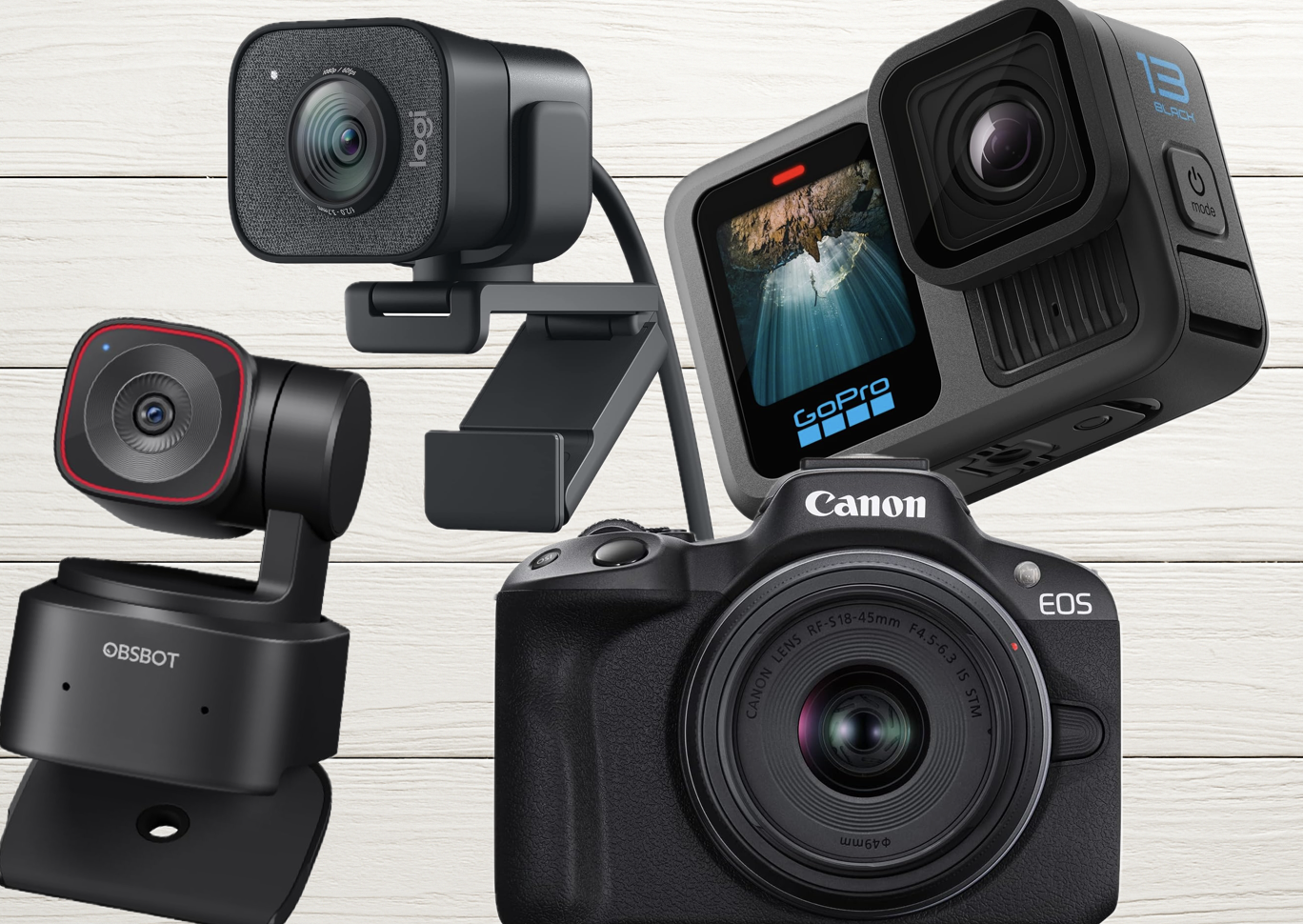
See our top camera pick on Amazon
Quick Picks: Best Podcast Cameras by Category
| Category | Best Pick | Price Range |
|---|---|---|
| Best overall mirrorless | Sony ZV-E10 II | ~$999 body-only |
| Best AI webcam (solo creators) | OBSBOT Tiny 3 | ~$349 |
| Best plug-and-play 4K webcam | Elgato Facecam 4K | ~$199 |
| Best budget under $100 | Logitech C920x | ~$70 |
| Best for long/live recording | Canon Vixia HF G70 | ~$1,399 |
| Best high-end studio camera | Canon EOS R5 Mark II | $3,299+ |
Why Camera Choice Matters for Podcast Video Quality
A high-quality video setup enhances audience engagement, boosts your brand’s professionalism, and opens doors to podcast monetization. But here’s the honest truth most guides skip: lighting matters more than your camera. Even a $100 webcam can look professional under soft, balanced lighting. Invest in lights before upgrading your camera body — and check out our podcast lighting setups guide before spending on new glass.
That said, once your lighting is dialed in, the right camera will take your production to the next level. In 2026, the main decision is between AI-powered webcams (plug-and-play simplicity), mirrorless cameras (cinematic quality), DSLRs (proven quality, older tech), and camcorders (unlimited recording). Here’s what you need to know about each.
Best Podcast Cameras by Type
1. AI-Powered PTZ Webcams — Best for Solo Creators
PTZ (pan-tilt-zoom) webcams use artificial intelligence to track your face, auto-frame the shot, and follow you around the room without a camera operator. In 2026, this category has become the go-to for solo podcasters who want dynamic, professional-looking video with zero crew.
The standout is the OBSBOT Tiny 3. It packs a 1/1.28″ CMOS sensor — massive for a webcam — with AI Tracking 2.0, voice locator technology, a triple-mic spatial audio system, and 4K/30fps or 1080p/120fps recording, all in a 63-gram body. Twice the ISO sensitivity of its predecessor, 37% larger sensor. At $349, it overlaps with entry-level mirrorless pricing, but the zero-setup workflow justifies every dollar for solo creators.
The budget AI option is the OBSBOT Tiny 2, which often goes on sale now that the Tiny 3 is available. Still excellent for auto-tracking at a lower price point.
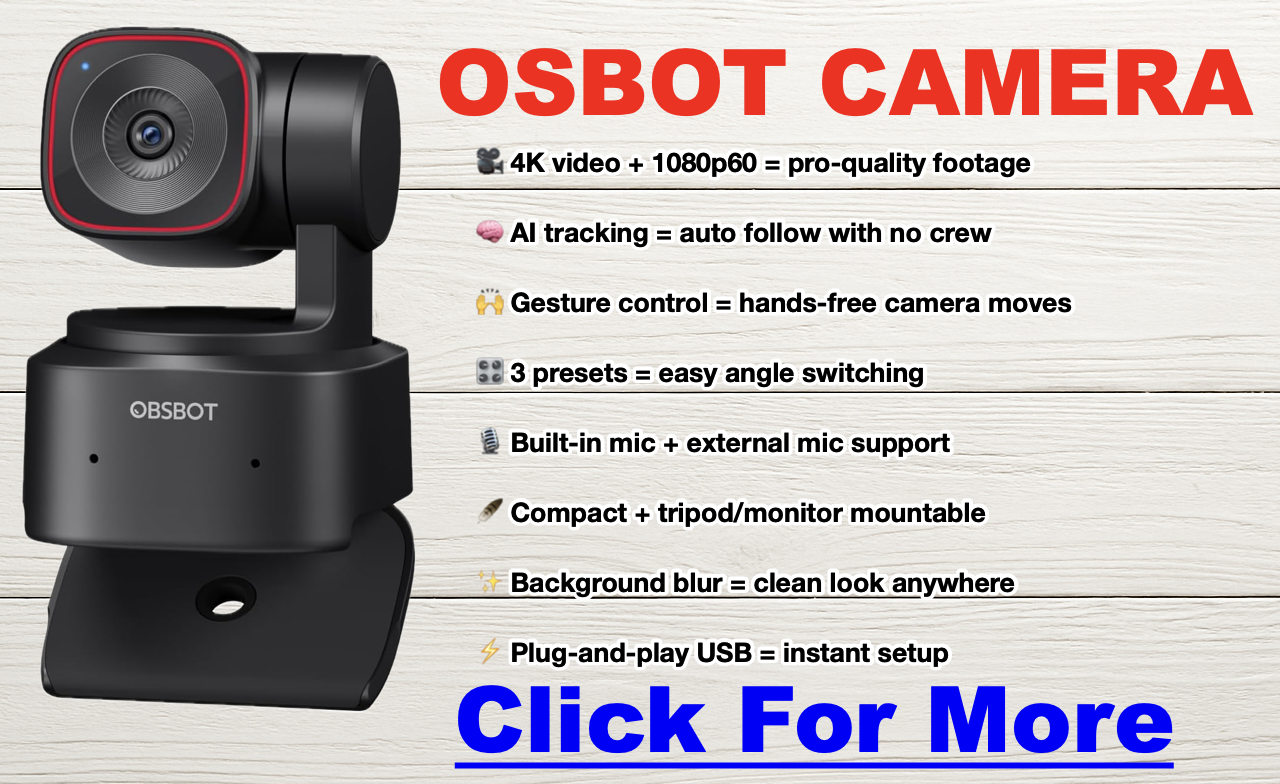
- Pros: No camera operator needed, auto-framing, plug-and-play USB, voice and gesture control.
- Cons: $349 approaches mirrorless territory; fixed lens limits creative control.
- Ideal for: Solo podcasters, standing desk setups, anyone who wants dynamic framing without a crew.
2. Traditional Webcams — Best Budget Option
Traditional fixed webcams are the easiest entry point. The Elgato Facecam 4K delivers uncompressed 4K/60fps with HDR and onboard storage for $199 — a strong choice for streamers and studio setups. The Logitech Brio 4K is the reliable workhorse: adjustable 65/78/90° field of view, auto light correction, and a built-in mic. For the tightest budget, the Logitech C920x delivers solid 1080p for around $70.
If you go the webcam route, also look into a capture card — it offloads video processing from your CPU and significantly improves recording quality. The Elgato HD60X is a great starting point.
- Pros: Affordable, plug-and-play, minimal setup, USB connection.
- Cons: Fixed lens, less low-light performance than mirrorless, no depth of field control.
- Ideal for: Beginners, remote interviews, streamers, budget-conscious podcasters.
3. Mirrorless Cameras — Best for Cinematic Quality
Mirrorless cameras are the dominant choice for serious video podcasters in 2026. They combine large sensors, cinema-grade autofocus, and interchangeable lenses in compact, studio-friendly bodies — and most 2026 models have solved the overheating problem that plagued earlier generations.
The top pick for creator-focused video podcasting is the Sony ZV-E10 II (~$999 body-only). It uses the same proven 26MP sensor as the a6700 and FX30, shoots 10-bit 4K/60p with S-Cinetone color, has a 759-point autofocus system with real-time eye tracking, and its NP-FZ100 battery delivers up to 195 minutes of recording per charge. It’s a massive step up from the original ZV-E10 in every way that matters for podcasters.
For a detailed spec comparison of Sony’s lineup, see our full Canon EOS R5 Mark II vs R5 breakdown. For the entry-level mirrorless option, the Canon EOS R50 offers Dual Pixel CMOS AF II and clean HDMI output at a lower price — a natural step up for anyone upgrading from a webcam. At the high end, the Canon EOS R5 Mark II delivers cinematic 4K and 8K video for professional studio productions.
Pair any mirrorless camera with a dummy battery and external power for indefinite studio recording. Most body-only purchases will need a lens — see our lens section below for recommendations.
- Pros: Cinematic image quality, interchangeable lenses, silent operation, eye-tracking AF, direct USB streaming on most 2026 models.
- Cons: Higher upfront cost, may need capture card or clean HDMI setup, lens adds to budget.
- Ideal for: Intermediate to advanced podcasters, studio setups, anyone targeting YouTube growth or sponsorship.
4. DSLR Cameras — Proven Quality, Older Architecture
DSLRs offer superior image quality over webcams — larger sensors, low-light performance, and the full Canon/Nikon lens ecosystem. The Canon 5D Mark IV remains one of the finest cameras ever made for 4K video, though its ~30-minute recording limit is a real constraint for long podcast sessions. The Canon EOS M50 Mark II is a friendlier entry point with a flip-out screen and solid autofocus.
In 2026, most podcasters choosing between DSLR and mirrorless should go mirrorless — the overheating issues are largely solved, autofocus is better, and the bodies are smaller. DSLRs still make sense if you already own Canon or Nikon glass and want to put it to work.
- Pros: Excellent image quality, vast lens ecosystem, proven reliability.
- Cons: Recording limits (~30 min), bulkier than mirrorless, slower live-view autofocus on older models.
- Ideal for: Podcasters with existing Canon/Nikon glass, professional interview setups.
5. Camcorders — Best for Long-Form and Live Recording
If your podcast runs long or records continuously, camcorders have one decisive advantage: no recording time limit and no overheating. The Canon Vixia HF G70 is the podcaster’s camcorder of choice — crisp 4K, long battery life, and it can run all day without complaint. It’s a favorite for studio panel shows, live event recordings, and marathon recording sessions. The Canon Vixia HF G50 covers the budget end of the camcorder category.
- Pros: Unlimited recording time, no overheating, built-in zoom, reliable for multi-hour sessions.
- Cons: Lacks the cinematic depth of field of mirrorless, less creative flexibility.
- Ideal for: Live podcast events, panel shows, long-form recording.
6. Action Cameras and Smartphones — For On-Location and Budget Creators
Action cameras (GoPro Hero 13 Black, DJI Osmo Action 3) are built for durability and dynamic shots, but generally underperform webcams in a studio setting — especially in low light. They work best for outdoor podcasts and adventure-based content.
Smartphones are the overlooked powerhouse. Modern iPhones and Samsung Galaxy flagships record 4K/60fps and pair beautifully with OBS for streaming. I use an iPhone 15 Pro for a significant portion of my shoots — it’s versatile, punches way above its price point, and the depth of field on the Pro models is genuinely impressive. Limitations are real (flat look compared to mirrorless, battery drain), but for a starter setup it’s hard to argue with free.
- Pros (smartphones): Free if you already own one, 4K capable, mobile-friendly for repurposing.
- Cons: Fixed lens, shorter battery life during recording, flatter look than mirrorless.
- Ideal for: Budget-conscious creators and beginners testing video podcasting.
Full Camera Comparison Table: Best Podcast Cameras 2026
Click here for my favorite all-around podcast camera
| Camera Type | Model | Resolution | Best For | Notes |
|---|---|---|---|---|
| AI Webcam | OBSBOT Tiny 3 | 4K/30fps · 1080p/120fps | Solo creators, dynamic recording | 1/1.28″ sensor, AI Tracking 2.0, triple-mic spatial audio, voice control. The 2026 webcam to beat. |
| OBSBOT Tiny 2 | 4K/30fps | Budget AI tracking | Excellent value now that Tiny 3 is out. Often discounted significantly. | |
| Webcam | Elgato Facecam 4K | 4K/60fps | Streamers, studio setups | Uncompressed 4K, HDR, onboard storage, no mic (pair with external). ~$199. |
| Logitech Brio 4K | 4K/30fps | Plug-and-play 4K | Adjustable FOV (65/78/90°), auto light correction, built-in mic. Reliable workhorse. | |
| Logitech C920x HD Pro | 1080p | Beginners, live-streaming | Best entry-level option. Affordable, plug-and-play simplicity. | |
| Mirrorless | Sony ZV-E10 II | 4K/60fps (10-bit) | Creator-focused, best all-rounder | 26MP sensor (same as a6700), 759-pt AF, S-Cinetone, 195-min battery. ~$999 body. Top pick. |
| Canon EOS R50 | 4K/30fps | Entry mirrorless, clean HDMI | Affordable RF-mount entry. Dual Pixel CMOS AF II. Great webcam-to-mirrorless upgrade path. | |
| Canon EOS R5 Mark II | 4K/8K | High-end studio production | Cinematic full-frame quality. Pro autofocus. The luxury pick. See our R5 vs R5 Mark II comparison. | |
| Sony ZV-E10 (original) | 4K (cropped at 30fps) | Budget creator mirrorless | Still a top seller at lower prices. Good if ZV-E10 II is over budget. | |
| Panasonic Lumix GH5 | 4K/60fps | Multi-cam setups, advanced users | Exceptional video quality. A workhorse for multi-camera podcast studios. | |
| Fujifilm X-T4 | 4K/60fps | Color-rich, smooth footage | In-body stabilization, legendary Fuji color science. | |
| DSLR | Canon 5D Mark IV | 4K/30fps | Pro-level quality, existing Canon glass | Legendary Canon color, massive lens ecosystem. ~30-min recording limit. |
| Canon EOS M50 Mark II | 4K (cropped) | Entry-level DSLR podcasting | Great autofocus, flip-out screen. Beginner-friendly. | |
| Camcorder | Canon Vixia HF G70 | 4K | Long sessions, studio reliability | No recording limit, no overheating. The podcaster’s camcorder of choice. |
| Canon Vixia HF G50 | 4K | Budget camcorder | Easy to use for beginners. Reliable option for long-form shows. | |
| Action Camera | GoPro Hero 13 Black | 5.3K/60fps | On-location, outdoor podcasts | Durable and versatile. Best for on-location recording, not studio setups. |
| Smartphone | iPhone 16 Pro Max | 4K/60fps | Budget-friendly setups | Cinematic mode, ProRes recording, excellent stabilization. My personal daily driver. |
| Samsung Galaxy S24 Ultra | 8K/30fps | High-end detail and versatility | Outstanding video quality. 200MP sensor for stills. |

Best Camera by Budget and Use Case
| Use Case | Best Pick |
|---|---|
| Budget under $100 | Logitech C920x HD Pro |
| Budget $100–$250 | Elgato Facecam 4K, Logitech Brio 4K |
| Best AI webcam (solo creator) | OBSBOT Tiny 3 (~$349) |
| Best mirrorless for podcasting | Sony ZV-E10 II (~$999) |
| Best for remote interviews | OBSBOT Tiny 3, Elgato Facecam 4K |
| Best for multi-cam studio | Sony ZV-E10 II, Panasonic Lumix GH5 |
| Best for long/live recording | Canon Vixia HF G70 |
| Best high-end studio camera | Canon EOS R5 Mark II |
| Best on a smartphone budget | iPhone 16 Pro Max, Samsung Galaxy S24 Ultra |
Best Lenses for Podcast Studios
The lens you pair with your mirrorless or DSLR camera affects depth of field, low-light performance, and how the background looks behind you. Here’s what to know.
Prime Lenses (Fixed Focal Length)
Prime lenses (35mm, 50mm, 85mm) offer the best image sharpness and widest apertures (f/1.4, f/1.8) — which gives you that cinematic background blur podcasters love. The tradeoff is you can’t zoom; you reposition the camera instead. Best picks for podcast studios:
- Sony FE 50mm f/1.8 — Versatile, affordable, great for portrait-style head-and-shoulder framing.
- Canon RF 85mm f/2 Macro — Stunning close-up clarity for interview formats.
Zoom Lenses (Variable Focal Length)
Zoom lenses (24-70mm, 70-200mm) give you framing flexibility without moving the camera — essential for multi-camera setups or if your composition changes between episodes. Best picks:
- Sigma 24-70mm f/2.8 DG DN — Excellent image quality, highly versatile for various studio configurations.
- Tamron 28-75mm f/2.8 — Cost-effective, sharp optics, outstanding value.
Wide-Angle Lenses
Wide-angle lenses (16mm, 24mm) capture broader scenes — ideal for group podcast setups or showing off a podcast studio. Best picks:
- Sony FE 20mm f/1.8 G — Outstanding optical quality, minimal distortion.
- Canon RF 16mm f/2.8 — Compact and affordable for small studio spaces.
| Lens Type | Focal Length | Best For |
|---|---|---|
| Prime | 35mm f/1.8 | Medium-wide, small rooms |
| 50mm f/1.8 | Head-and-shoulder shots, classic framing | |
| 85mm f/1.8 | Close-ups with blurred backgrounds | |
| Zoom | 24-70mm f/2.8 | Versatile for varied studio setups |
| 18-55mm f/3.5-5.6 | Budget multi-use | |
| Wide-Angle | 24mm f/2.8 | Group shots, tight rooms |
| 16-20mm f/1.8-2.8 | Multi-host setups, full studio views |
How to Set Up Multiple Cameras for Your Podcast
Switching between camera angles keeps your audience engaged and adds production value that’s hard to replicate with a single camera. If you’re looking to build a multi-camera setup, check out our guides on solo podcast recording equipment and equipment for co-hosts and groups.
| Equipment | Purpose |
|---|---|
| Cameras | Matching models ensure consistent quality and color across angles. |
| Capture Cards | Connect cameras to your computer (e.g., Elgato Cam Link 4K, HD60X). |
| Video Switchers | Live switching between feeds (e.g., ATEM Mini, Rodecaster Video). |
| Lighting | Consistent exposure across all angles. Lighting matters more than camera specs. |
| Tripods / Mounts | Stability at the right angles for each camera position. |
| Audio Recorder | Dedicated audio capture (e.g., Zoom H6, Rodecaster Pro II). |
| Monitors | Color grading and monitoring feeds during recording. |
Frequently Asked Questions
What is the best camera for a video podcast in 2026?
The best camera for most podcasters in 2026 is the Sony ZV-E10 II (~$999 body-only). It delivers 10-bit 4K/60p, a 759-point autofocus system with real-time eye tracking, and up to 195 minutes of battery life per charge — all in a creator-focused body. For plug-and-play simplicity with AI tracking, the OBSBOT Tiny 3 ($349) is the best webcam available. Budget creators should look at the Logitech Brio 4K or Elgato Facecam 4K.
Is 1080p enough for a podcast?
Yes, 1080p is the standard for Spotify Video and YouTube Podcasts, and most viewers won’t notice a difference. However, shooting in 4K gives you the ability to crop and reframe in post — essential for creating Reels, Shorts, and TikTok clips from full episodes without losing sharpness.
What’s more important for video podcasting: camera or lighting?
Lighting is more important than camera quality. A $100 webcam under soft, balanced key lighting will outperform a $1,500 mirrorless camera in a poorly lit room. Always invest in lighting before upgrading your camera body.
Do I need a capture card for podcasting?
Only if your camera doesn’t support USB streaming or clean HDMI output. Webcams like the OBSBOT Tiny 3 and Logitech Brio connect directly via USB. DSLRs and mirrorless cameras typically need a capture card like the Elgato Cam Link 4K or HD60X to connect to your computer for live streaming or recording via software like OBS.
What is an AI PTZ webcam and do I need one?
PTZ stands for pan-tilt-zoom. AI PTZ webcams like the OBSBOT Tiny 3 physically move and track your face, automatically zoom and reframe to keep you centered, and support voice commands and gesture control. They’re ideal for solo podcasters who move around, stand at a whiteboard, or want dynamic framing without a camera operator. If you record seated at a fixed desk, a traditional webcam may be a better value.
How do I stop my camera from shutting off during a long recording?
Disable the auto-off/sleep settings in your camera menu and power the camera via a dummy battery or AC adapter instead of relying on internal batteries. Most mirrorless and DSLR cameras can run indefinitely in a studio setting with external power and clean HDMI output to a capture card.
Can I use my iPhone as a podcast camera?
Yes. Modern iPhones (15 Pro and later) record 4K/60fps with Cinematic Mode and ProRes. Pair your phone with a tripod and use OBS to capture the feed on your computer. Limitations include faster battery drain and a flatter look compared to mirrorless, but for a starter video podcast setup it’s an excellent free option.
What camera does Joe Rogan use?
The Joe Rogan Experience uses a professional multi-camera studio setup with high-end cinema cameras — gear that costs tens of thousands of dollars. Most successful podcasters start with a single mirrorless camera or a quality webcam paired with good lighting and get excellent results.
How much does a podcast camera setup cost?
You can start a video podcast for under $100 with a webcam like the Logitech C920x. Mid-range setups with a mirrorless camera, lens, and basic lighting run $1,000–$2,000. High-end studio builds can exceed $5,000. For a full breakdown of what to expect to spend, see our podcast startup cost guide.
Should I get a mirrorless or a DSLR for podcasting?
In 2026, mirrorless cameras are the better choice for most podcasters. They offer equivalent or better image quality in smaller bodies, superior live-view autofocus (including AI eye-tracking), and most 2026 models can record indefinitely in a studio with external power. DSLRs still make sense if you already own a set of Canon or Nikon lenses and want to put them to work without buying into a new system.
Final Verdict: Which Podcast Camera Should You Buy?
For most podcasters in 2026, the path is clear: start with the Logitech Brio 4K if you’re on a tight budget, upgrade to the OBSBOT Tiny 3 if you want AI tracking, and invest in the Sony ZV-E10 II when you’re ready for cinematic quality. Whatever you choose, pair it with proper podcast lighting and a great microphone — those two elements will do more for your production quality than any camera upgrade.
For everything else you need to build your studio from scratch, check out our complete podcast equipment guide, our equipment bundles roundup, and our best budget microphones guide. You can also use our podcast equipment picker tool to get a personalized recommendation based on your budget and setup type.
See the OBSBOT Tiny 3 on Amazon →
🚀 Want to Turn Your Podcast Into a Money-Making Machine?
Most podcasters never figure out how to make real money from their show. Don’t be one of them. Click here to learn why your podcast needs a website immediately.
📈 Steal the exact playbook top podcasters use to turn listeners into cash.
🎥 FREE video training reveals the monetization secrets nobody is telling you.
📩 Stop guessing. Start making. Drop your email & get the guide for free.