GoPro Mission 1, Mission 1 Pro & Mission 1 Pro ILS Review for Podcasters (2026)
Last Updated: May 1, 2026
👉 Buy the GoPro Mission 1 Pro on Amazon | 👉 Buy the Mission 1 Pro Grip Edition on Amazon
The Bottom Line for Podcasters
The GoPro Mission 1 Pro is the first GoPro that genuinely belongs in a podcast studio. It’s a $699 compact cinema camera with a 50MP 1-inch sensor, 8K60 / 4K240 video, four onboard microphones, 32-bit float audio, Bluetooth 5.3 wireless mic support, and over five hours of continuous recording on a single Enduro 2 battery. For video podcasters, vloggers, and on-location creators, it replaces a webcam, a B-roll camera, a mirrorless rig, and an audio recorder — all in something that weighs 207 grams and fits in a jacket pocket.
If you don’t need the flagship’s high frame rates, the standard Mission 1 ($599) is the sweet spot. If you want interchangeable Micro Four Thirds lenses for cinematic depth-of-field on interview shots, the Mission 1 Pro ILS ($699, Q3 2026) is the only GoPro that can do that.
Quick Comparison: Mission 1 vs Mission 1 Pro vs Mission 1 Pro ILS
| Spec | Mission 1 | Mission 1 Pro | Mission 1 Pro ILS |
|---|---|---|---|
| Price | $599 ($499 sub) | $699 ($599 sub) | $699 ($599 sub) |
| Sensor | 50MP 1-inch | 50MP 1-inch | 50MP 1-inch |
| Processor | GP3 | GP3 | GP3 |
| Lens | Fixed 14mm (159° FOV) | Fixed 14mm (159° FOV) | Micro Four Thirds mount |
| Max Video | 8K30 / 4K120 | 8K60 / 4K240 | 8K60 / 4K240 |
| Open Gate (4:3) | 4K120 | 8K30 / 4K120 | 8K30 / 4K120 |
| Slow Motion | 4K120 / 1080p240 | 4K240 / 1080p960 | 4K240 / 1080p960 |
| 10-Bit GP-Log2 | Yes | Yes | Yes |
| Bitrate | Up to 240 Mbps | Up to 240 Mbps | Up to 240 Mbps |
| Onboard Mics | 4 (32-bit float) | 4 (32-bit float) | 4 (32-bit float) |
| Photos | 50MP RAW | 50MP RAW, 60fps burst | 50MP RAW, 60fps burst |
| Waterproof | 66ft (20m) | 66ft (20m) | Splash-resistant only |
| Weight | ~207g | 207g (+6g hood) | 197g (body only) |
| Autofocus | Fixed focus | Fixed focus | Manual only |
| Ships | May 28, 2026 | May 28, 2026 | Q3 2026 |
Why a GoPro Suddenly Matters for Podcasting
Action cameras and podcast studios used to live in different universes. GoPros lived on dashboards, bike helmets, and ski poles. Podcast cameras were either expensive mirrorless bodies or webcams duct-taped to the top of a monitor. The Mission 1 Series is the first GoPro that actually competes with the cameras most podcasters are already using — and in several ways, it beats them.
The 1-inch sensor is the headline. Every previous GoPro has used a tiny smartphone-class sensor that falls apart in the dim, controlled lighting of a typical home studio. The Mission 1’s sensor is roughly the same size as the one inside the Sony ZV-1 and Canon G7X — cameras that cost more and don’t do half of what this thing does. Pair that with 10-bit GP-Log2 color, 14 stops of dynamic range, and 32-bit float audio recording across all three models, and you’ve got a serious podcast camera that also happens to survive being dropped, splashed, or shoved in a backpack.
If you’re building a video podcast setup right now and weighing your options, this lineup deserves a seat at the table next to a Sony ZV-E10 or Canon R50. We covered the broader landscape in our guide to the best cameras for podcasting, but the Mission 1 Series legitimately shifts the calculus for compact, all-in-one rigs.
Mission 1 Pro: The Flagship
The Mission 1 Pro is GoPro’s headline camera and the one most podcasters should look at first. It’s the $699 model that hits 8K60 video, 4K240 slow motion, 1080p960 burst, and 8K30 Open Gate recording — that last one being a big deal for anyone who repurposes long-form interviews into vertical clips for TikTok, Reels, and Shorts.
Sensor and Image Quality
The 50MP 1-inch stacked CMOS sensor is the heart of the camera. It captures 14 stops of dynamic range, has a 1.6µm pixel pitch (more than double the Hero 13 Black), and supports a Quad Bayer mode that bins pixels for stronger low-light performance. ISO range runs from 100–6400. For podcasters, what this means in practice: your face won’t blow out under ring-light highlights, and you can finally shoot in a softly lit room without grainy mush.
Video Modes That Matter for Podcasters
Most podcasters don’t need 8K60. What you do need is consistent, beautiful 4K at standard frame rates with enough latitude to grade in post — and the Mission 1 Pro nails that. The 240Mbps maximum bitrate, 10-bit color, and GP-Log2 mean your footage drops into a Premiere or DaVinci Resolve timeline alongside footage from a real cinema camera without looking embarrassed.
The Open Gate 8K30 mode is the secret weapon. It records the full 4:3 sensor, giving you a taller frame than 16:9. After the interview, you can crop the same master file into a horizontal 16:9 export for YouTube and a vertical 9:16 export for Shorts/Reels/TikTok — without re-shooting and without losing resolution. If you’ve been wrestling with how to turn podcast content into social media clips, Open Gate quietly solves half the problem.
Audio: Four Mics, 32-Bit Float, and Bluetooth 5.3
This is where the Mission 1 Pro stops being a camera and starts being a podcast tool. Four built-in microphones — a stereo pair on the front, one rear-facing toward the shooter, and a side-mounted drain mic — capture stereo audio with active wind-noise reduction. All four can record in 32-bit float, which is the format that prevents your audio from clipping no matter how loud your guest gets or how close you sit to the camera.
32-bit float matters because clipping is the #1 sin in podcast audio. With a standard 16-bit or 24-bit recording, if your levels go past zero, the waveform gets chopped off and the audio is permanently destroyed. With 32-bit float, that same loud peak is recorded with so much headroom that you can pull the gain down in post and recover a clean signal. For solo vloggers shooting outdoors or interviewers who can’t constantly babysit their levels, this is genuinely a workflow upgrade.
Bluetooth 5.3 lets you pair the camera directly with GoPro’s new Wireless Mic system (or potentially other Bluetooth audio devices), turning the Mission 1 Pro into a wireless lavalier rig with no receiver dongle. The new GoPro Wireless Mic Complete Kit adds two 10-gram magnetic clip-on transmitters with up to 150 meters of range, 6.5 hours of battery per mic, and 24-bit/48kHz audio with dynamic noise reduction. If you’ve been comparing options, our breakdown of DJI Mic 3 vs DJI Mic 2 is the closest competitor benchmark — GoPro’s kit is squarely targeting that segment.
Battery Life and Thermal Performance
The new Enduro 2 battery delivers 5+ hours at 1080p30, 3+ hours at 4K30, 101 minutes at 4K120, 96 minutes of continuous 8K Open Gate recording, and 74 minutes of 8K60 with proper airflow. For a full 90-minute podcast interview shot in 4K, you’ll comfortably finish on a single battery. For long-form documentary work, swap batteries (the new dual charger fast-charges two at once). The Enduro 2 is also backward-compatible with Hero 13 Black bodies, though you won’t get fast charging on the older camera.
Mission 1 (Standard): The Smart Choice for Most Podcasters
The base Mission 1 is, for a lot of podcasters, the better buy. It uses the exact same 50MP 1-inch sensor and GP3 processor as the Pro. Photo quality is identical. Low-light performance is identical. Audio is identical. The four onboard mics, 32-bit float recording, Bluetooth 5.3, and waterproofing all carry over.
What you give up: 8K30 caps out instead of 8K60. Open Gate maxes at 4K120 instead of 8K30. Slow motion tops out at 4K120 / 1080p240 — no 4K240 and no 1080p960 burst. If your podcast involves zero high-speed action, fast cuts, or extreme slow motion, you’ll never miss any of those features. You save $100 ($499 with a GoPro subscription).
For a host shooting weekly interviews in a home studio and reusing the footage on YouTube, the Mission 1 is the camera. The Pro is for creators who actually need 4K240 — adventure podcasters, sports interviewers, anyone shooting B-roll that needs cinematic slow motion.
Mission 1 Pro ILS: The Mirrorless Curveball
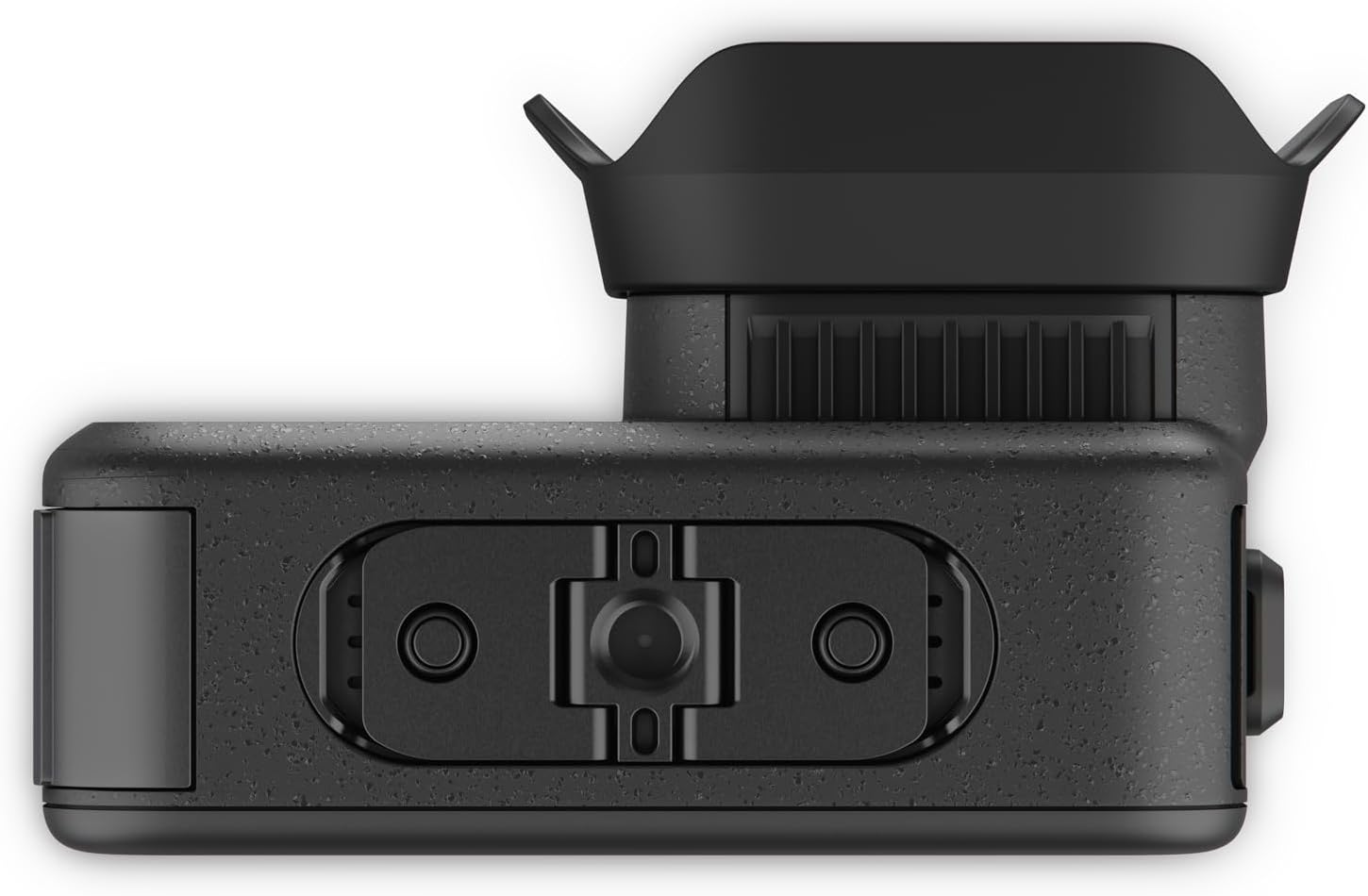
The Mission 1 Pro ILS is the most interesting and most flawed model in the lineup. Same sensor, same processor, same video specs as the Pro — but the fixed 14mm lens is replaced with a Micro Four Thirds mount. Body weight drops to 197g (plus whatever lens you mount).
The use case for podcasters is shallow depth-of-field. The native GoPro lens is wide and deep — fine for vlogs and B-roll, but it can’t deliver that creamy out-of-focus background you see on Joe Rogan’s Sony cinema cameras. With the ILS, you can mount a fast 25mm f/1.4 MFT prime and shoot interview footage that finally looks like cinema instead of a security camera.
The catches:
- No autofocus. The mount supports manual lenses only, with no AF support. GoPro says they’re exploring it for the future, but at launch, you nail focus by hand or you don’t nail it.
- Not waterproof. The interchangeable lens mount breaks the seal. Splash-resistant only with a weather-sealed lens; needs a housing for underwater work.
- Sensor/mount mismatch. The 1-inch sensor is smaller than the MFT image circle, so MFT lenses on this body have a roughly 2x crop relative to their MFT-native field of view. Plan focal lengths accordingly.
- Q3 2026 release. You can’t buy it yet at launch.
For a podcaster who already owns a small library of MFT primes (from a Panasonic GH or Olympus body), the ILS is a compelling B-camera. For everyone else, the fixed-lens Mission 1 Pro is more practical.
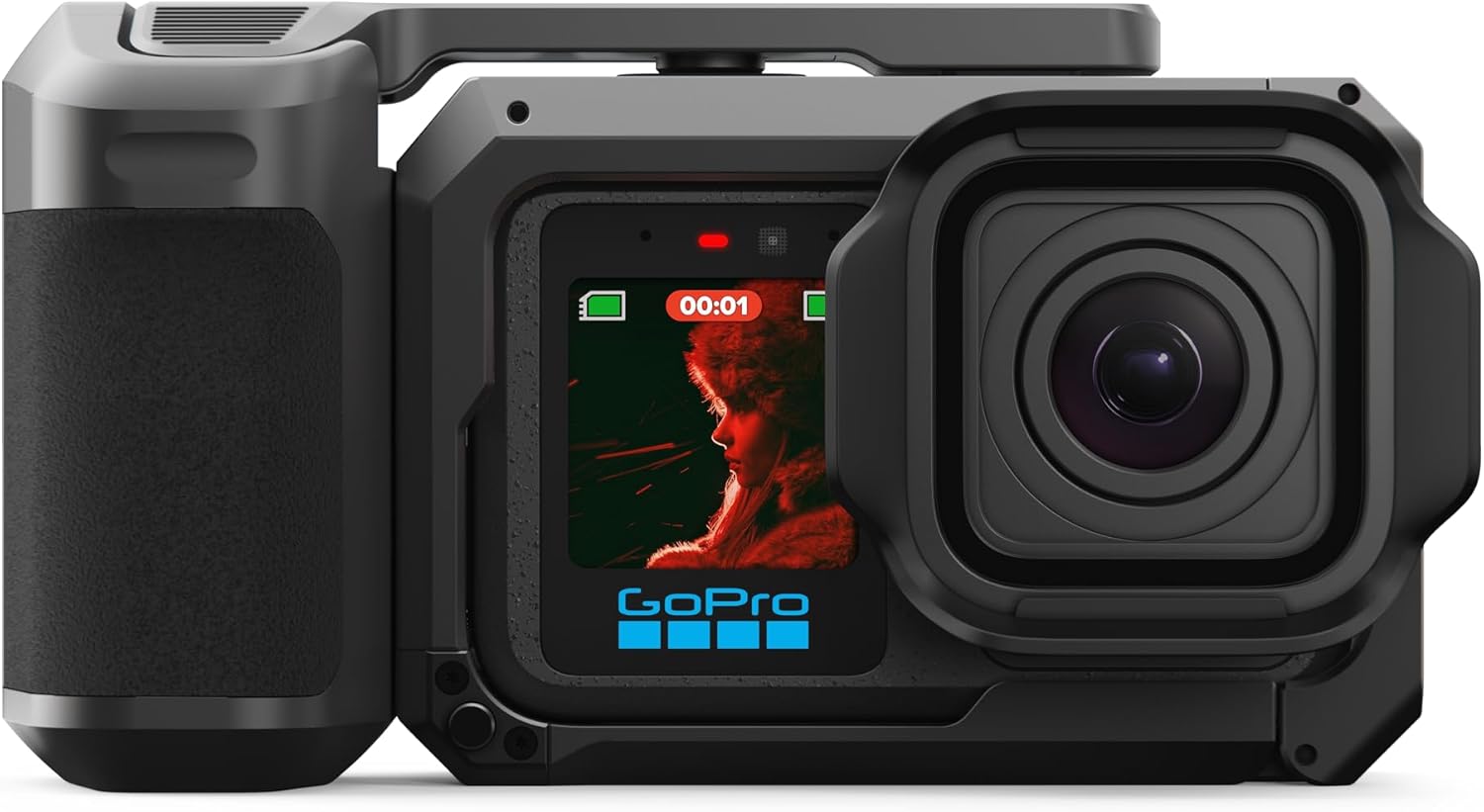
Mission 1 Pro Grip Edition: What You Get
The Grip Edition bundles the Mission 1 Pro with the new Point-and-Shoot Grip — a 2-in-1 ergonomic handle that turns the camera into something closer to a Sony ZV-1 form factor. The grip is fully mechanical (no electronics in the handle), so it doesn’t compromise the camera’s 66ft waterproof rating. For solo podcasters doing on-location interviews, walking-and-talking vlogs, or run-and-gun B-roll, the Grip Edition is the configuration that makes the Mission 1 Pro feel like a real handheld camera instead of a brick.
👉 Check the GoPro Mission 1 Pro Grip Edition on Amazon
How the Mission 1 Pro Fits a Podcast Workflow
As Your Main Video Podcast Camera
Mount the Mission 1 Pro on a tripod, point it at your interview chair, set it to 4K30 with GP-Log2, plug in headphones via the Media Mod for audio monitoring, and you’ve got a primary camera that costs $699 and produces footage indistinguishable from a $1,500 mirrorless setup at typical viewing sizes. If you’re sourcing a tripod, our best tripods for podcasters guide covers the options.
As a B-Roll and Cutaway Camera
This is where the GoPro DNA actually pays off. Want a wide overhead shot of your studio? Mount it. Want a low-angle shot of the mic and hands? Stick it on a small clamp. Want a guest reaction shot from across the room? Magnetic mount on a bookshelf. The Mission 1 Pro can go places a mirrorless camera physically can’t.
As an On-Location Recording Rig
For podcasters who interview people in the wild — at conferences, on hikes, in noisy bars — the combination of 32-bit float audio, the optional Wireless Mic Kit, and 66-foot waterproofing makes the Mission 1 Pro the closest thing to a one-body field-recording rig that exists. Pair with our portable podcast microphones guide for hybrid setups.
For Live Streaming
The Media Mod’s Micro HDMI output supports up to 4K60 to external monitors, recorders, and switchers — meaning you can plug the Mission 1 Pro into an Atomos recorder, a YoloBox, or directly into OBS via a capture card. If you’re going down the live route, our capture cards for podcasters guide walks through the integration. Or compare the major livestreaming platforms for podcasters to figure out where to send the feed.
Pros and Cons for Podcasters
Mission 1 Pro Pros
- 50MP 1-inch sensor delivers genuinely cinematic image quality in compact form
- 32-bit float audio across all four onboard mics — clipping is no longer your problem
- 10-bit GP-Log2 and 14 stops of dynamic range for serious color grading
- 8K Open Gate enables one-take horizontal + vertical deliverables
- Bluetooth 5.3 wireless mic support without proprietary receivers
- 5+ hour battery runtime at 1080p30, 3+ hours at 4K30
- Waterproof to 66ft with no housing
- Timecode sync for multi-camera shoots
- USB-C external mic support (no proprietary mic required)
- Smaller and lighter than any 8K cinema camera on the market
Mission 1 Pro Cons
- Fixed 14mm lens means no shallow depth-of-field on talking-head shots
- Pricing strategy can get expensive once you add Media Mod, Wireless Mic Kit, and accessories
- Smaller sensor than a Sony FX3 or Canon C70 — still not a true cinema camera
- microSD-only storage; cards rated for high bitrates required
- Pro-level audio features (32-bit float to external mic, etc.) require the Media Mod
- No native iPhone/Android tethered streaming workflow
- Heavier than a Hero 13 Black (208g vs 159g) — noticeable on chest mounts and gimbals
Frequently Asked Questions
Is the GoPro Mission 1 Pro good for podcasting?
Yes. The 50MP 1-inch sensor, 10-bit GP-Log2 color, four onboard microphones with 32-bit float audio, Bluetooth 5.3 wireless mic support, and 5+ hour battery life make it a legitimate primary or B-camera for video podcasts. It’s the first GoPro with a sensor large enough to compete with mirrorless cameras like the Sony ZV-E10 in dim studio lighting.
What’s the difference between the Mission 1 and Mission 1 Pro?
Same sensor, same processor, same audio, same waterproofing. The Mission 1 Pro adds 8K60 video, 4K240 slow motion, 1080p960 burst slow motion, and 8K30 Open Gate recording. The standard Mission 1 caps at 8K30 video, 4K120 slow motion, and 4K120 Open Gate. Mission 1 is $599; Mission 1 Pro is $699.
Does the Mission 1 Pro support 32-bit float audio?
Yes. All four built-in microphones on the Mission 1, Mission 1 Pro, and Mission 1 Pro ILS support 32-bit float recording. This format prevents clipping even at high signal levels by giving you enough headroom to recover loud peaks in post-production. Note: 32-bit float on external microphones requires the optional Media Mod.
How long does the Mission 1 Pro battery last?
The Enduro 2 battery delivers 5+ hours at 1080p30, 3+ hours at 4K30, 101 minutes at 4K120, 96 minutes of continuous 8K Open Gate, and 74 minutes of 8K60 with proper airflow. The new dual charger can fast-charge two batteries simultaneously, and Enduro 2 batteries are backward-compatible with the Hero 13 Black.
Can I use the Mission 1 Pro as a webcam for podcasts?
Yes, via the optional Media Mod’s Micro HDMI output (up to 4K60) feeding into a capture card connected to your computer. There’s also USB-C output for direct webcam-style use, though the cleanest live-streaming workflow goes through the HDMI-to-capture-card path with software like OBS or vMix.
Is the Mission 1 Pro Grip Edition worth the extra money?
For solo podcasters doing on-location vlogs, walk-and-talk interviews, or handheld B-roll, yes. The Point-and-Shoot Grip transforms the camera’s ergonomics into something closer to a compact handheld, and the grip is fully mechanical so it doesn’t compromise the 66ft waterproof rating. For studio-only podcasters, you don’t need it.
Does the Mission 1 Pro ILS have autofocus?
No. The Micro Four Thirds mount supports manual focus only, even with MFT lenses that have AF motors. GoPro has stated they’re exploring autofocus support for the future, but at launch, the ILS is a manual-focus camera. This is the single biggest practical limitation for podcasters considering the ILS as an interview camera.
Can I pair the GoPro Wireless Mic with the Mission 1 Pro over Bluetooth?
Yes. The Mission 1 Series uses Bluetooth 5.3 to pair directly with GoPro’s new Wireless Mic transmitters, eliminating the need for a separate receiver. Two transmitters are supported simultaneously for two-person interviews. Range is up to 150 meters, with 6.5 hours of runtime per mic and 24-bit/48kHz audio with dynamic noise reduction.
What microSD card do I need for the Mission 1 Pro?
For 8K and 4K240 recording at the maximum 240Mbps bitrate, you need a V60 or V90-rated microSD card. UHS-I U3 cards rated A2 will handle most 4K30 work. Storing high-bitrate 8K Open Gate footage will eat space fast — plan for high-capacity cards (256GB minimum) and a robust archive workflow. Our podcaster’s guide to RAID and NAS storage walks through long-term archiving.
When can I buy the Mission 1 Series?
The Mission 1, Mission 1 Pro, and Mission 1 Pro Grip Edition began preorders on May 21, 2026, with global on-shelf availability May 28, 2026. The Mission 1 Pro ILS, Creator Edition, and Ultimate Creator Edition are scheduled for Q3 2026.
Mission 1 Pro vs The Competition
For podcasters specifically, the Mission 1 Pro slots into a competitive landscape that already includes the DJI Osmo Action 6, Insta360 Ace Pro 2, and traditional mirrorless cameras like the Sony ZV-E10 II and Canon EOS R50.
Against the DJI and Insta360 action cams, GoPro wins on sensor size (1-inch vs. smaller types), audio capability (32-bit float, 4 mics, Bluetooth 5.3), and Open Gate flexibility for vertical content. The DJI and Insta360 are cheaper and lighter, which matters more for sports than studio work.
Against entry-level mirrorless cameras, the Mission 1 Pro wins on durability, waterproofing, audio integration, and form factor — but loses on autofocus performance, lens flexibility (until you buy the ILS), and the established native cinema-camera workflow. A $699 Sony ZV-E10 II body gets you better autofocus tracking but no waterproofing, no built-in 32-bit float, and a much bigger physical footprint.
For most video podcasters, the right answer is to pick the Mission 1 Pro or a mirrorless body, not both — and the deciding factor is whether you ever shoot outside, on location, or in conditions where a mirrorless camera would be at risk.
Setting Up Your Mission 1 Pro Studio
If you’re new to building a video podcast studio around a compact camera, the Mission 1 Pro doesn’t change the fundamentals. You still need:
- A real microphone for your voice. The onboard mics are good for B-roll and on-location work, but for studio podcasts you’ll want a dedicated mic. See our roundup of the best podcast microphones.
- Good lighting. Even a 1-inch sensor needs help. Our podcast lighting setups guide covers the basics.
- A monitor for color grading. If you’re shooting 10-bit GP-Log2, you’ll want to grade properly — see best monitors for color grading a podcast.
- Storage. 8K footage piles up fast. Our best NAS for video editing guide covers serious storage options. I personally use a Synology DS1522+ for my podcast workflow and it handles 8K footage without breaking a sweat.
- Editing software. Premiere Pro, DaVinci Resolve, and Final Cut Pro all handle GoPro’s HEVC files cleanly. See our roundup of the best podcast editing software for all levels.
Final Verdict
The GoPro Mission 1 Series is the first time a GoPro has belonged on a serious “best cameras for podcasting” list, and it lands on it strongly. The combination of a 50MP 1-inch sensor, 10-bit GP-Log2 color, 4-mic 32-bit float audio, Bluetooth 5.3, and 5+ hour battery runtime — at $599 to $699 — is genuinely class-leading.
For most video podcasters: buy the standard Mission 1 ($599). The image quality is identical to the Pro, and you’ll never miss the high frame rates.
For creators who actually use slow motion, fast B-roll, or adventure-podcast footage: buy the Mission 1 Pro ($699), ideally as the Grip Edition for handheld work.
For filmmakers who want shallow depth-of-field on interviews and already own MFT lenses: wait for the Mission 1 Pro ILS in Q3 2026, but understand that manual focus is a real workflow constraint.
Whatever you choose, it should be paired with a proper podcast microphone for studio work — the onboard mics are fantastic for what they are, but a Shure MV7 or Rode PodMic still wins for fixed-position interviews. The Mission 1 series is the camera; the mic is still the mic.
👉 Buy the GoPro Mission 1 Pro on Amazon | 👉 Buy the Mission 1 Pro Grip Edition on Amazon
Manual Action Items for WordPress paste:
- YouTube embed: Replace the [YOUTUBE EMBED PLACEHOLDER] near the top with a relevant hands-on or B-roll YouTube embed (DC Rainmaker, MKBHD, Newsshooter, or your own video).
- Featured image: Add a hero image of the Mission 1 Pro from GoPro’s press kit or your own.
- Meta title (60 chars max): “GoPro Mission 1 Pro Review for Podcasters (2026)”
- Meta description (155 chars max): “Full review of the GoPro Mission 1, Mission 1 Pro & Mission 1 Pro ILS for podcasters: 50MP 1-inch sensor, 8K, 32-bit float audio, $599–$699.”
- Schema markup: Add Article + FAQPage + Product schema via your SEO plugin (Rank Math / Yoast / SEOPress).
- Suggested URL slug:
/helpful-info/gopro-mission-1-pro/or/uncategorized/gopro-mission-1-pro/depending on your category strategy. - Internal-link audit: All 14 internal links in the article are verified against the current sitemap (best-cameras-for-podcasting, social-media-content, dji-mic-3-vs-dji-mic-2, best-tripods-for-podcasters, capture-cards, livestreaming-platforms, portable-mics, RAID/NAS guide, best-podcast-microphones, podcast-lighting-setups, color-grading monitors, best-nas-for-video-editing, synology-ds1522, best-podcast-editing-software).
- Affiliate links: Both Amazon links use your existing /3QIga4k (Grip Edition) and /48vfOUI (Mission 1 Pro) shortlinks. Consider adding a third for the standard Mission 1 once it’s live on Amazon.
- Pricing freshness: Re-verify $599 / $699 pricing once cameras ship May 28, 2026. Update if discounted at retail.
- Cannibalization check: No existing GoPro or Mission 1 content on the site — this page should rank cleanly without competing internally. The “best cameras for podcasting” hub will need to be updated to include this model.