
Matt
Best Podcast Recording Software (Audio, Video & Screen Recording)
Struggling to find the perfect podcast recording software for your needs? Whether you’re just starting out or looking for advanced tools, this guide simplifies the choices to help you create your best podcast yet. From audio and video recording to editing and screen capture, we’ve covered every scenario.
Podcast Recording Software: Quick Comparison
Click for great podcast recording software
Below is a quick overview of top podcast recording software, their best use cases, pros, and cons.
| Software | Best For | Pros | Cons | Pricing | Free Trial |
|---|---|---|---|---|---|
| Adobe Audition | Serious podcasters | Powerful features, templates, pro effects | Learning curve | $20.99/month | Yes |
| Audacity | Beginners, budget-minded | Free, versatile, Mac/PC compatible | Less intuitive, fewer features | Free | – |
| GarageBand | Mac users, beginners | Free, easy to use, mobile app | Mac only, limited features | Free | – |
| Podcastle | All-in-one solution | Built-in recording, editing, AI-powered tools, video podcasting | Limited compared to dedicated DAWs | Free (3 hours) | Yes |
| Podbean | Simplicity, hosting | Easy to use, integrated hosting, basic editing tools | Limited features | Starts at $9/month | Yes |
| Riverside.fm | Remote interviews | High-quality recordings, separate tracks, easy to use | Paid plans required for advanced features | Starts at $15/month | Yes |
| StreamYard | Live streaming and interviews | Easy setup, browser-based, high-quality video and audio | Limited editing features | Starts at $20/month | Yes |
| Zencastr | User-friendly remote recording | Cloud recording, good audio quality | Limited features compared to others | Free basic tier | Yes |
| OBS Studio | Flexibility and customization | Free, powerful, great for live streaming | Steep learning curve | Free | – |
Best Podcast Editing & Recording Software: Top Picks
Each podcast recording tool has its strengths. To find what works best for you, consider testing a few options. Below, we outline scenarios and recommend tools to match your needs.
The Solo Podcast
A solo show simplifies things, allowing you to record and edit within the same program.
- Top Recommendation: Podcastle. It’s simple to use, with built-in tools that streamline the process.
The Interview Podcast
If you’re planning to chat with guests, you’ll need software that facilitates remote recording.
- Top Options: Skype, Zencastr, and Zoom. For an all-in-one solution with hosting, look to Podbean.
Group Recording
For multi-host podcasts:
- Podbean App Group Recording Tool: Record remote sessions with up to eight participants. Each audio file is uploaded to the cloud for easy editing.
Live Stream Podcasts
- StreamYard: Ideal for live streaming with co-hosts or guests. It’s browser-based, requires no downloads, and offers high-quality video and audio recording.
- Podbean Live Stream: Offers live audio broadcasting, supports multiple co-hosts, and allows interaction through real-time chat and call-ins.
Best for Editing
- Top Picks: Podcastle, Adobe Audition, Audacity, GarageBand.
Top Podcast Recording Software for Video
| Software | Best For | Pros | Cons |
| OBS Studio | Live streaming, screen recording | Free, open-source, powerful features | Steep learning curve |
| Zoom | Remote interviews, group recordings | Easy to use, reliable quality | Limited editing features |
| Riverside.fm | High-quality remote recordings | Local recording, separate audio/video tracks | Paid plans required |
| StreamYard | Live streaming and interviews | Browser-based, intuitive interface, customizable branding | Limited editing features |
| SquadCast | Remote interviews with backups | Progressive uploads, excellent quality | Paid plans for advanced features |
| Snagit | Adding visuals or tutorials | Easy-to-use screen capture and editing | Not a full audio editor |
| Zencastr | Simple remote recording | Easy to use, decent post-production tools | Limited features |
Key Takeaways
- OBS Studio: Best for advanced users who want flexibility.
- Zoom: Great for beginners but consider upgrading for better quality.
- Riverside.fm: Ideal for professional remote podcasts.
- StreamYard: Perfect for live streaming with co-hosts or guests.
Troubleshooting: Why Screen Recordings Might Lack Sound
Click here for my favorite screen recording software with audio controls
If your screen recordings lack sound, here are some common issues and fixes:
- Audio Source Not Selected: Ensure the software is configured to capture the correct audio source (e.g., system sounds or microphone).
- System Audio Not Enabled: Check settings for system audio recording and enable it if needed.
- Microphone Not Working: Verify that your microphone is connected and set as the default input device.
- Audio Driver Issues: Update your audio drivers to prevent compatibility problems.
- Software Limitations: Refer to the software’s documentation to check for any audio capture restrictions.
Final Recommendations
The best podcast recording software depends on your goals and budget:
- Beginners: Start with free tools like Audacity or GarageBand.
- Intermediate Users: Try Podcastle or Podbean for all-in-one solutions.
- Professionals: Invest in Adobe Audition or Riverside.fm for top-tier quality.
Don’t let software hold you back—your perfect podcast starts with the right tools. Click here to download our free podcast setup checklist!
This comprehensive guide is here to help choose the best podcast recording software. We’ll cut through the jargon and match you with the perfect tools for your specific needs, whether you’re a beginner on a budget or a seasoned pro looking for advanced features.
Podcast Recording Software
Here are some of the contenders. We break down the different software with who they’re best for, pros, and cons.
| Software | Best For | Pros | Cons |
|---|---|---|---|
| Adobe Audition | Serious podcasters | Powerful features, templates, pro effects | Learning curve |
| Audacity | Beginners, budget-minded | Free, versatile, Mac/PC compatible | Less intuitive, fewer features |
| GarageBand | Mac users, beginners | Free, easy to use, mobile app | Mac only, limited features |
| Hindenburg Journalist | Narrative/storytelling podcasters | Intuitive interface, specialized tools for audio storytelling | Fewer features than Audition |
| Podcastle | Podcasters who want an all-in-one solution | Built-in recording, editing, AI-powered tools, video podcasting | Limited compared to dedicated DAWs |
| Podbean | Beginners, podcasters who want simplicity | Easy to use, integrated hosting, basic editing tools | Limited features compared to dedicated DAWs |
| Buzzsprout | Beginners, podcasters who want simplicity | Easy to use, affordable hosting, basic stats | Limited editing features |
| Acast | Podcasters focused on growth | Large network, monetization features, distribution | Fewer features than other options |
Best Podcast Editing & Recording Software: Our Top Picks
Each software has it’s pros and cons, but whatever software you choose it needs to be the one YOU like the most. That’s why I always encourage podcasters to try different software out (try the free stuff first obviously) and then figure out what works in your workflow best. With that said, here are some scenarios and how I would approach them.
- The Solo Podcast: A solo show simplifies things, allowing you to record and edit within the same program. Our top recommendation for this is Podcastle as it is very simple to use, and it has built in tools that make the process very easy.
- The Interview Podcast, Q&A shows, on-the-go podcasts: If you’re planning to chat with guests, you’ll need software that facilitates remote recording. Popular options include Skype, Zencastr, and Zoom (which also offers video recording). But for a comprehensive solution that’s built in — Look to Podbean
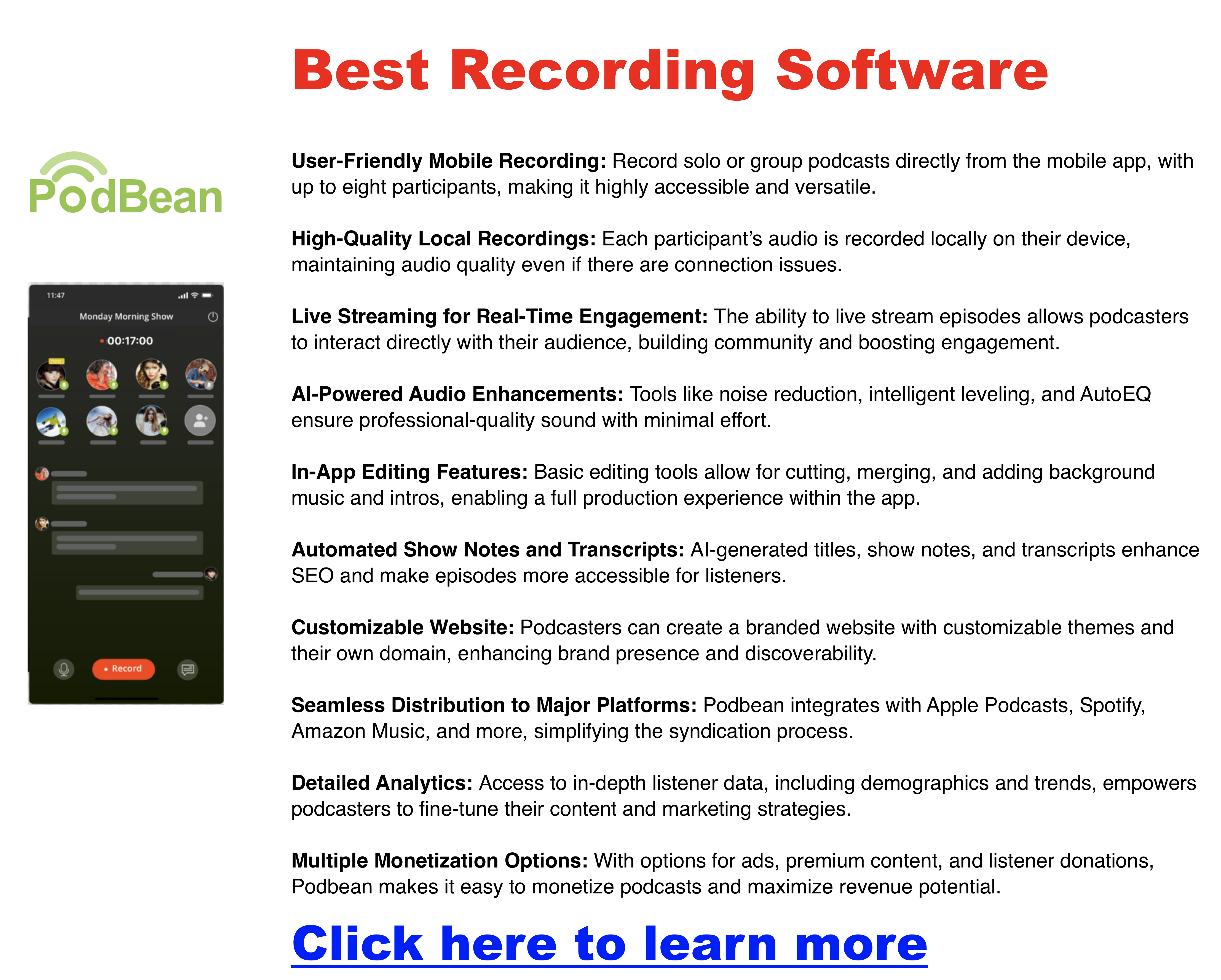
- Group Recording on the Podbean App: The Podbean mobile app features a Group Recording tool that lets users host remote podcast sessions with up to eight co-hosts or guests. Each participant’s audio is recorded directly on their device, maintaining top-notch sound quality without relying on internet stability. Once the recording wraps up, individual audio files are automatically uploaded to the cloud, making editing and combining them easy.
- Podbean Live Stream: Podbean’s Live Stream platform offers live audio broadcasting that supports multiple co-hosts and guests. Users can create private live sessions with exclusive access links, perfect for recordings intended for select audiences. The platform includes real-time interaction tools like a chat feature and call-in options, and recordings can be saved and turned into podcast episodes right after the session.
- Free Audio Recording App by Podbean: Podbean’s free audio recording app streamlines the podcast creation process, from recording and editing to publishing. It supports inviting remote guests, recording high-quality audio, and securely backing up files to the cloud. The app also comes with built-in editing functions, music tracks, and seamless integration with popular podcast directories for easy distribution.
- For editing, consider Podcastle, Adobe Audition, Audacity, or GarageBand.
Top Podcast Recording Software
- Adobe Audition: This powerhouse is our top recommendation for serious podcasters. It boasts professional-grade features, customizable templates, and a vast array of effects. While it has a learning curve and requires a paid subscription, its flexibility and power make it worth the investment.
- Audacity: This free, open-source software is a favorite among beginners and budget-conscious podcasters. It’s versatile and runs on both Mac and PC. While its interface might not be as intuitive as some paid options, it’s a solid choice for getting started.
- GarageBand: This free software comes pre-installed on Macs and is perfect for beginners. It’s easy to use, offers decent editing features, and even has a mobile app for recording on the go. However, it’s limited compared to pro-level software and is only available on Apple devices.
- Podbean: This user-friendly podcast hosting platform also offers built-in recording, editing, and analytics tools.
- Podcastle: Sometimes referred to as Podcasle, this platform allows you to record both audio and video podcasts directly from your browser or mobile app. It’s technically a free podcast recording software platform, but it is limited to 3 hours on the free tier.
Other Notable Podcast Software Options
- SquadCast: Excellent for remote interviews with high-quality audio and video recording.
- Hindenburg Journalist: A professional-grade audio editor with a focus on storytelling and narrative podcasts.
- Auphonic: An AI-powered audio post-production tool that can help you clean up and enhance your recordings.
- Reaper: A powerful and customizable digital audio workstation that can be used for podcasting but has a steeper learning curve.
- Logic Pro: Primarily a music production software, but it can also be used for podcasting if you need advanced audio editing capabilities.
- Podbean: This user-friendly podcast hosting platform also offers built-in recording, editing, and analytics tools.
- Buzzsprout, Acast, Libsyn, Spreaker, Spotify: These popular podcast hosting platforms offer varying degrees of recording and editing capabilities.
Best Mobile Podcast Recording Apps
- Podbean Recorder: Easy to use and ideal for beginners who want to record on the go.
- Podcastle: Record both audio and video podcasts on your mobile device.
- GarageBand (mobile): Ideal for Mac users who want to record on the go.
- Voice Memo App (iOS): A simple built-in option for quick recordings.
- Spreaker Studio: A feature-rich app for recording and editing on your phone.
- Ringr: Offers high-quality audio recording for interviews and conversations.
Best Podcast Software for Video
| Software | Best For | Pros | Cons |
|---|---|---|---|
| OBS Studio | Podcasters who want flexibility and customization | Free, open-source, powerful features for recording and live streaming, screen capture | Steep learning curve, not designed specifically for podcasting |
| Zoom | Remote interviews and group recordings | Easy to use, reliable video and audio quality, cloud recording | Limited editing features, potential for audio/video issues with poor internet connection |
| Snagit | Podcasters who want to incorporate screen recordings or visuals | Easy-to-use screen capture, editing tools, good for creating tutorials | Not a full-featured audio editor, primarily focused on visuals |
| Riverside.fm | High-quality remote recordings | Local recording for better quality, separate audio and video tracks, easy to use | Paid plans for advanced features |
| SquadCast | Reliable remote recordings with backup | Cloud recording with backup, progressive uploads, good for interviews | Paid plans for advanced features |
| Zencastr | User-friendly remote recordings | Easy to use, good audio quality, post-production tools | Limited features compared to other options |
- OBS Studio: While powerful, it’s geared more towards live streaming and video production. It requires some technical know-how but is a free and versatile option.
- Zoom: It’s great for remote interviews due to its ease of use, but for high-quality podcasting, you might want to explore dedicated recording solutions.
- Snagit: Primarily a screen capture tool, it’s best used for adding visual elements or tutorials to your podcast, rather than as your primary recording software.
- Riverside.fm, SquadCast, Zencastr: These are dedicated podcast recording platforms designed for remote interviews. They offer features like separate tracks, cloud backup, and easy-to-use interfaces. Full functionality might require paid subscriptions.
Why Screen Recording Doesn’t Have Sound
Screen recordings might lack sound due to a few reasons:
-
Audio Source Not Selected: The software might not be configured to capture audio from the correct source (e.g., system sounds, microphone, or both). Double-check the settings to ensure the desired audio source is enabled and selected for recording.
-
System Audio Not Enabled: Some screen recording software requires you to specifically enable system audio recording to capture sounds playing on your computer. Look for this option in the software’s settings and make sure it’s turned on.
-
Microphone Not Working: If you’re trying to record your voice alongside the screen recording, ensure your microphone is connected, enabled, and set as the default input device in your system settings.
-
Audio Driver Issues: Outdated or incompatible audio drivers can sometimes interfere with screen recording. Check for driver updates and install them if necessary.
-
Software Limitations: The software you’re using might have limitations regarding audio recording capabilities or compatibility with specific audio formats. Refer to the software’s documentation or support resources for troubleshooting.
Podcast vs YouTube
It’s the modern-day creator’s dilemma: should you speak or should you be seen? Do you invest in a microphone or a camera? Which platform will reach more people? Where’s the real money?
Here’s the truth: you don’t have to choose. The savviest creators today use both podcasts and YouTube to build an audience, deepen relationships, and maximize monetization.
This guide explores the pros and cons of each, shows you how to decide where to start, and reveals how to combine both into a powerhouse content strategy.
🎙️ Podcasting
Podcasts are audio-first shows that create a sense of intimacy. Listeners tune in while driving, working out, or doing chores, making podcasts a staple for busy, multitasking audiences.
Pros of Podcasting
-
Intimate & Loyal: Voice builds trust, fostering long-term community.
-
Convenient: Listeners consume while multitasking.
-
Niche Strength: Great for specialized topics and deep dives.
-
Monetization Paths: Sponsorships, ads, subscriptions, premium episodes.
Cons of Podcasting
-
Slower Growth: Takes consistency and time.
-
Discoverability Gaps: Less searchable than video.
-
Editing Needs: Basic audio production skills required.
Best For: Storytellers, interviewers, educators, and niche experts.
📹 YouTube
YouTube is the king of video and the second-largest search engine in the world. It’s where people discover tutorials, reviews, entertainment, and personalities.
Pros of YouTube
-
Massive Reach: Billions of active users.
-
SEO Friendly: Ranks in both YouTube and Google search.
-
Visual Engagement: Perfect for demos, vlogs, or tutorials.
-
Multiple Revenue Streams: Ads, sponsorships, memberships, merch, SuperChats.
Cons of YouTube
-
Production Heavy: Cameras, lighting, and editing can be resource-intensive.
-
Fierce Competition: Standing out requires strategy.
-
Time-Consuming: Filming and editing take effort.
Best For: Tutorials, reviews, entertainment, visual storytelling, and personality-driven content.
⚖️ Quick Comparison
| Feature | Podcasting 🎙️ | YouTube 📹 |
|---|---|---|
| Format | Audio-only | Video-first |
| Audience Size | Smaller, niche | Massive, global |
| Engagement | Deep, loyal | Broad, fast |
| Production | Easier, cheaper | More complex |
| Discoverability | Lower | Higher (SEO boost) |
| Monetization | Ads, sponsors, subs | Ads, sponsors, merch, fan funding |
🎧 Podcasting on YouTube: The New Hybrid
Here’s the twist: you can do your podcasting on YouTube. In fact, YouTube now supports podcast playlists and surfaces shows inside YouTube Music, expanding your reach beyond video.
Benefits of podcasting on YouTube:
-
Built-in discoverability via search and recommendations.
-
Ability to add video (even simple webcam footage) for more engagement.
-
Monetization through YouTube’s Partner Program once you qualify.
-
Distribution in YouTube Music for audio-focused listeners.
But the trade-offs:
-
You’ll miss Apple Podcasts, Spotify, and other dedicated apps if you’re YouTube-only.
-
Podcast purists often prefer RSS-based apps and background listening.
-
Analytics are video-first, so you’ll lose some traditional podcasting metrics.
👉 The sweet spot? Host your podcast traditionally (Buzzsprout, Podbean, etc.) for RSS distribution and upload episodes (or clips) to YouTube for growth.
🔄 How to Conquer Both Worlds
The most successful creators don’t choose between podcasting and YouTube—they combine them.
-
Repurpose Content: Record once, distribute twice. Film your podcast session → upload to YouTube → strip audio for podcast apps.
-
Cross-Promote: Mention your podcast on YouTube and vice versa. Use links in descriptions and show notes.
-
Clip Strategy: Post short highlights or clips on YouTube Shorts to capture new viewers.
-
Community Building: Use YouTube comments & live chats + podcast Q&As for a full engagement loop.
-
Monetization Mix: Blend podcast sponsorships with YouTube ads, memberships, and affiliate links.
📝 Blogging: Your Content Home Base
While YouTube and podcasts are distribution channels, your blog is owned real estate—a place you control.
-
SEO Boost: Blog posts rank in search, pulling in new listeners/viewers.
-
Repurpose Easily: Publish transcripts, detailed guides, or companion posts.
-
Monetize Directly: Affiliate links, digital products, courses, memberships.
-
Email Growth: Capture subscribers to promote both your podcast and YouTube.
❓ Common Questions About Podcasting on YouTube
Do I need video to publish my podcast on YouTube?
No. You can use static images or waveforms. Video helps engagement, but it’s optional.
Will I miss listeners if I only use YouTube?
Yes. Many dedicated podcast fans use Apple, Spotify, or other apps exclusively.
Can I monetize my podcast on YouTube?
Yes—ads, sponsorships, memberships, merch, and live streaming features.
Should I upload full episodes or just clips?
Do both. Full episodes build loyalty; clips drive discoverability.
Is YouTube replacing podcast apps?
Not yet. YouTube is leaning into podcasts, but Apple Podcasts and Spotify remain dominant.
🚀 Conclusion: Your Content, Your Way
The old “podcast vs YouTube” debate is outdated. The real opportunity is in combining them:
-
Start with your strengths (audio or video).
-
Repurpose across platforms for maximum reach.
-
Use your blog as the anchor to tie it all together.
Your voice deserves to be heard—and seen. Don’t limit yourself. Embrace both, experiment, and create the content ecosystem that works for you.
Blog vs Podcast
Are you torn between starting a blog or a podcast? You’re not alone! Many aspiring content creators grapple with this decision, wondering which format will best connect with their audience and achieve their goals. But what if we told you that you don’t have to choose?
In fact, combining both blogs and podcasts can be a game-changing strategy for reaching a wider audience, boosting your online presence, and maximizing your impact. This post will dive into the strengths and weaknesses of each format, help you decide which one aligns best with your unique style, and reveal how to leverage both to create a content empire that leaves your competitors in the dust.
Blog vs Podcast Breakdown
Blogging
Blogs are the digital equivalent of your favorite magazine – a collection of written articles, stories, and guides, often accompanied by eye-catching images or videos. They’re incredibly versatile, allowing you to explore any topic you can dream up.
Pros:
- Easy to Get Started: All you need is a computer and a basic understanding of writing to launch your blog.
- Flexible Formats: From in-depth articles to quick listicles, blogs can adapt to any content style.
- SEO Powerhouse: Blogs are a search engine’s best friend, making it easier for people to discover your content organically.
- Evergreen Content: A well-written blog post can continue to attract readers for years to come.
Cons:
- Writing Skills Required: If you’re not a natural writer, blogging can be a challenge.
- High Competition: The blogosphere is crowded, so standing out takes time and effort.
- Slow Build: Building a loyal readership takes patience and consistent effort.
Ideal For:
If you’re passionate about sharing in-depth information, establishing yourself as an expert in your field, and attracting organic traffic through search engines, then blogging might be your perfect match.
Podcasting
Podcasts are the modern-day radio shows, delivered straight to your listeners’ ears. They offer a unique opportunity to connect with your audience through the power of your voice.
Pros:
- Personal Connection: The intimacy of audio creates a strong bond between you and your listeners.
- Convenient Consumption: Podcasts can be enjoyed while commuting, exercising, or doing chores, making them a popular choice for busy people.
- Growing Audience: Podcast listenership continues to rise, opening up a vast potential audience for your content.
- Monetization Potential: Sponsorships, ads, and premium content can turn your podcast into a profitable venture.
Cons:
- Technical Setup: You’ll need microphones, editing software, and a hosting platform to get started.
- Audio Editing Skills: Producing high-quality audio requires learning new skills or outsourcing.
- Less Immediate SEO Impact: Unlike blogs, podcasts don’t directly impact your search engine rankings.
Ideal For:
If you’re a natural storyteller, enjoy interviewing others, or have a knack for explaining complex topics in an engaging way, podcasting could be your calling.
Which is Right for YOU?
To determine the best fit for you, consider these questions:
- What are your goals? Are you looking to build authority, entertain, educate, or drive sales?
- What are your strengths? Are you a better writer or speaker?
- What format do you enjoy consuming? Do you prefer reading articles or listening to audio content?
- Who is your target audience? What are their preferences and habits?
To make it even easier, here’s a quick comparison table:
| Feature | Blog | Podcast |
|---|---|---|
| Format | Text & Images | Audio |
| SEO Impact | High | Low |
| Audience | Readers | Listeners |
| Creation Time | Moderate | High |
| Skills | Writing, SEO | Audio Editing |
Remember, there’s no right or wrong answer. The best choice for you depends entirely on your individual goals and preferences.
The Ultimate Combo: Blog + Podcast = Content Domination
Why settle for one when you can have both? By combining blogs and podcasts, you can create a content powerhouse that reaches a wider audience and maximizes your impact. Here’s how:
- Content Repurposing: Turn each podcast episode into multiple blog posts. Summarize key points, transcribe interviews, expand on specific topics, or create related listicles and how-to guides.
- SEO Boost: Optimize your blog posts for relevant keywords to attract organic traffic and drive listeners to your podcast.
- Audience Engagement: Offer both audio and written content to cater to different learning styles and preferences.
- Monetization: Explore various revenue streams, such as advertising, sponsorships, affiliate marketing, and premium content, for both your blog and podcast.
Case Studies: Real-World Examples
Countless creators have successfully combined blogs and podcasts to grow their brands and businesses. For example, [Mention a few relevant examples of successful bloggers/podcasters].
Conclusion: Your Content, Your Way
Whether you choose to focus on one format or embrace the power of both, remember that the most important thing is to create high-quality content that resonates with your audience. Experiment, have fun, and find the perfect balance that works for you. After all, your content is your voice, and the world is waiting to hear it.
How To Monetize a Podcast With Acast
Podcasting isn’t just about sharing your passion or expertise – it’s also a viable way to make money. And with Acast, a leading podcast hosting platform, monetizing your show is easier than ever. Whether you’re a seasoned podcaster or just starting, Acast offers a variety of tools and features to help you turn your audio creations into a profitable venture. Let’s dive into how you can make money on Acast and explore the strategies to set you up for success.
Acast Marketplace Monetization
The Acast Marketplace is your gateway to connecting with brands and advertisers eager to reach your audience. This platform streamlines the sponsorship process, allowing you to find potential partners and negotiate deals effortlessly. Acast’s dynamic ad insertion technology ensures seamless integration of ads into your episodes, even across your back catalog.
Key tips for maximizing your earnings in the marketplace:
- Optimize your profile: Craft a compelling pitch highlighting your show’s unique value proposition and audience demographics.
- Set competitive rates: Research industry standards and determine fair pricing for your ad slots.
- Be selective: Choose sponsors that align with your brand and values to maintain authenticity and resonate with your listeners.
Comparing Acast Against Podbean & Buzzsprout
| Feature | Acast | Buzzsprout | Podbean | Podcastle |
|---|---|---|---|---|
| Advertising Marketplace | ✅ (Robust marketplace with dynamic ad insertion) | ✅ (Simple program with automatic insertion) | ✅ (Marketplace with programmatic advertising) | ❌ |
| Dynamic Ad Insertion | ✅ (Insert ads into back catalog) | ✅ (Automatic insertion) | ✅ (Available with programmatic advertising) | ❌ |
| Premium Content/Subscription | ✅ (Acast+ with multiple tiers) | ❌ | ✅ (Podbean Patron with fan subscriptions) | ❌ |
| Listener Support/Donations | ✅ (Recurring payments or one-time donations) | ❌ | ✅ (Monthly subscriptions and one-time donations) | ❌ |
| Affiliate Marketing | ✅ (Integrations with major platforms) | ✅ (Built-in marketplace) | ✅ (Partnerships with various brands) | ❌ |
| Live Shows/Events | ✅ (Ticketing and promotion tools) | ❌ | ❌ | ❌ |
Key Takeaways:
- Acast: Offers the most comprehensive suite of monetization features, including a robust advertising marketplace, premium content options, listener support, affiliate marketing, and live show capabilities.
- Buzzsprout: This straightforward advertising program offers automatic ad insertion and a built-in affiliate marketplace. However, it lacks premium content and listener support options.
- Podbean: Offers a similar range of monetization features to Acast, including advertising, premium content (Podbean Patron), listener support, and affiliate marketing. However, it doesn’t have dynamic ad insertion or live show capabilities.
- Podcastle: Primarily focuses on podcast creation and editing tools with no built-in monetization features.

Choosing the Right Platform:
The best platform for you will depend on your specific needs and goals:
- Acast: Ideal for podcasters seeking a wide range of monetization options and a robust advertising marketplace.
- Buzzsprout: A good choice for beginners or podcasters primarily interested in advertising revenue and affiliate marketing.
- Podbean: Offers a balance of features similar to Acast, making it a good alternative if you prefer their interface or pricing model.
- Podcastle: Best suited for podcasters focused on production quality and not yet ready to monetize their show.
Ultimately, it’s essential to research each platform thoroughly, compare their features and pricing, and consider your priorities before deciding. Thankfully you can always switch platforms later if your needs change, and most platforms like Podbean offer a free trial period.
Acast Pricing

Acast Podcast Hosting Plans
1. Starter (Free)
- Unlimited hosting and downloads
- Distribution to podcast apps and directories
- Listener support features
- Podcast website and custom web player
- Advanced analytics
2. Influencer
- $14.99/month (billed annually) or $25/month
- Includes all Starter features
- Monetization through ads and sponsorships
- Automated integrations
- Headliner audio-to-video tool
- Customizable podcast website
3. Ace
- $29.99/month (billed annually) or $40/month
- Includes all Influencer features
- Team and network management tools
- Transcriptions
- Advanced support
Additional Information
- All plans include unlimited hosting and uploads.
- The Influencer and Ace plans offer a 14-day free trial.
- Monetization options include dynamic ad insertion with CPM rates:
- Pre-recorded ads: $15–$30
- Host-read sponsorships: $25–$40

Unlock Premium Content with Acast+
Acast+ empowers you to create exclusive content for your most dedicated fans. By offering premium subscriptions, you can provide:
- Ad-free listening.
- Bonus episodes.
- Early access to content.
- Even behind-the-scenes peeks.
This is a fantastic way to cultivate a loyal community and generate recurring revenue.
Strategies for successful Acast+ implementation:
- Offer enticing perks: Ensure your premium content delivers significant value to justify the subscription cost.
- Set tiered pricing: Consider offering various subscription levels with different benefits to cater to different budgets.
- Promote your Acast+ offerings: Highlight the exclusive perks and benefits across your podcast and social media channels.
Build a Loyal Community with Listener Support
Listener support is a direct way to monetize your podcast by allowing your audience to contribute financially. With Acast, you can enable recurring payments or one-time donations, giving listeners the flexibility to support your show in a way that suits them best.
Tips for fostering listener support:
- Create a strong community: Engage with your audience through social media, live Q&As or exclusive communities.
- Express gratitude: Regularly thank your supporters and acknowledge their contributions.
- Offer exclusive perks: Provide special benefits like bonus content, personalized shoutouts, and early episode access.
Harness the Potential of Affiliate Marketing
Affiliate marketing allows you to earn sales commissions by promoting products and/or services relevant to your audience. You can generate income while sharing valuable recommendations by incorporating affiliate links into your podcast episodes, website, or social media posts.
Best practices for affiliate marketing:
- Choose relevant products: Promote relevent products or services that align with your brand and benefit your audience.
- Disclose your affiliations: Be transparent with your listeners about your affiliate relationships.
- Create compelling calls to action: Encourage your audience to click on your links and purchase.
Engage Your Audience with Live Shows and Events
Taking your podcast to the stage can be a lucrative way to monetize your show and deepen your connection with listeners. Acast makes organizing and promoting live shows or events easy, whether virtual or in-person.
Strategies for successful live events:
- Choose a relevant theme: Plan events that align with your podcast’s niche and interests.
- Offer unique experiences: Provide exclusive content, Q&A sessions, or meet-and-greets to make your events memorable.
- Promote effectively: Leverage your podcast, social media, and email list to spread the word about your events.
Conclusion
Monetizing your podcast on Acast opens up a world of possibilities. However you should always diversify your income streams and build a sustainable business around your passion by exploring different strategies like the marketplace, Acast+, listener support, affiliate marketing, and live events.
Remember, building a successful podcast takes time, effort, and dedication. But with Acast’s comprehensive suite of monetization tools, you have everything you need to turn your show into a profitable venture. So, start exploring these options today and unleash your podcast’s full potential.
How To Grow a Podcast Audience
Growing a podcast audience takes several things, but the best advice I can give is to be consistent in your output. Nothing is more difficult than trying to grow anything without putting the work in! With that said, having a good strategy is going to make up the difference.
The strategy comes down to the TYPE of podcast audience you’re after. Is your podcast about cars, books, a particular industry, or just friends hanging out? Each one of these will take a different strategy, but you can start formulating it based on the show you’re making. Part of that equation is if your episodes will be listless conversations, or if you’re trying to convey a specific message.
How to Promote a Podcast Organically
For instance, Joe Rogan’s podcast is the largest podcast on the internet today, and it is focused on him talking to interesting people. The draw is largely on his name because he used to be on TV, he’s a standup comic, and he’s heavily involved in the UFC. People tune in to hear what Joe has to say, and what his guests have to say.
But if you don’t already have a following and you’re starting from the ground floor — how are you supposed to grow your podcast?
People Are Looking For Things And You Need To Show Up
It’s a basic concept, but it needs to be said. There are billions of searches done every day. Google says they process about 99,000 searches PER SECOND. Safe to say there are a lot of people out there looking things up.
If you want to grow your podcast, you need to somehow show up in the search results….so that you’re found.
Sure you can pay for ads, spend money in all kinds of ways, but the bottom line is if nobody sees the show in their app, you’re not going to get an audience!
So what can be done?
Find Where The Traffic Is
A great way to find traffic is to jump on YouTube and look something up — and then pay close attention to the amount of views it’s got and look at how old the video is. This is also the case on Instagram, Twitter, SoundCloud, Spotify, LinkedIn, Facebook and other social media platforms.
For instance, look up HOW TO videos and you’ll probably be shocked to see they’ve got 10,20,50, or sometimes a MILLION views.
That is because people are looking up those exact things, and somebody was wise enough to make a piece of content to match the search query!
It’s also why they go straight to the top of Google & YouTube!

This video got 59 MILLION views over the last 11 years. And it is still in the top spot on YouTube for “How to tie a tie”.
Making This Work For a Podcast
To make this work for a podcast, you need to figure out the right balance between the episode’s subject matter and making the title intrigue enough that somebody wants to hear what has to be said. It’s not easy!
If your episode involves an interview with someone and they’re talking about their experience working in New York City as the First Uber driver to sign up, you might want to title the episode something like “Ride Revolution: The Story of NYC’s Uber Pioneer” or “How One Driver Changed NYC Forever – The First Uber Ride Exposed!”.
The point is you’re trying to pepper the title with NYC & Uber — because that is what people are searching for. But if you can target the audience of would be Uber drivers, people INTERESTED in driving for Uber — that is how you can get your show found.
I hope that makes sense. But this is the basics of Search Engine Optimization, and the science of looking at data, understanding what people are looking for, and then making content to match that need. It is one of the most powerful ways to grow a podcast audience!
Let’s talk a little more about other ways to grow a podcast…
Harnessing the Power of SEO:
- Optimize a Podcast Website: Get a website for the podcast and make sure it’s well-structured and easy to navigate, with individual pages for each episode, clear show notes, and embedded players.
- Target Relevant Keywords: Research keywords your potential listeners use to search for podcasts like yours. Incorporate these keywords into the episode titles, descriptions, and show notes.
- Submit to Podcast Directories: Ensure your podcast is listed on major podcast directories like Apple, Spotify, and Google.
- Build Backlinks: Contact relevant websites and blogs to ask for backlinks to your podcast website. A great way to do this is to join a forum in your niche, or start one yourself, and then point people to the show.
Leverage Social Media:
- Share Engaging Clips: Create short, attention-grabbing clips from your episodes and share them on social media platforms like Instagram, Twitter, and Facebook.
- Offer Exclusive Content: Give your social media followers access to behind-the-scenes footage, bloopers, or bonus content.
- Interact with Your Audience: Respond to comments and messages and converse with your listeners on social media.
- Collaborate with Others: Partner with other podcasters, influencers, or brands to cross-promote each other’s content.
Building a Thriving Community:
- Create a Dedicated Space: Establish a Facebook group or Discord server where listeners can connect, discuss episodes, and share their thoughts.
- Host Live Events: Organize virtual or in-person meetups to foster a sense of community and connect with your audience directly.
- Encourage User-Generated Content: Ask listeners to share their experiences with your podcast, submit questions, or create fan art.
Utilizing Email Marketing:
- Build an Email List: Offer incentives like bonus content, show notes, behind the scenes, or early access to episodes to encourage listeners to sign up for your email list.
- Send Regular Newsletters: Keep subscribers informed about new episodes, upcoming guests, and other podcast-related news.
- Personalize Your Emails: Tailor your emails to specific audience segments based on their interests or engagement levels.
Exploring Paid Advertising:
- Social Media Ads: Run targeted ads on platforms like Facebook, Instagram, and Twitter to reach a specific audience.
- Podcast-Specific Ads: Explore advertising opportunities on podcast networks or specific shows that align with your niche.
- Google Ads: Use Google Ads to display your podcast in relevant search results or on websites your target audience frequents.
Guest Appearances and Collaborations:
- Reach New Audiences: Appear as a guest on other podcasts in your niche to introduce yourself to new listeners.
- Share Your Expertise: Offer valuable insights and knowledge during your guest appearances to establish yourself as an authority.
- Cross-Promote: Promote your podcast during guest appearances and encourage the host to reciprocate.
Repurposing Your Content:
- Create Blog Posts: Turn your episodes into blog posts or articles, summarizing key points and incorporating relevant keywords for SEO.
- Produce Video Clips: Repurpose your audio content into short, engaging videos for platforms like YouTube and TikTok.
- Design Infographics: Summarize complex topics or data from your episodes in visually appealing infographics.
Engaging with Podcast Communities:
- Join Online Forums: Participate in discussions on platforms like Reddit’s r/podcasting to connect with other podcasters and learn from their experiences.
- Attend Industry Events: Participate in podcasting conferences and meetups to network with other creators and potential collaborators.
Want More Details On Growing an Audience?
The info on this page barely scratches the surface of growing a podcast audience because while there are a lot of moving parts, there is an overarching strategy that needs to be realized. And while this page might shed some light on the topic, I strongly advise taking a look here at a personal story on the topic. Because once you see this, you can’t unsee it! And once you realize you can grow, and in turn, make podcasting work for you — then the sky is the limit and you can be off to the races. And it’s my goal to help you get there with whatever information I can provide.
If any of this sounds good, please click here to learn more.
How to increase volume for podcast audio file
Is your podcast getting lost in the audio wilderness due to low volume? Fear not, as achieving the perfect loudness level for your podcast is entirely within your grasp. This post walks through the ins and outs of podcast loudness, equipping you with the knowledge and tools to make your audio sound professional, engaging, and easy on the ears.
How to Fix Podcast Audio Fast
If you’re trying to fix the audio fast, this is by far the easiest solution I’ve found. It’s called Podcastle, and they have a paid feature ($14 for a month is a good deal in my book) called Magic Dust AI which analyzes the audio and fixes it beautifully. Honestly, I’ve been using it for my videos now and it makes everything sound much more professional and good. Take a listen to a sample clip below, and I’ll share a link in a moment…
Bad Original Audio
Fixed Audio
Click here to try it for yourself
Understanding Podcast Loudness
Loudness is not merely about cranking up the volume; it’s about achieving a consistent and balanced level throughout your podcast. This ensures your listeners can enjoy your content without straining to hear it or being blasted by sudden loud bursts.
Why Loudness Matters
- Listener Experience: Proper loudness is essential for a pleasant listening experience. Too quiet, and your podcast might be drowned out by background noise. Too loud, and you risk listener fatigue or even damage to their hearing.
- Professionalism: A well-balanced loudness level makes your podcast sound polished and professional, helping you stand out in a crowded podcast landscape.
Target Loudness: -16 LUFS
The industry standard for podcast loudness is -16 LUFS (Loudness Units Full Scale). Major platforms like Spotify and Apple Podcasts recommend this target. However, some podcasters may aim for a slightly higher level, such as -14 LUFS, to enhance their podcast’s presence. Remember, prioritize audio quality over extreme loudness.
Tools and Techniques for Boosting Podcast Volume
- Normalization: This process automatically adjusts the overall loudness of your audio to your target LUFS, ensuring consistency throughout your podcast.
- Compression: This tool tames the dynamic range of your audio, making quieter parts louder and louder parts quieter. Compression helps achieve a more even and balanced sound, making reaching a consistent loudness level easier.
- Limiting: Think of a limiter as a safety net for your audio. It prevents your audio from exceeding a certain threshold, preventing clipping and distortion that can occur when the volume is pushed too high.
- Gain Adjustment: This increases the overall volume of your audio. Use it cautiously, as excessive gain can introduce noise and distortion.
Addressing Clipping: A Common Pitfall
Clipping occurs when the audio signal exceeds the maximum level, resulting in a harsh, distorted sound. When increasing loudness, it’s crucial to avoid clipping. Here’s how:
- Use a Limiter: As mentioned earlier, a limiter is your best friend when preventing clipping.
- Monitor Your Levels: Monitor your audio meters closely during recording and editing. Ensure your peaks don’t exceed 0 dBFS (decibels full scale).
- Reduce Gain: If you encounter clipping, try lowering the gain on your input or individual tracks before applying compression or limiting.
Additional Audio Processing Tips
- EQ (Equalization): Adjust the frequency balance of your audio to enhance clarity and eliminate unwanted frequencies.
- De-Esser: Tame harsh “s” sounds that can become more pronounced when loudness is increased.
- Noise Reduction: Remove background noise for a cleaner sound.
Software Recommendations
- Podcastle (Paid): Although they have a free tier, you will need the paid service to automatically fix the audio. Try it here.
- Audacity (Free): A versatile audio editor with built-in normalization, compression, and limiting tools.
- Auphonic (Paid): A powerful online tool tailored for podcast audio processing, offering automatic loudness correction and other enhancements.
- Adobe Audition (Paid): A professional-grade audio editor with advanced audio restoration and mastering tools.
Seeking Professional Help
If you’re unsure about audio editing or want the best possible results, consider hiring a professional audio engineer to master your podcast. Remember, a well-balanced and clear audio track is essential for a successful podcast.
Optimizing OBS High CPU Usage & Encoding Overloaded
Last Updated: June 2026
OBS high CPU usage and the “Encoding overloaded” warning both happen when your computer can’t compress video fast enough in real time. The quickest fixes are switching from x264 (CPU) to a hardware GPU encoder, lowering your output resolution and frame rate, or taking encoding off your machine entirely with a capture card or a cloud studio like StreamYard. Below is how to diagnose the cause and pick the right fix for your setup.
You finally nailed a great episode, then discovered OBS choked your processor and left you with choppy, dropped-frame footage. It’s a common problem. OBS Studio is powerful, but it’s a resource hog when you push for high-quality recordings, and the “Encoding overloaded” message is its way of telling you the encoder has fallen behind.
What causes OBS high CPU usage and the “Encoding overloaded” error?
The error almost always traces back to whichever component is doing the encoding work:
CPU limitation. If you’re using the x264 encoder, your processor handles the compression. Overload happens when the CPU can’t keep pace with the combination of resolution, frame rate, and the x264 quality preset you’ve chosen.
GPU limitation. If you’re using a hardware encoder such as NVENC (NVIDIA) or AMF (AMD), the graphics card handles encoding. Overload here usually means the GPU is already busy rendering something else, like a game or another video task, or simply doesn’t have enough headroom.
OBS performs several demanding jobs at once: it encodes (compresses) your audio and video, applies filters and transitions, and captures your screen or game feed. Encoding is the heavy one. As a rule of thumb, you’re heading for trouble when OBS consistently sits above 50% CPU during recording.
How do I fix OBS encoding overloaded fast?
Start with the changes that take seconds and fix most cases:
Switch to hardware encoding. Go to Settings > Output > Encoder and select NVENC (NVIDIA) or AMF (AMD) instead of x264. This moves the encoding load off your CPU and onto your GPU, and it resolves the overloaded warning for most people in one click.
Lower resolution and frame rate. You almost certainly don’t need 4K at 60 FPS for a talking-head podcast. Dropping to 1080p at 30 FPS cuts the encoding workload dramatically with no visible loss for most shows.
Slow down the x264 preset. If you must stay on x264, the “CPU Usage Preset” defaults to “veryfast.” Counterintuitively, a slower preset like “medium” produces better compression per frame, but it asks more of the CPU, so on a struggling machine you want to move toward “faster” or “superfast” instead.
Close background programs. Games, browsers with dozens of tabs, and video editors all compete for the same CPU. Open Task Manager (Windows) or Activity Monitor (Mac) and shut down anything you don’t need while recording.
Update OBS and your GPU drivers. Outdated graphics drivers are a frequent, easily-missed cause of stutter. Grab the latest from your GPU manufacturer and make sure OBS itself is current.
How do I optimize OBS settings to lower CPU usage?
Beyond the quick wins, a few deeper tweaks help on older machines:
Record to an SSD. A spinning hard drive often can’t keep up with the write speed needed for 1080p or 4K capture, which shows up as dropped frames even when encoding looks fine. An internal or external SSD removes that bottleneck. If you’re thinking about storage seriously, our podcast data storage guide covers what to use and why.
Disable unused plugins. Every active plugin adds overhead. Remove or disable anything you’re not using.
Watch the OBS Stats window. Open View > Stats and monitor CPU usage and dropped frames live while you record. It tells you immediately whether a change actually helped.
Mind your laptop’s cooling. Laptops throttle when they overheat, which looks exactly like an encoding problem. Keep vents clear and well-ventilated, and lower performance settings if needed. Newer Apple silicon Macs run noticeably cooler under this kind of load. If your machine is simply underpowered, our picks for the best laptop for podcasting and best desktop computers for podcasters point to hardware that handles OBS comfortably.
Does a capture card reduce OBS CPU and GPU usage?
Yes. A capture card with a built-in hardware encoder takes the encoding job off both your CPU and GPU, which is why it’s the most reliable hardware fix for a persistent overloaded error. Here’s how it helps:
It offloads encoding. Modern cards include dedicated H.264 or HEVC encoders, so your computer no longer has to compress the feed itself.
It uses passthrough. When capturing from a console or a second PC, the card passes video through without leaning on your main machine’s GPU, sharply lowering GPU load.
It enables a dedicated streaming setup. In a two-PC arrangement, the capture card lets the streaming PC handle all recording, freeing the main PC entirely.
A card won’t drop OBS to zero CPU usage, since OBS still composites scenes and handles audio, but it lightens the load substantially. In my own setup, an Elgato HD60 X keeps OBS CPU usage hovering around 6%. For the full breakdown of how this works, see our guide on capture cards that streamline OBS.
Which capture cards are best for reducing CPU load?
Pick based on the resolution you actually record at and whether you want an external box or an internal card:
Elgato HD60 X (external, USB-C) — The default recommendation for most streamers and podcasters. It captures 1080p60 and 4K30, passes 4K60 HDR through to your monitor, and has an onboard hardware encoder. This is the card I use.
Elgato 4K S (external, USB-C) — Steps up to full 4K60 capture and 1440p120 if you need higher-resolution recordings, at a lower launch price than the older HD60 X.
Elgato 4K Pro (internal, PCIe) — The internal option for the lowest latency and 4K60 HDR10 capture, ideal for a dedicated desktop streaming build. (This replaces the older “4K60 Pro Mk.2.”)
AVerMedia Live Gamer Ultra (external, USB) — The main non-Elgato alternative if you’d rather shop another brand.
Check the current price on the Elgato HD60 X →
How do I set up a capture card with OBS?
The process is short:
1. Connect the card: run HDMI from your console or PC output into the capture card’s input.
2. Add it in OBS: in Sources, click the plus button and choose Video Capture Device, then select the card.
3. Set your encoder to NVENC or AMF under Settings > Output to keep work off the CPU.
4. Enable passthrough if your card supports it, so you get lag-free monitoring while recording.
What are the best alternatives to OBS for smoother recording?
If you’ve tried everything and OBS still fights your CPU, the honest answer is that OBS may be the wrong tool for what you’re doing. Your alternatives split into hardware and software routes.
Cloud studios that skip the CPU problem entirely
If you mostly record interviews, solo episodes, or live shows, and you don’t need OBS’s deep local scene compositing or game capture, a browser-based studio sidesteps the whole issue. Because the encoding happens on the platform’s servers, your computer only sends the raw feed, so there’s no encoder to overload.
StreamYard is the one I reach for here. It runs entirely in the browser, records and streams in the cloud, and supports guests, branding, and multi-platform output without touching your processor. It’s not a drop-in replacement for everyone, gamers and heavy local-production users will still want OBS plus a capture card, but for the typical podcaster it removes the CPU bottleneck completely. We break down exactly when each tool wins in our StreamYard vs OBS comparison, and you can see the plans on our StreamYard pricing breakdown.
Try StreamYard and stop fighting your encoder →
Other software options
Streamlabs (SLOBS) is an OBS fork that some users find slightly more resource-friendly, though it’s based on the same engine; our StreamYard vs Streamlabs comparison covers the tradeoffs. vMix is professional-grade live production software with more features than OBS, but it can be even more demanding, so it suits powerful machines only. For remote interviews specifically, our roundup of the best remote podcast recording platforms and livestreaming platforms for podcasters may serve you better than OBS at all.
Hardware switchers
Standalone production hardware moves the entire encode-and-switch job off your computer. Devices like the YoloBox handle multi-source switching, streaming, and recording on their own, which is worth a look if you’re regularly running into OBS’s limits. See our live streaming equipment guide and full equipment guide for the broader setup.
Should I record locally and edit later?
Yes, if you’re doing heavy post-production anyway. Recording your audio and video as separate raw tracks and encoding them afterward is much gentler on your CPU, because you’re no longer compressing in real time. And if you’re only distributing audio, record your video at a lower quality, or skip it, to slash the load without affecting sound at all.
When should you get a capture card versus a cloud tool?
Choose a capture card if you stream or record from a console (PS5, Xbox), want to reduce CPU load on a single gaming PC, or run a dual-PC setup. Choose a cloud studio like StreamYard if your show is interviews and live broadcasts, you value simplicity over scene-by-scene control, and you’d rather never think about encoder settings again. Many podcasters end up using OBS plus a card for produced video and a cloud tool for live shows.
Frequently asked questions
Why does OBS say “Encoding overloaded”?
It means your encoder can’t compress frames fast enough to keep up with your settings, so OBS is dropping frames. The cause is usually a CPU running the x264 encoder under too high a resolution, frame rate, or quality preset. Switching to a GPU hardware encoder fixes it in most cases.
Is 50% CPU usage too high for OBS?
Sustained CPU usage above 50% during recording is a warning sign that you’re close to overload, especially on x264. Brief spikes are normal, but if OBS sits there consistently, move to hardware encoding or lower your output resolution and frame rate before you start dropping frames.
Does NVENC reduce CPU usage in OBS?
Yes. NVENC offloads video encoding from your CPU to your NVIDIA GPU’s dedicated encoder chip, which barely touches your gaming or rendering performance. For most NVIDIA users, switching the OBS encoder from x264 to NVENC is the single most effective fix for high CPU usage.
Will a capture card stop OBS from overloading?
A capture card with an onboard hardware encoder takes the heaviest encoding work off your computer, which resolves most overloaded errors. It won’t eliminate OBS’s CPU use entirely, since scenes and audio still need processing, but it lightens the load enough to make a struggling setup run smoothly.
What’s the best capture card for podcasting?
The Elgato HD60 X is the default pick for most podcasters and streamers, balancing 1080p60 and 4K30 capture, 4K60 passthrough, and a hardware encoder. If you record in full 4K60, the Elgato 4K S or internal 4K Pro are better fits. AVerMedia’s Live Gamer Ultra is the main alternative brand.
Does StreamYard use my CPU like OBS does?
No. StreamYard runs in your browser and does all encoding on its own servers, so your computer only uploads the raw feed. That’s why it sidesteps the “Encoding overloaded” problem entirely, making it a strong choice for podcasters who don’t need OBS’s local scene control.
Why is OBS using so much CPU on my laptop?
Laptops have weaker processors and throttle when they overheat, which mimics an encoding problem. Improve ventilation, close background apps, switch to hardware encoding, and lower your resolution. If it still struggles, the laptop may simply lack the power for real-time encoding, and a capture card or cloud tool will help.
Should I record to an SSD for OBS?
Yes. A regular spinning hard drive often can’t sustain the write speed that 1080p or 4K capture demands, causing dropped frames even when encoding is fine. Recording to an internal or external SSD removes that bottleneck and is one of the cheapest reliability upgrades you can make.
Is Streamlabs better than OBS for CPU usage?
Streamlabs is built on the same engine as OBS, so the difference is modest. Some users report slightly better resource handling, but it isn’t a guaranteed fix. If high CPU usage is your core problem, hardware encoding, a capture card, or a cloud studio will help far more than switching forks.
Can I lower OBS CPU usage without buying anything?
Yes. Switch to a GPU hardware encoder, drop your resolution and frame rate, choose a faster x264 preset, close background programs, update your GPU drivers, and disable unused plugins. These free changes resolve the majority of high-CPU and encoding-overloaded cases on their own.
How to Increase Podcast Listeners
Have you poured your heart and soul into creating a fantastic podcast but not seen the listener growth you expected? Don’t worry—you’re not alone. Many podcasters struggle with getting their content in front of the right audience. But fear not—we’ve got you covered with proven strategies to attract, engage, and grow your podcast audience.
Craft Compelling Content That Resonates
The foundation of any successful podcast is high-quality content that resonates with your target audience. Ask yourself:
- What unique value does my podcast offer?
- What problems or questions does it solve for listeners?
- Is my content informative, entertaining, or inspiring?
Ensure your episodes are well-structured, with a clear introduction, engaging discussion, and a memorable conclusion. Invest in good audio equipment for clear sound quality, and experiment with different formats like interviews, solo episodes, or panel discussions to keep things fresh.
Content Optimization:
- Engaging content: Create high-quality, interesting, and valuable content that resonates with their target audience.
- Consistent schedule: Release episodes regularly to keep listeners engaged and coming back for more.
- Compelling titles and descriptions: Use clear, concise, and keyword-rich titles and descriptions to attract listeners and improve search visibility.
- Calls to action: Encourage listeners to subscribe, rate, review, and share the podcast with others.
Optimize Your Podcast for Search Engines
Imagine your podcast website as the central hub of your podcast universe. It’s the one place where you have complete control over how your content is presented and optimized.
SEO optimization: Optimize the podcast website and episode pages for relevant keywords to improve search engine rankings. This can’t be stated enough. The podcast website acts as the hub in a hub and spoke model and should be the center of the growth strategy.
Here’s why:
- Centralized location: Your website is the one place you completely control. You can ensure all your content, information, and calls to action are present and optimized exactly how you want them.
- Search engine visibility: Optimizing your website and episode pages for relevant keywords increases the chances of listeners finding your podcast through search engines. This is a powerful way to attract new listeners organically without relying solely on other platforms or promotions.
- Conversion hub: Your website should be designed to convert listeners into subscribers and engaged fans. This can be achieved through clear calls to action, subscription forms, social media links, and valuable bonus content offered exclusively on the website.
- Data and analytics: Website analytics provide valuable data on how listeners find your show, what content resonates with them, and where they go after visiting your site. This data can inform future content creation, promotion strategies, and overall growth tactics.
To make the most of this hub, prioritize these SEO strategies:
- Keyword research: Learn how to find the words and phrases your target audience is searching for and then incorporate them with helpful, beneficial content on your website, episode titles, and descriptions.
- Technical optimization: Make sure your website is fast, mobile-friendly, and easy to navigate. Attention to meta tags, header tags, and image optimization to improve search visibility.
- Content creation: Publish blog posts, show notes, or transcripts related to your podcast episodes. This will increase your podcast’s ranking in search results and attract listeners who prefer to read or skim content.
Promote, Promote, Promote!
Don’t be shy about sharing your podcast with the world! Leverage social media platforms to share episode clips and snippets or behind-the-scenes footage and engage with your audience. Submit your podcast to popular directories like Apple Podcasts, Spotify, and Google Podcasts.
Consider collaborating with other podcasters or influencers for cross-promotion. Explore paid advertising options like social media ads or podcast sponsorships to reach a wider audience if your budget allows.
Promotion and Marketing:
- Social media: Utilize platforms like Twitter, Instagram, Facebook, and LinkedIn to share episode clips, teasers, and behind-the-scenes content and engage with the audience.
- Podcast directories: To increase discoverability, submit the podcast to popular directories like Apple Podcasts, Spotify, Google Podcasts, and Stitcher.
- Collaborations and cross-promotion: Partner with other podcasters, influencers, or relevant brands to reach new audiences.
- Paid advertising: Use targeted ads on social media or podcast platforms to promote the show to specific demographics.
Build a Community Around Your Podcast
Creating a community around your podcast fosters loyalty and encourages word-of-mouth marketing. Interact with listeners on social media, respond to comments and messages, and consider hosting Q&A sessions or live events. Offer subscribers or Patreon supporters exclusive content to show appreciation and incentivize engagement.
Track Your Progress and Adapt
Don’t forget to analyze your podcast data! Track your downloads, listener demographics, and engagement metrics to gain insights into what’s working and what’s not. Use this data to refine your content, promotion strategies, and overall approach.
Remember, building a successful podcast takes time and effort. But with consistent effort and a focus on delivering value to your listeners, you’ll be well on your way to skyrocketing your podcast listenership.
Now that you have these strategies in your toolkit create podcast magic! Share your podcast with the world and watch your audience grow.
Best Podcast Intro Music: Free and Paid Options That Won’t Get You Flagged
The best podcast intro music comes from royalty-free libraries like PremiumBeat, Epidemic Sound, and Soundstripe — not Spotify or YouTube, where your episodes will get flagged and removed. Free options like Pixabay Music and Incompetech work too, though the best tracks get overused fast. Keep your intro to 10–20 seconds max, and treat it like a sonic logo: the first thing listeners hear every single episode.
I’ve been podcasting since 2015, and the intro music question never goes away. Newer podcasters ask it constantly, and experienced ones revisit it when their show evolves. This guide covers where to find intro music, what you can and can’t legally use, how long it should run, and what separates forgettable intros from ones listeners actually remember. Whether your budget is zero or you’re ready to invest in a proper subscription, there’s a right answer for you here.
Why Podcast Intro Music Matters More Than You Think
Your intro music is a sonic logo. It plays at the start of every episode — which means over time, listeners train themselves to associate that sound with your show. Think of Serial’s haunting piano melody by Nick Thorburn. You hear two bars of it and you know exactly what you’re about to listen to. That’s the goal.
Beyond branding, intro music serves a practical function: it signals the listener’s brain that content is starting. It separates the random audio of their commute or workout from the focused space your show occupies. A well-chosen intro creates that psychological transition. A bad one — too long, too jarring, wrong tone — creates friction before you’ve said a single word.
For more on the broader role music plays in podcast production, see Using Music in Your Podcast: Fair Use or Wise Choice?

Can You Use Any Song as Your Podcast Intro?
No. This is where a lot of new podcasters get burned. You cannot use commercial music — anything on Spotify, Apple Music, or a major label — as your podcast intro without explicit licensing. Spotify scans every podcast episode for audio fingerprints and will remove episodes (and sometimes entire shows) that contain copyrighted tracks. Apple Podcasts does the same. The fact that your show is small, non-commercial, or “just for fun” doesn’t exempt you from copyright law.
Fair use does not protect podcast intros. Fair use is a limited legal doctrine that applies in specific contexts — commentary, criticism, parody, education — not general use as background or theme music. Don’t rely on it.
Your options are: royalty-free music libraries (paid or free), Creative Commons music (with the right license terms), public domain tracks, or original music you commission or compose yourself. Each has tradeoffs, covered below.
See also: Can You Play Music on a Podcast?
How Long Should Podcast Intro Music Be?
10 to 20 seconds is the sweet spot for most podcasts. The outer limit most professionals accept is 30 seconds — and even that feels long to modern listeners. Some successful shows use a signature sound clip of just 2–5 seconds. Think of it less like a song and more like an audio stamp.
The longer your intro runs, the more people skip it. And on repeat listens — which is how loyal audiences consume your show — a 45-second intro becomes actively annoying. Keep it short. Fade it under your voice if you speak over it. Trim ruthlessly.
Best Paid Royalty-Free Music Libraries for Podcast Intros
Paid libraries give you better quality, more unique tracks, and cleaner licensing terms. If you’re serious about your podcast, a subscription to one of these is worth the money.
PremiumBeat (by Shutterstock)
PremiumBeat is one of the most polished royalty-free libraries available. Every track is curated by a team of music editors, which means the overall quality floor is higher than most competitors. Licensing is straightforward — you buy a track or subscribe, and you’re covered for podcast use across platforms. Good range of genres, and the search and filter tools make finding something that fits your show’s tone relatively fast. For more detail, see the full PremiumBeat for Podcasters review.
Epidemic Sound
Epidemic Sound operates on a subscription model and has one of the largest catalogs of any royalty-free service. Their podcast-specific section includes tracks organized by mood, genre, and length — including short intro-specific cuts. The licensing covers monetized content across platforms. Slightly more expensive than some alternatives, but the catalog depth and track quality justify it for high-production shows.
Soundstripe
Soundstripe is a strong mid-tier option with a subscription model and a library that expands monthly. Their music skews toward contemporary, production-friendly sounds — good for shows that want a modern feel without paying Epidemic Sound prices. Licensing is clear and covers unlimited use across episodes once you’re subscribed.
Musicbed
Musicbed features licensed music from real independent artists, which gives the catalog a distinctly non-generic quality. Tracks here feel less “library” and more “actual band.” Pricing is higher than some alternatives, but if you want your intro to sound like a real produced piece of music rather than a stock track, Musicbed is worth exploring.
Artlist
Artlist’s annual subscription model covers unlimited downloads and unlimited use across content types. Their catalog is curated and runs toward cinematic and indie sounds. Good choice if you also create video content for your podcast, since the same subscription covers both.
Best Free Royalty-Free Music for Podcast Intros
Free options exist and are legitimate — but they come with tradeoffs: smaller catalogs, attribution requirements, and the likelihood that popular tracks are being used by dozens of other podcasts. If uniqueness matters to your brand, budget for a paid option.
Pixabay Music
Pixabay’s music library offers free tracks with no attribution required and a clean commercial-use license. The interface has solid search filters. Quality is inconsistent but there are genuinely good finds. Best starting point for podcasters with a zero budget. Start your search at pixabay.com/music.
Incompetech (Kevin MacLeod)
Kevin MacLeod has composed thousands of royalty-free tracks and made them available for free under a Creative Commons Attribution license — meaning you have to credit him in your show notes or episode. The catalog is enormous and spans almost every genre. You’ve heard his music on YouTube videos and podcasts for years without knowing it. Attribution is required, which is a dealbreaker for some hosts.
Free Music Archive (FMA)
The Free Music Archive hosts tracks under various Creative Commons licenses. Read each track’s specific license before using it — some allow commercial use without attribution, others don’t. More work upfront, but there are genuinely distinctive tracks here that you won’t hear on every other podcast.
ccMixter
ccMixter is a community music site with Creative Commons tracks, many of them remix-friendly. Good source if you want something with a more handmade, indie feel.
What Makes a Good Podcast Intro? (A Practical Checklist)
Before you commit to a track, run it through these questions:
- Does it match the tone of your content? An upbeat, funky intro on a grief support podcast creates immediate cognitive dissonance. A haunting minor-key piece on a comedy show does the same.
- Is it distinctive? If you’ve heard it everywhere, your listeners probably have too. Spend more time finding something less common, or budget for a subscription library with a larger catalog.
- Is the best part of the track in the first 10–15 seconds? You’re going to cut most songs for intro use. Make sure the section you’re cutting is actually the hook.
- Does it work at low volume? If you’re speaking over it, the music needs to work as a background element without competing with your voice.
- Is the licensing actually clear? Read the license terms, not the marketing copy. “Royalty-free” doesn’t always mean “free to use commercially.”
Iconic Podcast Intro Music: What the Best Shows Did Right
These examples are worth studying, not copying.
Serial — Nick Thorburn’s “Bad Dream” is probably the most discussed podcast intro ever. Simple, persistent piano melody with a driving beat. It created suspense without trying to be dramatic. The lesson: restraint works. The music enhanced the content rather than competing with it.
This American Life — A gentle piano melody with subtle electronic elements. It signals thoughtfulness and intelligence before Ira Glass says a word. The tone matches the content precisely.
99% Invisible — Quirky, memorable, uses unusual sounds. Roman Mars’s show about design sounds like a show about design. The music was chosen with intention.
The Daily (NYT) — A simple piano motif that builds anticipation. Short. Effective. Gets out of the way fast.
The common thread: none of these intros are trying to be the show. They’re an on-ramp to the show.
Should You Commission Original Intro Music?
If your podcast is a genuine business asset — part of a brand, a marketing tool, a revenue-generating show — custom music is worth considering. Platforms like Fiverr and Soundbetter connect you with composers who specialize in short-form audio branding. Prices range from $50 for a basic jingle to several hundred dollars for a fully produced theme. You own the rights outright, it sounds uniquely like you, and it can’t be pulled from a library that another podcaster already found.
For most independent podcasters, a good royalty-free track from a paid library is the better ROI. Save the commission budget for when your show has proven its audience.
Where Podcast Intro Music Fits in Your Overall Setup
Music is one piece of your podcast’s production stack. For the full picture, see the Podcast Equipment Guide, the best podcast editing software guide (where you’ll actually cut and fade your intro), and the podcast branding guide for how music fits into your show’s identity system. If you’re still in the early setup phase, the podcast launch checklist covers everything you need before your first episode. Also useful: free podcast sound effects to complement your intro, and free podcast intro music if you want a dedicated deep-dive on the zero-budget options.
More related reading: Royalty-Free Podcast Music | Free Music for Podcasts | Buy Music for a Podcast | Free Podcast Music | Free Royalty-Free Music for Podcasts | Podcast Royalty-Free Music
Podcast Intro Music FAQ
What is the best podcast intro music for beginners?
Pixabay Music is the best starting point for beginners — it’s free, no attribution required, and has a clean commercial license. If you have a small budget, a PremiumBeat or Soundstripe subscription gets you better quality and more distinctive options. Either way, keep the track to 10–20 seconds and make sure it matches your show’s tone.
Can I use a song from Spotify as my podcast intro?
No. Spotify scans all podcast audio for copyright fingerprints and will remove episodes that contain licensed music used without permission. Apple Podcasts does the same. Even small, non-commercial shows are subject to copyright law. Use royalty-free music from a licensed library instead.
How long should podcast intro music be?
10 to 20 seconds is the standard recommendation for most podcasts. Some shows use as little as 2–5 seconds — a signature sound rather than a full musical phrase. Avoid anything over 30 seconds. Modern listeners skip long intros, and loyal listeners find them annoying on repeat plays.
What is royalty-free music and does it really mean free?
“Royalty-free” means you don’t pay ongoing royalties per play or per use — not that the music itself is free. You typically pay once (per track or via subscription) and then use the music across as many episodes as you want. Read the specific license terms carefully, since commercial use restrictions vary by platform.
Do I need to credit the musician in my podcast?
It depends on the license. Paid subscription libraries (Epidemic Sound, PremiumBeat, Soundstripe) generally require no attribution. Creative Commons tracks from Incompetech and similar sources typically require you to credit the composer in your show notes. Always check the specific license before using any track.
Can I use the same intro music as another podcast?
Legally, yes — if both of you are properly licensed. Practically, it’s worth avoiding. If listeners recognize your intro as the same track from a show they already follow, it undermines your brand identity. This is one reason to use a paid library with a larger, less commonly used catalog rather than the most popular free tracks.
What music genres work best for podcast intros?
The genre should match your content: corporate/upbeat for business shows, cinematic/dramatic for narrative or true crime, acoustic/gentle for interview-heavy or personal shows, electronic/energetic for tech and culture podcasts. There’s no universally best genre — the right answer is whatever sets the right tone for your specific audience and content.
Is Epidemic Sound good for podcasts?
Yes. Epidemic Sound has one of the largest royalty-free catalogs available and includes a podcast-specific section with short intro-length cuts. Their subscription covers unlimited use across episodes and platforms including Spotify and Apple Podcasts. It’s one of the pricier options, but the depth of the catalog and clean licensing make it a strong choice for serious podcasters.
Can I use AI-generated music as my podcast intro?
AI-generated music is increasingly viable for podcast intros. Tools like Suno and Udio can produce short custom tracks in seconds. Licensing varies by platform — some grant you commercial rights, others don’t. AI music has the advantage of being genuinely unique, but quality is inconsistent. Check each platform’s terms of service before using AI-generated audio in a monetized podcast.
What’s the difference between an intro and an outro for a podcast?
A podcast intro plays at the beginning of each episode and typically runs under the host’s opening, establishing the show’s brand and tone. An outro plays at the end, often over a call to action (subscribe, leave a review, visit the website). Many shows use a variation of the same track for both. Outros can be slightly longer since listeners have already committed to the episode.
→ Browse royalty-free podcast intro music at PremiumBeat
Final Verdict: Choosing Your Podcast Intro Music
The right podcast intro music is short, legally licensed, tonally matched to your content, and distinctive enough to become a recognizable signal for your show. For most podcasters, a paid subscription to PremiumBeat, Epidemic Sound, or Soundstripe is the highest-leverage choice — clean licensing, broad catalog, tracks that don’t show up on every other show. If your budget is zero, Pixabay Music is the best free option without attribution requirements.
Whatever you choose, commit to it. Your intro becomes part of your show’s identity through repetition. Change it when your show genuinely evolves, not because you’re bored of it after 10 episodes.
See also: Podcast Ideas | Best Podcast Hosting | How to Start a Podcast with No Audience | Podcast Editing Software
Best Video Podcast Platforms: Finding The Right One For Your Show
Video podcasts are the rising stars of the content world, captivating audiences with their engaging blend of audio and visual storytelling.
But with so many options available, how do you find the perfect fit? That’s where we come in. In this comprehensive guide, we’ll delve into the top video podcast hosting platforms of 2024, exploring their features, pricing, and the pros and cons of each to help you make an informed decision.
Best Video Podcast Platforms
Unlike audio-only files, video demands higher storage and bandwidth to ensure smooth playback.
Here’s what to look for in a video podcast hosting platform:
- Ample Storage and Bandwidth: Videos are larger files, so your platform should provide enough space and smooth playback.
- Cross-Platform Distribution: To grow your audience, a platform that supports distribution to YouTube, social media, and audio directories is essential.
- Monetization Options: From ads and subscriptions to premium content, look for platforms with monetization features.
- Customization and Analytics: Platforms with customizable players and analytics provide valuable insights to optimize viewer engagement.
What is Video Podcast Hosting?
If you’re familiar with traditional podcast hosting, you might wonder, “What’s the big deal about video?” Well, video podcast hosting is not just about storing your files but optimizing them for a seamless viewing experience. Unlike audio files, videos demand higher storage and bandwidth due to their larger size.
A good video podcast hosting platform should offer ample storage, smooth playback, and easy distribution to popular platforms like YouTube and social media. Additionally, look for features like customizable video players, analytics to track viewer behavior, and editing tools to polish your content.
Top Video Podcast Hosting Platforms
Click here to get started on my favorite podcasting platform with video support
Let’s take a closer look at the leading contenders in the video podcast hosting arena:
| Podcast Platform | Pricing | Pros | Cons | Best For |
|---|---|---|---|---|
 |
Varies by plan, video hosting available on higher tiers | Reliable hosting, excellent customer support, comprehensive analytics, customizable players, monetization options | Video hosting not available on basic plan, interface may feel dated | Experienced podcasters, those seeking comprehensive features |
 |
Varies by plan, video hosting as an add-on | Easy to use, affordable video hosting, Magic Mastering, wide distribution | Limited storage on lower plans, fewer advanced features | Beginners, those seeking simplicity and affordability |
 |
Varies by plan, unlimited video hosting on top tier | Unlimited video hosting on Unlimited Plus plan, live streaming, easy social media integration, affordable pricing | Free plan very limited, interface can be overwhelming | Creators with extensive video content, budget-conscious podcasters |
| Castos | Varies by plan, video hosting included in all paid plans | Video hosting on all plans, Seriously Simple Podcasting platform, private podcasting, WordPress integration | Fewer third-party integrations, limited video player customization | Podcasters seeking an all-in-one solution, WordPress users |
 |
Free | Unlimited video hosting, easy to use, seamless Spotify integration, built-in tools | Videos only available on Spotify, limited customization, no advanced video analytics | Beginners, those focused on Spotify’s audience |
 Key Video Podcast Platforms
Click here to get started on my favorite video podcasting platform
1. YouTube
- Overview: The most recognized platform for video content, YouTube is a top choice for video podcasts.
- Features:
- Over 2 billion logged-in users monthly.
- Robust monetization options, including ads, memberships, and super chats.
- Advanced analytics tools for audience insights.
- Highly searchable, as YouTube functions as the world’s second-largest search engine.
- Considerations: While excellent for visibility, YouTube doesn’t create RSS feeds for audio distribution, meaning it functions primarily as a standalone platform unless integrated with other hosting services.
2. Spotify & Spotify for Podcasters
- Overview: Spotify has embraced video content, allowing creators to upload video podcasts directly.
- Features:
- Integration of audio and video enhances user engagement.
- Free hosting with audio-only RSS feeds for broader distribution.
- Easy to upload video content, even if hosted elsewhere.
- Considerations: Although highly accessible, the video experience may not be as prominent as on dedicated video platforms like YouTube.
3. Podbean
- Overview: A long-standing favorite, Podbean now supports video hosting alongside audio content.
- Features:
- Unified hosting for both audio and video.
- Live streaming capabilities and monetization options.
- Plans starting at $29/month offer various subscription models.
- Considerations: Podbean’s user-friendly setup is ideal for new podcasters, though advanced features may require a paid plan.
4. Libsyn
- Overview: One of the oldest podcast hosting platforms, Libsyn has adapted to include video podcasting.
- Features:
- Allows uploading of both audio and video content for distribution across multiple channels.
- Pricing starts at $7/month, with an additional fee for video hosting.
- Considerations: While reliable, Libsyn’s interface can feel less modern than newer platforms.
5. Castos
- Overview: A versatile platform, Castos offers both hosting and production services for podcasts.
- Features:
- Supports video file hosting starting at $99/month.
- Includes YouTube republishing and advanced analytics.
- Considerations: Its higher pricing is aimed at podcasters who want comprehensive features, making it ideal for professional creators.
6. Vimeo
- Overview: Known primarily as a video hosting service, Vimeo also supports video podcasts but lacks RSS capabilities.
- Features:
- High-quality video hosting with customizable player options.
- Monetization through subscriptions or pay-per-view models.
- Considerations: Vimeo is best suited for creators focused on high-quality visuals rather than broad podcast distribution.
7. Blubrry
- Overview: Blubrry offers reliable infrastructure tailored for podcasters, including video hosting.
- Features:
- Integrates seamlessly with WordPress via the PowerPress plugin.
- Provides analytics and monetization options.
- Considerations: Ideal for WordPress users seeking an all-in-one solution.
8. Wistia
- Overview: Originally a marketing tool for businesses, Wistia has expanded into video podcast hosting.
- Features:
- Focuses on branding and customer engagement through videos.
- Paid plans start at $19/month and include more comprehensive features.
- Considerations: Best suited for businesses looking to integrate video podcasts into their marketing strategy.
Choosing the Right Video Podcast Hosting Service
Selecting the best video podcast hosting platform depends on your needs and priorities. Consider the following factors:
- Budget: Figure out how much you will spend on hosting, as prices vary significantly among platforms.
- Storage and bandwidth: If you plan on producing a lot of video content, opt for a platform with ample storage and bandwidth.
- Distribution: Decide where to distribute your video podcast (YouTube, social media, your website, etc.) and choose a platform that supports those channels.
- Features: Consider the features that are most important to you, such as if they have a monetization platform, video analytics, customizable players, and editing tools.
- Technical expertise: Some platforms are more user-friendly than others, so choose one that aligns with your technical skills.
Remember, there’s no one-size-fits-all solution. Take advantage of free trials to see what you like and to test different platforms and see which is right for you.
With the right platform by your side, you’ll be well on your way to creating captivating video podcasts that engage and entertain your audience.
Conclusion
There’s no one-size-fits-all solution for video podcast hosting, so exploring free trials and testing different platforms is a good way to find the perfect match. Whether you’re aiming for YouTube’s massive audience, Spotify’s integrated audio-video experience, or Podbean’s monetization tools, each platform has something unique to offer.