Best Laptops for Podcasting in 2026 (Mac and Windows)
The best laptop for podcasting in 2026 is the MacBook Pro 14-inch with M5 Pro — it handles multitrack editing without breaking a sweat, runs silent under load, and gets real-world battery life that matches Apple’s claims. If that’s out of budget, the MacBook Air 15-inch M4 is the next best thing for most podcasters. For Windows users, the Dell XPS 16 is the strongest all-around option.
That said, the right laptop depends on your workflow. A solo audio podcaster has different needs than someone producing a multi-camera video show. This guide breaks down the top picks for 2026 — including both macOS and Windows options — with real-world context about what each machine actually does well for podcast production.
What Makes a Laptop Good for Podcasting?
Most consumer laptops can technically run podcast editing software. The difference between a frustrating experience and a fast one comes down to four things:
CPU performance determines how quickly your editing software processes audio — applying effects, rendering exports, handling multiple tracks simultaneously. Apple Silicon (M3, M4) dominates this category because the chip architecture is purpose-built for sustained workloads without thermal throttling.
RAM determines how many tracks, plugins, and applications you can run at once before the system slows down. 16GB is the practical minimum for serious podcast editing in 2026; 18GB or more gives you comfortable headroom for video production, screen recording, and AI-based tools running simultaneously.
Storage speed and size affects how quickly audio files load, save, and export. NVMe SSDs at 512GB or above are standard on all the machines listed here. If you’re storing large video files locally, 1TB is a more realistic starting point. See: Podcast Data Storage Guide | The Storage Mistake That Sabotages Podcasters
Fan noise and thermal behavior is a concern many podcasters overlook until they’re mid-recording. If your laptop’s fans spin up while you’re monitoring a recording, that noise gets picked up. Fanless machines like the MacBook Air eliminate this problem entirely. Pro laptops like the MacBook Pro are quiet enough under typical editing loads that fan noise isn’t a practical issue.
Best Laptops for Podcasting in 2026
MacBook Pro 14-inch (M5 Pro) — Best Overall
A few months ago, I was still editing podcast episodes on a 2012 MacBook Pro. It wheezed through multitrack sessions, crashed if I had too many plugins open, and exporting episodes took forever. Eventually it just couldn’t keep up. I upgraded to the 14-inch MacBook Pro and the difference was immediate — editing software opened instantly, exports were done before I expected them to start, and the whole workflow stopped feeling like a fight. That single hardware upgrade was the best thing I’ve done for my production process.
The M5 Pro chip — released in March 2026 — takes things further. Its 18-core CPU (six super cores and twelve performance cores) delivers around 30% faster CPU performance over the M4 Pro, and up to 4x the AI performance compared to the previous generation. For podcasters running AI-based noise reduction, transcription tools, or local language models alongside their DAW, that headroom is meaningful. Battery life claims up to 24 hours, and real-world editing use consistently lands in the 14–18 hour range — genuinely untethered all-day performance.
The M5 Pro also upgrades to Thunderbolt 5 (vs. Thunderbolt 4 on the base M5), which brings 120Gb/s bandwidth for external storage and display connectivity. The full port lineup remains the best on any laptop in this guide: three Thunderbolt 5 ports, HDMI, SD card reader, MagSafe charging, and a 3.5mm headphone jack. Standard storage doubles to 1TB over the previous generation. You can connect an audio interface, an external monitor, and a card reader simultaneously without a hub.
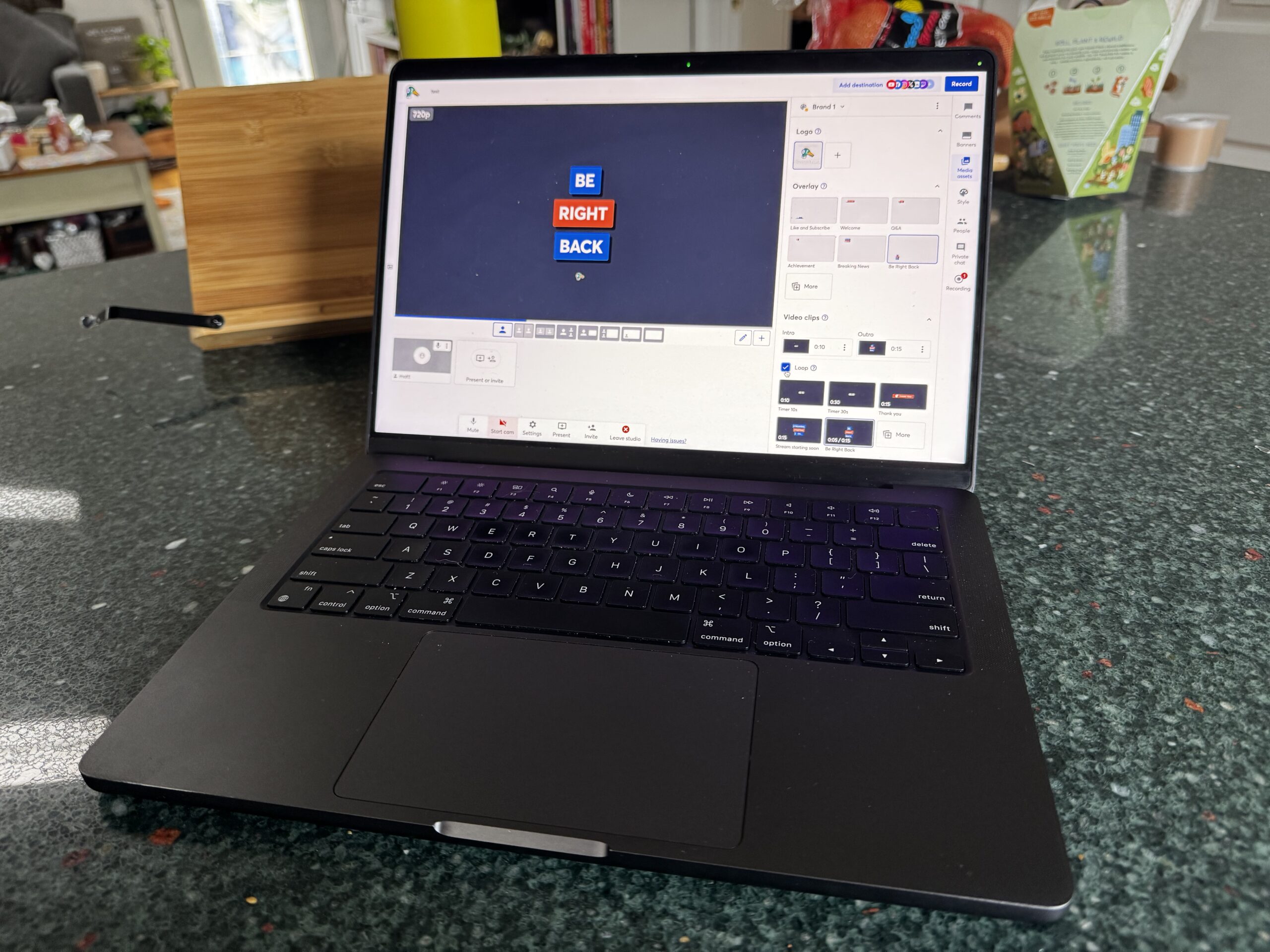
- CPU/GPU: M5 Pro (18-core CPU — 6 super cores + 12 performance cores / up to 20-core GPU)
- RAM: 24GB unified memory standard (up to 96GB)
- Storage: 1TB to 8TB SSD (2x faster read/write than M4 Pro, up to 14.5GB/s)
- Display: 14.2-inch Liquid Retina XDR (3024×1964)
- Battery: Up to 24 hours
- Ports: 3x Thunderbolt 5, HDMI, SD card reader, MagSafe, 3.5mm jack
- Wireless: Wi-Fi 7 + Bluetooth 6 (via Apple N1 chip)
- Starting price: ~$2,199
If you produce a serious show, edit video, or run multiple software tools simultaneously, the MacBook Pro 14-inch with M5 Pro is the machine to get.
MacBook Air 15-inch (M4) — Best for Silent, Mobile Recording
The MacBook Air 15-inch is the best laptop for podcasters who want silence and portability above all else. It has no fan — zero — which means no mechanical noise whatsoever, ever. For podcasters who record while traveling, in coffee shops, or anywhere they can’t control the acoustic environment, a laptop that’s guaranteed not to spin up a fan mid-recording is genuinely valuable.
The M4 chip handles podcast editing workloads easily. Where it falls short of the MacBook Pro is sustained heavy processing — long exports or complex video rendering under continuous load will eventually slow down as the chip throttles to manage heat without a fan. For audio-only podcasting, this is rarely a real-world problem. For video production, it depends on how complex your projects are.
Battery life is exceptional — 15+ hours in real-world use. The 15-inch screen is a meaningful upgrade over the 13-inch for editing work, giving you more timeline visibility in your DAW without connecting an external display. Port selection is more limited than the Pro: two Thunderbolt 4 ports, MagSafe, and a 3.5mm jack, which means you’ll need a hub if you want to connect an audio interface and external monitor simultaneously.
- CPU/GPU: Apple M4 (8-core CPU / 10-core GPU)
- RAM: 16GB or 24GB
- Storage: 256GB to 2TB SSD
- Display: 15.3-inch Liquid Retina
- Battery: 15–18 hours
- Ports: 2x Thunderbolt 4, MagSafe, 3.5mm jack
- Starting price: ~$1,299
The right choice if silence and battery life matter more to you than maximum processing headroom.
Dell XPS 16 (2025) — Best Windows Laptop for Power Users
For podcasters who want to stay in the Windows ecosystem and need serious processing power, the Dell XPS 16 is the strongest option available. Intel Core Ultra 7 and Ultra 9 processors with optional NVIDIA discrete graphics mean it handles multitrack audio, video editing, and streaming simultaneously without bottlenecking.
The OLED display option is genuinely impressive for video podcasters who color-grade footage — deep blacks and accurate color make a meaningful difference when you’re making visual quality calls. The XPS 16 also runs relatively quietly under moderate load, though under sustained heavy processing the fans are audible. That’s a consideration if you plan to record audio near the laptop.
Battery life is the weakest point in this comparison — real-world use under editing workloads is closer to 6–8 hours than the advertised 10. For desktop-replacement use where you’re mostly plugged in, that’s irrelevant. For mobile work, it’s a real limitation.
- CPU/GPU: Intel Core Ultra 7 or Ultra 9, optional NVIDIA RTX 4050/4060/4070
- RAM: 16GB to 64GB LPDDR5x
- Storage: 512GB to 4TB SSD
- Display: 16.3-inch FHD+ or 3.5K OLED touchscreen
- Battery: ~10 hours (6–8 under editing loads)
- Ports: 3x USB-C/Thunderbolt 4, microSD, 3.5mm jack
- Starting price: ~$1,899
The best Windows laptop for podcasters who use Windows-specific software or prefer the platform’s flexibility and customization.
HP Spectre x360 16 — Best for Remote Interviews and Travel
The HP Spectre x360 16 is a 2-in-1 convertible that covers a use case the other laptops on this list don’t: video calls and remote interviews in non-ideal environments. The built-in webcam and microphone array are meaningfully better than most laptop-class hardware — useful for Zoom recordings, Riverside sessions, and on-the-road interviews where you can’t set up external gear.
The 2-in-1 form factor (it folds flat into tablet mode) is less relevant for editing and more relevant for portable presentations or taking notes during interviews. The OLED touchscreen at 2.8K resolution is excellent. Port selection is comprehensive for a Windows machine: two USB-C, one USB-A, HDMI 2.1, and a 3.5mm jack.
Processing power is solid but not exceptional compared to the XPS 16 at similar price points. Where it earns its place is in the overall package — decent battery, good built-in AV hardware, flexible form factor — for podcasters whose workflow involves a lot of remote collaboration. See: How to Record a Podcast Remotely
- CPU/GPU: Intel Core Ultra 7, optional RTX 4050
- RAM: 16GB or 32GB
- Storage: 1TB SSD
- Display: 16-inch 2.8K OLED touchscreen
- Battery: 10–18 hours depending on configuration
- Ports: 2x USB-C, 1x USB-A, HDMI 2.1, 3.5mm jack
- Starting price: ~$1,299
Acer Aspire 5 — Best Budget Laptop for Beginner Podcasters
If you’re launching your first podcast and aren’t ready to spend $1,200+, the Acer Aspire 5 is the budget pick that actually holds up. It runs Audacity, GarageBand alternatives, and basic DAWs without issue at the AMD Ryzen 7 / Intel Core i7 configuration. The port selection is unusually complete for a budget laptop: USB-C, USB-A, HDMI, ethernet, and a 3.5mm jack — which means no adapters required for most podcast setups.
It won’t handle complex video editing or heavy plugin stacks gracefully, and the build quality reflects the price point. Fan noise under load is audible. But as a starter machine for an audio podcast — record, basic editing, export, upload — it does the job at a price that leaves budget for a better microphone, which will do more for your show’s quality than the laptop would anyway. See: Best Budget Podcast Microphones
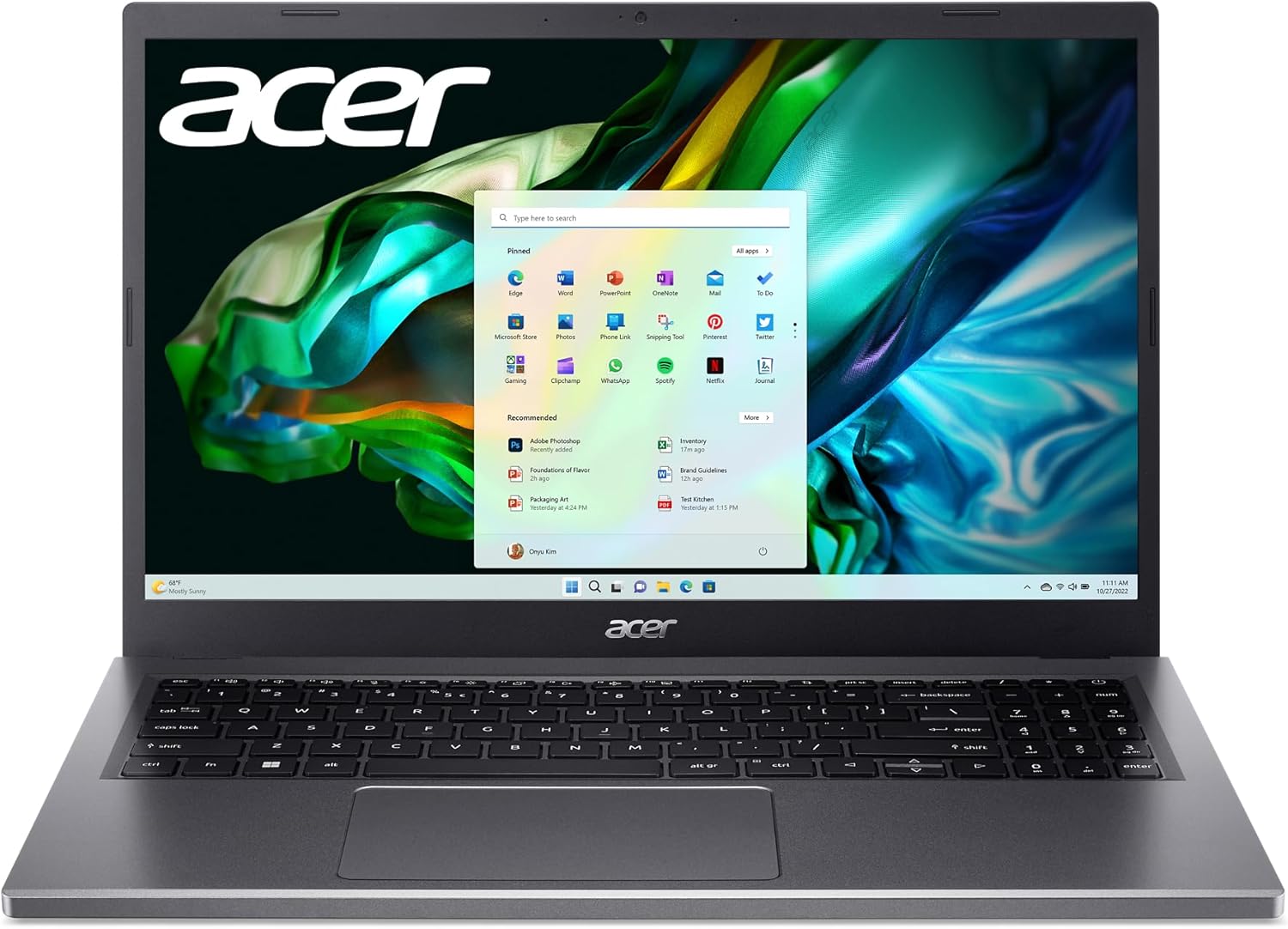
- CPU: Intel Core i5/i7 or AMD Ryzen 7
- RAM: 8GB to 16GB
- Storage: 512GB SSD
- Display: 15.6-inch Full HD IPS
- Battery: ~8 hours
- Ports: USB-C, USB-A, HDMI, Ethernet, 3.5mm jack
- Starting price: ~$499
Podcasting Laptop Comparison Table (2026)
| Laptop | Best For | Chip/CPU | RAM | Battery | Starting Price |
|---|---|---|---|---|---|
| MacBook Pro 14 (M5 Pro) | Pro audio & video editing | M5 Pro | 24GB+ | Up to 24 hrs | $2,199 |
| MacBook Air 15 (M4) | Silent mobile recording | M4 | 16–24GB | 15+ hrs | $1,299 |
| Dell XPS 16 | Windows power users | Intel Core Ultra | 16–64GB | ~10 hrs | $1,899 |
| HP Spectre x360 16 | Remote interviews, travel | Intel Core Ultra | 16–32GB | 10–18 hrs | $1,299 |
| Acer Aspire 5 | Beginners, tight budget | Intel i5/i7 or Ryzen 7 | 8–16GB | ~8 hrs | $499 |
Mac vs. Windows for Podcasting: Which Should You Choose?
This is the most common question beginners ask, and the honest answer is that both platforms work well — the differences are mostly about software preferences and workflow, not fundamental capability.
Choose Mac if you want to use Logic Pro (Mac-exclusive and genuinely excellent for podcast editing), GarageBand as a free starting point, or if you value the tight hardware-software integration that Apple Silicon provides. MacOS is also notably stable under sustained creative workloads — crashes and driver issues are rare compared to Windows. The fanless MacBook Air is a unique advantage for podcasters who record near their laptop.
Choose Windows if you already use Windows-specific software, prefer the wider hardware selection and price range, want to upgrade components like RAM and storage yourself (most Macs can’t be upgraded after purchase), or need specific compatibility with Windows-only tools. Adobe Audition and most professional DAWs run on both platforms with equivalent performance.
The one genuinely Mac-exclusive advantage worth highlighting: Logic Pro. At $199.99 (one-time), it’s one of the most capable DAWs available at any price and runs exclusively on Mac. If Logic Pro is part of your workflow or something you want to learn, that alone justifies the Mac choice for many podcasters. See: Best Podcast Editing Software | Podcast Editing Software for All Levels
How Much RAM Do You Actually Need for Podcast Editing?
The practical answer in 2026: 16GB for audio-only podcasting, 18–24GB if you also edit video or run AI tools, 32GB+ for complex multi-camera video production with heavy effects stacks.
8GB is workable for simple recording and basic editing in Audacity or GarageBand, but you’ll feel the limitation if you have multiple apps open, run noise reduction plugins in real time, or work with long sessions. On Apple Silicon machines, unified memory architecture makes 16GB behave more like 24GB on traditional systems because the CPU and GPU share the same memory pool efficiently.
One important note: RAM in most modern MacBooks (Air and Pro) cannot be upgraded after purchase. Choose the RAM configuration you’ll need in two to three years, not just what you need today.
Frequently Asked Questions: Best Laptops for Podcasting
What is the best laptop for podcasting in 2026?
The MacBook Pro 14-inch with M5 Pro is the best overall laptop for podcasting in 2026. It handles multitrack audio editing, plugin processing, and video production simultaneously, runs quietly under all typical workloads, and delivers up to 24 hours of battery life. For podcasters who prioritize budget, the MacBook Air 15-inch M4 at $1,299 or the Acer Aspire 5 at $499 cover most use cases at lower price points.
Do you need a powerful laptop for podcasting?
Not necessarily. A basic audio podcast — record, edit in Audacity, export MP3, upload — can run on almost any modern laptop made in the last five years. You need more processing power for multi-track editing with plugins, AI-based noise reduction and enhancement tools, video podcast production, and simultaneous streaming. If you’re launching a first show, prioritize a good microphone and recording environment over laptop specs — those will do more for your audio quality than the computer will.
Is Mac or Windows better for podcast editing?
Both work well. Mac has the advantage of Logic Pro (an excellent Mac-exclusive DAW), Apple Silicon’s efficiency and silent fanless operation on the Air, and macOS stability under sustained workloads. Windows has broader hardware choice, a wider price range, and upgradeable components on some models. Most major podcast editing software — Adobe Audition, Reaper, Hindenburg, Descript — runs on both platforms with equivalent performance.
What specs should I look for in a laptop for podcasting?
The minimum practical specs for podcast editing in 2026 are 16GB RAM, 512GB SSD, and a modern multi-core CPU (Apple M3/M4, Intel Core Ultra, or AMD Ryzen 7). For audio-only podcast editing, these specs are comfortable. Add a discrete GPU and 32GB+ RAM if you’re producing video content. Pay attention to port selection — you need at least one USB-C or Thunderbolt port for an audio interface, plus a 3.5mm headphone jack for monitoring.
Can a budget laptop handle podcast editing?
Yes, with realistic expectations. The Acer Aspire 5 and similar budget Windows laptops handle basic recording and editing in Audacity without issue. Where budget laptops struggle is with heavy plugin stacks, real-time AI processing, and video editing. Fan noise under load is also more pronounced on budget hardware — relevant if you’re recording near the machine. For audio-only podcasting on a tight budget, a $499–$599 laptop plus a quality external microphone is a better investment than spending more on the computer.
Is the MacBook Air good enough for podcasting, or do I need the MacBook Pro?
The MacBook Air M4 is good enough for the majority of podcasters. It handles multitrack audio editing, runs all major podcast software, and is completely fanless — meaning no mechanical noise during recording. The MacBook Pro becomes worth the extra cost if you do sustained heavy video editing, run complex plugin chains on long sessions, need more than two Thunderbolt ports, or need 18GB+ RAM for memory-intensive workflows.
Does laptop fan noise actually affect podcast recording?
It can, depending on your setup. If your microphone is within a foot or two of a running laptop fan, the noise may appear in your recording — particularly with sensitive condenser microphones in quiet environments. The MacBook Air is fanless and never presents this problem. The MacBook Pro is quiet enough under typical editing loads that fan noise is rarely an issue in practice. Budget Windows laptops with aggressive thermal management can be audible during sustained workloads. Position your microphone away from your laptop’s vents and do a test recording to check before relying on a specific setup.
How much storage do I need on a laptop for podcasting?
512GB is the minimum for comfortable audio podcasting — an hour of uncompressed WAV audio is roughly 600MB, so a 512GB drive fills up faster than you might expect if you keep raw recordings. 1TB is a better starting point, especially if you also work with video. For long-term archiving, external drives or a NAS are a better solution than relying on internal laptop storage. See: How to Archive and Back Up Your Podcast | Best NAS for Video Editing and Podcasting
What editing software should I use on my new podcast laptop?
On Mac, GarageBand is free, already installed, and capable enough for most audio podcasting. Logic Pro is the step-up option at $199.99 (one-time) for more advanced mixing and production. On Windows, Audacity is free and handles basic editing; Adobe Audition is the professional standard for audio-focused podcasters; Descript is worth considering for anyone who wants to edit by editing text rather than waveforms. See: Podcast Editing Software: Free and Paid Options
Should I buy a laptop or a desktop for podcasting?
If your recording setup is fixed — same desk, same location — a desktop computer gives you more processing power per dollar and better upgradeability. If you record remotely, travel for interviews, or just prefer the flexibility of a laptop, the current generation of Apple Silicon laptops in particular are powerful enough that the performance difference over a desktop is minimal for most podcast production workflows. See: Best Desktop Computers for Podcasters
The Rest of Your Podcast Setup
A good laptop is the engine, but the microphone is what your listeners actually hear. The best laptop in the world can’t fix a poor recording environment or an underpowered microphone. If you’re choosing between spending more on a laptop or spending more on the audio chain, prioritize the audio chain — the improvement will be more noticeable to your audience.