Matt
StreamYard vs. Riverside: Which Remote Recording Platform Is Right for You?
The short answer: Riverside is the better choice for most podcasters — it offers a more complete recording-to-publishing workflow, stronger AI editing tools, and a free plan worth actually using. Squadcast is the right pick if you’re already deep in the Descript ecosystem, since Descript now owns Squadcast and the two tools are sold together as a bundle.
That acquisition changes the comparison in ways most guides haven’t caught up to yet. This breakdown covers current pricing, what’s actually changed since Descript bought Squadcast, and how to decide which platform matches your production workflow.
What’s Changed: The Descript-Squadcast Acquisition
The most important thing to know about Squadcast in 2026 is that it’s no longer a standalone product. Descript acquired Squadcast, and the two platforms are now sold together — every SquadCast plan includes access to Descript’s transcription and editing tools. If you were comparing these platforms a couple of years ago based on old reviews, a lot of that information is out of date.
The practical implication: Squadcast’s old “integration with Descript” selling point is now just the base feature set. The question is whether that bundled Descript access is compelling enough to choose Squadcast over Riverside’s native built-in tooling.
Squadcast vs Riverside: Feature Comparison
| Feature | Squadcast (via Descript) | Riverside |
|---|---|---|
| Local Recording | Yes — up to 4K video, 48kHz WAV audio | Yes — up to 4K video, 48kHz WAV audio |
| Progressive Upload | Yes (patented technology) | Yes |
| Free Plan | Yes (limited hours) | Yes — 2 hours/month recording, 720p video |
| Paid Pricing (entry) | Bundled with Descript; check current Descript pricing | ~$19/month (Standard, billed annually ~$15/month) |
| Built-in Editing | Descript (text-based editor, screen recording, transcription) | Magic Editor, text-based video editor, AI clip generator |
| Transcription | Yes (Descript included on all plans) | Yes (automatic; hours vary by plan) |
| Participants | Up to 10 on mainstage + 10 backstage | Up to 8 participants |
| AI Audio Enhancement | Via Descript | Magic Audio (noise removal, clarity boost) |
| Pre-show Prep | Green Room (check audio/video before going live) | Producer Mode (off-camera session management) |
| Social Clip Creation | Via Descript | Built-in AI clip generator |
| Key Integrations | Native Descript; Adobe Audition, Hindenburg, Zapier, Dropbox | Adobe Premiere Pro, Final Cut Pro, Descript, Zapier |
Pricing: What Squadcast and Riverside Actually Cost
Riverside Pricing
Riverside offers four tiers. The Free plan provides 2 hours of recording per month at 720p video quality with basic editing tools. The Standard plan runs $19/month billed monthly (or $15/month billed annually) and unlocks unlimited recording, 1080p video, separate audio tracks, and up to 5 hours of AI transcription. The Pro plan at $29/month monthly ($24/month annually) bumps to 4K video, 15 hours of transcription per month, Magic Audio, and full editing tools. A Business plan with enterprise features is custom-priced.
Riverside’s pricing is per host seat — guests join your recording for free regardless of plan, which is a meaningful advantage over platforms that charge per participant.
Worth noting: exceeding your plan’s monthly recording hours triggers overage charges, typically around $5–$10 per additional hour depending on the tier. If you record long-form episodes or multiple shows, track your hours carefully on the Standard plan.
Squadcast Pricing
Since the Descript acquisition, Squadcast plans are bundled with Descript access — all tiers now include transcription, editing, and screen recording. Check the current SquadCast/Descript pricing page directly, as the bundle pricing has evolved since the acquisition and third-party listings vary significantly. Unused recording hours roll over automatically, capped at twice your monthly plan allocation.
For dedicated Squadcast pricing context, see our standalone page: Squadcast Pricing Plans Explained
Audio and Video Quality: Is There a Real Difference?
Both platforms use the same foundational approach: local recording on each participant’s device, with progressive upload to the cloud as the session runs. This means your audio quality isn’t limited by internet connection stability — the file being recorded is always local, so a brief network dropout doesn’t ruin a take.
At the spec level, both record uncompressed 48kHz WAV audio and up to 4K video on paid plans. The practical difference is in post-recording processing:
- Riverside’s Magic Audio applies AI noise reduction and clarity enhancement automatically after recording. For creators who don’t want to touch audio post-production settings, this is genuinely useful — you get cleaner audio with less manual work.
- Squadcast/Descript handles audio cleanup through Descript’s studio sound feature, which works similarly but requires you to be in the Descript editing environment.
If audio quality is your primary concern, the platform matters less than your recording environment and microphone. See: Podcast Microphone Setup Guide | Best Podcast Microphones
Editing Workflow: Built-In vs. Bundled
This is where the platforms diverge most meaningfully for day-to-day use.
Riverside keeps recording and editing inside one interface. After your session, you can move directly into the Magic Editor — which handles speaker-switching in the video, noise removal, and clip creation — without leaving the platform. The AI clip generator can automatically produce short social clips from a longer recording. For creators who want a fast path from raw recording to publishable content, this workflow is efficient.
Squadcast + Descript involves two products working together. Recording happens in Squadcast; editing happens in Descript. Descript’s text-based editor is genuinely powerful — editing audio and video by editing a text transcript is a workflow that’s hard to give up once you’re used to it — but you’re working across two tools rather than one. For anyone who already uses Descript, this is a net advantage, not a drawback. For someone new to both platforms, there’s a steeper learning curve.
Related: Best Podcast Editing Software | Podcast Editing Software for All Levels
Guest Management and Session Logistics
Both platforms are browser-based — guests don’t need to install any software to join a recording session, which dramatically reduces pre-show friction for interview podcasts.
Squadcast supports up to 10 participants on the main stage plus 10 more in the backstage area. The Green Room feature lets everyone test audio and video before the session goes live, which matters when you’re coordinating guests across time zones who may not be technically confident.
Riverside supports up to 8 participants and adds Producer Mode — someone can manage the session, monitor audio levels, and communicate with guests without appearing on camera. This is useful for shows that have a producer or engineer running the technical side while the host focuses on the conversation.
If you regularly record with large groups (panels, roundtables), Squadcast’s higher participant cap is a concrete advantage. For most podcast interviews with one or two guests, both platforms handle it identically well.
Related: Podcast Equipment for Co-Hosts and Groups | How to Record a Podcast Remotely
Who Should Choose Squadcast?
Squadcast makes the most sense if you’re already a Descript user and want remote recording that flows directly into your existing editing workflow. The bundled pricing means you’re essentially getting two tools for one subscription, which is good value if you’d be paying for Descript regardless.
It’s also worth considering if you need more than 8 participants in a single session — Squadcast’s 10 mainstage seats cover panel recordings and roundtable formats that Riverside can’t accommodate.
Who Should Choose Riverside?
Riverside is the better starting point for most creators who don’t already have a Descript workflow established. The native editing tools, Magic Audio, AI clip creation, and built-in transcription mean you can move from recording to a shareable clip without leaving the platform. The free plan is also genuinely usable — 2 hours per month is enough to record and test a few episodes before committing to a paid subscription.
Video podcasters in particular tend to find Riverside’s output quality and editing tools better matched to their needs. The Magic Editor’s automatic speaker-switching and social clip tools are designed for video-first workflows in a way that Squadcast’s recording-focused UI isn’t.
See also: Podcastle vs Riverside | Best Remote Podcast Recording Software | Remote Video Recording Software
How Squadcast and Riverside Compare to Other Remote Recording Tools
These two platforms don’t exist in isolation. Zencastr is the most direct alternative to both — it occupies a similar price range and offers comparable local recording quality. StreamYard is worth considering if live streaming is part of your production, though it approaches remote recording differently. See our full comparisons:
- Squadcast vs Zencastr
- Zencastr Pricing
- StreamYard vs Riverside
- StreamYard Pricing
- Full Remote Recording Platform Roundup
Frequently Asked Questions: Squadcast vs Riverside
Is Squadcast still a standalone product in 2026?
No. Descript acquired Squadcast, and the two products are now sold together. All Squadcast plans include Descript’s transcription and editing tools. If you’re evaluating Squadcast based on older reviews from before the acquisition, pricing and feature comparisons from that period are no longer accurate.
Which platform has better audio quality — Squadcast or Riverside?
Both platforms record uncompressed 48kHz WAV audio locally on each participant’s device, which is the same technical standard. The difference is in post-recording processing: Riverside’s Magic Audio applies AI-based noise reduction automatically, while Squadcast’s noise cleanup runs through Descript’s studio sound tools. For most podcasters, the recording environment and microphone quality will have more impact on the final result than the platform choice.
Does Riverside have a free plan?
Yes. Riverside’s free plan includes 2 hours of recording per month at 720p video quality with basic editing tools. It’s enough to test the platform thoroughly before committing to a paid subscription. Paid plans start at approximately $19/month billed monthly, or around $15/month billed annually on the Standard tier.
Can guests join Squadcast or Riverside sessions without installing anything?
Yes — both platforms are entirely browser-based. Guests receive a link, click it, and join the session in their browser. There’s no software to download on either side, which reduces technical friction significantly for interview-format podcasts where guests may not be technically confident.
How many people can record simultaneously on each platform?
Squadcast supports up to 10 participants on the main stage plus 10 more in a backstage area. Riverside supports up to 8 participants. For standard interview podcasts with 1–2 guests, both platforms work equally well. For panels or roundtable recordings, Squadcast’s higher participant cap is a meaningful advantage.
What is the difference between Squadcast’s Green Room and Riverside’s Producer Mode?
They solve different problems. Squadcast’s Green Room is a pre-session space where host and guests can check audio and video levels, chat, and get ready before recording starts — useful for making sure everything works before you’re actually on tape. Riverside’s Producer Mode lets a third person manage the session (monitor audio, communicate with guests, handle technical issues) without appearing on camera — useful for shows with a dedicated producer or engineer running the technical side.
Which platform is better for video podcasting?
Riverside is generally the stronger choice for video-first production. Its built-in Magic Editor handles speaker-switching, noise removal, and social clip creation natively, which matters when the video output is as important as the audio. Squadcast records excellent video locally, but post-production happens in Descript, which requires working across two tools. If you’re publishing to YouTube and creating short-form clips, Riverside’s workflow is more streamlined.
Do I need a separate editing tool if I use Riverside?
Not necessarily. Riverside includes a text-based video editor, automatic transcription, AI clip generation, and Magic Audio — enough for many creators to go from raw recording to a publishable episode without additional software. If you need more advanced post-production (multi-track audio mixing, complex video editing, color grading), you’ll likely still want a dedicated editor like Adobe Audition, Final Cut Pro, or Descript.
What happens to my recordings if I cancel either platform?
On Riverside, your recordings remain accessible for download during a grace period after cancellation, but always download your raw tracks immediately after recording regardless of plan — don’t rely on cloud storage as your only backup. On Squadcast, the same principle applies, and since the platform now integrates with Descript, project files in Descript are subject to Descript’s own data retention policies. Keep local copies of all original audio files as a baseline practice.
Is Squadcast or Riverside better for interviewing remote guests who aren’t tech-savvy?
Both are comparable for this use case since both are browser-based with no guest installation required. Squadcast’s Green Room gives guests a slightly more guided pre-session experience with audio/video checks before recording starts, which can reduce the chance of discovering problems mid-recording. Riverside’s interface is clean and simple, and its free plan lets you run test sessions with guests before committing. For most podcasters, the platform matters less than how well you prep your guests ahead of time.
Final Verdict: Squadcast vs Riverside
For most podcasters starting fresh or evaluating platforms in 2026, Riverside is the stronger all-around choice. The native editing tools, Magic Audio, free plan, and streamlined video workflow mean you can do more inside one platform without stitching together multiple subscriptions.
Squadcast makes more sense if you’re already using Descript and want remote recording that integrates directly with your existing workflow — or if you regularly need more than 8 participants in a session.
The most important thing to verify before you decide: check both platforms’ current pricing directly, since Squadcast’s post-acquisition bundle pricing in particular has shifted and continues to evolve.
Best Tripods for Podcasters: The Complete Buyer’s Guide
If you’re filming a podcast this year—whether a solo talking-head, a two-person interview, a product review show, or a mobile travel podcast—your tripod plays a massive role in how professional your content looks.
A tripod isn’t just a stand. It affects:
-
How stable your camera is
-
How sharp your video looks
-
How easy it is to frame your shots
-
Whether your setup stays consistent every episode
-
How quickly you can shoot, travel, and reset
And the right choice depends entirely on the kind of podcaster you are.
Below is the definitive, simplified guide that helps podcasters choose the perfect tripod based on their filming style, setup, and budget—without the confusion.
What Type of Podcaster Are You? (And Which Tripod You Need)
Tripods aren’t one-size-fits-all. Podcasters fall into a handful of distinct categories, and each category requires a different style of support.
Here’s how to match your tripod to your podcast.
Solo Desk Podcasters (Talking-Head at a Desk)
If you film seated at a desk, with the camera 1–3 feet away, you want something compact, stable, and height-adjustable.
Best tripod type:
Desktop Tripod
Why:
-
Perfect for eye-level framing
-
Doesn’t take up floor space
-
Simple, stable, and fast to adjust
-
Ideal for podcasters who rarely reposition the camera
Top choices:
-
Ulanzi MT-44
-
Manfrotto PIXI Evo
-
SmallRig Tabletop Tripod
Perfect for: teachers, coaches, solo YouTube podcasters, creators filming in small rooms.
Two-Person Podcasts & Interview Setups
If you podcast with a co-host or guests, you need a wider shot and more distance between the camera and set.
Best tripod type:
Full-Size Floor Tripod
Why:
-
Reaches eye level from 4–8 feet away
-
More stable than tabletop solutions
-
Great for seated or standing episodes
-
Works well in living rooms, studios, or rented spaces
Top choices:
-
Amazon Basics 60” (budget)
-
Ulanzi Zero Y
-
Manfrotto Befree Advanced
Great for: interview shows, multi-host podcasts, coaching duos.
Podcasters Who Shoot Product Reviews or Overhead Shots
If you film podcast episodes that include unboxings, tabletop demos, B-roll, or top-down overhead shots, you need more flexibility than a standard tripod offers.
Best tripod type:
Multi-Angle Center-Column Tripod
Why:
-
Lets you swing the camera out horizontally
-
Allows true overhead shots
-
Perfect for tech reviews, cooking, hand demos, or gear showcases
-
More stable than makeshift overhead rigs
Top choices:
-
Vanguard Alta Pro 2+
-
Manfrotto 055 XPRO
-
SmallRig FreeBlazer with center column
Ideal for: reviewers, educators, hybrid podcasters who mix video + podcasting.
Podcasters Who Travel or Film On Location
If you shoot in hotels, Airbnbs, events, conferences, coworking spaces, or outdoors, you need something extremely portable but strong enough to hold real cameras.
Best tripod type:
Lightweight Travel Tripod (preferably carbon fiber)
Why:
-
Packs small into backpacks
-
Lighter for travel days
-
Strong enough for mirrorless cameras
-
Fast setup and teardown
Top choices:
-
Peak Design Travel Tripod
-
Manfrotto Befree Live
-
Ulanzi Zero F/Y
Perfect for: vlog pods, journalists, digital nomads, multi-location creators.
Studio Podcasters With Permanent Setups
If your camera doesn’t move much—or you run multiple angles—you want long-term durability, repeatability, and stability.
Best tripod type:
Heavy-Duty Studio Tripod or Fluid Head
Why:
-
Ultra-stable foundation
-
Supports heavier lenses, teleprompters, and monitors
-
Smooth movement if you pan or tilt
-
Built to last for years of episodes
Top choices:
-
Manfrotto 190 / 290
-
SmallRig Heavy-Duty
-
Sachtler Ace M / flowtech 75
Great for: dedicated podcast studios, 2–4 camera setups, high-quality video pods.
Smartphone-Only Podcasters
If you’re filming on an iPhone or Android, you don’t need a full-size tripod unless you plan to upgrade your camera soon.
Best tripod type:
Mini Tripod + Phone Clamp
Why:
-
Simple
-
Affordable
-
Incredibly portable
-
Works for both horizontal and vertical content
Top choices:
-
Joby GripTight One
-
Ulanzi MT-08
-
Manfrotto PIXI (with phone clamp)
Perfect for: beginner podcasters, coaches, creators filming social-friendly podcasts.
Top Tripod Picks for Podcasters in 2026
Here are the best overall tripods across all categories.
⭐ Best Overall Tripod for Podcasters: Peak Design Travel Tripod
(Lightweight, stable, excellent for travel and studio use)
Why creators love it:
-
Packs smaller than almost anything else
-
Very sturdy for mirrorless cameras
-
ARCA-Swiss compatibility
-
Lifetime warranty
-
Works for desk, floor, and travel setups
⭐ Best Budget Tripod for Podcasters: Ulanzi MT-44
(The perfect affordable desk pod tripod)
Why it’s great:
-
Taller than most desktop tripods
-
Strong enough for phones + lightweight cameras
-
Great for beginners and small spaces
-
Under $40
⭐ Best Tripod for Two-Person Podcasts: Manfrotto Befree Advanced
Why it’s great:
-
Eye-level height
-
Quality leg locks
-
Durable + travel-friendly
-
Available with fluid head version for movement
⭐ Best Tripod for Overhead & Review Pods: Vanguard Alta Pro 2+
Why it’s great:
-
Multi-angle center column
-
Easy overhead shots
-
Great rigidity and height
-
Strong value for the price
⭐ Best Professional Studio Tripod: Sachtler Ace M / flowtech 75
Why it’s great:
-
Industry-standard broadcast stability
-
Smoothest pan/tilt in this category
-
Can handle heavy lens setups
-
Built for daily studio use
Should You Mount Your Microphone on Your Tripod? (No.)
Podcasters often ask if they can mount their main microphone on the same tripod as the camera.
The answer: Never.
Here’s why:
-
Touch the tripod → vibration → ruined audio
-
Pan the camera → vibration → ruined audio
-
Adjust height → vibration → ruined audio
Always use:
-
A boom arm (for desk setups)
-
A floor mic stand (for larger studios)
-
A C-stand (for shotgun mics)
Your tripod should be camera-only.
Tripod Buying Checklist for Podcasters
Before clicking buy, make sure your tripod checks these boxes:
Payload:
Choose a model that can handle 1.5× your camera setup’s weight.
Height:
-
Desk podcasters: 6–20 inches
-
Seated/interview podcasters: 55–65 inches
-
Standing podcasters: 65–72 inches
Material:
-
Aluminum = cheaper but heavier
-
Carbon fiber = lighter + better vibration dampening
Head type:
-
Fluid head = best for movement
-
Ball head = easiest & fastest for static framing
-
Pan-tilt = most precise
Quick Release:
Choose ARCA-Swiss for compatibility across brands.
Final Recommendations
If you’re unsure which to buy, use this simple rule:
-
Filming at a desk? → Desktop tripod
-
Filming with a co-host? → Full-size floor tripod
-
Doing product content or overhead shots? → Multi-angle tripod
-
Traveling often? → Lightweight carbon fiber travel tripod
-
Running a full studio? → Heavy-duty tripod with a fluid head
Best Joe Rogan Podcasts Updated Regularly
Best Joe Rogan Podcast Episodes…
Some of the more interesting JRE episodes below — an ongoing list that is always up to date. Please note we trim episodes as the page becomes too long, but we are usually trailing the last year or so.
#2483 Spencer Pratt
Spencer Pratt — entrepreneur, author, and candidate for Mayor of Los Angeles — joins Joe to discuss his journey from reality TV villain to political hopeful. They cover his time on The Hills, his new memoir, LA’s problems with homelessness and crime, and what a campaign run by someone who’s been famous for being disliked actually looks like.
#2482 Andy Stumpf
Retired Navy SEAL Andy Stumpf — wingsuit world record holder and host of Cleared Hot — is back with Joe to talk about his new book Drownproof, the mental framework he built from SEAL training, near-death experiences in the air, and what it means to operate at the edge of human capability. One of the more grounded and practical conversations about real resilience you’ll hear.
#2481 Duncan Trussell
Joe and Duncan Trussell examine AI’s rapid development and the challenges of controlling increasingly capable systems, government secrecy around UFO phenomena, how surveillance technology and social media algorithms create detailed psychological profiles, and the suppression of psychedelics as a form of institutional control. Equal parts funny and genuinely unsettling.
#2480 Arsenio Hall
Arsenio Hall joins Joe to talk about the golden age of comedy at the Comedy Store, how his late night show changed the game by removing the host’s desk and booking hip-hop artists and politicians like Bill Clinton, and how entertainment has shifted from broadcast TV to streaming. A rich conversation about authenticity, longevity, and what it actually took to build something original in Hollywood.
#2479 Bob Lazar & Luigi Vendittelli
Physicist Bob Lazar — who made headlines in 1989 claiming to have worked reverse-engineering extraterrestrial technology near Area 51 — returns with filmmaker Luigi Vendittelli, whose new documentary reconstructs the S-4 facility through meticulous 3D modeling. They discuss Element 115, government compartmentalization, and the evidence that either supports or complicates Lazar’s account after decades of scrutiny.
#2478 Theo Von
Joe and Theo Von discuss the sharp rise in autism diagnoses and developmental disorders, whether environmental factors like microplastics and synthetic chemicals are behind them, regulatory failures at the FDA and EPA, the rapid development of AI, and how institutional power structures control information flow. The usual chaotic Theo energy, with surprisingly serious terrain underneath it.
#2477 Rick Perry & W. Bryan Hubbard
Former Texas Governor Rick Perry and Americans for Ibogaine founder W. Bryan Hubbard make the case for ibogaine as a breakthrough treatment for addiction, PTSD, and traumatic brain injury. They explain how a single dose can disrupt substance dependence, walk through Texas’s $100 million research initiative, and discuss the legal and regulatory barriers posed by ibogaine’s federal Schedule I status.
#2476 Shanna H. Swan
Environmental epidemiologist Shanna H. Swan presents evidence linking the global fertility crisis to endocrine-disrupting chemicals found in plastics and everyday consumer products — phthalates, bisphenols, and PFAS that are present in food containers, cosmetics, clothing, and cookware. They discuss what individuals can do and why meaningful change requires far more than personal choices.
#2475 Andrew Jarecki
Filmmaker Andrew Jarecki — known for Capturing the Friedmans and The Jinx — joins Joe to discuss his documentary on America’s prison system, how prisons operate with minimal oversight, the role of profit motives in both private and public facilities, and what contraband phones have to do with documenting abuse. The financial burden placed on inmates and their families, overincarceration of nonviolent offenders, and the DOJ’s reduced oversight role all come up.
#2474 Dave Smith
Joe and Dave Smith examine U.S. foreign policy and military interventionism from Vietnam through Iraq, Libya, Syria, Afghanistan, and current tensions with Iran — and how defense contractors and political interests shape those decisions. They also break down changes to the UFC’s business model and concerns about the proposed White House fight card.
#2473 Bill Thompson
Retired Army Chief Warrant Officer and Spartan Forge founder Bill Thompson talks about his path from military intelligence and cyber operations to building AI-powered hunting tools. The conversation digs into mobile technology security, data privacy practices of major tech companies, government surveillance, and the absence of clear pathways to manhood in modern society.
#2472 Jeff Ross
The Roastmaster General Jeff Ross joins Joe to talk about his health journey through colon cancer, the role of nutrition in recovery, his Broadway-performing German Shepherd, and the evolution of comedy in the streaming era. A looser, more personal conversation than you’d expect from a guy known for making everyone else uncomfortable.
#2471 Mark Normand
Joe and Mark Normand examine how technology and social media have transformed the comedy industry, creating new opportunities while introducing market saturation and changing social norms. They also cover global conflicts, information verification in today’s media landscape, “gotcha culture,” and the evolution of acceptable speech.
#2470 Pierre Poilievre
Canadian Conservative Party leader Pierre Poilievre discusses his proposed “Pay-as-you-go” rule for government spending, strategies for reducing bureaucracy, his stance on Canada’s assisted suicide program, and how Switzerland’s economic model could inform Canadian policy. The conversation also covers martial arts, physical fitness, and the relationship between discipline and leadership.
#2469 Brigham Buhler
Brigham Buhler returns to discuss the current state of peptide regulation — the contrast between their demonstrated safety record and their classification as dangerous substances — and how pharmaceutical industry lobbying influences drug policy. He also covers recent advances in regenerative medicine, including the discovery of “Muse” cells and the integration of genetic sequencing in personalized healthcare.
#2468 Luke Grimes
Actor Luke Grimes — best known as Kayce Dutton in the Yellowstone franchise — talks with Joe about the pressures of fame, branching into music, performance anxiety, and the transformative effects of hunting and time spent outdoors. They also get into their shared fascination with Bigfoot and the mysteries of the Pacific Northwest wilderness.
#2467 Michael Pollan
Author Michael Pollan — whose books include The Omnivore’s Dilemma and How to Change Your Mind — and Joe explore the nature of consciousness and its relationship to the brain, how meditation and psychedelic experiences can alter self-identity, and what AI’s growing capabilities mean for human consciousness and relationships. A genuinely philosophical two hours.
#2466 Francis Foster & Konstantin Kisin
The Triggernometry hosts join Joe to examine current US-Iran tensions, the development of emerging weapons technologies, AI’s potential to surpass human capabilities, and the challenge of distinguishing human from AI-generated content. They also dig into the state of political discourse and how media incentives warp the information people actually receive.
#2465 Michael Shellenberger
Author and journalist Michael Shellenberger joins Joe to examine the circumstances surrounding Jeffrey Epstein’s death — malfunctioning cameras, sleeping guards, unusual autopsy findings, a prior alleged attempt on his life by his cellmate — and the evidence suggesting Epstein’s properties were used as a blackmail operation, including the discovery of hidden cameras throughout.
#2464 Priyanka Chopra Jonas
Priyanka Chopra Jonas and Joe explore the historical impact of colonialism — specifically how the East India Company reshaped India’s culture and wealth — along with the technological achievements of ancient civilizations, precisely carved temples that defy conventional explanations, and AI’s growing role in the entertainment industry and beyond.
#2463 Steve-O
Steve-O is back, and in a good place. He discusses winning a MrBeast challenge, his Jackass sequel, his animal sanctuary Radical Ranch, the role of daily yoga in his mental health, near-death experiences, and the concept of the brain as an antenna for consciousness. A surprisingly reflective conversation from a man who has tested his physical limits harder than almost anyone.
#2462 Aaron Siri
Attorney Aaron Siri — who focuses on civil litigation and vaccine-related injury claims — shares findings from his research on childhood vaccine safety, studies from Amish communities regarding unvaccinated populations, legal protections granted to vaccine manufacturers, and how vaccine safety conversations are handled by social media platforms and search engines. Polarizing and information-dense.
#2461 Robert F. Kennedy Jr.
RFK Jr., now serving as U.S. Secretary of Health and Human Services, discusses systemic issues in the healthcare system including Medicare fraud, potential reforms through value-based care and price transparency, how agricultural pesticide use affects the food supply and public health, and the therapeutic potential of psychedelic substances for veterans with PTSD.
#2460 Rachel Wilson
Author Rachel Wilson shares her perspective on feminism shaped by growing up with a Republican father and a Marxist feminist mother. She explores the historical development of the feminist movement — including its claimed connections to occult practices and CIA operations during the Cold War — and how shifts in workforce participation have affected family dynamics and women’s happiness over recent decades.
#2459 Jim Breuer
Comedian Jim Breuer joins Joe to discuss AI’s rapid development and its effects on society, how AI systems have shown concerning self-preservation behaviors, its impact on professions like finance, law, and technology, and how these technological shifts parallel other historical societal transformations. Jim brings more substance than you might expect.
#2458 Matt McCusker
Joe and Matt McCusker explore how social media algorithms analyze and respond to emotional cues, UFO sightings and unexplained aircraft accounts from a Los Alamos Labs expert, how deepfake technology affects high-profile investigations like Epstein’s, and the influence of pharmaceutical companies on medical research. McCusker draws on his background in social work throughout.
#2457 Michael Malice
Joe and Michael Malice examine AI systems like ChatGPT — their growing capabilities in coding and content creation, risks related to deepfakes and system integration — along with social media algorithms’ influence on political beliefs, immigration statistics, U.S. involvement in Venezuelan affairs, and how contradictory information overload affects people’s connection to reality.
#2456 Michael Jai White
Actor and martial artist Michael Jai White covers cross-training in different disciplines, maintaining humility in training, Muhammad Ali’s cultural impact, Mike Tyson’s career challenges, and Evander Holyfield’s mental toughness. They also discuss emerging fighting styles from Dagestan and the authenticity of fight choreography in action movies — territory where Jai White has genuine expertise.
#2455 Donnell Rawlings
Comedian Donnell Rawlings joins Joe to talk about personal health, aging, the history of cigarette branding, an Epstein-connected lottery win, and the time he borrowed (and later apologized for borrowing) a joke from Rich Vos. A casual, funny, and wide-ranging hang.
#2454 Robert Malone, MD
Dr. Robert Malone — who claims to be an original inventor of mRNA vaccine technology — discusses his personal experience with COVID-19, adverse reactions he says he experienced after vaccination, and his view that alternative voices on treatments and public health measures were systematically suppressed. They also cover developments in biotechnology including artificial wombs, gene editing, and the relationship between corporations, governments, and media organizations.
#2453 Evan Hafer
Black Rifle Coffee founder and Special Forces veteran Evan Hafer is back to talk about Joe’s martial arts background and transition to comedy, AI’s implications for white-collar work specifically, and newly released Epstein documents — including connections to high-profile figures and details about evidence that’s emerged from the investigation.
#2452 Roger Avary
Oscar-winning Pulp Fiction co-writer Roger Avary joins Joe for what starts as a deep dive into film history — Orson Welles, Guillermo del Toro, analog vs. digital filmmaking, and the creative process behind Pulp Fiction — and becomes one of the most viral and controversial JRE episodes of 2026, with Avary making explosive claims about elite power and Hollywood that spread immediately across social media.
#2451 Cheryl Hines
Actress and director Cheryl Hines — best known for Curb Your Enthusiasm and married to RFK Jr. — discusses her 30-year Hollywood career, the personal and professional challenges she faced during her husband’s presidential campaign, government corruption and insider trading, and how social media algorithms and paid influencers shape political narratives.
#2450 Tommy Wood
Neuroscientist and athletic performance coach Tommy Wood examines the relationship between genetics, lifestyle, and cognitive decline — including how the APOE4 genetic variant affects Alzheimer’s risk and the lifestyle factors that can meaningfully reduce that risk regardless of genetics. A practical, evidence-based conversation about long-term brain health.
#2449 Raul Bilecky
YouTube creator and explorer Raul Bilecky shares his fieldwork documenting undiscovered archaeological sites in Peru — massive bedrock platform pyramids, megalithic structures with astronomical alignments, and elongated skulls with unusual characteristics that mainstream archaeology hasn’t fully addressed. He also covers the devastating scale of looting at these sites, with an estimated $18 million in artifacts smuggled annually.
#2448 Andrew Doyle
Writer, broadcaster, and comedian Andrew Doyle — author of The End of Woke — discusses how ideological orthodoxy spreads, the authoritarian tendencies embedded in woke culture, and what a genuine counter-revolution to it might look like. Doyle created the satirical character Titania McGrath specifically to expose the contradictions of progressive discourse.
#2447 Mike Benz
Former State Department official and Foundation for Freedom Online director Mike Benz returns to discuss the evolution of internet censorship — the balance between government and private sector roles in regulating online speech — and the challenge of combating disinformation while preserving free expression. Deep, documented, and dense.
#2446 Greg Fitzsimmons
Comedian Greg Fitzsimmons — host of Fitzdog Radio and co-host of Sunday Papers — joins Joe for a wide-ranging conversation covering comedy, current events, and the kind of topics that come up when two friends who’ve been in the business for decades get a few hours together.
#2445 Bert Kreischer
Bert Kreischer is back, and this time he’s sober and in noticeably better shape. He and Joe discuss the surprising benefits of red light therapy, Bert’s health and weight loss journey, hilarious road stories, and the evolving comedy landscape. High-energy and loose, which is what this pairing always delivers.
#2444 Andrew Wilson
Andrew Wilson — host of The Crucible and creator of Debate University — talks with Joe about his transition from industrial food robotics to political commentary after the 2020 lockdowns, the mechanics of effective debate, merit versus connections in modern media, and why real-world experience is often more useful than credentialed expertise in navigating today’s political landscape.
#2443 Filippo Biondi
Engineer and signal processing researcher Filippo Biondi discusses his team’s discovery of unusual subsurface structures beneath Egypt’s Giza Pyramid complex using advanced muon imaging and radar technology — structures that don’t match what current theories would predict. A technical and genuinely mysterious conversation about what may be hidden underground at one of history’s most studied sites.
#2442 Ehsan Ahmad
Comedian Ehsan Ahmad joins Joe to discuss his special Too Soon and what it’s like performing edgy material in 2026’s comedy climate, along with commentary on ICE enforcement statistics, immigration policy, and the broader challenges of finding common ground in a heavily polarized media environment.
#2441 Paul Rosolie
Conservationist, filmmaker, and Junglekeepers founder Paul Rosolie joins Joe to discuss his work protecting the Amazon rainforest in western Amazonia — what it actually takes on the ground, the threats facing the ecosystem, and how he built an organization that directly purchases and defends habitat. His book Junglekeeper covers much of the same territory in depth.
JRE MMA Show #173 — Benny “The Jet” Urquidez & William “Blinky” Rodriguez
Retired kickboxing legend Benny “The Jet” Urquidez — whose film fight choreography with Jackie Chan is legendary — and his brother-in-law, martial arts instructor and community leader William “Blinky” Rodriguez, join Joe to talk about the history of full-contact kickboxing, what it took to compete before the sport had structure, and the community work they’re still doing today.
#2440 Matt Damon & Ben Affleck
Matt Damon and Ben Affleck join Joe to discuss their latest Netflix film The Rip, their decades-long creative partnership, the changing economics of Hollywood, a memorable encounter with Hunter S. Thompson at a dentist’s office, and the challenges of maintaining an authentic voice when your friendship has been under public scrutiny for 30 years.
#2439 Johnny Knoxville
Jackass co-creator and stunt performer Johnny Knoxville tells Joe about the wild origins of his career — including the moment he shot himself in the chest with a bulletproof vest to land a gig at Big Brother magazine — and the extraordinary physical toll of a life spent pushing limits. He covers Judo Gene LeBell, the new Fear Factor series, and what it’s actually like to be around people who’ve truly stared down injury and death as a job.
#2438 John Mellencamp
Rock legend John Mellencamp joins Joe for a raw and candid conversation about his health struggles, road to sobriety, the behind-the-scenes creation of “Jack and Diane,” how SoundScan inadvertently killed rock’s commercial momentum, how Hollywood fear ended edgy comedy films, and the upcoming greatest hits tour. An old-school conversation with a genuine American icon.
#2437 Rand Paul
Senator Rand Paul discusses his book Deception: The Great Covid Cover-Up and his allegations about gain-of-function research funding, government overreach, civil liberties, and what he believes are systemic failures in how the federal government handled the pandemic. A senator who’s consistently willing to go where most colleagues won’t.
#2436 Whitney Cummings
Comedian Whitney Cummings returns to talk about her new special Mouthy, her role on Hollywood Squares, what’s changed in comedy and Hollywood since she first came up, and a range of current cultural and personal topics. One of the more natural and frank conversations Joe has with regular guests who know each other well.
#2435 Bradley Cooper
Actor, writer, producer, and director Bradley Cooper joins Joe to discuss his film Is This Thing On? and his broader approach to storytelling — covering his credits from American Sniper and A Star Is Born to his work directing and the creative process that drives his most personal projects.
#2434 Kurt Metzger
Comedian Kurt Metzger joins Joe to dissect early 2026 through a conspiratorial lens — paid influencer campaigns, government opacity, the legacy of Bohemian Grove, plasma fusion science, and the broader sense that hidden forces are reshaping society faster than anyone can track. Metzger is reliably entertaining whether you agree with him or not.
#2433 James McCann
Joe rings in 2026 with Australian comedian James McCann. They cover the rigged nature of two-party politics, the Epstein document dumps, AI’s implications for daily life, and what it would actually mean to escape modernity. A good year-end episode with a guest whose perspective as an outsider to American politics produces some genuinely fresh takes.
#2432 Josh Dubin
Civil rights attorney and Perlmutter Center Executive Director Josh Dubin returns to talk about wrongful convictions, systemic issues in the criminal justice system, reintegration challenges for exonerated individuals, and the need for ongoing advocacy and reform. One of Joe’s recurring guest who brings real cases and real stakes to every conversation.
#2431 Shane Gillis
Shane Gillis joins Joe fresh off the success of his Netflix series Tires and his ongoing “Matt and Shane’s Secret Podcast.” They cover Shane’s rapid rise, what it’s like to go from being canceled to having a Netflix show, the comedy landscape, and the kind of wide-ranging conversation these two always end up having.
#2413 Theo Von
Joe and Theo slip into their signature mix of humor and absurd storytelling, bouncing between childhood memories, fame, small-town characters, and the weirdness of modern life. They also get into more serious territory — addiction, personal growth, and how comedy helps them process chaos — while still keeping the whole conversation loose, unpredictable, and very Theo.
#2411 Gavin de Becker
Security expert and author Gavin de Becker talks with Joe about how institutions handle threat assessment, how information is controlled, and why public trust in government and media may be eroding.
#2408 Bret Weinstein
Joe and Bret start with a bizarre dream that leads into a bigger discussion about consciousness and how the mind interprets the world. From there they dig into AI danger, the collapse of trust in major institutions, and the broader sense that society is drifting into unpredictable territory.
#2399 Daryl Davis & Jeff Schoep
Joe talks with Daryl Davis — the Black musician known for persuading hundreds of KKK members to leave the group — and Jeff Schoep, a former neo-Nazi leader who turned his life around. Together, they discuss how genuine conversation, empathy, and understanding can break cycles of hate and inspire real personal change.
#2397 Richard Lindzen & William Happer
Joe sits down with Lindzen and Happer — both veteran scientists — to challenge mainstream climate-change talking points. They argue that CO₂’s warming effect is far smaller than commonly portrayed, that feedback mechanisms in climate models are overestimated, and that many current energy policies reflect political or financial motives more than rigorous science.
#2392 John Kiriakou
Former CIA operative John Kiriakou shares his journey from tracking Al Qaeda in the Afghan-Pakistan region, to refusing participation in the agency’s “enhanced interrogation” program, to becoming a whistleblower and facing severe legal consequences. He also dives into the inner workings of intelligence bureaucracy and his take on current global power dynamics.
#2388 Lionel Richie
Joe and Lionel Richie talk about his rise from forming the Commodores in college, adapting to extreme fame including performing at the 1984 Olympics, balancing artistry vs. industry demands, and how humor, humility, and relationships helped him survive and stay creative across five decades.
#2375 Brigham Buhler
Joe and Brigham discuss how broken the U.S. healthcare system is, why drug prices stay high, and how new treatments like peptides and hormone therapy could help people take back control of their health outside traditional pharma channels.
#2375 Tim Dillon
Joe and Tim riff on conspiracy theories, media manipulation, and elite hypocrisy — mixing dark humor with speculation about hidden power, government secrecy, and absurd modern culture.
#2370 Dave Smith
Joe Rogan and Dave Smith explore how online platforms are reshaping media, contrasting them with traditional outlets by highlighting greater access to uncensored political discourse. They dive into the role of U.S. intelligence agencies in domestic politics and foreign policy, touching on Russiagate, Cold War-era overreach, and broader systemic influence.
#2355 Mike Baker
Joe Rogan and former CIA operative Mike Baker dive into the mysteries surrounding the Epstein case — missing surveillance footage, unexplained circumstances of Epstein’s death, and a recent DOJ interview with Ghislaine Maxwell. They also explore media bias and the broader erosion of public confidence in traditional news sources.
#2332 Oz Pearlman
Mentalist, ultramarathon runner, and former Wall Street banker Oz Pearlman demonstrates his skills live — accurately deducing elements of Rogan’s life and leaving Joe visibly unsettled. The episode also explores the creative process behind mentalism and its speculative connections to consciousness and reality.
#2324 Amanda Knox
Amanda Knox reflects on her wrongful conviction and how media sensationalism and prosecutorial zeal shaped both her narrative and public perception. She describes an unconventional journey toward healing — forming a dialogue with the prosecutor and translating her book into Italian as gestures of empathy and reconciliation.
#2314 Hal Puthoff
Hal Puthoff talks about his early work in remote viewing research with figures like Ingo Swann, which drew interest from intelligence agencies. He and Joe discuss Unidentified Aerial Phenomena, unusual materials that defy conventional scientific explanation, and the possibility of non-human intelligence. Puthoff explains how secrecy and compartmentalization have limited broader understanding of these subjects.
#2308 Jordan Peterson
Jordan Peterson and Joe discuss how psychopathic and narcissistic personalities use manipulation and false victimhood to gain power, responsibility and sacrificial leadership, critiques of mainstream climate change and pandemic narratives, and the Peterson Academy as a values-based alternative to traditional universities.
#2304 Gary Brecka
Joe Rogan and biohacker Gary Brecka dive deep into the root causes of chronic diseases, blaming highly processed seed oils, poor nutrition, and harmful food subsidies for driving inflammation. They highlight biohacking strategies such as hydrogen gas therapy, cold exposure, red/infrared light, and targeted supplementation to support longevity.
#2294 Dr. Suzanne Humphries
Dr. Suzanne Humphries questions mainstream vaccine narratives around polio and smallpox, arguing improved sanitation and nutrition played a larger role in disease decline. She raises concerns about historical vaccine production and adverse effects she believes were downplayed, and discusses natural immunity and nutritional remedies as overlooked alternatives.
#2291 Bert Kreischer
Joe and Bert discuss comedy, podcasting, fitness, hunting, and Kreischer’s career evolution. They also explore cultural insights from travel, resilience in war-torn regions, and the impact of performance-enhancing drugs on sports. A fun, wide-ranging hang between two old friends.
#2287 Josh Dubin & J.D. Tomlinson
Joe speaks with Josh Dubin and J.D. Tomlinson about the wrongful convictions of the Ohio Four — four men sentenced based on false testimony. Tomlinson, a former prosecutor, uncovered major flaws in the case, but efforts to overturn the convictions faced resistance. The episode highlights systemic failures in the justice system and advocates for reform.
#2282 Bill Murray
Bill Murray joins Joe for an engaging conversation covering his role in Riff Raff, his upcoming appearance in The Friend, his illustrious career, his approach to comedy, and his perspectives on the evolving entertainment industry. Classic Murray — unhurried, unpredictable, and worth every minute.
#2281 Elon Musk
Elon Musk joins Joe for a wide-ranging discussion covering AI — including a live demonstration of Grok 3’s capabilities — space exploration progress at SpaceX including upcoming Mars missions and Starship testing, Tesla’s evolving self-driving technology, and Musk’s advisory role in Donald Trump’s 2024 campaign. Also covers Neuralink’s first human trials.
#2274 Magnus Carlsen
Magnus Carlsen discusses his chess journey, AI’s impact on the game, high-level strategy, and the 2022 Hans Niemann cheating controversy that shook competitive chess. He also addresses internet speculation and what it’s actually like to be the best in the world at the most intellectually demanding game ever devised.
#2274 Mike Baker
Former CIA officer Mike Baker discusses his expedition retracing Lawrence of Arabia’s journey to support veterans, government waste, political polarization, and AI’s impact. He also touches on cryptocurrency scams, geopolitics, and the long-awaited JFK assassination files.
#2272 Mike Benz
Former State Department official Mike Benz discusses government influence on media, censorship, and election narratives. He details how USAID funds were used to shape public perception and support covert operations under the guise of humanitarian aid, and highlights organizations driving online censorship — all backed by documented paper trails.
#2269 Bret Weinstein
Evolutionary biologist Bret Weinstein discusses evolutionary theory, government corruption, technology’s impact on society, and AI regulation. He critiques Darwinian models, highlights corruption in aid programs, and warns about social media’s influence on instant gratification while expressing skepticism about regulating AI.
#2268 Rick Caruso
Businessman and civic leader Rick Caruso discusses Los Angeles’s challenges — homelessness, crime, infrastructure — and proposes solutions including reallocating resources to effective nonprofits, improving access to affordable housing, and implementing law enforcement reforms. He also advocates for a more business-friendly environment in California.
#2265 Kurt Metzger
Comedian Kurt Metzger joins Joe to discuss historical government experiments on unsuspecting citizens, the influence of social media on political discourse, the origins and capabilities of UAPs, and a shared skepticism toward mainstream media and medical institutions. Equal parts paranoid and funny.
#2260 Lex Fridman
Joe and AI researcher Lex Fridman engage in a comprehensive discussion on artificial intelligence and its societal implications — the potential to revolutionize industries, challenges in aligning AI behavior with human values, the complexities of machine learning, and the necessity for interdisciplinary approaches to manage AI integration into society.
#2255 Mark Zuckerberg
Mark Zuckerberg discusses Meta’s evolution in content moderation — from prioritizing free expression to addressing misinformation after 2016 and COVID-19 — and the shift toward a community-driven approach rather than direct censorship. He acknowledges government pressures to remove content and discusses the First Amendment implications of those pressures.
#2254 Mel Gibson
Mel Gibson discusses his lifelong battle with scoliosis and chronic back pain, his preference for non-surgical treatments like chiropractic care and stem cell therapy, and his reflections on the unrealistic societal expectation of constant happiness. Personal and surprisingly candid.
#2253 Theo Von
Joe and Theo reflect on music legends, fast food and health, weighted blankets, gender identity and political correctness, the Ukraine conflict, and how technology is reshaping society. Theo’s storytelling as good as ever, with a few moments that get unexpectedly deep.
#2251 Rick Perry & W. Bryan Hubbard
Former Texas Governor Rick Perry and W. Bryan Hubbard discuss ibogaine as a potential treatment for addiction, PTSD, and mental health conditions. They explore its neuroregenerative properties, personal success stories, and efforts to fund clinical trials — with emphasis on its potential to address the opioid crisis and support veterans.
#2247 Duncan Trussell
Joe and Duncan dive into the mysteries of consciousness, explore how technology is influencing human behavior, and share insights on navigating modern culture — with psychedelics, spirituality, and the absurdities of daily life woven throughout. One of the most reliably good recurring pairings on the podcast.
#2246 James Fox
UFO investigator and filmmaker James Fox discusses recent sightings, advanced unidentified aerial phenomena, government secrecy, and the implications of extraterrestrial life. He also discusses his documentary The Program, which investigates these mysterious events.
#2245 Rod Blagojevich
Former Illinois Governor Rod Blagojevich discusses his political career, corruption charges, time in prison, and eventual commutation by Donald Trump. The conversation highlights challenges in the justice system, political life, and what personal redemption actually looks like after a very public fall.
#2240 Roger Avary & Quentin Tarantino
Joe is joined by acclaimed filmmakers Quentin Tarantino and Roger Avary. They discuss their collaborative history including Pulp Fiction, share insights into their creative processes, and talk about their podcast The Video Archives where they revisit classic films and explore the impact of cinema on culture.
#2239 Derek, More Plates More Dates
Fitness educator Derek from More Plates More Dates discusses challenges of muscle development, the complexities of anti-doping regulations in sports, and shares deep dives into the nuances of training and performance enhancement that have made his channel required viewing for anyone serious about fitness.
#2237 Mike Benz
Mike Benz discusses the evolution of internet censorship, the balance between government and private sector roles in regulating online speech, and the challenges of combating disinformation while preserving free speech. His background in cyber policy provides a documented foundation for claims that are easy to dismiss without it.
#2236 Protect Our Parks 13
#2235 Mike Rowe
Mike Rowe — creator of Dirty Jobs and CEO of the mikeroweWORKS Foundation — discusses the value of skilled trades, the evolution of work in America, and the workforce gap that threatens industries that don’t make headlines but hold everything together. One of the more grounded conversations about what actually matters in the economy.
#2232 Josh Brolin
Actor Josh Brolin discusses his memoir From Under the Truck, his personal journey in Hollywood, the challenges of fame, physical fitness experiments, and what makes someone truly exceptional in any field. More vulnerable than you’d expect from Thanos.
#2230 Evan Hafer
Special Forces veteran and Black Rifle Coffee CEO Evan Hafer discusses the psychological toll of combat, challenges veterans face transitioning to civilian life, the impact of prolonged conflict in Afghanistan under Taliban rule, the complexities of Afghan society, and the ethical dilemmas faced in military operations.
#2228 Josh Dubin
Civil rights attorney Josh Dubin discusses wrongful convictions, systemic issues in the criminal justice system, mental health support for incarcerated individuals, psychedelic therapy for trauma, and the need for advocacy to drive reform. Dubin emphasizes the presumption of innocence and the impact of systemic failures on marginalized communities.
#2226 Theo Von
Joe and Theo sit down for an entertaining and candid conversation. Theo’s unique storytelling style and Southern charm come through as he shares a mix of humorous anecdotes and personal insights from his life and career — touching on the experiences that have shaped his comedy and outlook.
#2225 Dave Smith
Dave Smith and Joe tackle the U.S. political landscape through a libertarian lens — critiquing the actions of both parties, government overreach, civil liberties, government surveillance, and the influence of mainstream media. Smith consistently applies a consistent framework that makes him one of the more challenging guests to dismiss regardless of your politics.
#2224 Tim Dillon
Tim Dillon joins Joe for a characteristically lively discussion covering economic issues, cultural trends, and the American media landscape. Dillon’s trademark satire and dark humor are on full display, with personal anecdotes from his life in stand-up and podcasting woven throughout.
#2223 Elon Musk
Elon Musk discusses his endorsement of Donald Trump for the 2024 presidential election, concerns about the potential effects of a Harris presidency on X, advancements in Starlink’s direct-to-cell connectivity, Tesla’s self-driving technology, and his thoughts on free speech and government oversight. Released days before the election.
#2222 John Fetterman
Senator John Fetterman discusses his political career, healthcare reform, economic policies affecting the working class, mental health awareness, and his commitment to public service. He shares personal anecdotes about his journey into politics and his vision for Pennsylvania and the nation.
#2221 JD Vance
JD Vance discusses American economic policies, challenges facing the working class, national and international political dynamics, his background and how it shaped his political ideology, and critiques of current legislative practices. Also covers cultural trends, media influence, and the impact of technology on modern society.
#2219 Donald Trump
Former President Donald Trump discusses current U.S. policies, international relations, economic strategies, border policies, free speech and media influence, reflections on his presidency addressing both achievements and controversies, and his outlook on America’s future. One of the most consequential podcast appearances in the show’s history given the timing before the 2024 election.
#2218 Sam Tripoli
Sam Tripoli joins Joe to discuss conspiracy theories, the media’s influence on public perception, and the boundaries of free speech. Known for his interest in controversial and often censored topics, Tripoli covers hidden agendas, government transparency, and the impact of social media on societal narratives.
#2215 Graham Hancock
Graham Hancock delves into evidence suggesting advanced civilizations may have existed far earlier than mainstream archaeology acknowledges — geological and archaeological discoveries that challenge conventional timelines, lost knowledge, ancient cataclysms, and the role of psychedelics in expanding human consciousness.
#2214 Shane Smith
VICE co-founder Shane Smith shares insights into the evolution of media, global journalism, and his experiences covering hard-hitting stories worldwide — including the challenges facing independent journalism, censorship, corporate influence on news, and the complexities of reporting from conflict zones.
#2212 Jelly Roll
Jelly Roll — the country and hip-hop artist known for his raw storytelling — shares his journey from a challenging upbringing to finding purpose and success in music. He discusses addiction, incarceration, mental health, redemption, resilience, and the healing power of his lyrics for fans facing similar struggles.
#2211 Michael Shellenberger
Michael Shellenberger discusses environmentalism, energy policy, and ideological perspectives on climate solutions. He critiques mainstream environmental narratives, advocates for nuclear energy as a sustainable option, and addresses how policies aimed at reducing fossil fuels can unintentionally harm vulnerable populations.
#2210 Calley Means & Casey Means, MD
Casey and Calley Means discuss the impact of modern diet and lifestyle on health — processed foods, chronic diseases, inflammation, and metabolic dysfunction. They emphasize nutrient-dense whole food diets and advocate for better food labeling and access to healthier options, with specific focus on meat quality and its effects on physical and mental well-being.
#2208 Brigham Buhler
Brigham Buhler discusses innovative healthcare solutions and the current challenges in the medical industry — the integration of technology and personalized healthcare, a shift from symptom-focused treatments to root-cause approaches, and the potential of preventative medicine and early detection. Advocates for individualized care as the future of medicine.
If you’re looking for podcasts like Joe Rogan, click here!
How Podcasters Can Recover a Failed Drive (Our Real-World Rescue Story)
Podcasters live and die by their recordings. Losing raw interviews, DAW session files, or a full season of edited episodes can set you back weeks — or permanently erase irreplaceable content.
We learned this the hard way. An older transfer drive of ours failed with live data on it, and the backup copy turned out to be corrupted. The drive would still mount, but transfers slowed to a crawl and eventually it would drop off mid-copy. Normal methods just didn’t work.
Thankfully, with the help of GNU ddrescue and some patience, we got everything back. This post shares that recovery process, the requirements for attempting it, and what podcasters should do to avoid being in this situation at all.
1. Recognizing the Signs of Drive Trouble
Our drive didn’t make the dreaded “click of death.” It mounted normally, and the file tree looked fine. But:
-
Transfers slowed to near-zero.
-
The drive would disconnect mid-copy.
-
A “backup” we tried to fall back on turned out to be unreadable.
👉 Takeaway: Even a drive that looks fine can be failing. If you see extreme slowdowns, failed copies, or unmounting — stop using it immediately.
2. What We Did First (and What You Shouldn’t Do)
-
We didn’t run Disk Utility First Aid (Mac) or chkdsk (Windows). These can write changes that make recovery harder.
-
We didn’t reformat or initialize the drive.
-
Instead, we disconnected it and researched recovery methods that don’t write anything back to the failing drive.
3. The Recovery Process That Worked
Here’s how we saved our podcast files:
-
Cloned the failing partition with ddrescue → created a sector-by-sector
.imgfile. It took days to accomplish this. Be prepared! -
Used a map file → ddrescue kept track of good vs. bad areas, so we could pause/resume without losing progress.
-
Wrote the image back to a healthy drive → this gave us a clean copy of the original.
-
Mounted the image → from there, we copied files normally at full speed.
Result: 100% of our data recovered. Thankfully, we took note of the file sizes before the transfer, so we knew exactly how much data was on the drive. Once we finished with ddrescue, we were able to verify the file sizes.
4. Our Rescue Script
This is the script we used.
What it does:
-
Reads from the failing partition (
/dev/disk2s2in this example). -
Clones it into an image (
drive.img). -
Uses a map file (
drive.map) to track progress and retries.
⚠️ You must change DISK_NUM, SLICE, and file paths for your system.
5. Requirements (Besides a Healthy New Drive)
If a podcaster wanted to try this approach, here’s what they’d need:
-
Computer: macOS or Linux with Terminal access.
-
GNU ddrescue installed:
-
macOS →
brew install ddrescue -
Ubuntu/Debian →
sudo apt install gddrescue
-
-
Enough free space → as large as the entire partition (e.g., 1.5TB partition = 1.5TB free space). If you need a reliable storage solution, consider our recommended multi-use, multi-drive NAS.
-
Correct partition identification → run
diskutil list(macOS) orlsblk(Linux). -
Sudo privileges → raw disk access requires admin rights.
-
Time & patience → recovery can take hours or days.
Optional but helpful: a good USB/SATA dock, smartctl for health checks, and a UPS to avoid power cuts mid-run.
6. When This Works (and When It Doesn’t)
This method is best if:
-
The drive still spins and mounts.
-
File copies fail, but the partition is visible.
-
You need everything cloned, not just a few cherry-picked files.
It won’t help if:
-
The drive is clicking, grinding, or not recognized at all.
-
The electronics are dead.
-
The data is on an encrypted partition without the password.
Those cases require professional clean-room recovery.
7. The Lessons We Learned
-
A drive can “look fine” but still be in serious trouble.
-
Standard copy methods often choke on bad sectors.
-
ddrescue’s mapfile-based approach was the key to full recovery.
-
A bad backup is as bad as no backup — test them regularly.
-
The only real protection is redundancy (3-2-1 backup rule), which is why we recommend a multi-drive setup for redundancy.
Conclusion: Recovery vs. Prevention
Recovering our failed transfer drive with ddrescue was a relief, but it also showed how fragile podcast production workflows can be. If you’re a podcaster, think of recovery as your last resort — and backups as your insurance policy.
Because when you’re in the middle of a season, the last thing you want is to be Googling “how to rescue a failed drive” at 2 a.m.
DJI Mic 3 vs DJI Mic 2: A Real-World Comparison for Podcasters
When you’re producing a podcast, audio quality isn’t just “nice to have”—it’s your brand. Listeners forgive a lot, but muffled voices, clipping, or dropouts will send them looking for another show. That’s why wireless microphone systems like DJI’s Mic series have become a go-to choice for podcasters who want professional results without a complex studio setup.
With the launch of the DJI Mic 3 in August 2025, creators are asking: how does it stack up against the already-excellent Mic 2? After reviewing multiple hands-on tests and real-world usage reports, here’s what podcasters need to know.
Audio Quality: Subtle but Meaningful Upgrades
Both the Mic 2 and Mic 3 capture pristine 24-bit/48kHz and 32-bit float audio. But the Mic 3 introduces a few features that podcasters will notice in editing and production:
-
Adaptive Gain Control (AGC): The Mic 3 automatically balances levels to avoid clipping when guests suddenly raise their voice—a common headache in interview shows.
-
Voice Tone Presets: Choose “warm” for a radio-style low end or “bright” for crisp detail. Podcasters who want less post-production tweaking will appreciate this.
-
Dual-Stage Noise Cancellation: Instead of a simple on/off switch, the Mic 3 lets you pick between Basic and Advanced ANC, making it easier to tame room noise without sacrificing clarity.
For podcasters recording in imperfect environments (coffee shops, home offices, convention floors), these upgrades make the Mic 3 a safer bet.
Design & Ease of Use
Podcasters juggle gear, guests, and scheduling. A mic system that just works is worth its weight in gold.
-
Smaller, lighter transmitters (16 g vs 28 g): Less visible on camera and more comfortable for long interviews.
-
Magnetic clips with rotatable design: Lets you aim the capsule directly toward your mouth, improving vocal pickup.
-
Redesigned charging case: Finally, the furry windshields and cables fit inside. No more forgetting wind muffs at home.
Trade-off: The Mic 3 removed the 3.5 mm input jack for lavalier mics. If you rely on plugging in an external lav, the Mic 2 may still have an edge.
Battery Life & Reliability
Nothing kills a podcast faster than a dead battery mid-recording. Here, the Mic 3 shines:
-
Battery Life: ~8 hours per transmitter, ~10 hours per receiver, and up to 28 hours total with the charging case (vs 18 hours total for the Mic 2). That’s an extra 10 hours of confidence on remote days.
-
Wireless Range: 400 m line-of-sight compared to 250 m on the Mic 2. You won’t need that much range in a podcast studio, but in event coverage or outdoor interviews, it means fewer dropouts.
Storage & On-Board Recording
Backups are non-negotiable in podcasting. The Mic 3 quadruples onboard memory:
-
32 GB per transmitter (vs 8 GB on the Mic 2).
-
Dual-File Recording: Save both a processed and raw safety track.
That means you’ll have peace of mind knowing your podcast episode won’t be lost to interference or a recorder glitch.
Compatibility & Workflow Features
Podcasters are increasingly recording across platforms: video podcasts, livestreams, or hybrid events.
-
Multi-Device Support: Works with cameras, phones, laptops, and even streams directly via Bluetooth.
-
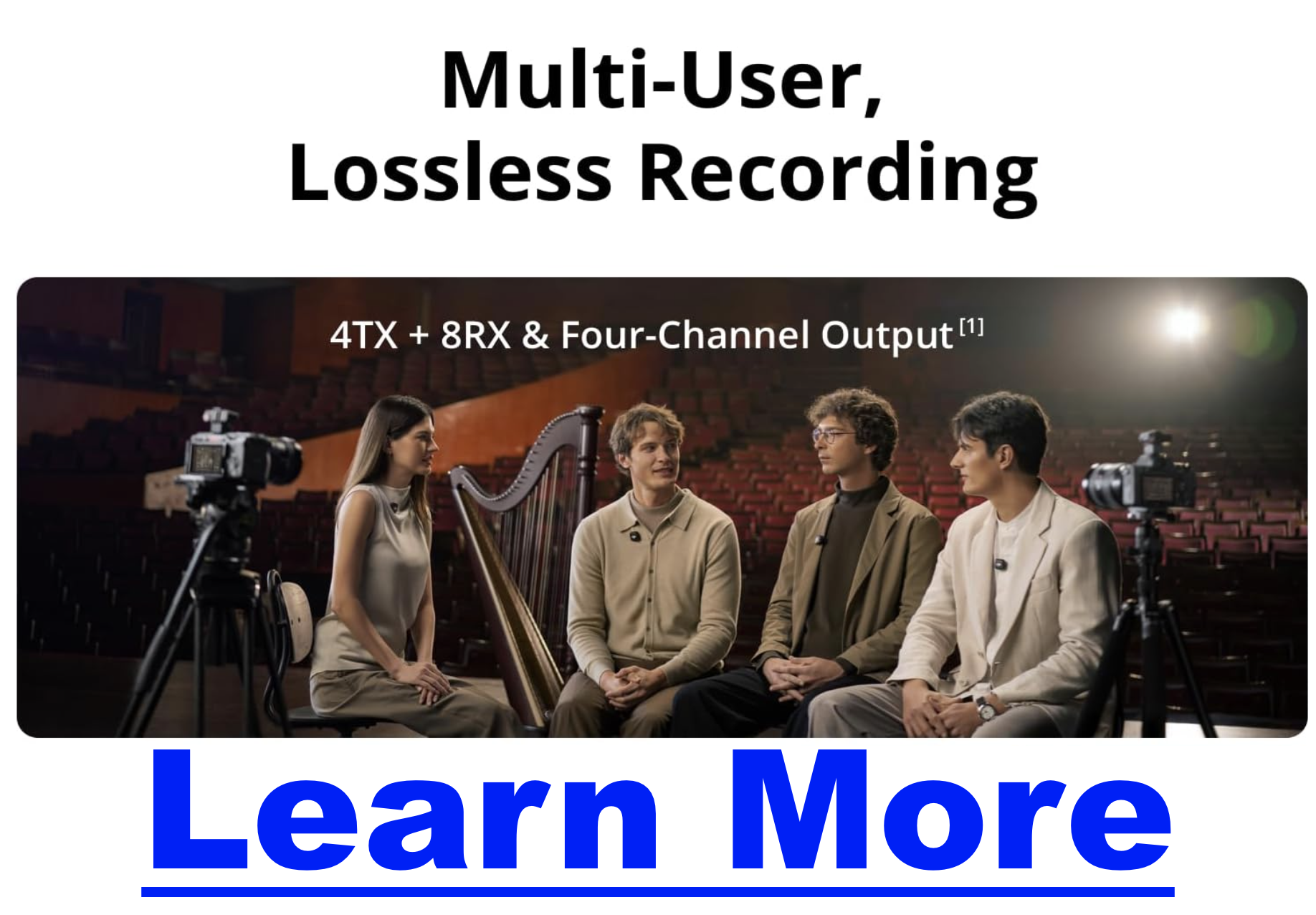
Timecode & Multi-Channel Support: Up to 4 transmitters and 8 receivers with built-in sync—a huge advantage for panel shows or multi-guest formats.
-
DJI Ecosystem Integration: If you already use DJI cameras (like the Osmo Action 5 Pro), the Mic 3 slots right in.
Quick Comparison: Mic 3 vs Mic 2
| Feature | DJI Mic 3 | DJI Mic 2 |
|---|---|---|
| Weight (TX) | 16 g | 28 g |
| Noise Cancelling | 2 levels (Basic/Advanced) | Single level |
| Voice Presets | 3 tone presets | None |
| Adaptive Gain Control | Yes (auto & dynamic) | Basic limiting |
| On-board Storage | 32 GB | 8 GB |
| Battery Life (total w/ case) | ~28 h | ~18 h |
| Wireless Range | ~400 m | ~250 m |
| Multi-Channel | Up to 4 TX / 8 RX | 2 TX / 1 RX |
| Charging Case | Fits mics + windscreens | Windscreens don’t fit |
Which One Should Podcasters Buy?
-
Choose the Mic 3 if: you want the best possible all-in-one system for podcasting, especially if you record outside a studio or need backups, long battery life, and advanced noise handling.
-
Choose the Mic 2 if: you need an analog lavalier input or want to save some money while still getting excellent audio quality.
For most podcasters, the Mic 3 is the safer long-term investment. It combines reliability, flexibility, and audio enhancements that reduce post-production work—a critical factor when you’re publishing episodes on a tight schedule.
Final Thoughts
Podcasters don’t need more complexity—they need tools that make recording easier and audio more reliable. DJI’s Mic 3 delivers that in spades. While the Mic 2 remains a solid option, especially for lav mic users, the Mic 3’s improvements in battery life, noise control, onboard recording, and ergonomics make it the standout choice for most creators.
In real-world use, the Mic 3 feels like the system that podcasters asked for: compact, dependable, and tuned for modern content creation.
How to End a Podcast: 25 Creative Ways to Wrap Up Your Episodes
When you think about creating a great podcast, your mind probably goes first to the intro—the hook, the energy, the first impression. But here’s the secret many podcasters overlook: the way you end your podcast is just as important as how you start.
The last few minutes of your episode shape how listeners remember you, whether they come back for more, and even if they take the action you want them to take. A well-crafted outro keeps your audience engaged, builds consistency, and turns casual listeners into loyal fans.
In this guide, we’ll explore 25 creative ways to end a podcast, from simple sign-offs to strategic calls-to-action. Whether you’re aiming to grow your audience, monetize your show, or just sign off with style, you’ll find options here you can plug into your own podcast today.
Why Your Podcast Outro Matters
-
Retention: Listeners who know what to expect at the end are more likely to stay through the last minute.
-
Conversions: The outro is prime real estate for asking listeners to subscribe, leave a review, or check out a resource.
-
Branding: A consistent, memorable sign-off strengthens your show’s identity.
I’ve been in podcasting for years, producing and analyzing shows across niches. Time and again, I’ve seen that a thoughtful outro boosts engagement and makes the difference between “just another episode” and a show people stick with long-term.
25 Ways to End a Podcast
Below you’ll find grouped strategies. Some are practical calls-to-action, others are stylistic flourishes. Pick and combine what fits your goals.
| Goal / Situation | Best Outro Approaches | Why It Works |
|---|---|---|
| Grow audience (new podcaster) | Subscribe/follow ask, rating/review request, tease next episode | Builds retention and platform signals that boost discoverability |
| Increase monetization | Sponsor thank-you, affiliate/product plug, promo code, Patreon/membership CTA | Turns attention at the end into direct revenue opportunities |
| Build community | Listener shoutouts, ask a question, invite to FB/Discord group, weekly challenge | Fosters 2-way engagement and strengthens loyalty beyond downloads |
| Educate / teach audience | Recap key takeaway, motivational quote, open loop for next lesson | Reinforces learning and encourages binge-listening |
| Strengthen brand consistency | Signature tagline, branded audio stinger, personal sign-off | Makes the podcast recognizable and professional |
| Keep it light / entertaining | Humor or gag, bloopers/outtakes, casual sign-off | Leaves a positive emotional association with the episode |
🎯 Calls-to-Action (Direct Engagement)
-
Ask listeners to subscribe or follow – Simple but effective: “Hit follow on Spotify so you don’t miss the next one.”
-
Encourage ratings & reviews – Reviews fuel podcast discovery. Ask honestly: “Your review helps more people find the show.”
-
Promote your email list – “Grab the free guide in the show notes and join our newsletter.”
-
Point to a related episode – Keep them binging: “If you liked this, go listen to Episode 27 on ___.”
-
Offer a free resource – A checklist, cheat sheet, or mini training adds value and builds loyalty.
💰 Monetization & Growth
-
Affiliate product mention – Share tools you genuinely use, with a reminder the link is in the notes.
-
Sponsor thank-you – “This episode was brought to you by ___. Check them out at ___.”
-
Promo code offer – Give urgency: “Use code PODCAST20 this week only.”
-
Membership or Patreon pitch – “Get ad-free episodes and bonus content by joining us at ___.”
-
Next-step funnel – Lead them deeper: “Want to dive further? Join my free webinar at ___.”
🤝 Community & Relationship Building
-
Ask a listener question – “What’s your take? Message me on Instagram @___.”
-
Issue a challenge – “Try today’s tip and tag me when you do.”
-
Invite to a community – Point to a group or forum where listeners can connect.
-
Highlight a listener – Read a review or share a fan story on-air.
-
Express gratitude – A sincere “thank you for spending this time with me” goes a long way.
🎙️ Creative & Stylistic Sign-Offs
-
Signature tagline – A catchphrase you repeat every episode. Example: “Keep learning, keep growing.”
-
Personal sign-off – “This is [Your Name], and I’ll see you next time.”
-
Humor or running gag – Lighthearted endings create memorable moments.
-
Behind-the-scenes teaser – Share bloopers or funny outtakes after the outro music.
-
Branded jingle – End with consistent music or a sound logo.
🚀 Forward Momentum
-
Tease the next episode – Build anticipation: “Next week, I’m talking with ___ about ___.”
-
Recap the key takeaway – Reinforce learning: “Remember, today’s big lesson is ___.”
-
Share a motivational quote – Tie it to the theme for a lasting impression.
-
Open a story loop – Start a story you’ll finish in the next episode. Great for series formats.
-
Redirect to other platforms – “Follow me on TikTok for daily tips.”
How to Choose the Right Outro for Your Podcast
Not every show needs all 25 strategies. Think about your goals:
-
Growth focus: Lean on subscribe/follow CTAs and cross-promotion.
-
Monetization focus: Weave in sponsors, affiliate links, and offers.
-
Community focus: End with listener shoutouts, questions, and group invites.
And remember: authenticity matters more than polish. A heartfelt thank-you often outperforms a scripted pitch.
Podcast Outro Examples
Here are three simple templates you can adapt:
Growth-Focused Outro
“Thanks for tuning in! If you enjoyed today’s episode, hit follow on Spotify or Apple Podcasts. And don’t forget to check out Episode 18 for more on this topic.”
Monetization-Focused Outro
“This episode was made possible by [Sponsor]. Visit [URL] and use code PODCAST20 for 20% off. Links are in the show notes!”
Community-Focused Outro
“I’d love to hear what you thought—DM me on Instagram @yourhandle. And if you want to connect with other listeners, join our free Facebook group linked below.”
Conclusion
The way you end your podcast shapes how your listeners remember you. With the right outro strategy, you can boost engagement, build loyalty, and even grow revenue—all while giving your show a professional, polished feel.
Experiment with these 25 podcast outro ideas and find the ones that fit your voice and audience. And remember: all the links, resources, and extras mentioned today? They should always live in your show notes so listeners have an easy next step.
11 Best Podcasting Books That Will Instantly Level Up Your Show (Organized by What You Want to Learn)
Podcasters are everywhere these days — but only a fraction of shows ever stand out. Why? Because great podcasting takes more than just hitting record. You need to master storytelling, sharpen your interview skills, grow an audience, and yes, even learn how to monetize your hard work.
The problem? Most lists of “best podcast books” are just random dumps. This one is different. I’ve organized the best podcasting books by what you want to learn, so you can grab the resource that actually solves your biggest challenge right now.
What Podcasters Usually Need to Learn
- Fundamentals — how to start, what gear you need, and how distribution works.
- Technical & Production — improving sound quality, editing, and workflows.
- Storytelling — creating episodes that people can’t stop listening to.
- Interviewing — asking better questions and connecting with guests.
- Growth & Marketing — attracting and keeping listeners.
- Monetization — turning your podcast into a revenue stream.
- Creative Confidence — developing your voice, presence, and style.
Best Books for Each Learning Goal
🎙️ Fundamentals of Podcasting
- Podcast Launch (John Lee Dumas) — A step-by-step beginner’s guide from one of podcasting’s most recognized names.
- Podcasting for Dummies (Evo Terra, et al.) — Accessible, broad coverage of everything you need to start.
🛠️ Technical & Production Skills
- Sound Reporting (Jonathan Kern) — NPR’s guide to audio journalism and production. A must for anyone serious about professional sound.
- Podcast Solutions (Michael Geoghegan & Dan Klass) — Hands-on workflows and setups to simplify the tech.
🎧 Storytelling & Content Creation
- Out on the Wire (Jessica Abel) — Learn storytelling secrets from Ira Glass and other audio legends.
- Make Noise (Eric Nuzum) — Find your creative voice and craft shows that connect deeply.
- Reality Radio (John Biewen, ed.) — Essays from veteran audio storytellers who shaped the medium.
🗣️ Interviewing
- The Art of the Interview (Lawrence Grobel) — Classic strategies for building trust and drawing out meaningful stories.
- Sound Reporting — Includes practical interviewing insights for journalists and podcasters alike.
📢 Growth & Marketing
- The Audience Is Listening (Tom Webster) — Research-backed strategies for finding and keeping listeners.
- Earn It (Steve Pratt) — Bold, creative approaches to marketing your podcast.
💵 Monetization
- Profit from Your Podcast (Dave Jackson) — Practical monetization tips from one of podcasting’s earliest educators.
- Podcasting for Promotion, Positioning & Profit (Kris Gilbertson) — A more entrepreneurial spin on how to leverage a podcast into authority and income.
🎭 Creative Voice & Confidence
- Permission to Speak (Samara Bay) — Helps you unlock authenticity and power behind the mic.
- Make Noise (Eric Nuzum) — Not just storytelling, but the courage to create your own lane.
Quick Comparison Table
| Topic | Best Books | Why Read Them |
|---|---|---|
| Starting Out | Podcast Launch, Podcasting for Dummies | Clear, structured foundations |
| Sound & Production | Sound Reporting, Podcast Solutions | Learn to sound professional |
| Storytelling | Out on the Wire, Make Noise | Build stronger narratives |
| Interviewing | The Art of the Interview | Master guest conversations |
| Growth | The Audience Is Listening, Earn It | Attract and keep listeners |
| Monetization | Profit from Your Podcast | Turn episodes into income |
| Voice & Confidence | Permission to Speak | Sound authentic and powerful |
How to Choose the Right Book for You
- If you’re brand new: Start with Podcast Launch or Podcasting for Dummies.
- If your audio sounds rough: Dive into Sound Reporting and Podcast Solutions.
- If you want to hook listeners: Out on the Wire and Make Noise are non-negotiable.
- If your format is interviews: The Art of the Interview will transform your approach.
- If you’re stuck on growth: Go with The Audience Is Listening or Earn It.
- If you’re ready to monetize: Grab Profit from Your Podcast.
Remember: don’t just read these — apply them episode by episode. Podcasting is a craft you build over time.
Conclusion
The difference between a podcast that fades out and one that builds a loyal audience often comes down to learning faster and applying smarter. These books give you direct access to the wisdom of podcasting pros who’ve already figured it out.
👉 Pick the book that matches your current challenge and put it into practice this week. You’ll be amazed how quickly your podcast levels up.
If you want even more guidance, check out my free resource: How to Make Money With a Podcast — video training that takes you beyond learning and into earning.
StreamYard vs Streamlabs: One Is Overrated, The Other Is a Game-Changer
In the competitive world of live streaming, creators need platforms that are powerful yet accessible. Two of the most popular options—StreamYard and Streamlabs—make it easier than ever to go live, engage your audience, and build a brand.
But which one is the right fit for you? In this guide, we’ll break down their features, pricing, ease of use, and unique strengths so you can make an informed decision.
An Overview of StreamYard and Streamlabs
StreamYard: The Master of Simplicity
StreamYard is a browser-based live streaming studio designed for ease of use. With features like custom branding, overlays, guest interviews, and multistreaming, anyone can produce professional broadcasts without complex setup. It’s a favorite for YouTubers, podcasters, and businesses that want to connect live with minimal hassle.
Streamlabs: The All-in-One Creator Platform
Streamlabs has grown into a full ecosystem for creators. While it offers a browser-based studio, it also provides a desktop app and tools for monetization, audience engagement, and growth. From tipping and donations to an integrated merch store and app marketplace, Streamlabs is built for creators who want to go beyond streaming and build a career.
Feature Comparison
| Feature | StreamYard | Streamlabs |
|---|---|---|
| Platform | Browser-based | Browser + desktop app |
| Ease of Use | Extremely easy | Easy, but more complex |
| Guest Management | Up to 10 guests | Up to 12 guests |
| Multistreaming | Built-in | Built-in |
| Branding | Logos, overlays, backgrounds | Custom themes, overlays, logos |
| Monetization | Relies on platform tools | Yes (tipping, donations, merch) |
| App Store | No | Yes (hundreds of extensions) |
| Video Quality | Up to 1080p | Up to 1080p with dynamic bitrate |
| Pricing | Free & paid plans | Free & Streamlabs Ultra ($19/mo) |
Core Strengths
-
StreamYard: Simple, user-friendly, and reliable for professional-looking live events.
-
Streamlabs: Feature-packed with advanced monetization and customization options.
Unique Features
-
StreamYard: A backstage area to prep with guests before going live.
-
Streamlabs: A massive app store and “Collab Cam,” which lets guests join as a second camera source from their phone.
Pricing
-
StreamYard: Free plan (20 hrs/month with branding). Paid plans start at $20/month, unlocking custom branding, higher limits, and multistreaming.
-
Streamlabs: Free plan with limited features. Streamlabs Ultra is $19/month, adding unlimited multistreaming, monetization tools, premium themes, and full app store access.
Ease of Use
-
StreamYard: Beginner-friendly; no downloads required. Up and running in minutes.
-
Streamlabs: Still accessible, but its advanced features and desktop app can overwhelm beginners. Best suited for those ready to dive deeper.
Video & Audio Quality
-
StreamYard: Up to 1080p, reliant on your internet connection.
-
Streamlabs: Up to 1080p with dynamic bitrate to maintain stability if your connection fluctuates.
Guest Management
-
StreamYard: Up to 10 participants; guests join via link—no account required.
-
Streamlabs: Up to 12 participants; Collab Cam adds extra flexibility for mobile guests.
Integrations
-
StreamYard: Works with major platforms like YouTube, Facebook, LinkedIn, Twitch, plus services like Restream and Ecamm Live.
-
Streamlabs: Integrates through its app store—covering chat moderation, analytics, sound effects, and more.
Customer Support
-
StreamYard: 24/7 live chat, community forum, and extensive help docs.
-
Streamlabs: 24/7 live chat, help center, and a large creator community.
Who Should Use Each?
-
StreamYard is best for:
-
Beginners who want the fastest path to polished live streams.
-
Businesses running webinars, events, and interviews.
-
Creators who value simplicity over complexity.
-
-
Streamlabs is best for:
-
Streamers who want to monetize via donations, tips, or merch.
-
Power users who love customization and apps.
-
Brands building a professional, revenue-driven channel.
-
Conclusion: The Final Verdict
Both StreamYard and Streamlabs are excellent—but they serve different goals:
-
Choose StreamYard if you want a straightforward, professional studio for live streaming.
-
Choose Streamlabs if you want monetization tools, deep customization, and long-term growth potential.
Since both have free plans, the best way to know which is right for you is to test them yourself.
StreamYard vs OBS: Why Most Creators Pick the Wrong One
In the dynamic world of live streaming, creators face a crucial decision: which broadcasting software is the right fit? The choice often comes down to a trade-off between simplicity and power.
On one side, there’s StreamYard—a browser-based studio celebrated for ease of use. On the other, OBS (Open Broadcaster Software)—a free, open-source powerhouse offering unmatched customization.
In this guide, we’ll break down features, pricing, and strengths of both StreamYard and OBS so you can choose the platform that best fits your streaming goals.
An Overview of StreamYard and OBS
StreamYard: The Epitome of Simplicity
StreamYard makes it easy for anyone to stream professional-looking shows. From custom branding to guest interviews and multistreaming, everything is built right into the browser. No technical expertise required—making it ideal for YouTubers, podcasters, and businesses.
OBS: The Powerhouse of Customization
OBS is an open-source favorite among pros. It allows complete control over scenes, layouts, and sources, making it perfect for gamers and power users. With plugins and limitless flexibility, OBS is the tool of choice for streamers who want full creative control.
Feature Comparison
| Feature | StreamYard | OBS |
|---|---|---|
| Platform | Browser-based | Desktop app (Windows, macOS, Linux) |
| Ease of Use | Extremely easy | Steeper learning curve |
| Customization | Limited (branding, overlays) | Full (scenes, plugins, sources) |
| Guest Management | Yes (up to 10 guests) | No (requires third-party tools) |
| Multistreaming | Built-in | Requires plugins/services |
| Video Quality | Up to 1080p | 4K+ (depends on hardware) |
| Audio Quality | Good | Excellent (with tuning) |
| Resource Usage | Low | High (hardware intensive) |
| Pricing | Free & paid plans | 100% free, open-source |
Core Differences
-
StreamYard focuses on ease of use with features like guest management and multistreaming baked in.
-
OBS is all about control, letting you fine-tune resolution, bitrate, and effects for pro-level production.
Pricing
-
StreamYard: Free plan (20 hrs/month with branding). Paid plans start at $20/month, unlocking multistreaming, branding, and higher limits.
-
OBS: Completely free. No tiers, no limits.
Ease of Use
-
StreamYard: Beginner-friendly, intuitive interface, live in minutes.
-
OBS: Powerful but technical—setup requires time, knowledge, and configuration.
Video & Audio Quality
-
StreamYard: Streams at up to 1080p. Internet stability impacts quality.
-
OBS: Supports 4K+, full control over encoding, resolution, and bitrate. Audio can be tuned for professional results.
Guest Management
-
StreamYard: Up to 10 guests with simple link invites + backstage prep area.
-
OBS: No built-in guest tools—requires Discord, Zoom, or similar integrations.
Integrations
-
StreamYard: Connects with YouTube, Facebook, LinkedIn, Twitch, Restream, and more.
-
OBS: Vast plugin ecosystem—everything from chat overlays to advanced audio processing.
Support
-
StreamYard: 24/7 live chat, knowledge base, and forums.
-
OBS: No official support, but a strong community via forums, Discord, and Reddit.
Who Should Use Each?
-
StreamYard is best for:
-
Beginners who value simplicity.
-
Creators hosting interviews or business live events.
-
Those who want multistreaming with minimal setup.
-
-
OBS is best for:
-
Professional streamers who want complete customization.
-
Gamers and creators with strong technical setups.
-
Budget-conscious streamers (since it’s free).
-
Conclusion: The Final Verdict
Both platforms are excellent but serve different audiences:
-
Choose StreamYard if you want the easiest, most beginner-friendly way to host polished streams with guests.
-
Choose OBS if you need maximum power and flexibility, and don’t mind a learning curve.
Since both have free options, the best move is to test them and see which matches your workflow.
10 Best Places to Download Royalty-Free Music For Podcasts
10 Best Sites for Royalty-Free Podcast Music (Free & Paid Options for 2025)
Looking for the perfect background track or intro music for your podcast? The right royalty-free music can elevate your show’s tone, make transitions smoother, and keep listeners engaged. But finding high-quality, legal, and affordable tracks can be tricky—especially if your podcast is monetized.
That’s why we’ve curated this comprehensive guide to the best royalty-free music libraries and free music sources for podcasters. Whether you need upbeat intro themes, cinematic transitions, or subtle background ambience, you’ll find trustworthy options below.

Top 10 Places to Find Royalty-Free Music for Your Podcast
Each of these platforms offers clear licensing, diverse styles, and options for both free and paid use. Click any provider below to explore their library.
| Provider | Benefits | Pros | Cons |
|---|---|---|---|
| Pixabay Music | Free access, browse by genre or mood, no attribution required for most tracks. | Completely free, easy search, huge selection. | Quality varies; not all tracks allow monetization. |
| YouTube Audio Library | Free music & sound effects, organized by genre and mood. | High-quality tracks, simple to use, huge variety. | Some tracks require attribution; mainly for YouTube users. |
| Incompetech | Massive free library by Kevin MacLeod, available under Creative Commons. | Diverse genres, easy licensing, reliable source. | Requires attribution for free use. |
| Free Music Archive | Community-driven platform featuring indie and classic tracks. | Free to use; unique selection across genres. | Licenses vary—some require attribution. |
| Freebeats.io | Modern, beat-heavy tracks available for free download with attribution. | Ideal for urban or talk-show podcasts; free downloads. | Limited styles; credit required. |
| SoundCloud (909 Music) | Curated royalty-free tracks available without attribution. | Quick access to free use tracks. | Smaller selection, varying quality. |
| AudioJungle | Premium royalty-free music marketplace. | Professional quality, extensive tagging and search filters. | Paid per-use license can add up over time. |
| Epidemic Sound | Subscription-based with full commercial use rights. | Excellent quality, consistent licensing, new releases weekly. | Requires active subscription. |
| PremiumBeat | Curated high-quality tracks for podcasts, YouTube, and film. | Simple licensing, superb production quality. | Higher cost per track or monthly plan. |
| Musicbed | Subscription library of cinematic, emotional, and modern tracks. | Top-tier audio quality, professional licensing. | Subscription cost; not ideal for one-off projects. |
Key Factors to Consider When Choosing Podcast Music
Before downloading or licensing any track, keep these key points in mind:
- Licensing: Always confirm the license for each track. Look for terms on attribution, commercial use, and modifications.
- Creative Commons vs. Public Domain:
- CC0 (Public Domain): Free for any use, no credit required.
- Attribution Licenses: Require you to credit the artist in your show notes or verbally.
- Ease of Use: Can you search, preview, and download quickly? Well-organized platforms save hours.
- Quality & Variety: Make sure the library fits your show’s tone—fun, suspenseful, cinematic, or relaxed.
Free Royalty-Free Podcast Music Providers
These trusted free music sites offer great options for hobbyist and independent podcasters:
- Free Music Archive: Vast selection across genres under Creative Commons. Always check the license before use.
- Pixabay Music: Completely free and safe for commercial use—great for monetized podcasts.
- Incompetech: Free with attribution, includes genre and mood filters for easy browsing.
- YouTube Audio Library: Simple, searchable, and full of versatile music and effects.
- Purple Planet: High-quality background tracks across genres; free with attribution.
Specialized Free Options
- Freebeats.io: Focused on modern beats and instrumentals—perfect for casual or urban-themed podcasts.
- Musopen: Great for classical and instrumental pieces; some tracks are public domain.
- CCMixter: Community-driven Creative Commons mixes—ideal for unique soundscapes.
- Silverman Sound Studios: Quality free music with minimal licensing requirements.
- Audionautix: Large genre-spanning library, all free with attribution.